AI Image Validation
I. Feature Introduction
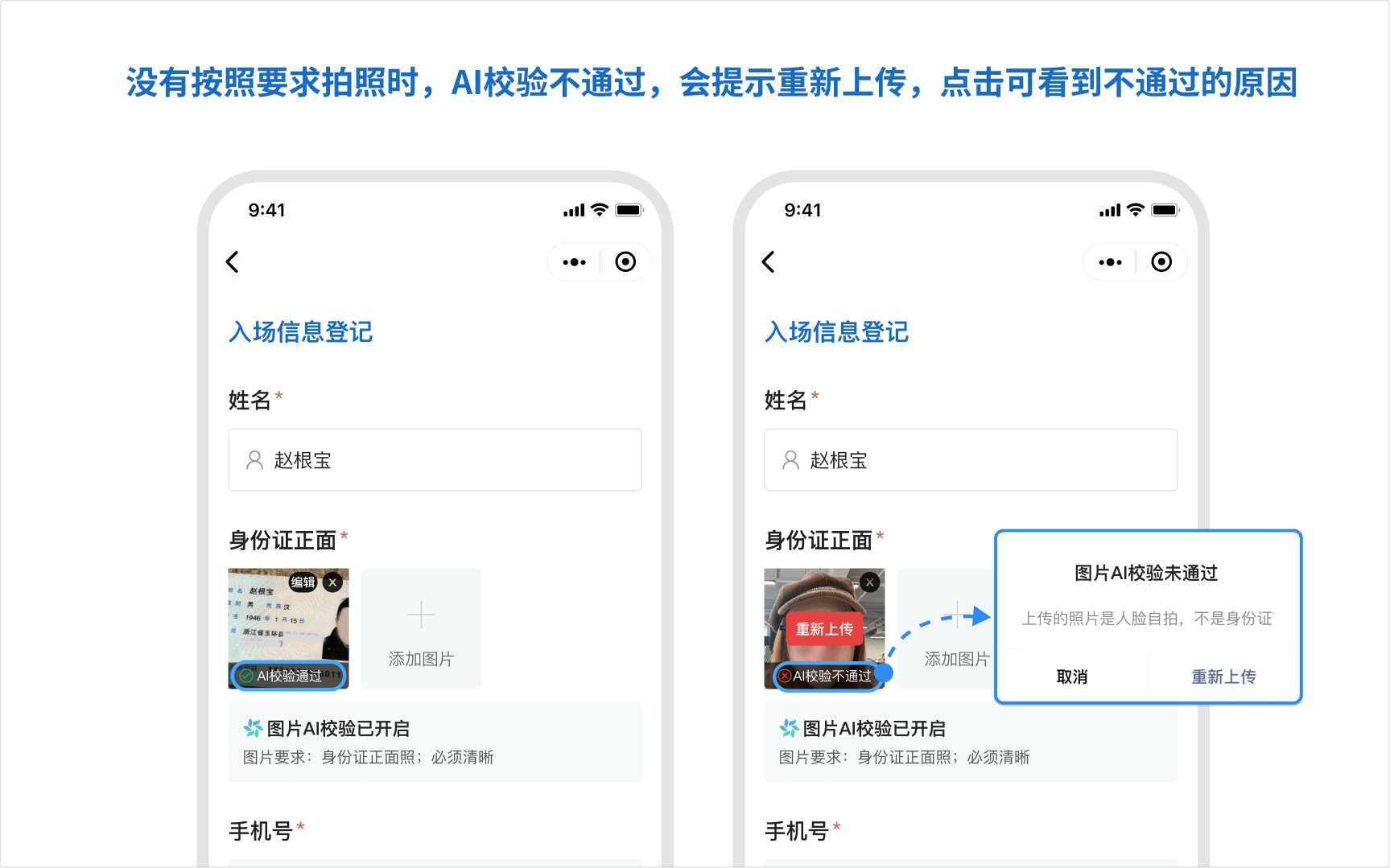
AI image verification is a smart quality check designed for image upload scenarios, and it keeps form data consistent through these functions:
- Content recognition: automatically detects whether an image contains preset elements (such as faces, safety helmets, and ID documents)
- Quality judgment: identifies quality problems such as image clarity
- Real-time blocking: images that don't meet the requirements can stop the form from being submitted and prompt the submitter to change them
II. Setup Guide
-
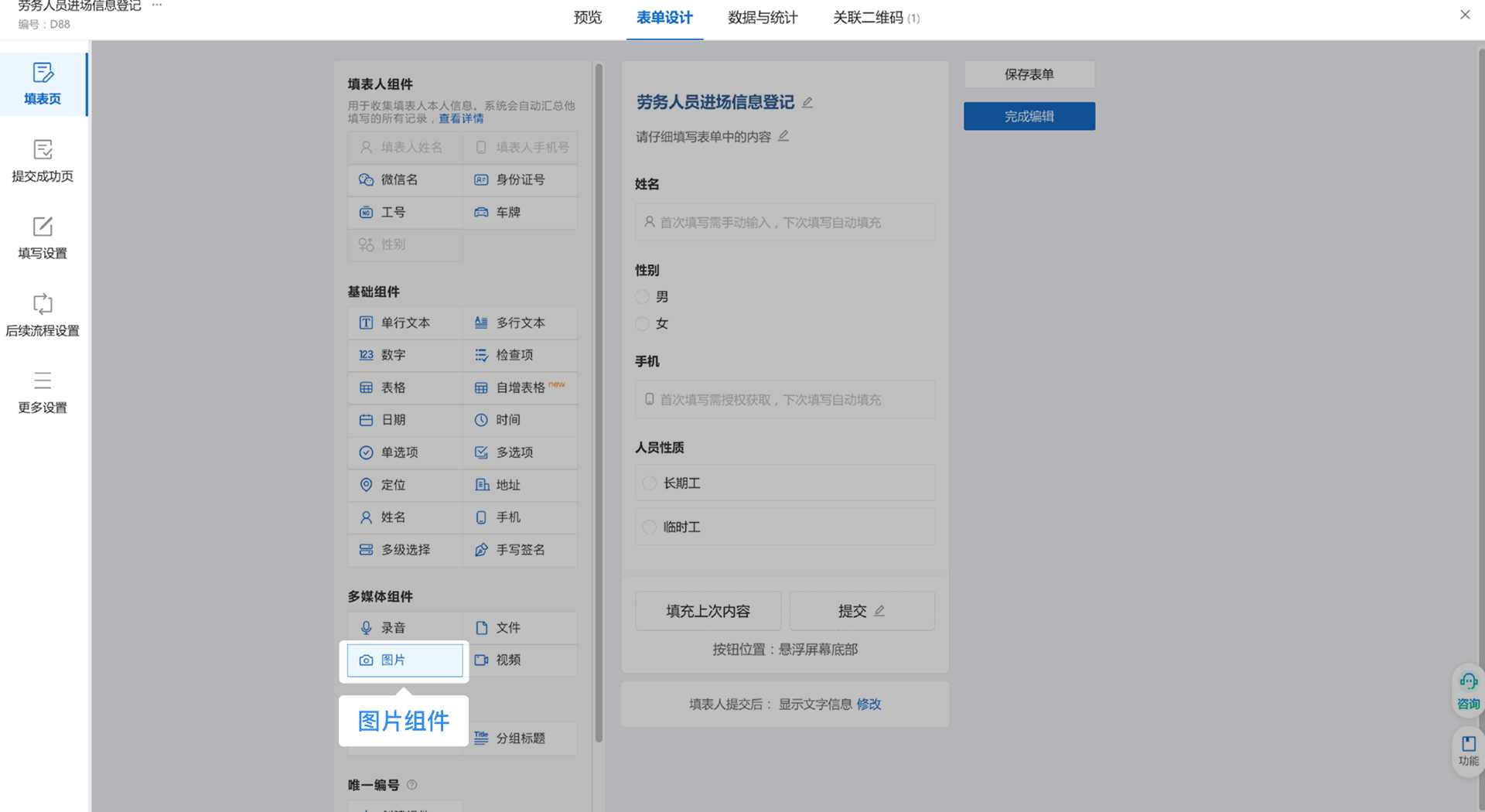
Go to the form design page → select the image component
-
Turn on image verification
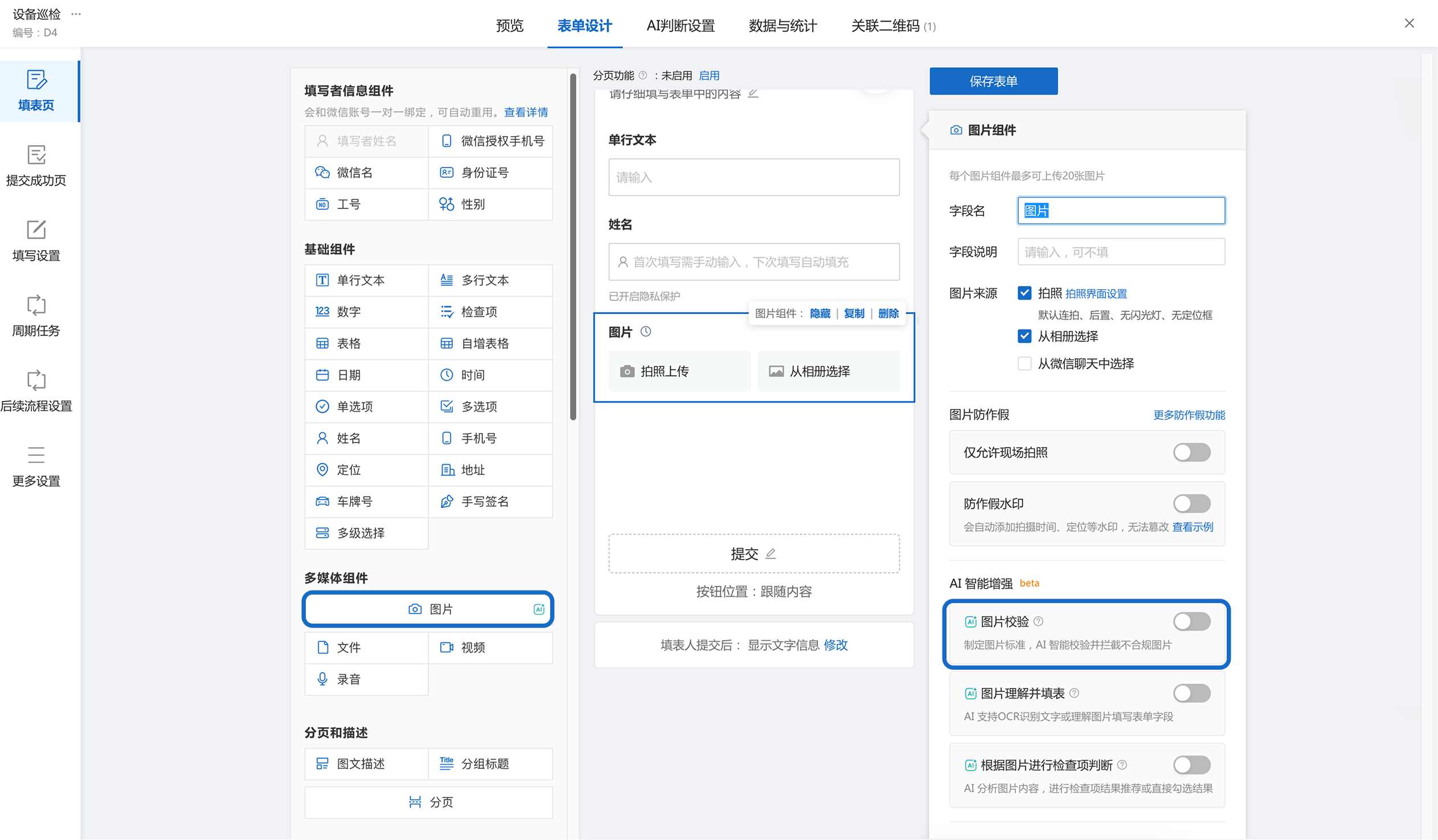
You can enter your own verification prompt. Note that how well the prompt is written decides how accurate AI verification is!
You can choose what happens when verification fails: "Can still upload" or "Must upload again":
- Must upload again: the image must pass verification before the form can be submitted
- Can still upload: the form can still be submitted when verification fails. If any uploaded image in a record didn't pass verification, you can choose whether to send a message reminder to admins.
Optimizing prompts: if submitters' images often fail review but you think the images themselves meet the requirements, the prompt may not be accurate enough. For this, CaoLiao provides a prompt optimization tutorial. View the prompt writing tutorial

III. AI Verification Statistics
You can see verification results under Desktop → Forms → AI Judgment Settings. Admins can adjust and test prompts on this page. Learn more

IV. Prompt Writing Tutorial
1. A Quick Way to Write Prompts
Open an AI tool such as Kimi or DeepSeek, copy the prompt below, replace [xxxx] with your image requirements, and send it to the AI to get a prompt
I'm making a form whose image component has AI review. This feature is designed for image upload scenarios and does smart quality checks. Please write a prompt for me. The prompt needs to: if there are two or more requirements, state them in separate sentences so the logic is clear, and use standards that are as specific as possible. My requirement is: "The image must clearly contain xxxx, and it must xxxx.
Note: the prompt has a big effect on review results, so we suggest uploading photos to test after writing it, and adjusting the prompt based on the test results to improve the review.
You can go to Desktop → Forms → AI Judgment Settings and click Edit Prompt to test prompts
2. Notes When Writing Your Own
If There Are Two or More Requirements, State Them in Separate Sentences So the Logic Is Clear.
Wrong: The image needs to show a person wearing a safety helmet correctly. Right: The image must show people, and everyone must be wearing a safety helmet correctly.
Use Specific, Measurable Standards Instead of Vague Subjective Wording.
Wrong: The shooting environment must be clean and tidy. Right: The floor must have no trash and no discarded items.
Wrong: The product in the image must look very new. Right: The product surface in the image must have no scratches or stains, and the packaging must be intact.
Note: subjective descriptions may make people and AI judge differently.
Examples
-
You want submitters to upload payment vouchers for reimbursement.
Prompt: Review the submitted spending voucher against the following standard. It should pass if it matches any one of these types and contains the necessary information: a spending receipt or payment screenshot; an order details page from a shopping app; a spending record or top-up record.
-
You want everyone who appears in the image to wear a safety helmet.
Prompt: It must contain a face, and everyone who appears must be wearing a safety helmet; holding a safety helmet in hand is not acceptable
-
You want faces in the image to be frontal, clear, and unobstructed.
Prompt: Make sure the uploaded image meets these requirements: it must show a frontal face; the eyebrows, eyes, nose, mouth, and ears must all be clearly visible with nothing covering them; it must not be a side view, half a face, or a tilted angle; it must be clearly identifiable as the person themselves. Only an image that meets every one of the above requirements can pass
-
You want a scene with no trash in the image
Prompt: There is no visible trash in the image and no scattered waste
V. Frequently Asked Questions
-
How accurate is AI verification? As long as the prompt is fine, accuracy in typical scenarios (such as safety helmet detection) is above 98%. Before formally using a form, we suggest admins take test photos first and verify and correct the prompt
-
If I choose "Can still upload" when verification fails, can I still see the records that failed verification in the workbench? Yes. On the form's Data and Statistics page, records that didn't pass AI verification are marked