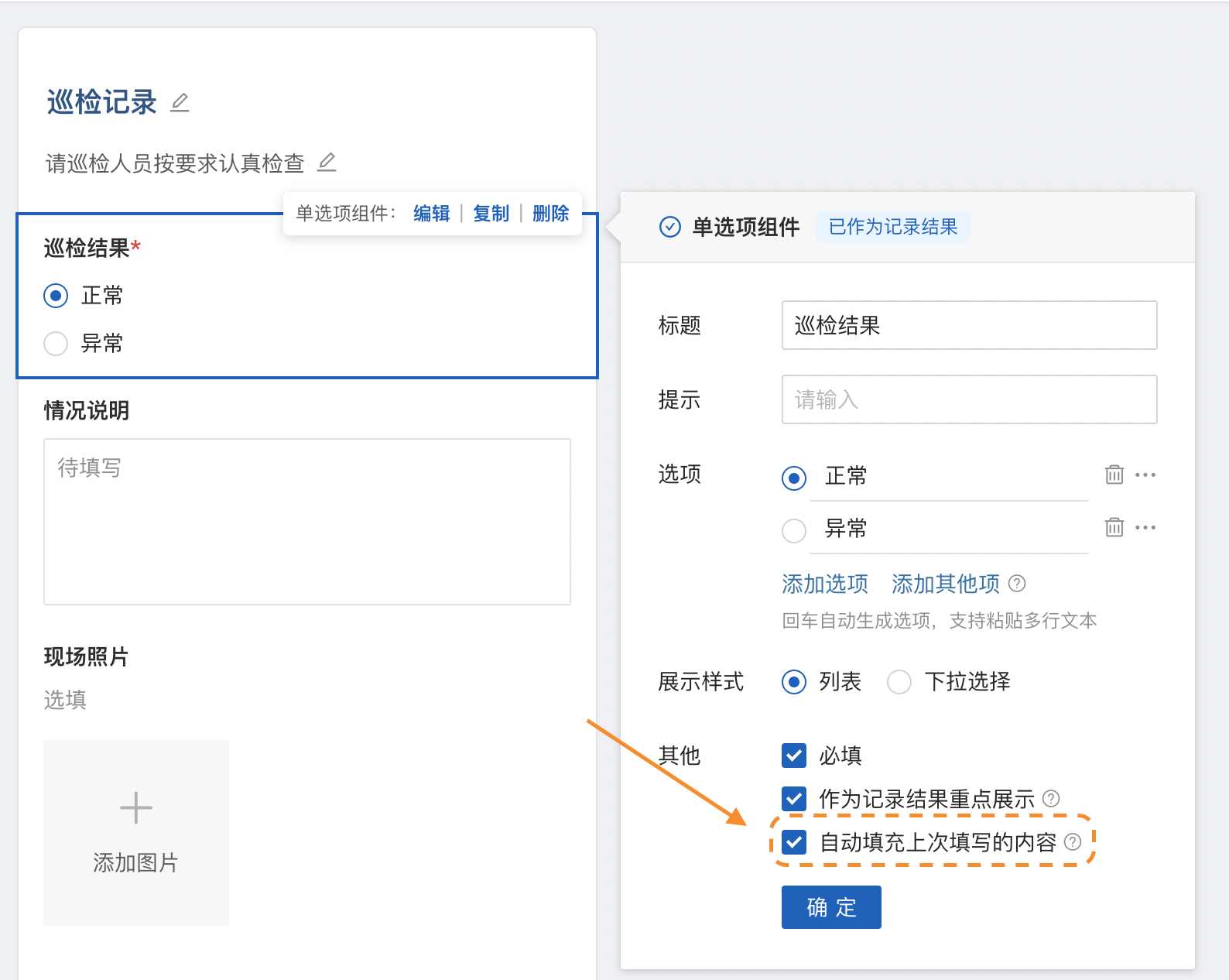
Auto-Fill Previous Entry
This setting improves efficiency for repeat submissions. When enabled, the system pre-populates the field with the submitter's previous response when they open the form again. The auto-filled content can be modified.
Applicable components: All components except multimedia, title/description, and handwritten signature.
Note: Phone number, WeChat name, and location components auto-fill automatically after the first authorization — no configuration needed.
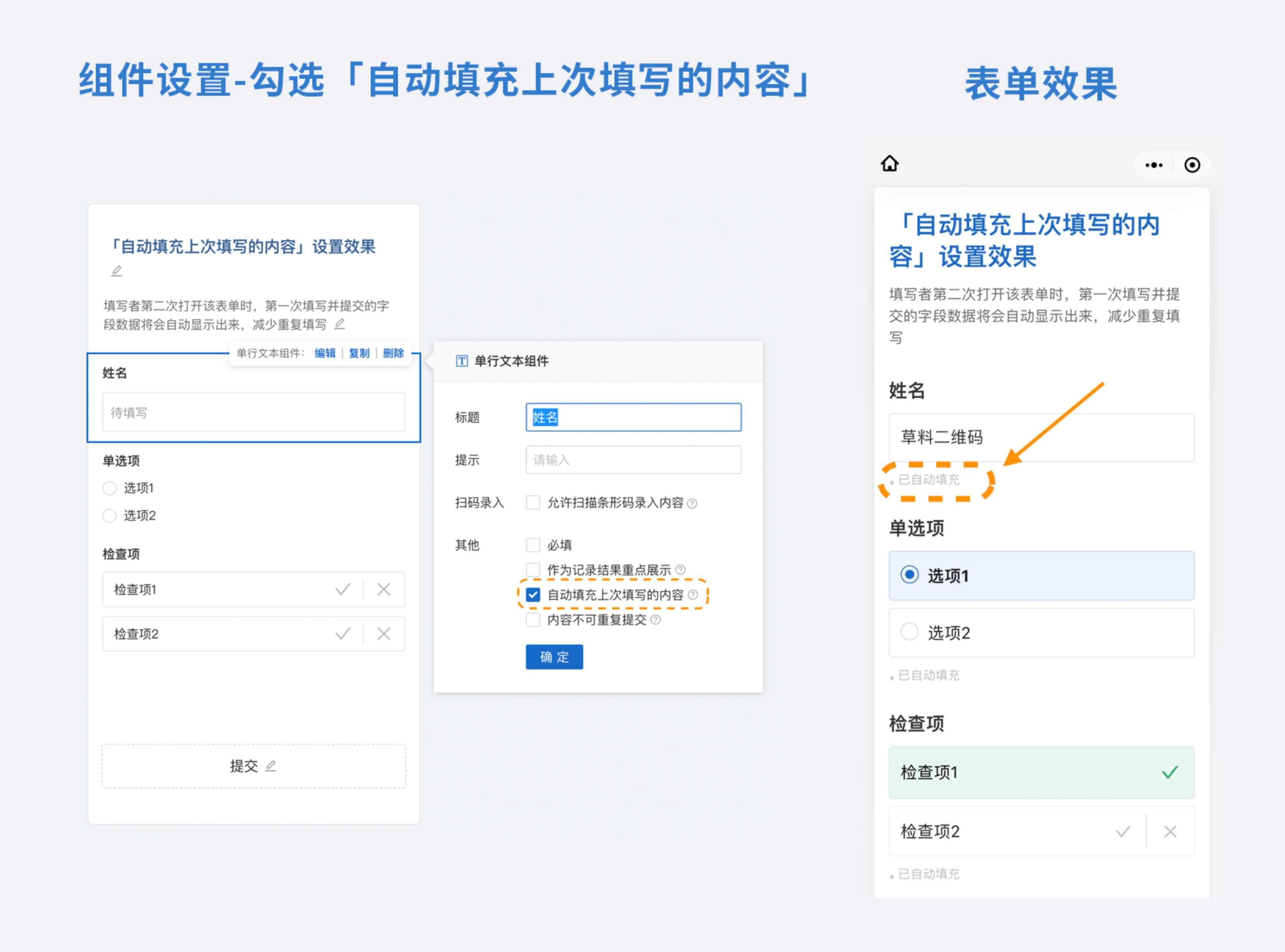
1. Effect
After this setting is enabled, when a submitter opens the form a second time, a gray *Auto-filled label appears below the pre-populated content.
2. Setup Tutorial
2.1 Edit the Form
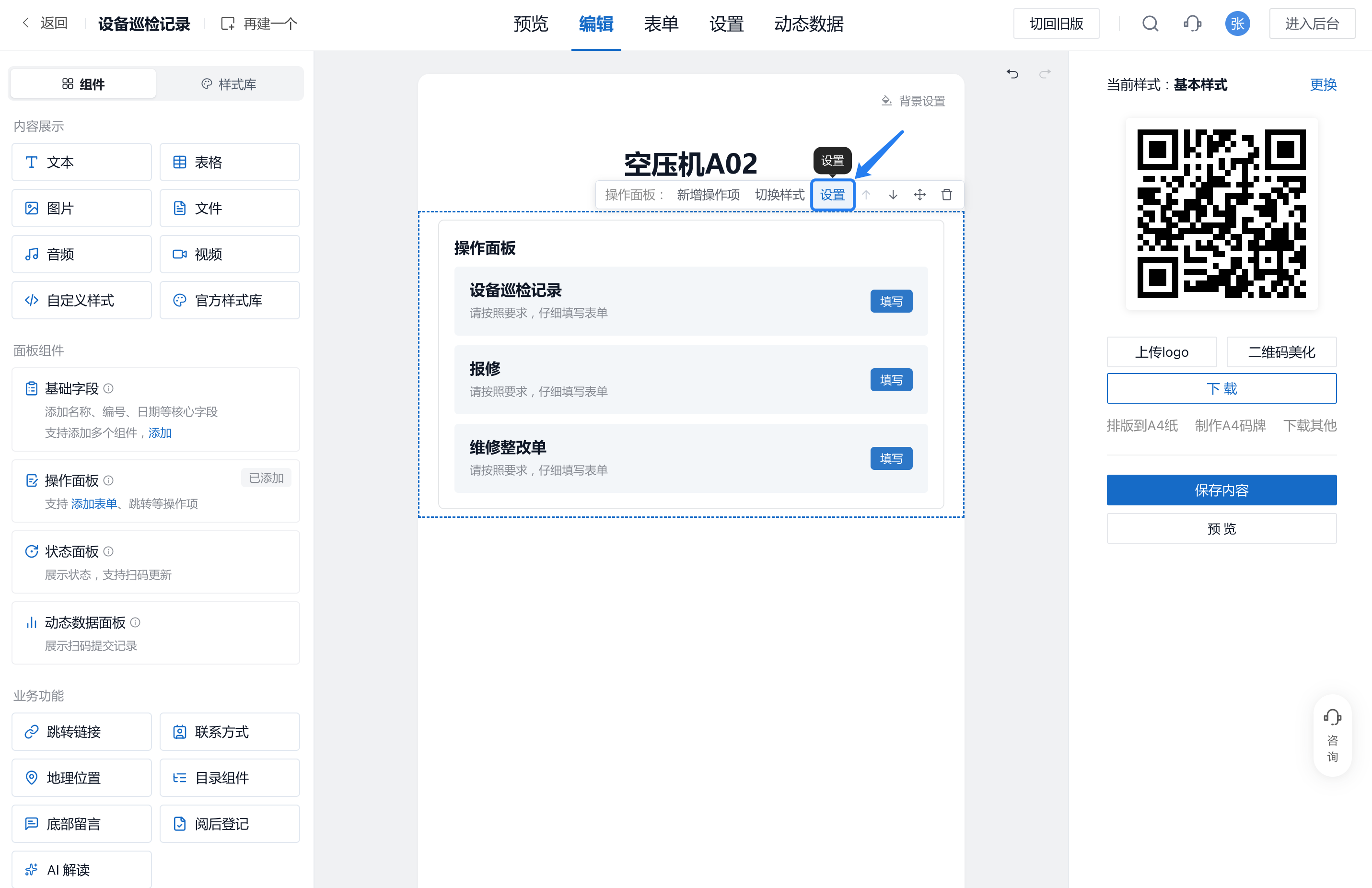
Edit the QR code, hover over the Control Panel area, and click Settings to enter the control panel settings page.
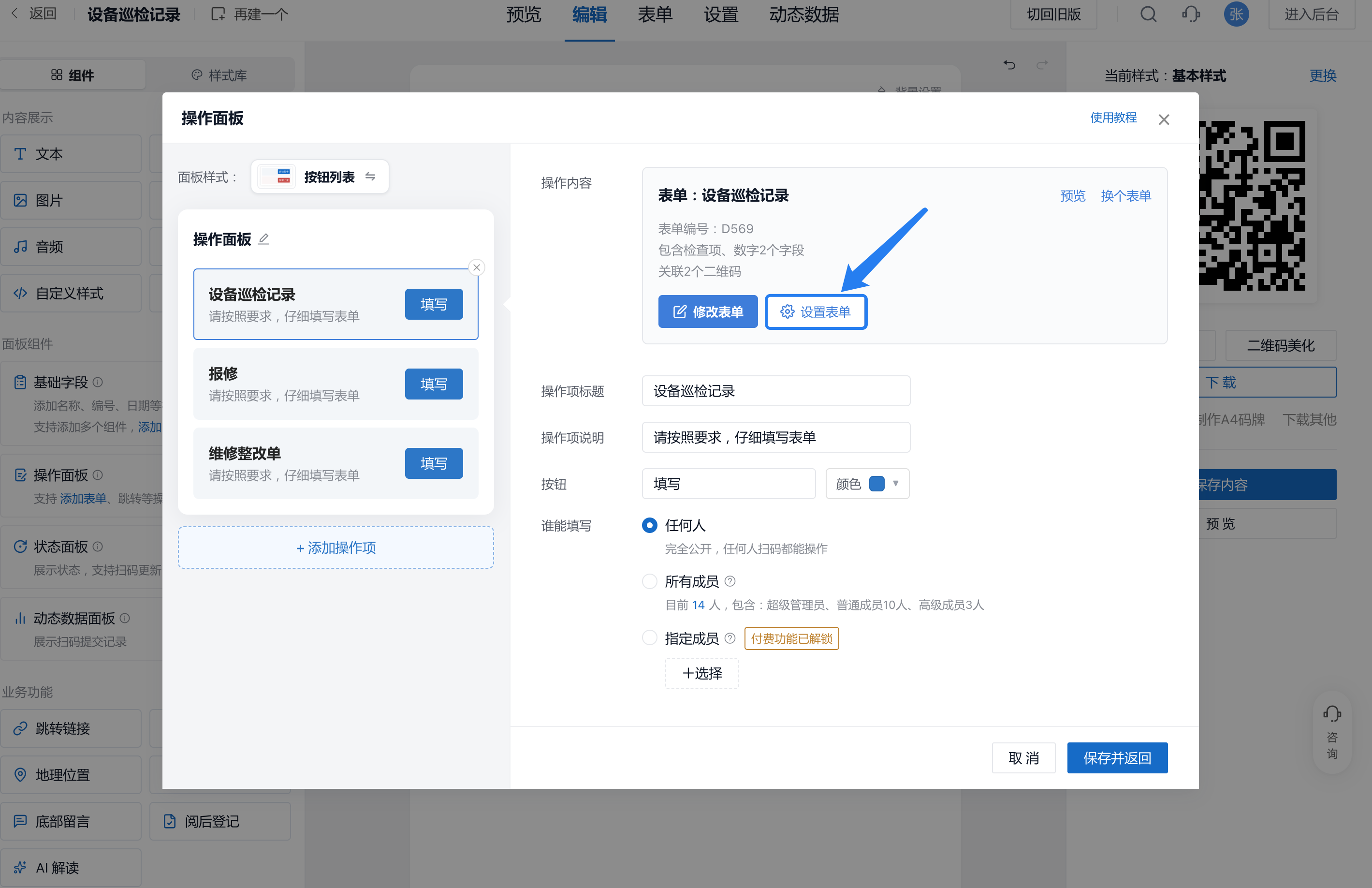
Select the form you want to configure and click Edit Form to open the forms editor.
2.2 Configure the Component
Click the component you want to configure, then check "Auto-fill previous entry" in the right settings panel.