Highlight Feature Guide
1. Overview
To improve the efficiency of viewing form data on mobile and desktop, the system provides two "highlight" features: "As Record Result" and "As Key Display Field." Both display important field values directly in the data list view, so you can quickly grasp key information without opening each record.
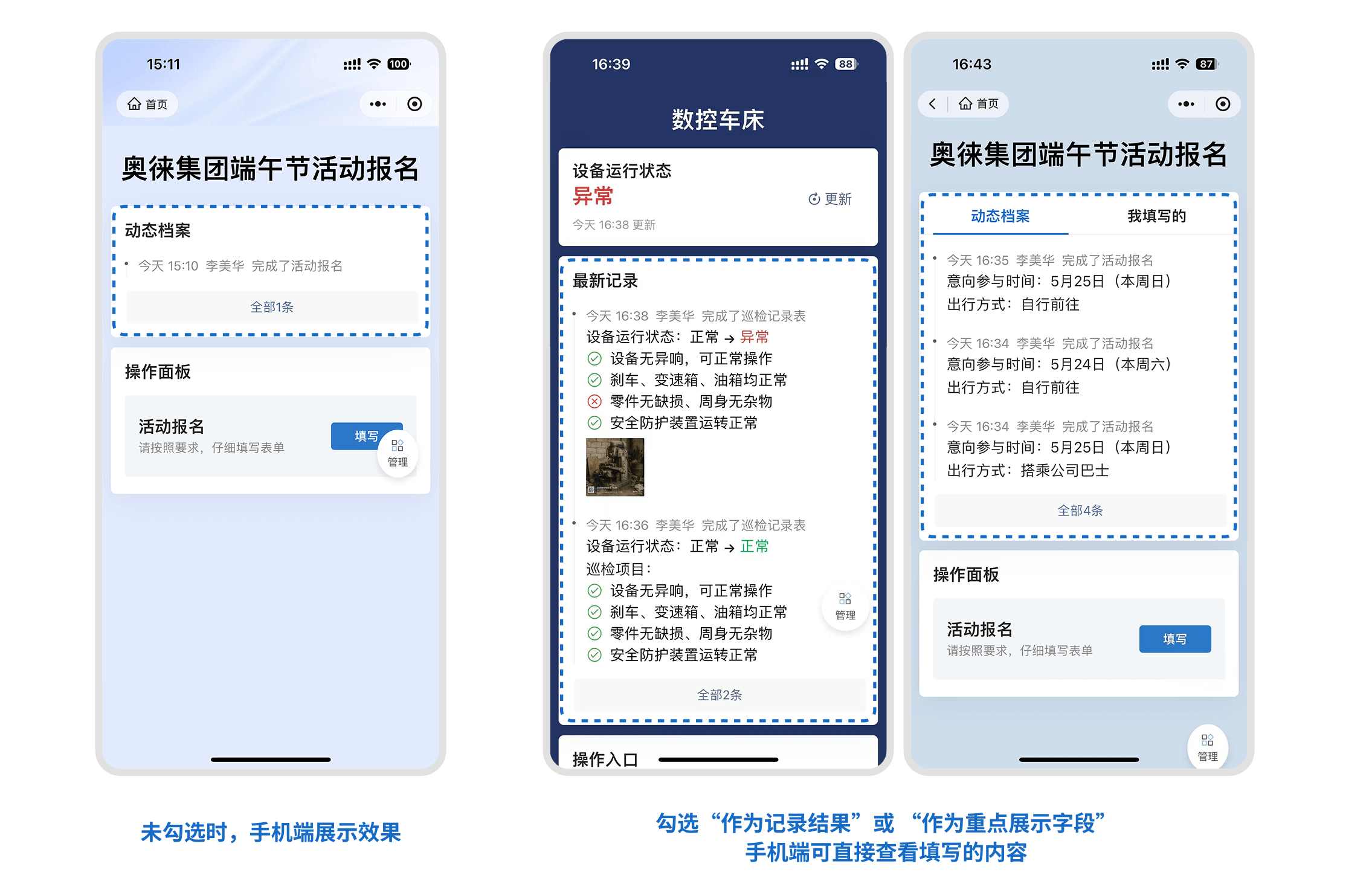
The main difference between the two:
-
"As Record Result": Supports statistical analysis in data management — suitable for scenarios requiring report summaries and comparisons. Each form can have only 1 component designated as the record result.
-
"As Key Display Field": Used for mobile display only, does not participate in statistical calculations. Each form can have multiple fields designated as key display fields — no limit.
2. Display Effects
1.1 Mobile
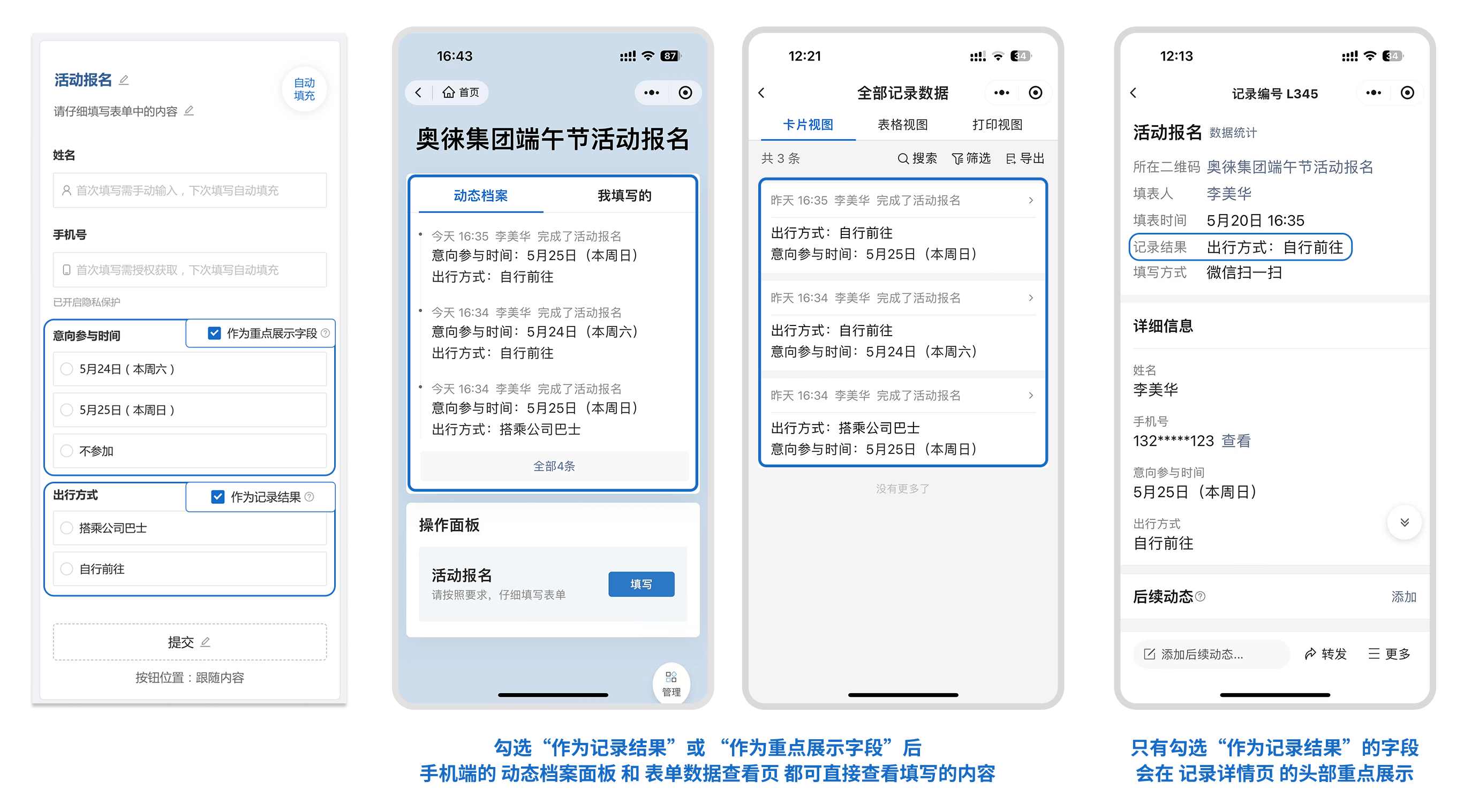
Both settings have the same display effect on mobile (in the form data view and dynamic data panel) — key field values are visible at a glance without entering the record detail.
In the record detail page, only the "As Record Result" field is highlighted at the top.
1.2 Desktop
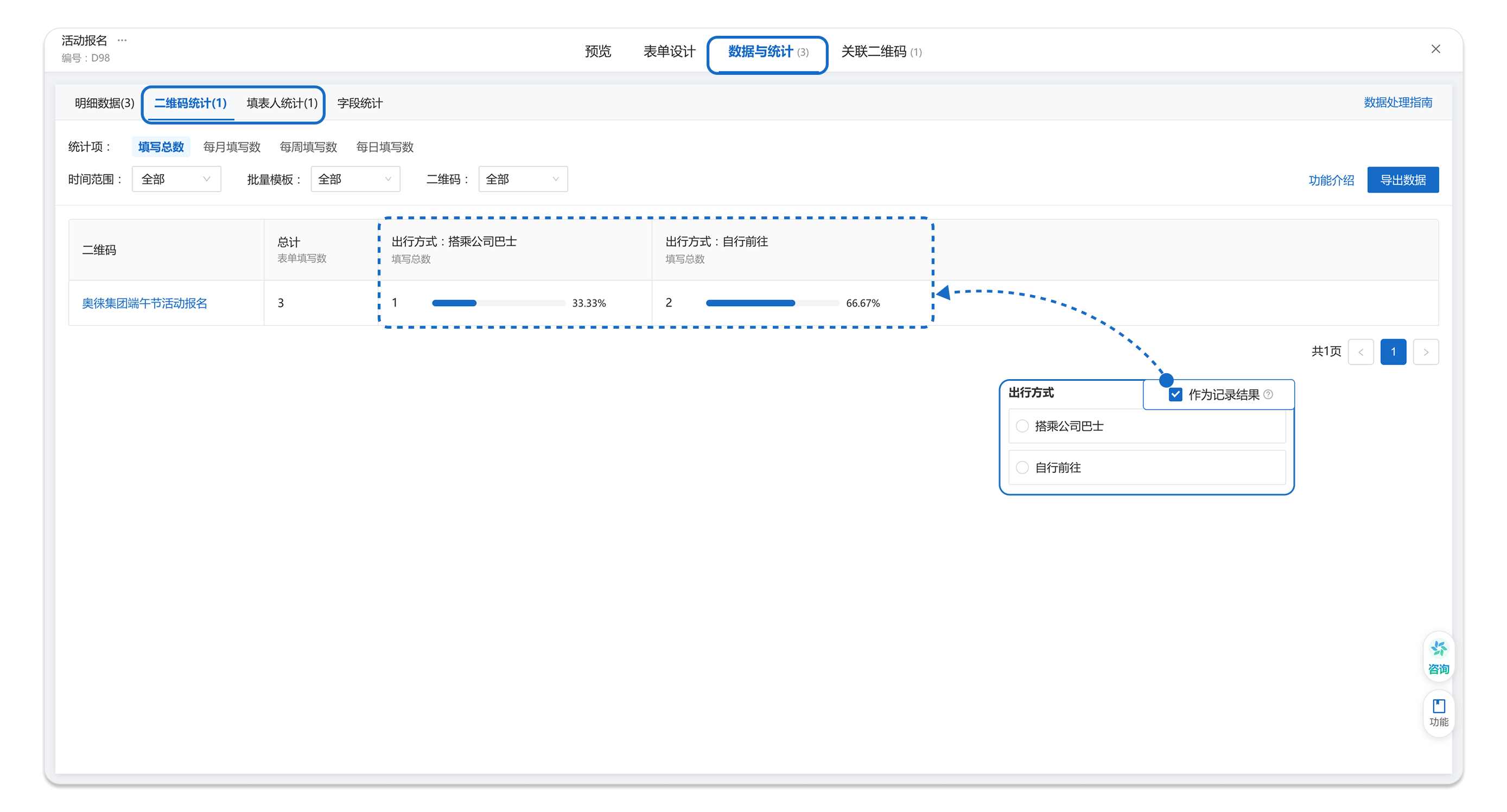
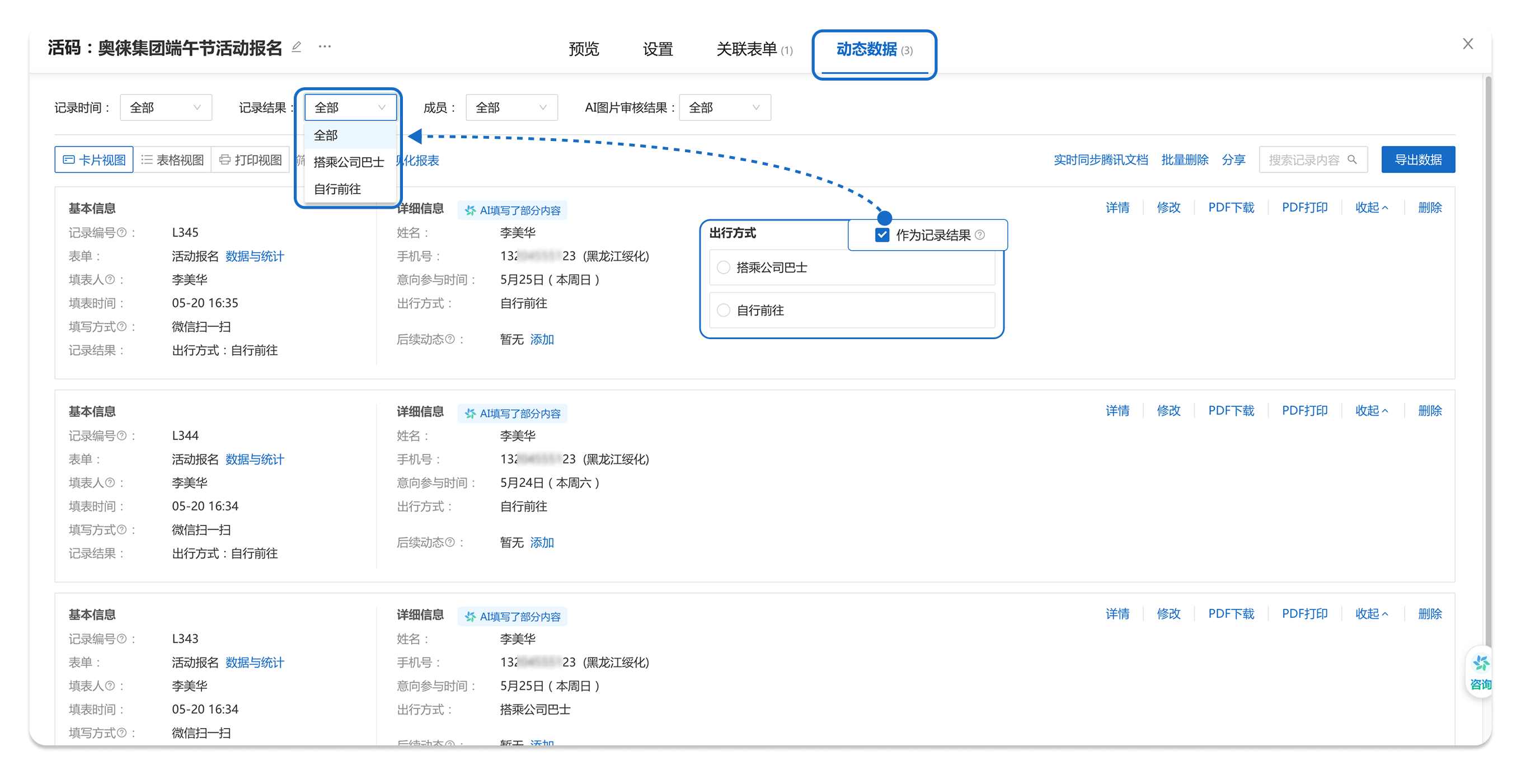
The "As Record Result" field has a statistical view on desktop and can be used to filter records by its value. The "As Key Display Field" has no special effect on desktop.
In the form's Data & Statistics → QR Code Statistics and Submitter Statistics tabs, the "As Record Result" field generates a statistical report, showing counts and distributions for each value across time periods.
In the QR code's Dynamic Data view, records can be filtered by the "As Record Result" field value.
3. Setup Tutorial
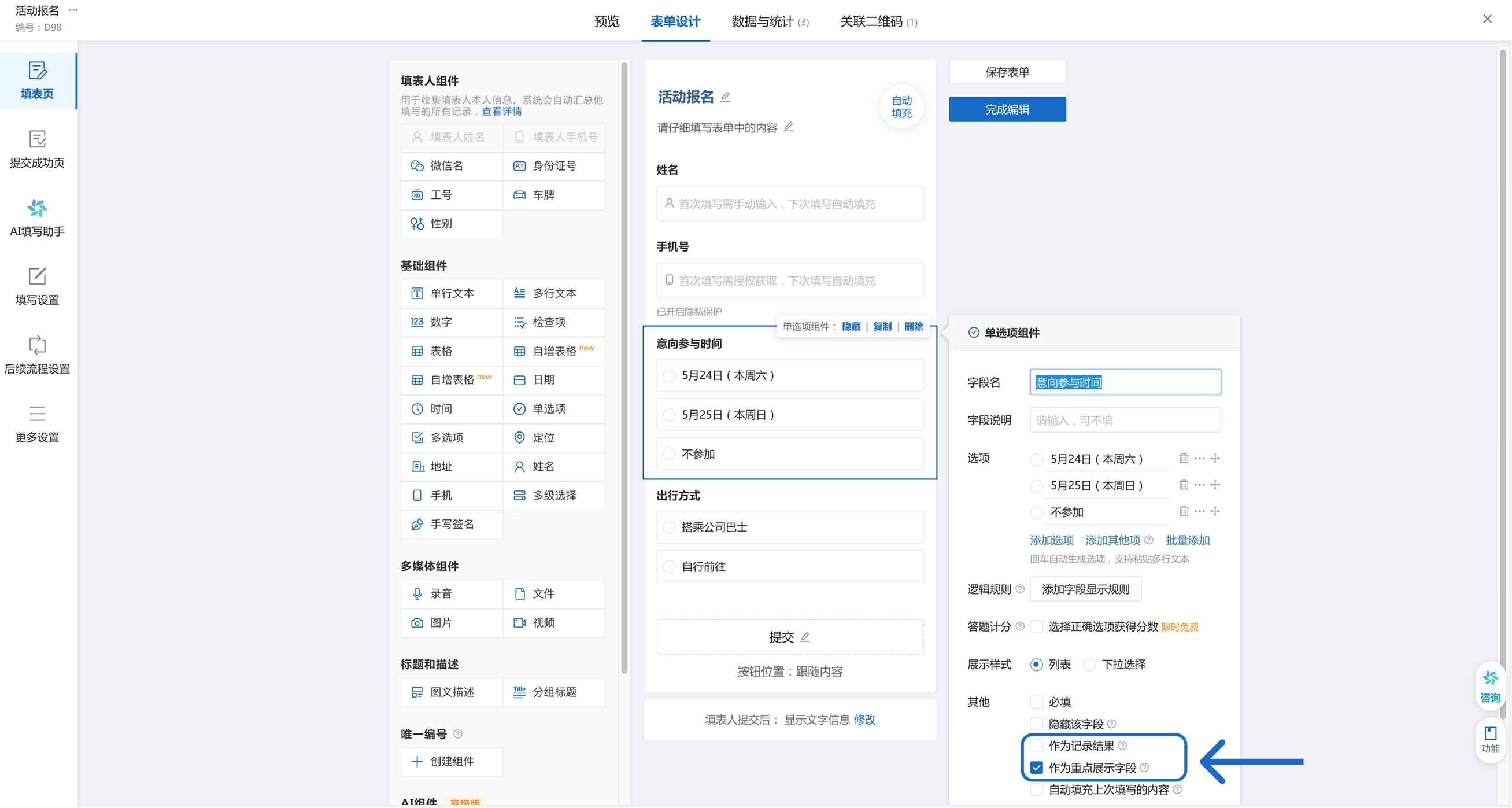
In the form design page, click the component you want to configure. In the right panel, check "As Record Result" or "As Key Display Field."
4. Feature Comparison
| Feature | As Record Result | As Key Display Field |
|---|---|---|
| Mobile display | Shown in "Form Data View" and "Dynamic Data Panel"; also highlighted at the top of the record detail page | Shown in "Form Data View" and "Dynamic Data Panel" |
| Desktop — statistical analysis | Supports filtering and statistical analysis by field value | Not supported |
| Maximum number of fields per form | 1 | Unlimited |
| Supported components | All except multimedia, description, multi-line text, table, etc. | All except description fields and section titles |