Label equipment for inspection
and keep inspections and repairs verifiable
Manage equipment inspections with CaoLiao QR Code: one code per device, scanned on site with WeChat.
See completed and missed inspections, report exceptions anytime and handle them promptly.
How this system works
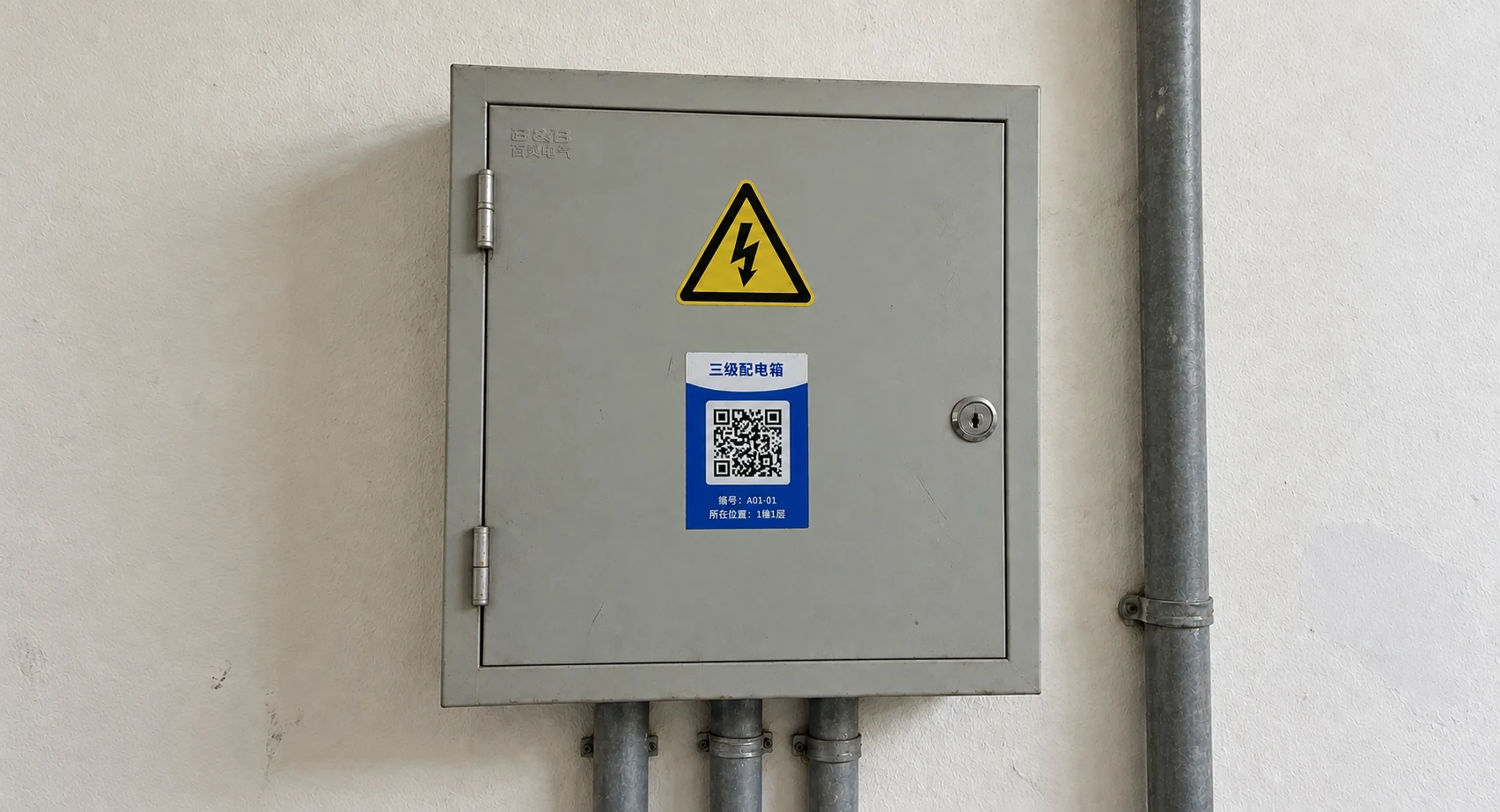
1A QR code is the equipment's digital file and management entry point
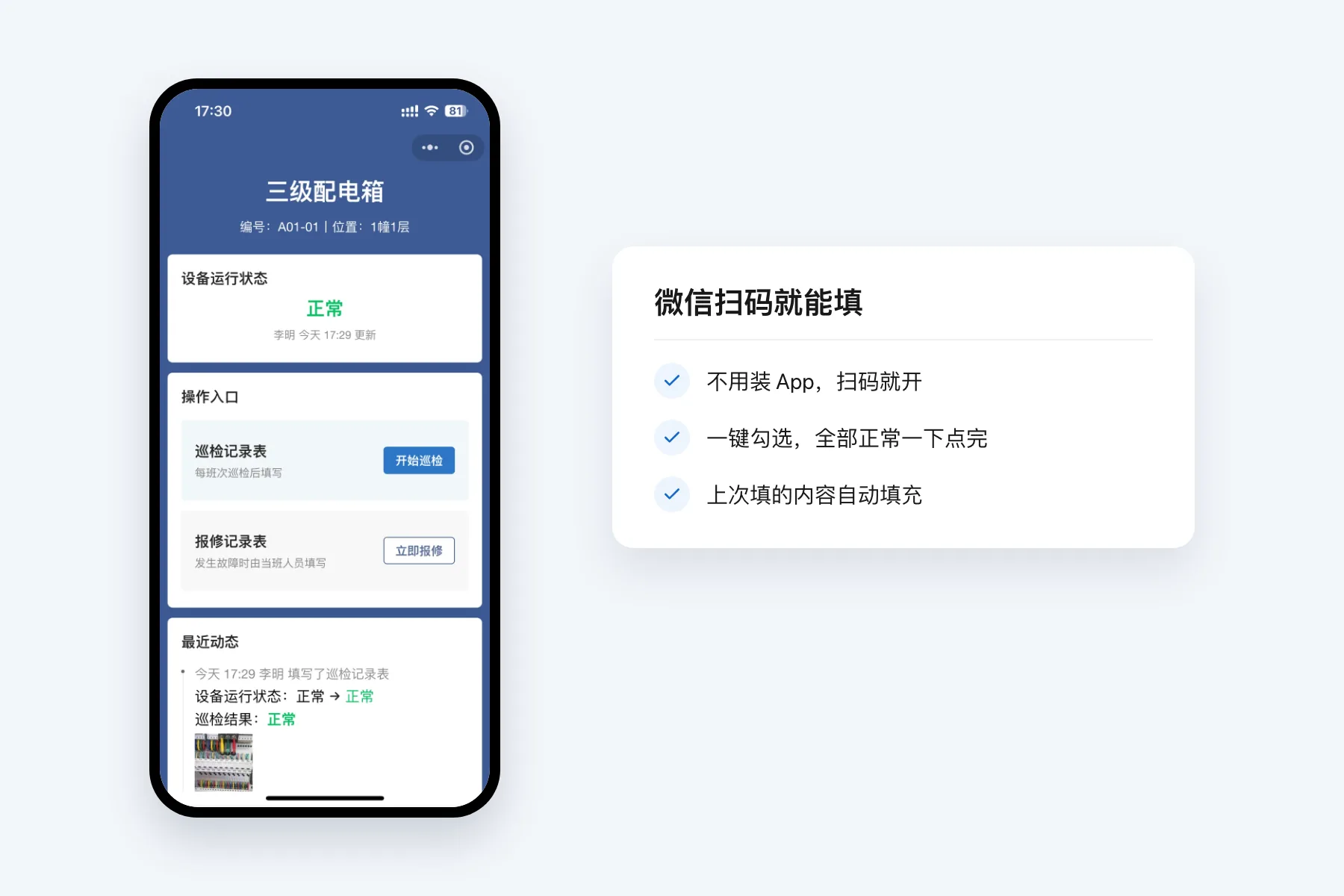
- Scan to submit: one code per device for inspections, maintenance and repair requests
- Access information: equipment details, status and history are available by scanning or in the workbench
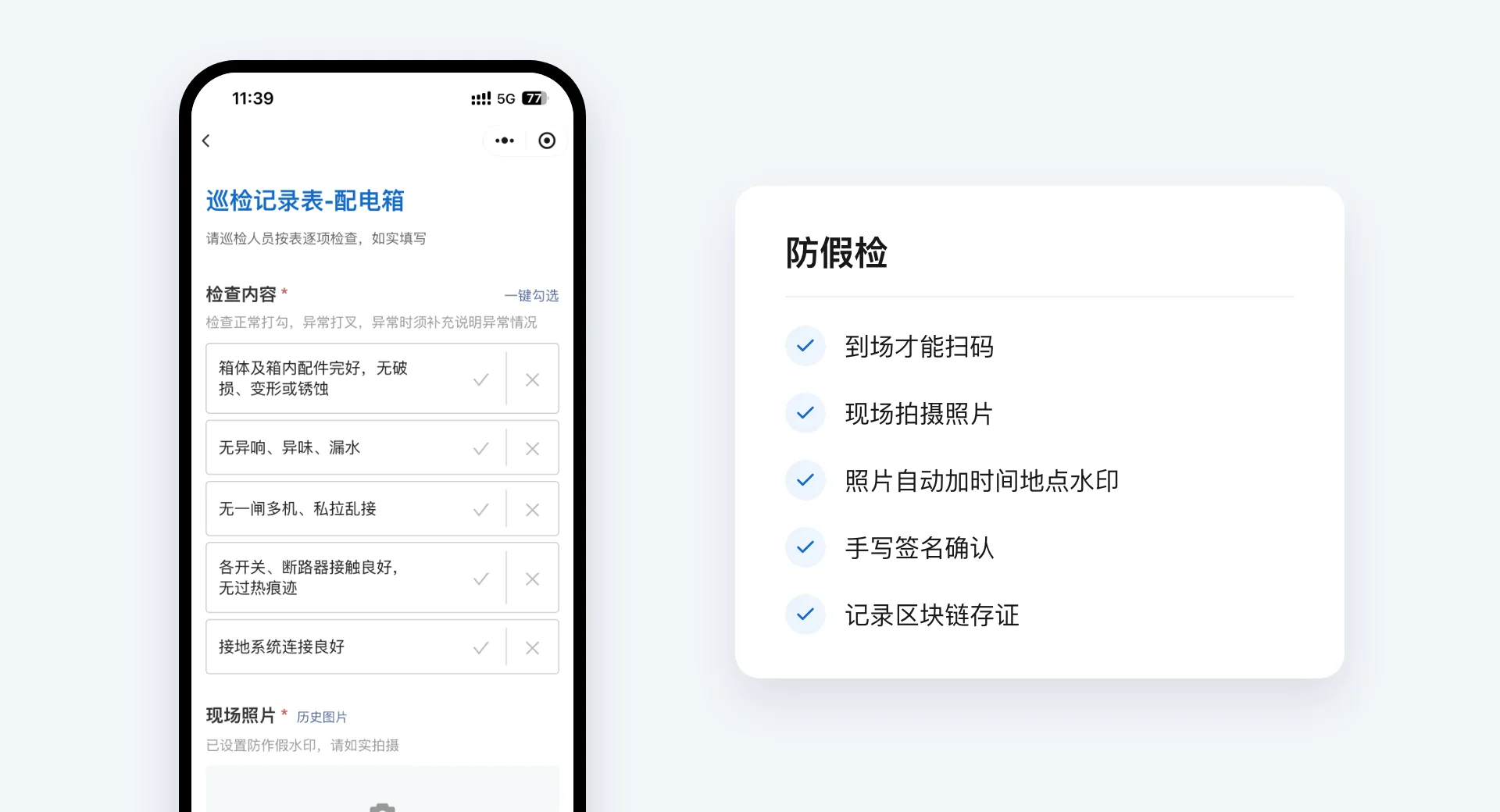
2Keep every inspection on time and verifiable
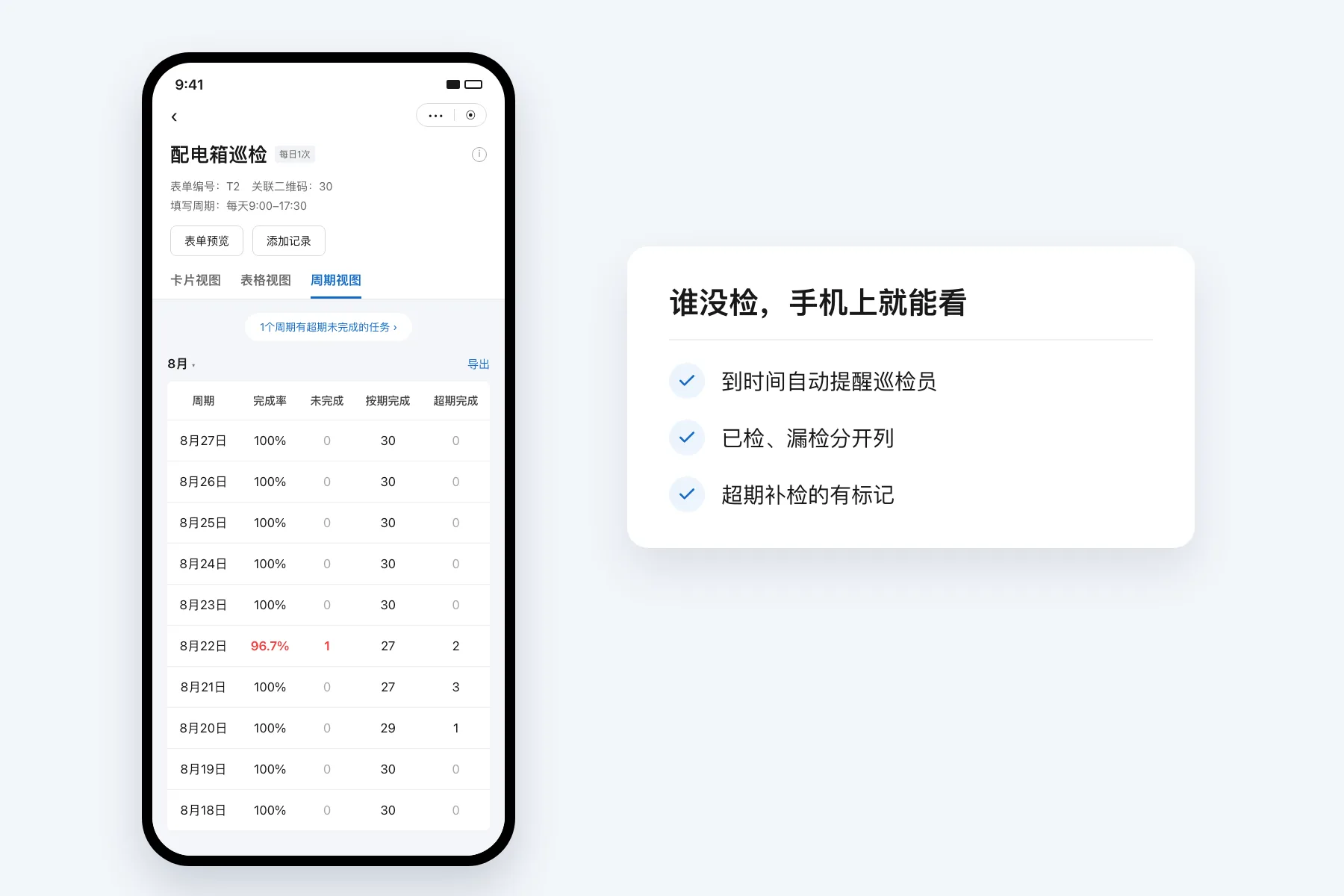
- Inspection reminders: configure tasks and automatically remind inspectors when due
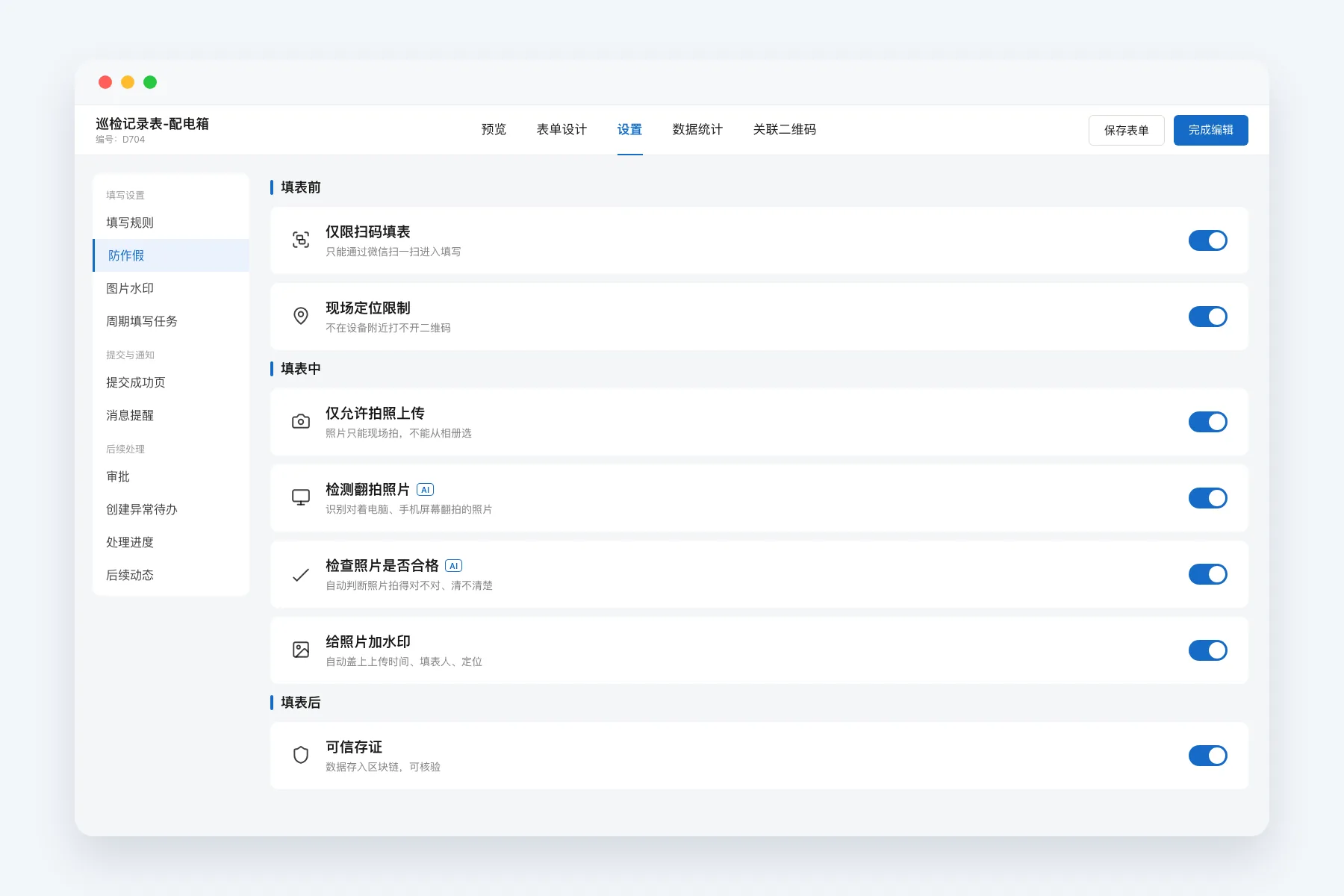
- On-site only: scan the equipment code to submit, with photos taken on site and watermarked
- Tamper-evident records: system-recorded submission times and automatic blockchain notarization
- Visible missed inspections: see completed, missed and late inspections in the workbench
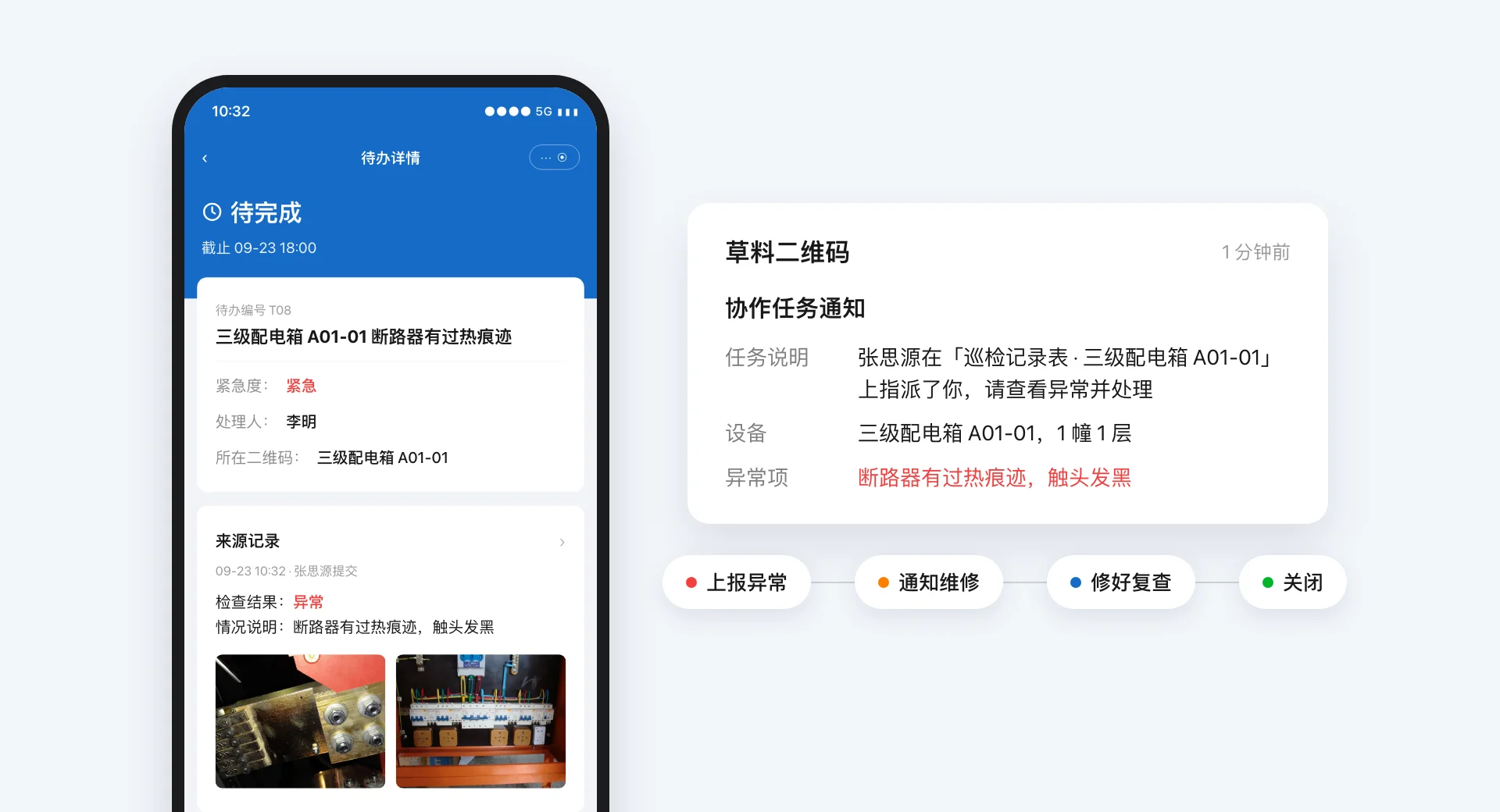
3Record every step from reporting to repair
- Report exceptions: scan to report issues found during inspections
- Notify repair staff: WeChat notifications identify the equipment and issue
- Review repairs: submit photos and results after repair; completion requires administrator confirmation
- Track progress: see repaired and outstanding equipment at a glance in the workbench
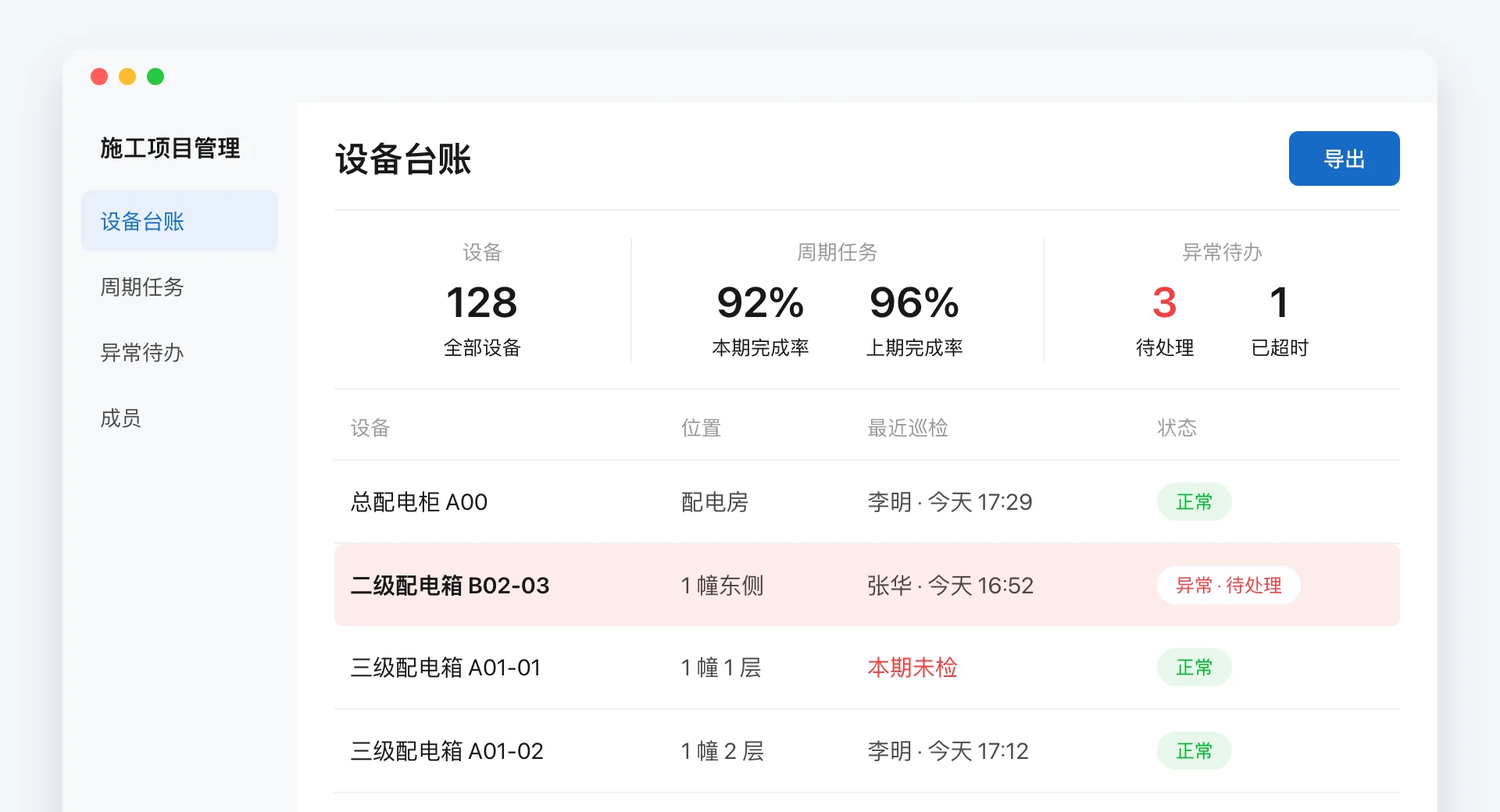
4Compile records automatically and export whenever needed
- Centralized records: find all equipment records in the workbench by equipment and time
- Export ledgers: export Excel or PDF for audits and reports
- Long-term retention: records stay in the CaoLiao cloud when staff leave
Choose a suitable material for reliable long-term use
Choose for the equipment's environment. See the label printing and implementation guide。
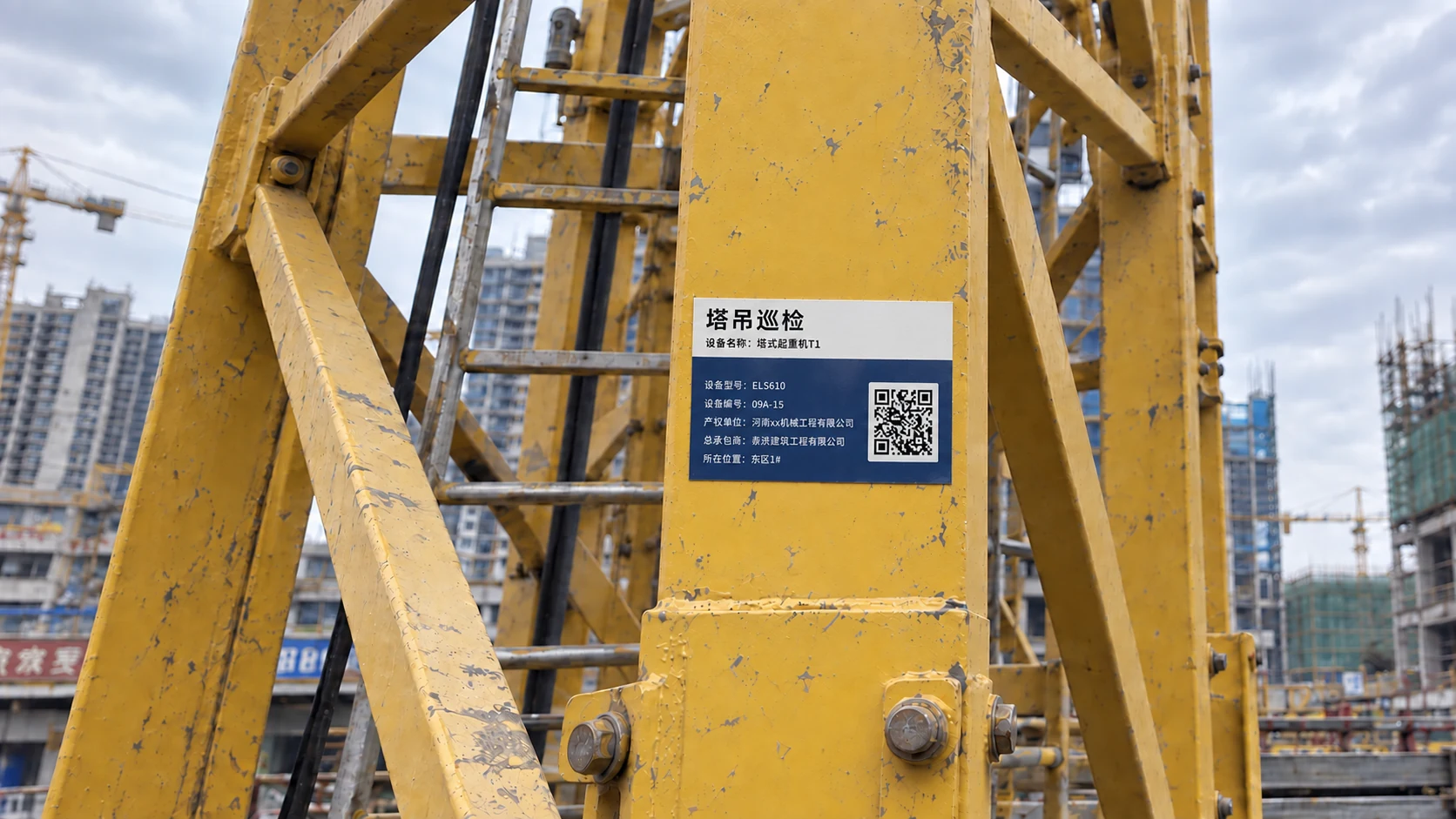
- Environment
- Outdoors, exposed to sun and rain
- Service life
- 3 to 5 years
- Suitable for
- Outdoor special equipment such as tower cranes and construction hoists
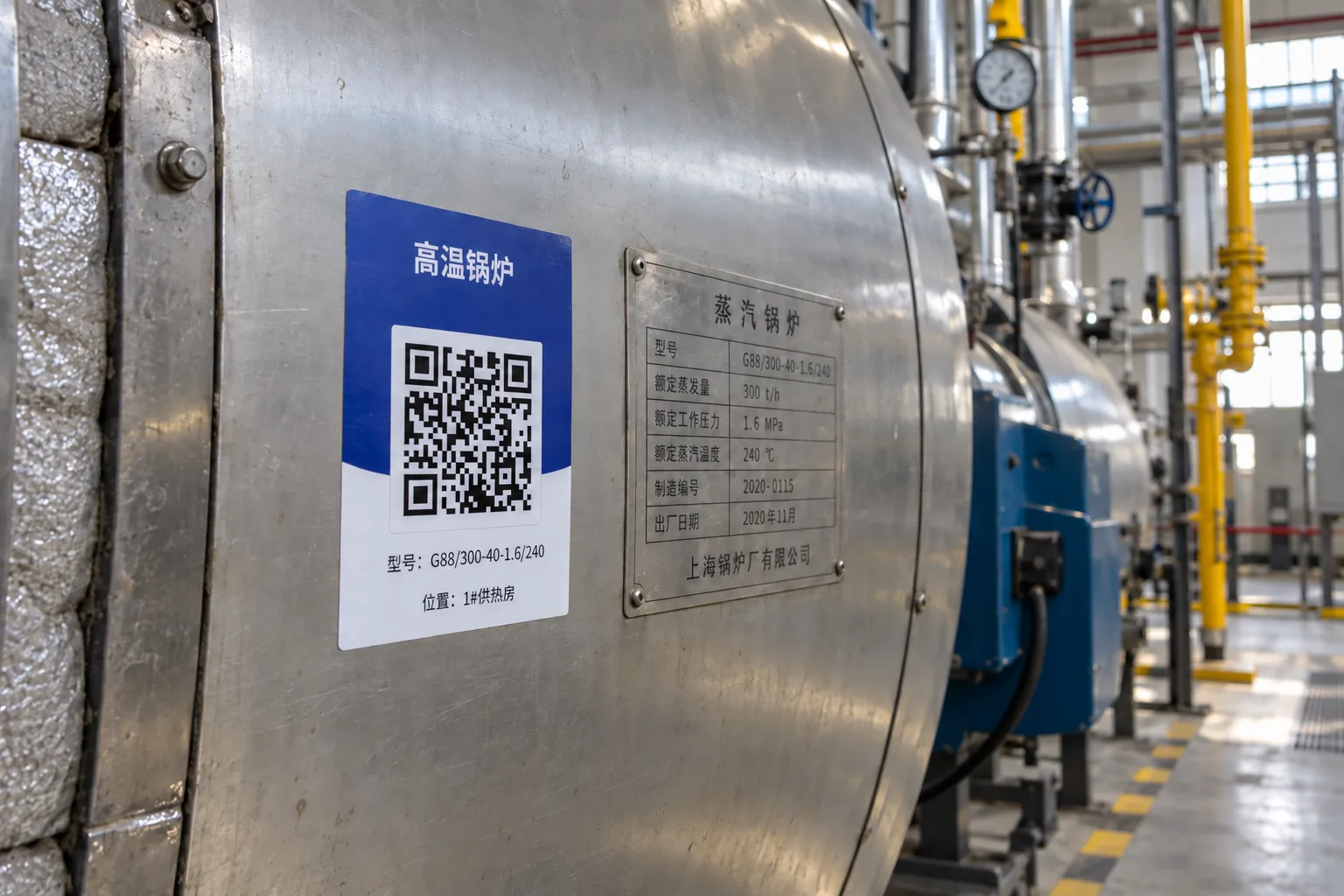
- Environment
- Hot equipment surfaces
- Service life
- 3 to 5 years
- Suitable for
- High-temperature equipment and piping such as boilers, steam pipes and ovens
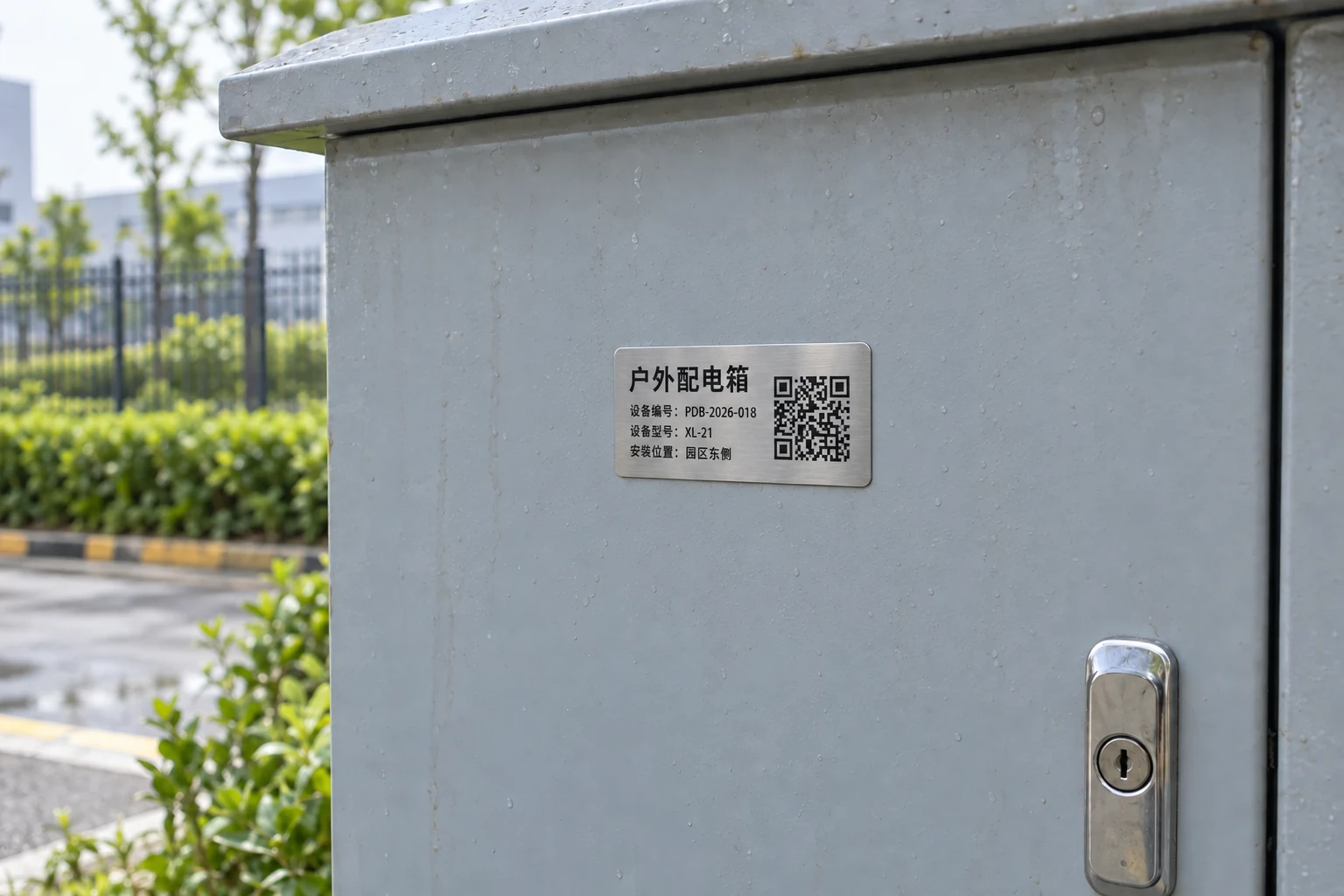
- Environment
- Outdoors, with frequent abrasion
- Service life
- More than 5 years
- Suitable for
- Fixed outdoor equipment such as distribution boxes, pumps and piping
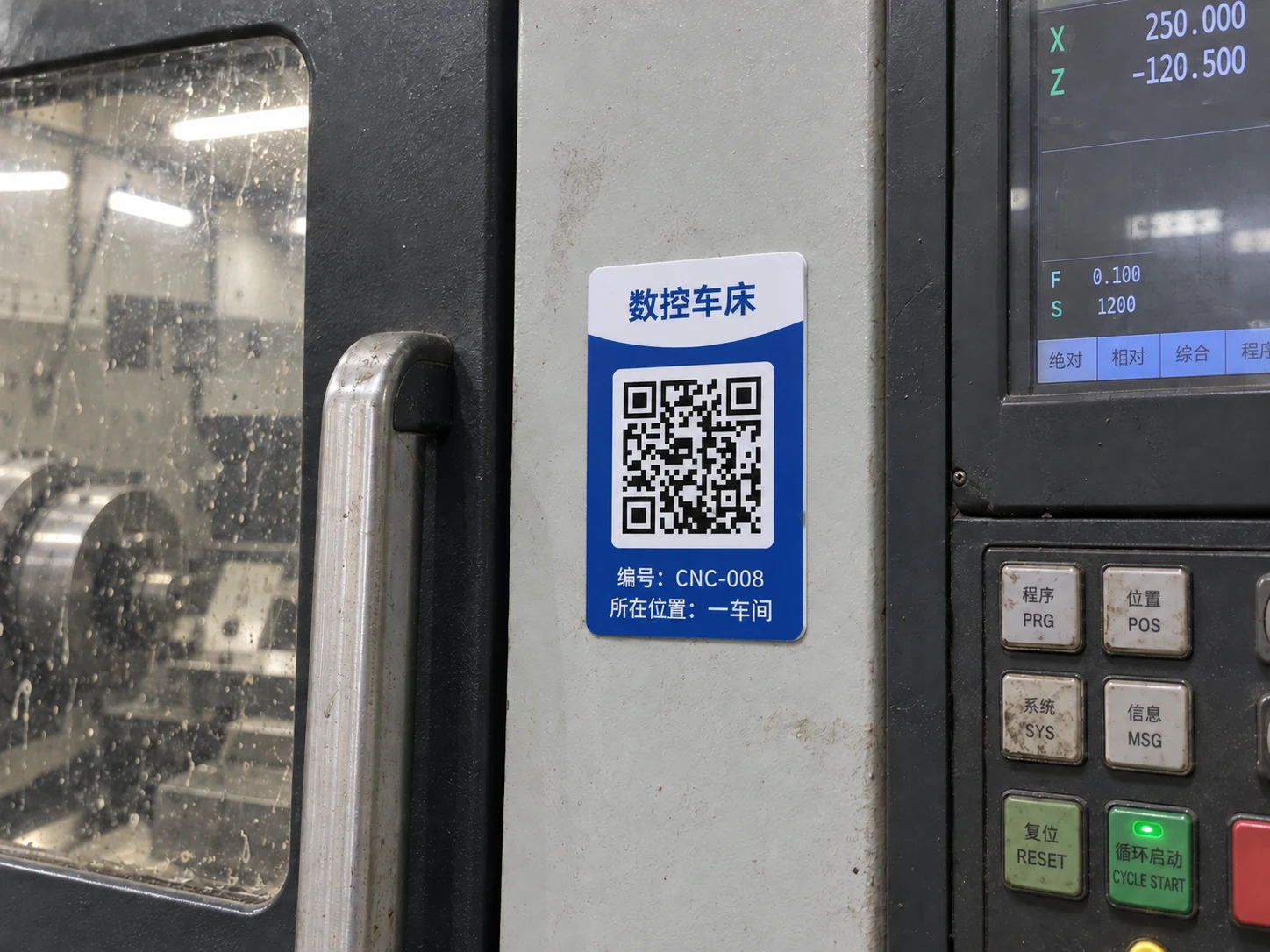
- Environment
- Indoors or outdoors, frequently touched and wiped
- Service life
- More than 5 years
- Suitable for
- Equipment with control panels, such as machine tools, medical equipment and elevators
Why use QR codes for inspections
Customer Stories
More than 1400 devices, with over 400 labeled in the first phase for inspection and maintenance. Records include times, locations and photos.
Elevator maintenance is recorded by scanning, with data from projects in more than 30 cities compiled on a monitoring dashboard.
WeChat scans replaced 90% of paper EHS inspection forms, winning the China Resources Group Gold Award for Excellence in EHS Management.
For more equipment inspection stories, visit the customer story library。
Pricing and editions
Start with the free version for one workshop, then use Flagship Edition for team management and long-term record retention. Edition recommendations
All core features, free for long-term use
- Codes remain valid long term
- Unlimited equipment QR codes
- Unlimited scanners and scans
- Scheduled inspections and exception todos available free
- Export records from the last 180 days only
- CaoLiao branding on scanned pages
For companies needing team management and long-term archives
Includes all free features, plus
- Separate management20 advanced members to manage workshops and factory sites separately
- Individual permissionsSpecify who can view, submit and export
- Multi-level approvalMultiple people approve inspection records in sequence
- Content controlConfirm inspection item changes before they take effect and retain each version
- AI image reviewDetect photos of screens and require a new photo
- Unlimited data exportsNo date range limit, including PDF and images
- Send to your own system20,000 API records per month
Paid benefits take effect automatically without recreating existing codes or records. If administrators change, transfer the account. Refer to the pricing page for exact edition differences.
FAQ
Do inspectors need an app or training?
Neither is needed. Scan with WeChat to submit without registering an account. Select inspection items individually or mark normal items with one click, and reuse content from the previous submission automatically. Inspectors are free, with no limit on their number.
Can I generate QR codes directly from an existing Excel equipment ledger?
Yes. Use a bulk template to import the ledger and create one code per device with equipment information filled in automatically. Hundreds or thousands can be generated in a day.
How can I prevent late entries and proxy signatures?
Enable location restrictions in anti-fraud settings so forms cannot open away from the equipment. Photos must be taken on site and automatically receive time and location watermarks. Submission times use system time, and later changes leave a record.
How can I export a ledger for inspections and audits?
The workbench can combine equipment information and inspection records into an Excel export. The free version through Advanced Edition can export the last 180 days. Unlimited date ranges and bulk PDF exports require Flagship Edition.
Can inspections work offline or with a weak signal?
Offline use is not supported. A 4G or Wi-Fi connection is sufficient. In basements, equipment rooms and similar locations, test a scan before placing labels.
Will codes and records be lost if I do not renew?
No. Codes still scan normally, and records are retained long term and remain available. After expiry, CaoLiao branding returns, exports cover only the last 180 days, and advanced members cannot sign in to the workbench.
Create your equipment inspection QR codes
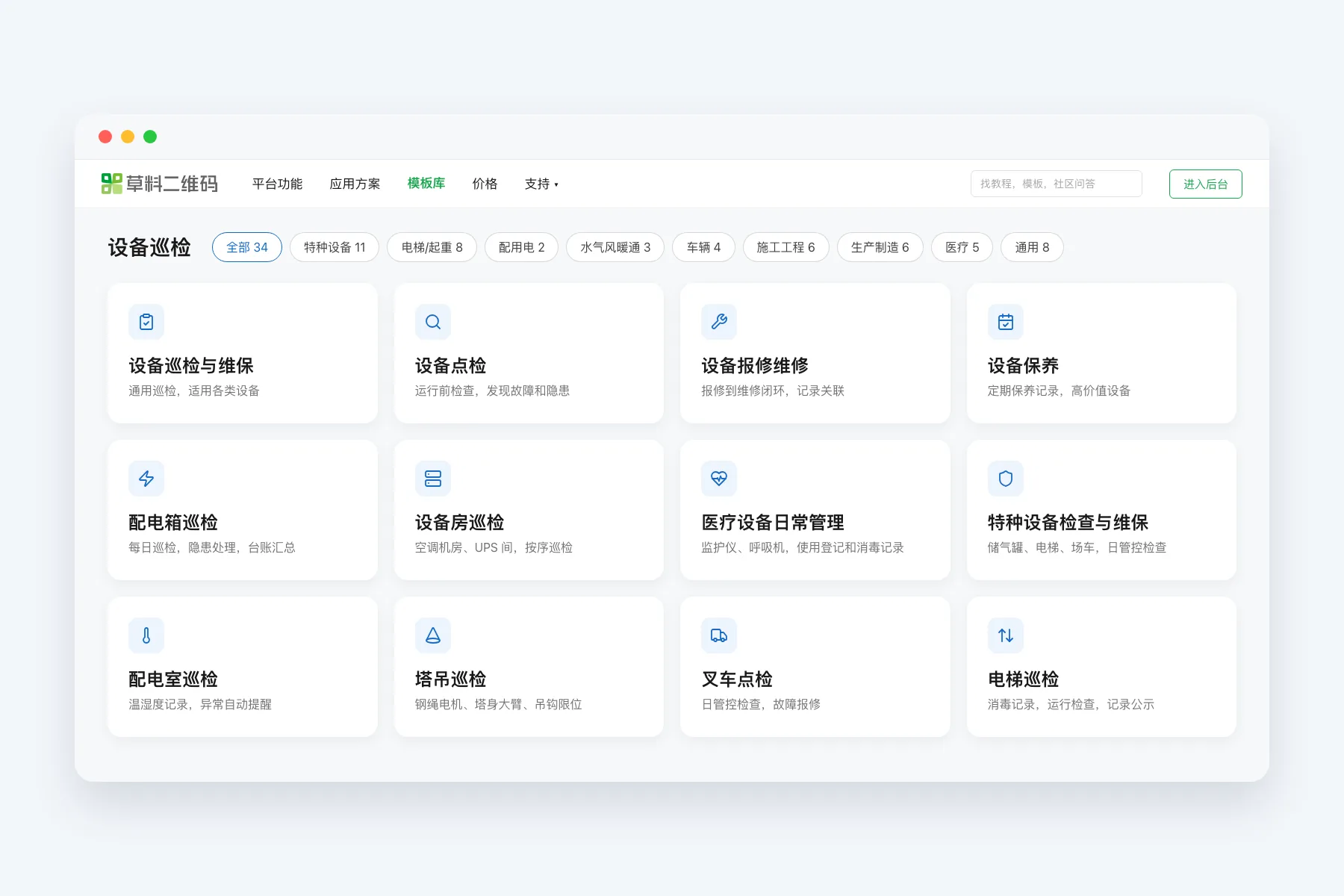
Templates include inspection forms and equipment files. Replace the sample data with your own equipment information to get started.