Contact Info
"Contact Info" is a component in the dynamic QR code editor that supports four types of contact information: phone, WeChat, email, and address. Scanners can tap to call a phone number, copy a WeChat ID to add as a friend, copy an email address to send a message, or tap an address to navigate to the destination.
1. How to Access
In the dynamic QR code editor's left panel, under "Business Features", click "Contact Info" to add the component.
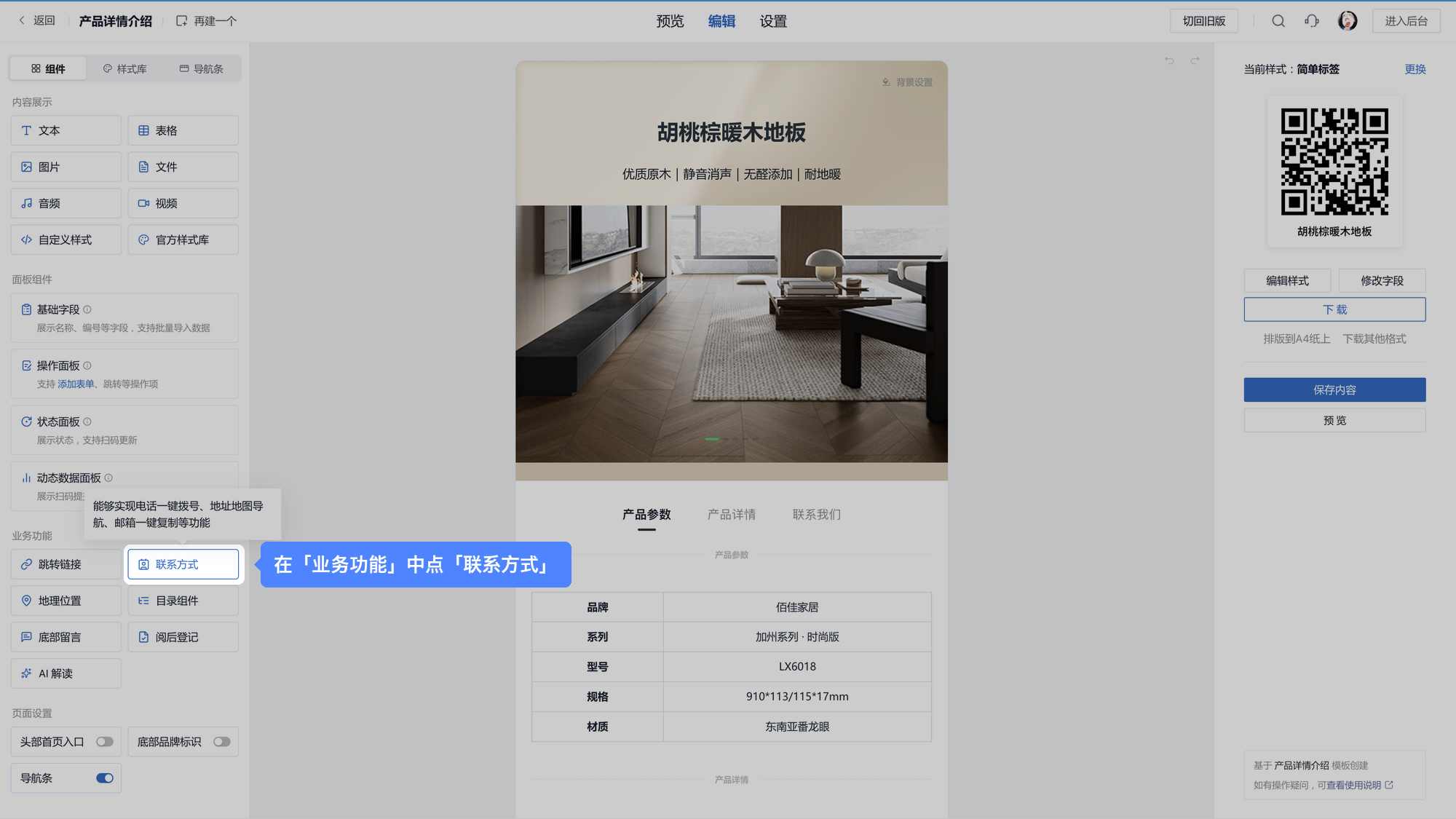
Tip: If you already have a QR code, find it in the workbench and click "Edit" to enter the editor. If you don't have one yet, you can create one using "Create Blank" or "Create from Template".
2. Setup Steps
- Select Component Style: Choose a style that fits your display needs
- Set Component Content: Enter the phone number, WeChat ID, email address, physical address, and other information
- Additional Settings: Some styles support options for display format, redirect links, and more (available settings vary by style)

3. FAQs
1. Can Contact Info Be Saved to the Phone's Contacts with One Tap?
Yes. Select the first component style, which provides a "Save To Contact" feature. Scanners can save the phone number, WeChat ID, and email you configured to their phone contacts with one tap.
2. How to Combine a Company Introduction with Contact Info?
First, create a company introduction QR code. Then select a contact info style that supports a "Redirect Target" (the 3rd or 4th style), and set the company introduction QR code as the redirect target. This way, scanners can tap the contact component to jump to the company introduction page.