Background Image Feature
Setting a background image for your QR code page transforms the scan page from a plain white background to a more branded look. CaoLiao provides an image library organized by industry for quick selection, and also supports uploading your own photos or brand images.
Before and after comparison:

Setup Steps
Step 1: Open Background Image Settings
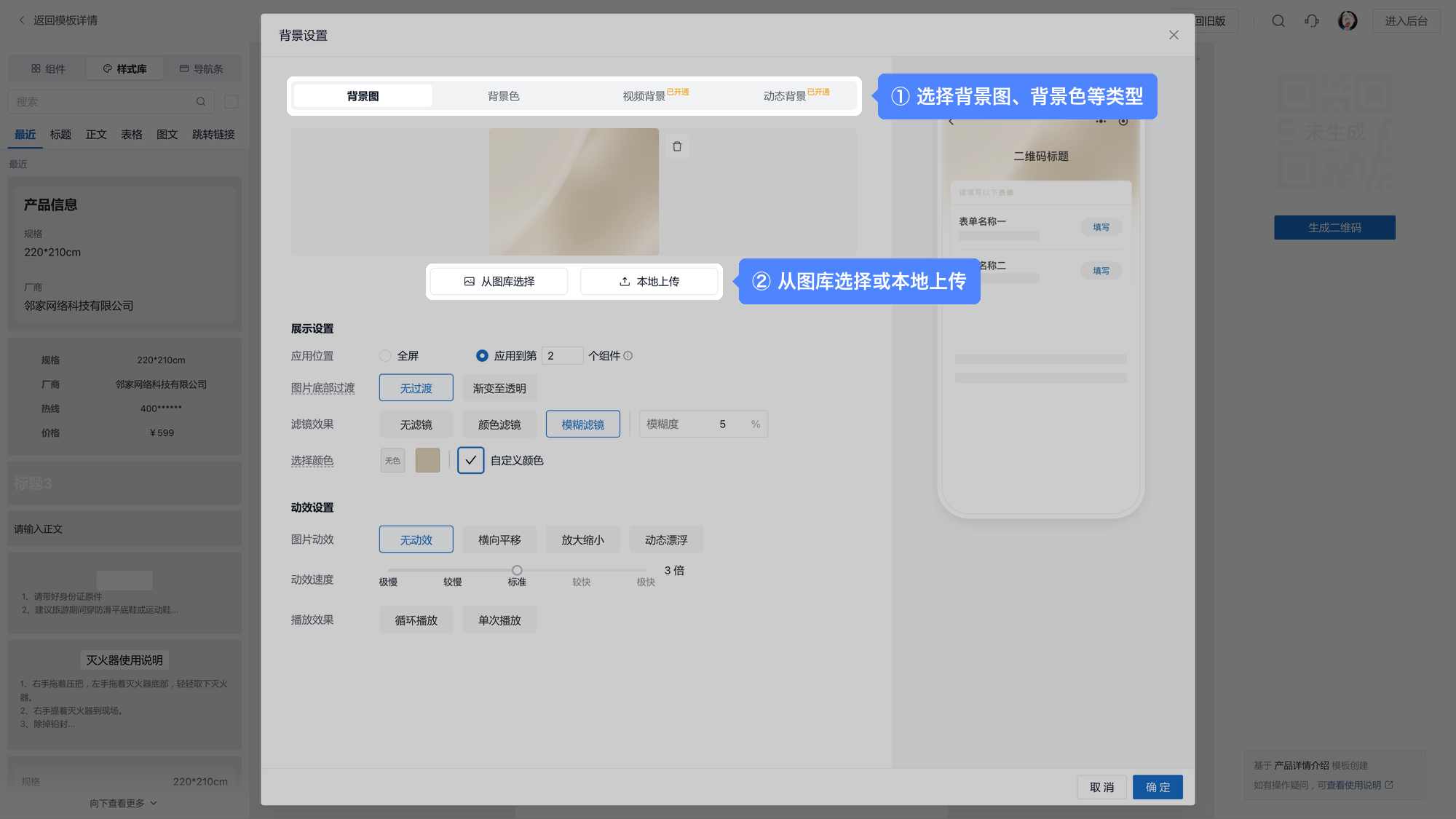
In the dynamic QR code editor, click "Background Settings" in the upper-right corner of the canvas, then choose "Background Image" in the dialog.

Step 2: Select or Upload a Background Image
You can choose a suitable image from the library by industry, or upload one from your device.
After choosing an image, you can also set where it applies, the bottom fade, filter effects, and color under "Display Settings", and set image animation under "Animation Settings".
For more background setting options (background color, video background, animated background), see Background Settings Effects.