Background Settings Effects
The CaoLiao QR Code dynamic QR code editor supports four types of background settings. Click "Background Settings" on the editing page to start configuring.
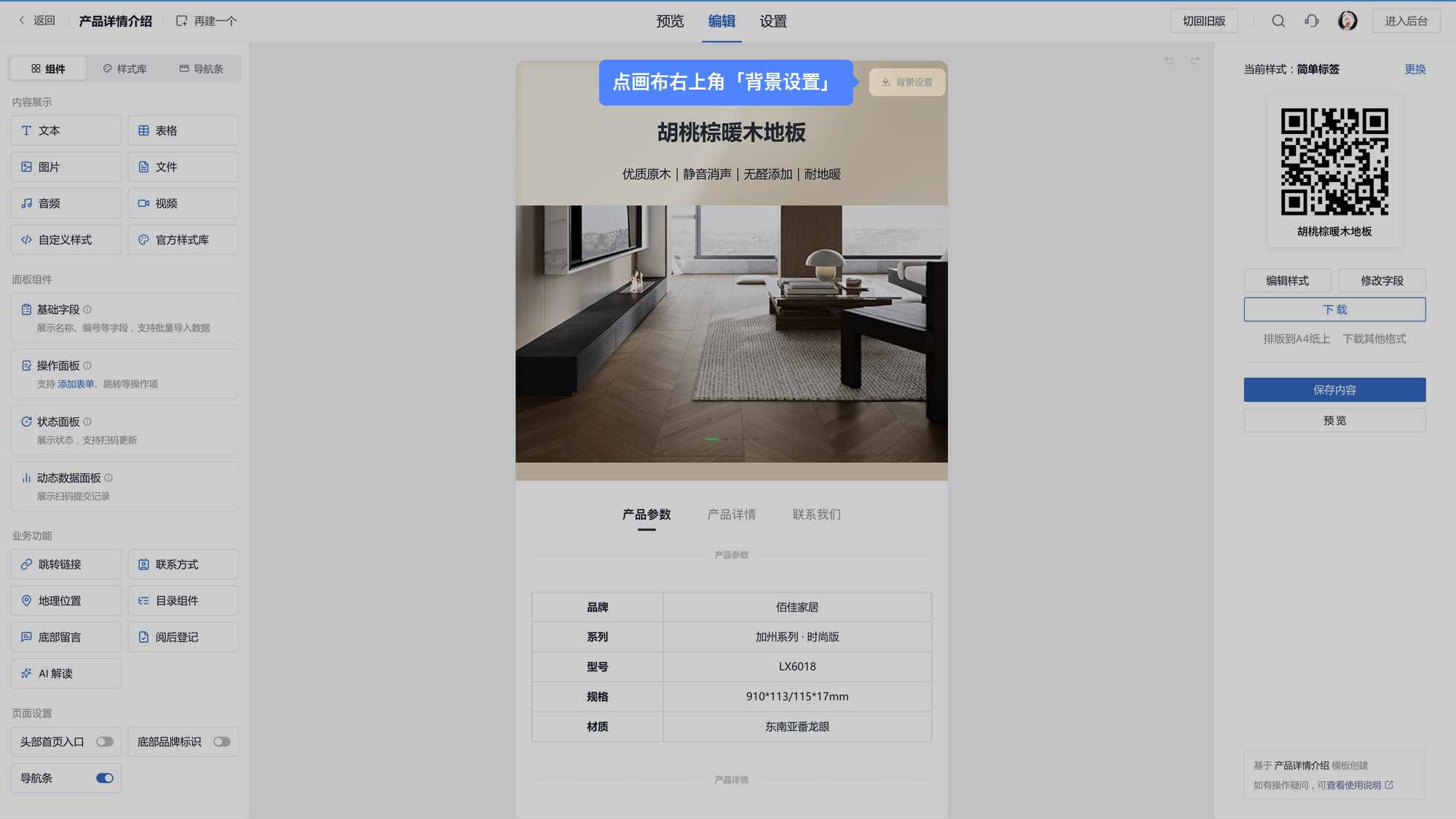
1. Background Image
CaoLiao provides both landscape and portrait industry image libraries for quick selection, and also supports uploading images from your device. You can also add image animation effects to the background image for a dynamic look.
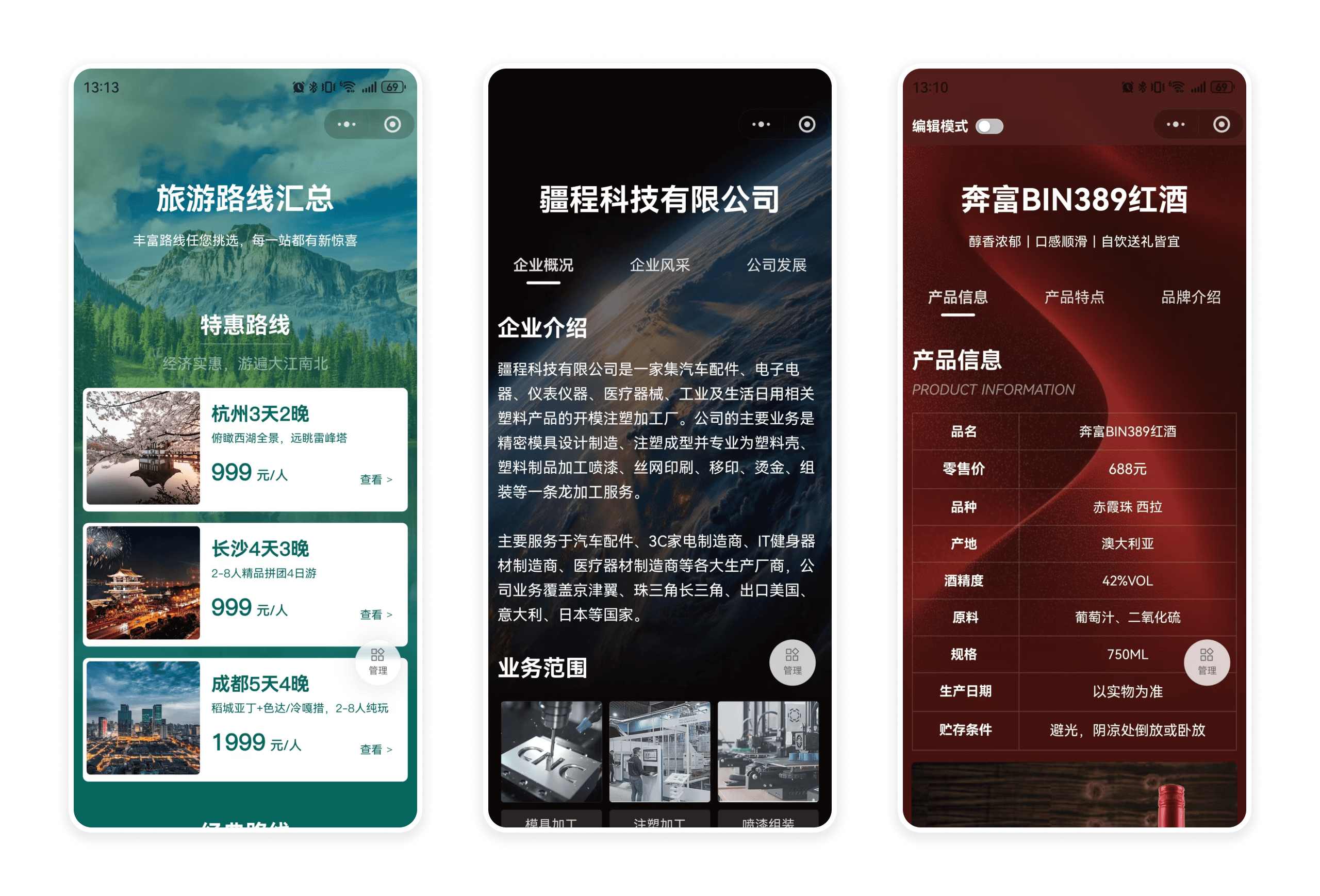
Portrait Images
- Display position: Part of the image is shown at the top; the main portion is displayed behind the body content
- Suitable scenarios: Recruitment notices, meeting invitations, document-type QR codes (technical briefings, event introductions), tourism promotion (upload scenic photos)
- You can select the application area "Header + Body" to display the full portrait image, creating a stronger visual atmosphere
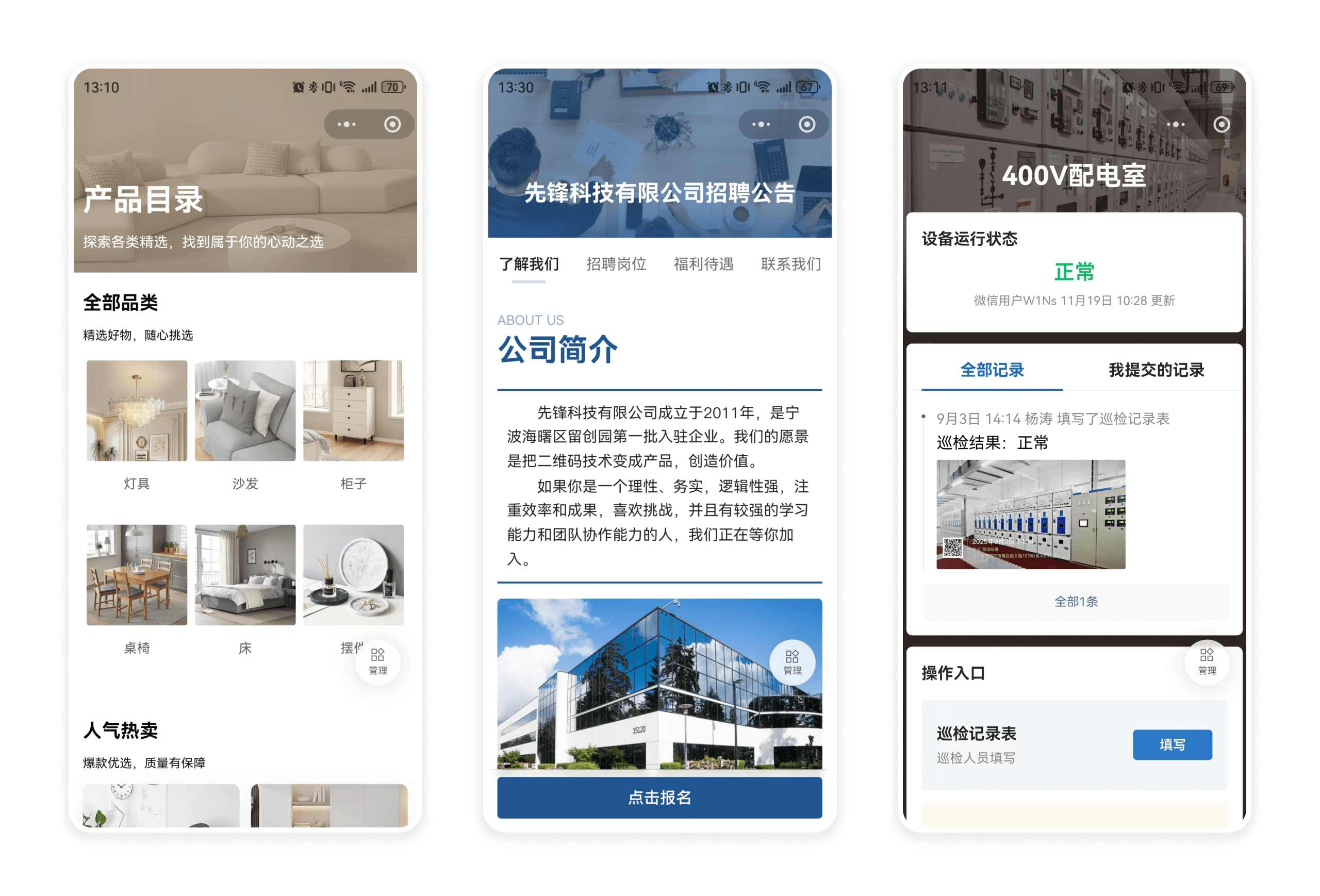
Landscape Images
- Display position: Fully displayed in the QR code header area at 60% opacity, keeping content clear without obscuring the title
- Suitable scenarios: Product introduction pages (upload brand/product images), corporate visitor registration (upload corporate images), safety inspections (upload slogans or environment photos)
- You can select the application area "Header + Body" to unify the page color tone
2. Background Color
Set a solid or gradient color background. Ideal for creating a clean-style page when you don't have image assets. Selecting the application area "Header + Body" can unify the entire page's color tone with clear visual hierarchy.
3. Video Background
Upload a video as the page background. It auto-loops after scanning, delivering your brand image right on the first screen. Suitable for product showcases, event registration, business introductions, and similar scenarios.
- Auto-loops after scanning, no click required
- Compared to static images, dynamic video better extends user dwell time
- Supports a free 24-hour trial; after expiration, the video automatically freezes on the first frame as a static image without affecting normal QR code usage
- Available with the Basic Edition and above

4. Animated Background
Select a system theme color or customize colors to create a flowing color visual effect. Suitable for smart device instruction pages, event promotion pages, brand showcase pages, and other scenarios that call for a tech-forward look.
- Supports a free 24-hour trial; after expiration, the background automatically freezes as a static theme-colored image without affecting normal QR code usage
- Available with the Basic Edition and above

5. Usage Limitations
Video backgrounds do not support audio playback. If you need scanners to watch a full video with sound (e.g., promotional explanations, operation tutorials), do not set the video as a background.
Recommendation: Use the "Audio & Video" component in the editor body to upload the video. Users can play it with sound and view it in full screen after clicking.
Note: Content uploaded via the "Audio & Video" component in the body does not auto-play after scanning; it requires a click to start playback.