Geolocation
"Geolocation" is a component in the dynamic QR code editor. Once added, scanners can view the address and tap to navigate to the destination.
1. Use Cases
- Company / Store Introduction: Provide customers with the address so they can navigate directly after scanning
- Exhibitions and Events: Share the exact venue address with exhibitors and visitors, reducing back-and-forth communication
- Conference Check-in: Inform attendees of the venue location along with nearby accommodation and dining options
2. How to Access
In the dynamic QR code editor's left panel, under "Business Features", click "Geolocation" to add the component.
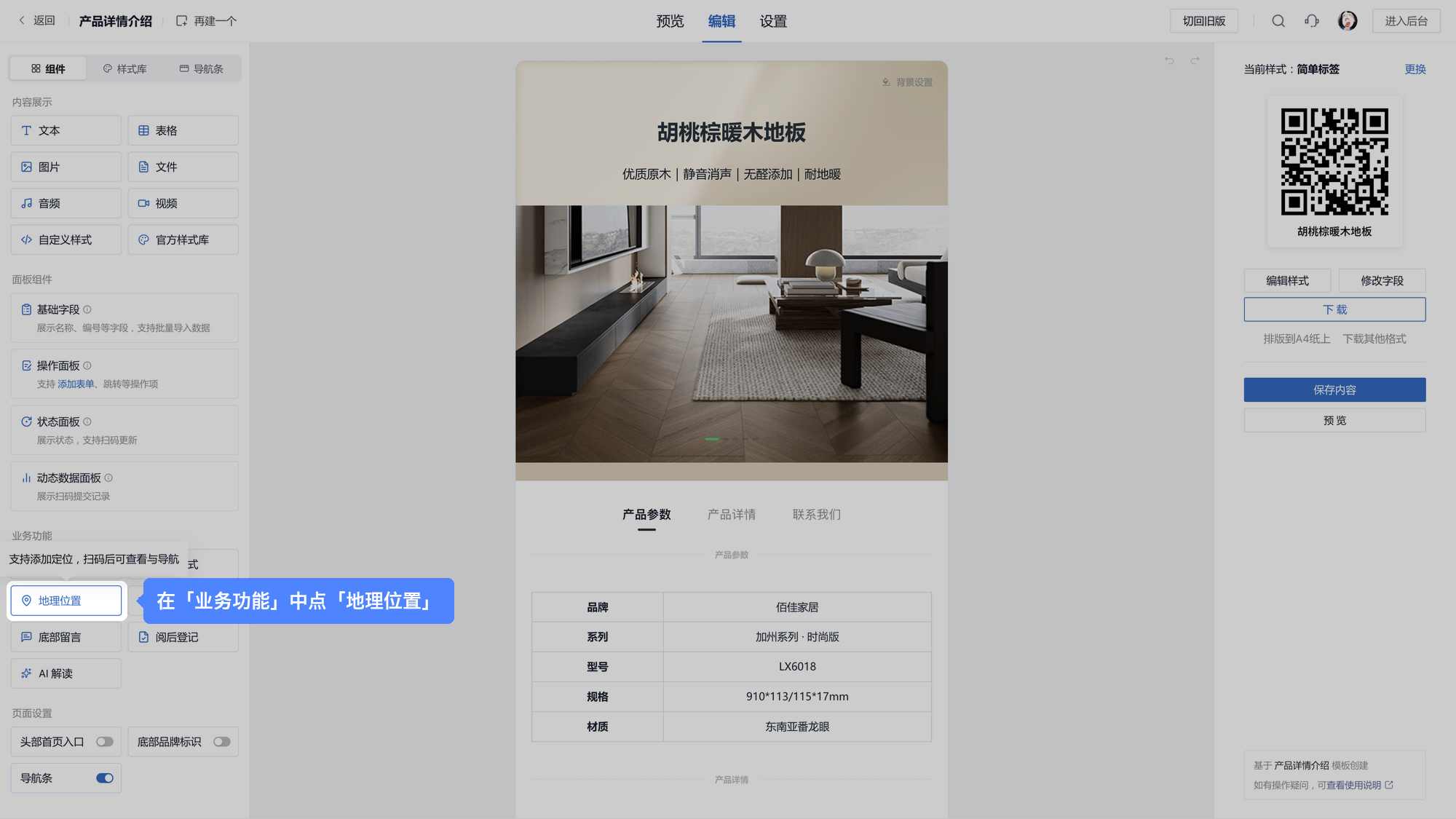
Tip: If you already have a QR code, find it in the workbench and click "Edit" to enter the editor. If you don't have one yet, you can create one using "Create Blank" or "Create from Template".
3. Setup Steps
- Select Location: Search by address name, or enter coordinates (latitude and longitude) directly
- Choose Display Style: Select a map display style that fits your page design
