Read Registration
When you share notices, training materials, or operating procedures and need readers to confirm they have read them, you can use Read Registration in CaoLiao QR Code.
Enable it in the new editor. After meeting the reading requirements you set, readers can tap the button at the bottom of the page to register. You can view who registered and when on the data summary page, on mobile or desktop.
Previously, read registration was mainly used for individual files. You can now enable it for an entire QR code content page.
When Is Read Registration Useful?
- Notices: After sharing holiday arrangements or policy notices, ask employees to tap “Acknowledged” to leave a confirmation record.
- Training: After reading training materials, learners can tap “Learning Completed” so you can review their registration records together.
- Operating procedures: For content that requires regular reading confirmation, you can allow registration once a day, week, or month.
How Do I Enable It?
On the left side of the new editor, select “Components → Business Features → Read Registration” and configure these options:
- Reading Requirements: Require readers to stay on the page for a specified time, scroll to the bottom, or meet both conditions.
- Registration Frequency: Allow registration only once, once a day/week/month, or every time the page is opened.
- Registration Information: Name, phone number, and registration time are recorded by default. To collect details such as department or job role, link a custom form.
- Button Style: Change the button label and color. For example, use “Confirm I Have Read This,” “Acknowledged,” or “Learning Completed.”
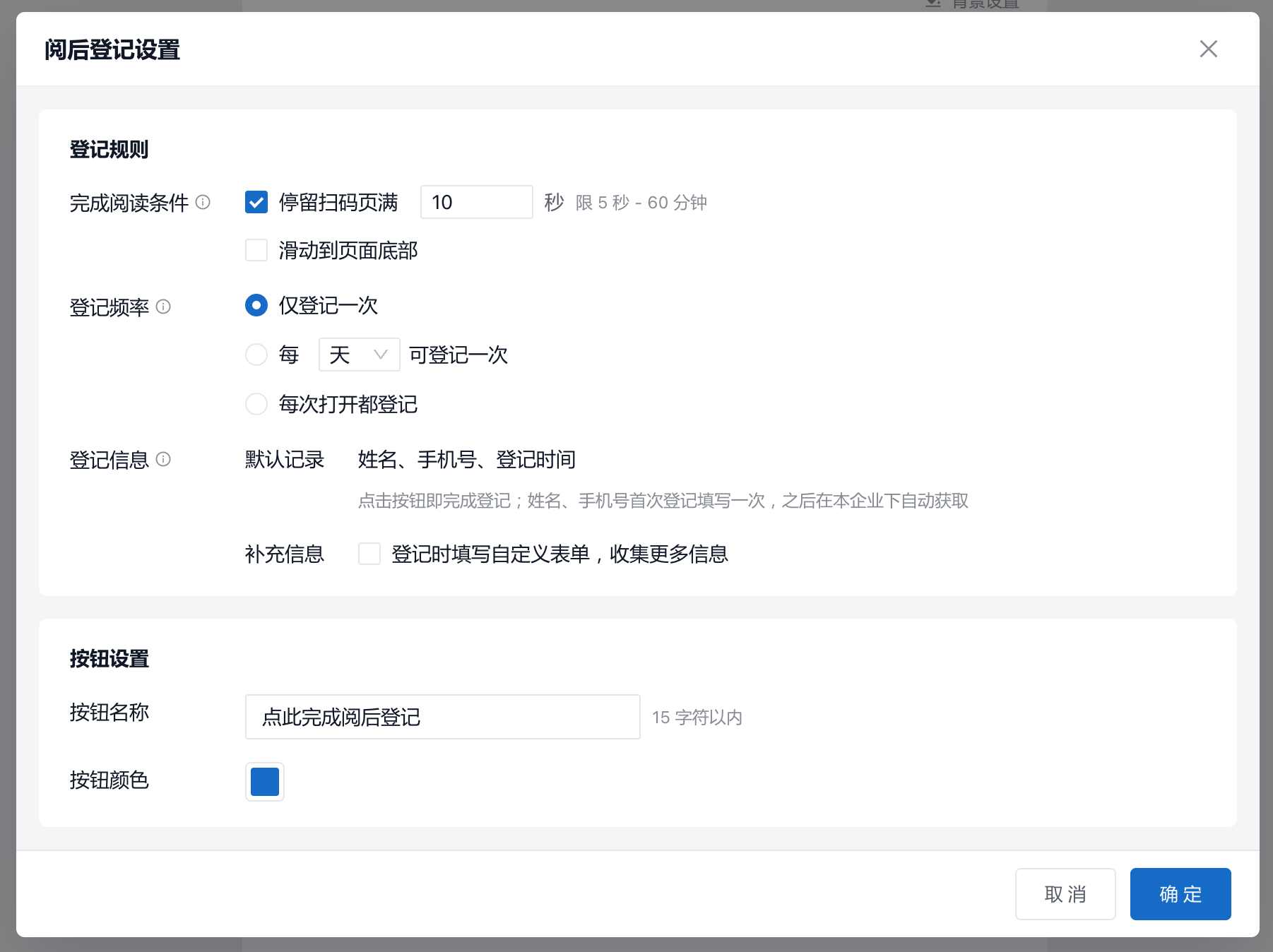
Select “Confirm,” then save the QR code using the editor's usual workflow. We recommend scanning the code and completing a registration yourself, then checking the record on the data summary page.
How Do Readers Register?
Scan and read the content → Meet the reading requirements → Tap the registration button → Complete registration.
Readers must enter their name and phone number the first time they register. For later registrations within the same organization, this information can be retrieved automatically to reduce repeated entry. If a custom form is linked, readers must also complete the corresponding fields.
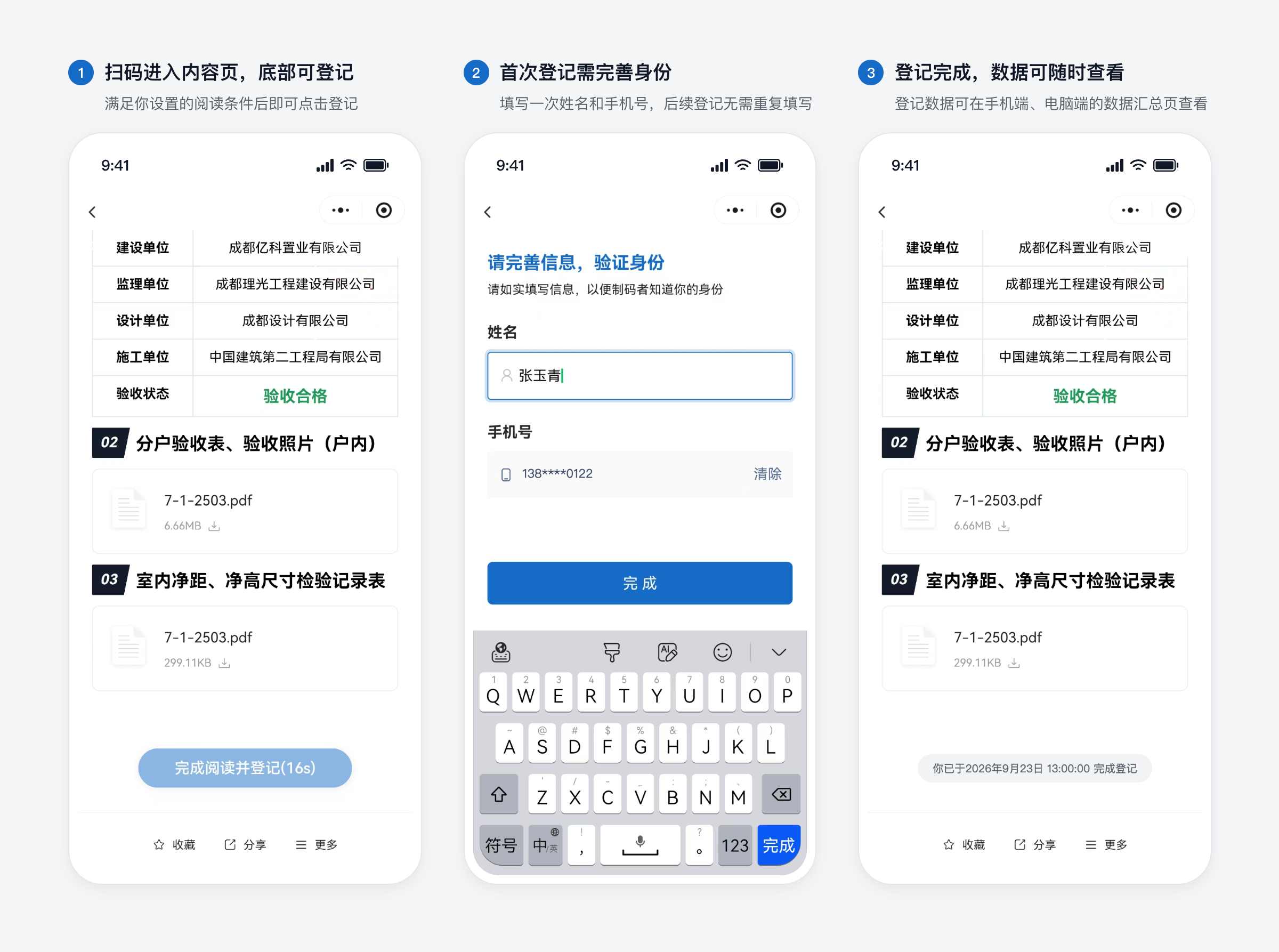
Readers must actively complete registration. Opening the page or staying long enough does not automatically create a record. A registration record means the reader submitted a reading confirmation. It does not prove they understood the content and is not a separate reading record for each file.
What About Video Content?
Reading requirements apply to the entire QR code content page. The feature cannot currently determine whether a video was actually played or watched for a specified duration. If your workflow requires readers to watch a full video or a minimum amount of it before registering, we do not currently recommend using Read Registration as strict proof of video viewing.
Related Reading
- New dynamic QR code editor and Read Registration update
- To require reading confirmation for an individual file, see File Read Registration.