Document Read Registration
Feature Overview
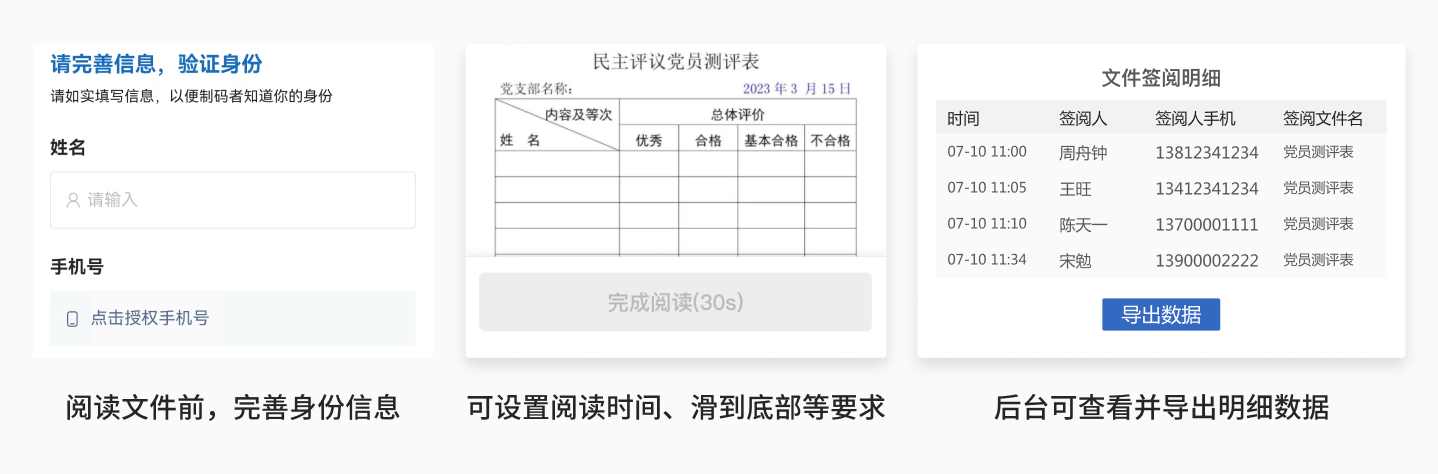
Enabling the document read registration feature allows you to record which people have read a document and capture their identity information.
After a scanner meets the reading requirements you configure, a sign-off record is automatically or manually submitted as proof of having read the document.
You can set how many seconds a scanner must read the document and whether they need to scroll to the bottom to complete the read registration.
You can also configure automatic redirection to a form after registration is complete, allowing scanners to fill in the form and provide additional information.
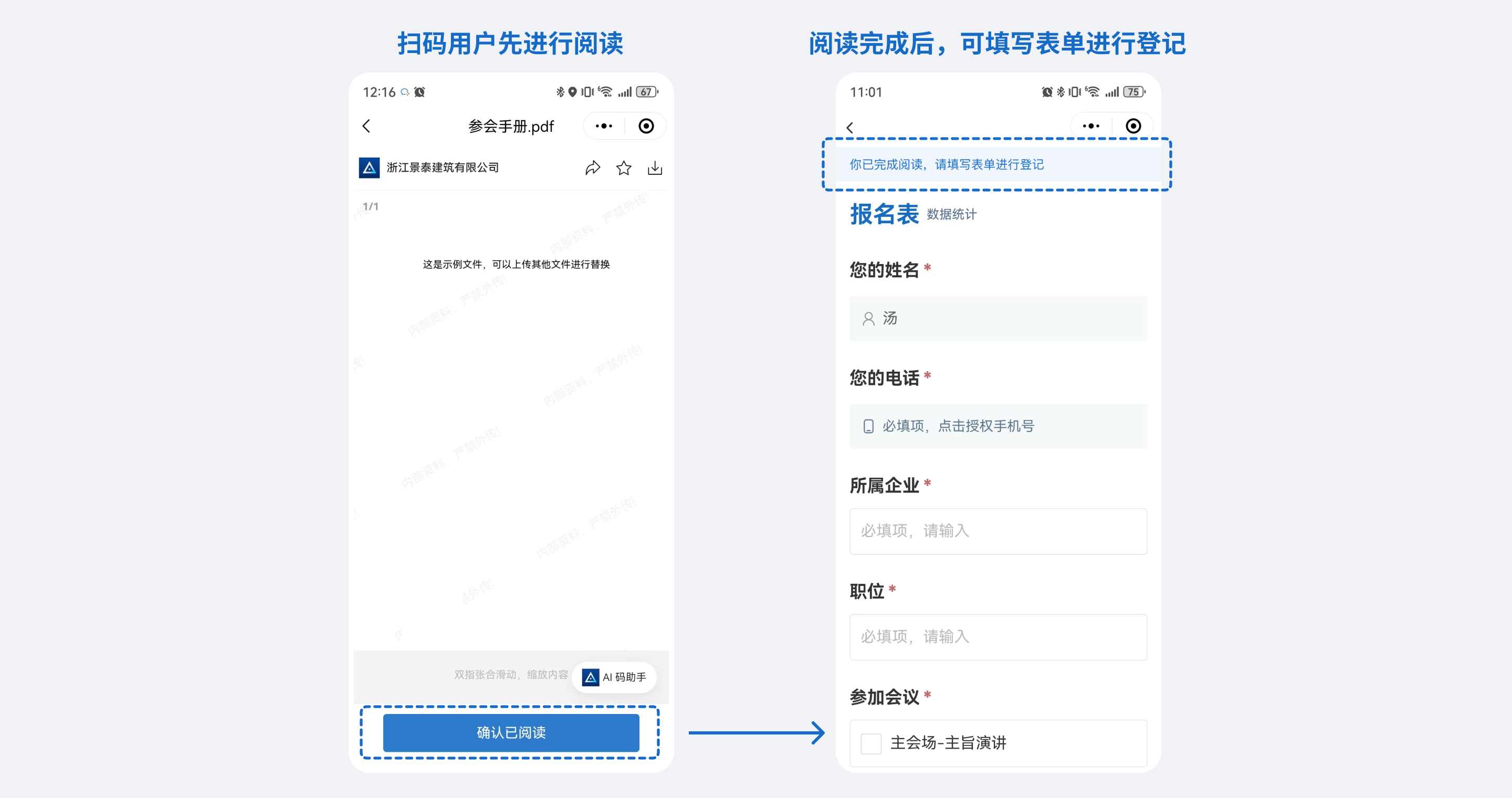
This feature is useful for:
Internal or external document notifications that require a record of who has viewed the document—such as company management documents, technical disclosure acknowledgments, and travel notice circulars—ensuring clear accountability and traceability for document distribution.
View and Manage Registered Data
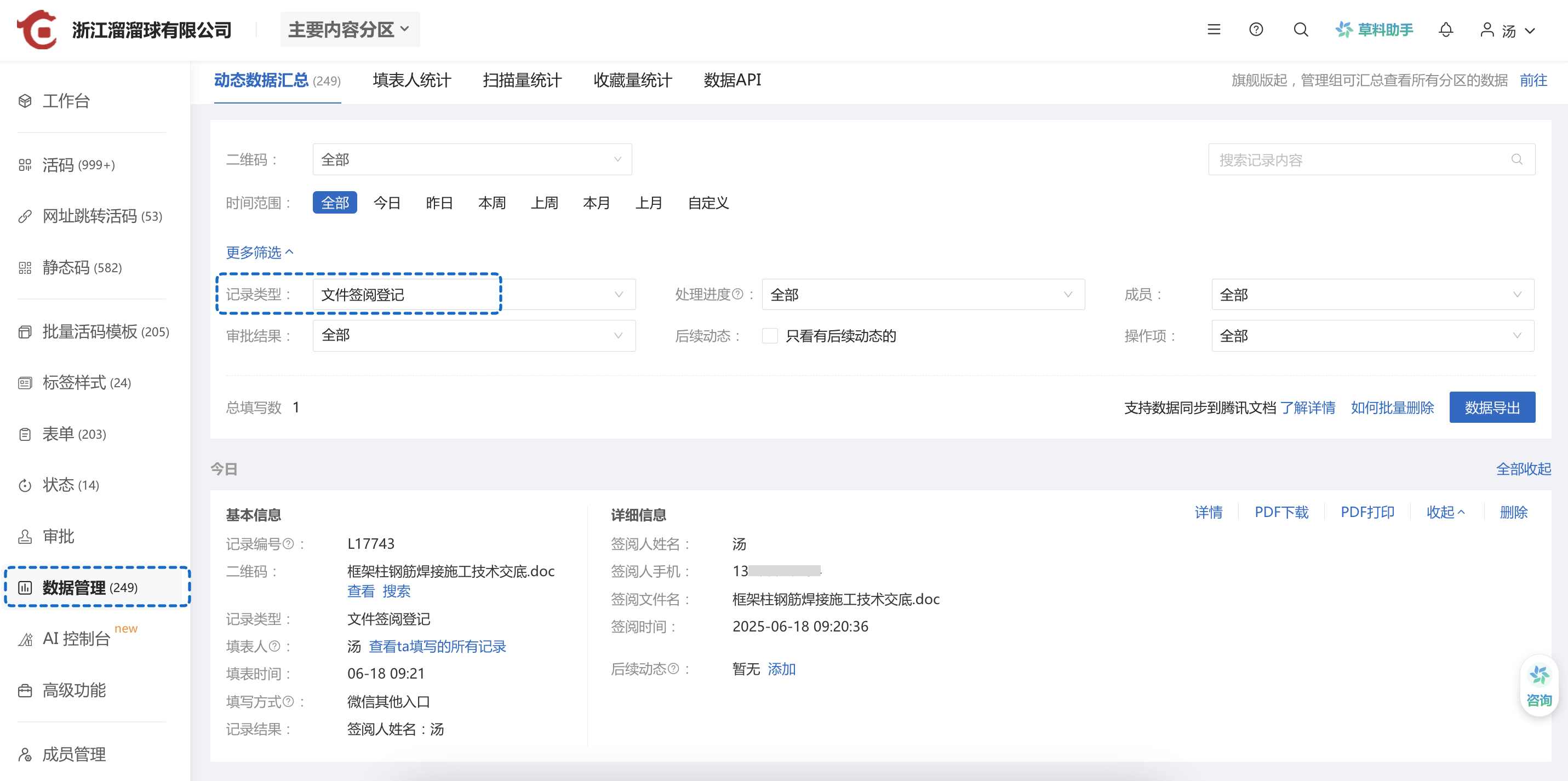
When a scanner completes the document read registration, a record is automatically generated. You can access the workbench and view or export the data under Data Management → Dynamic Data Summary.
How to Enable the Feature
Where to Enable
You can enable this feature on the front end after uploading a file.
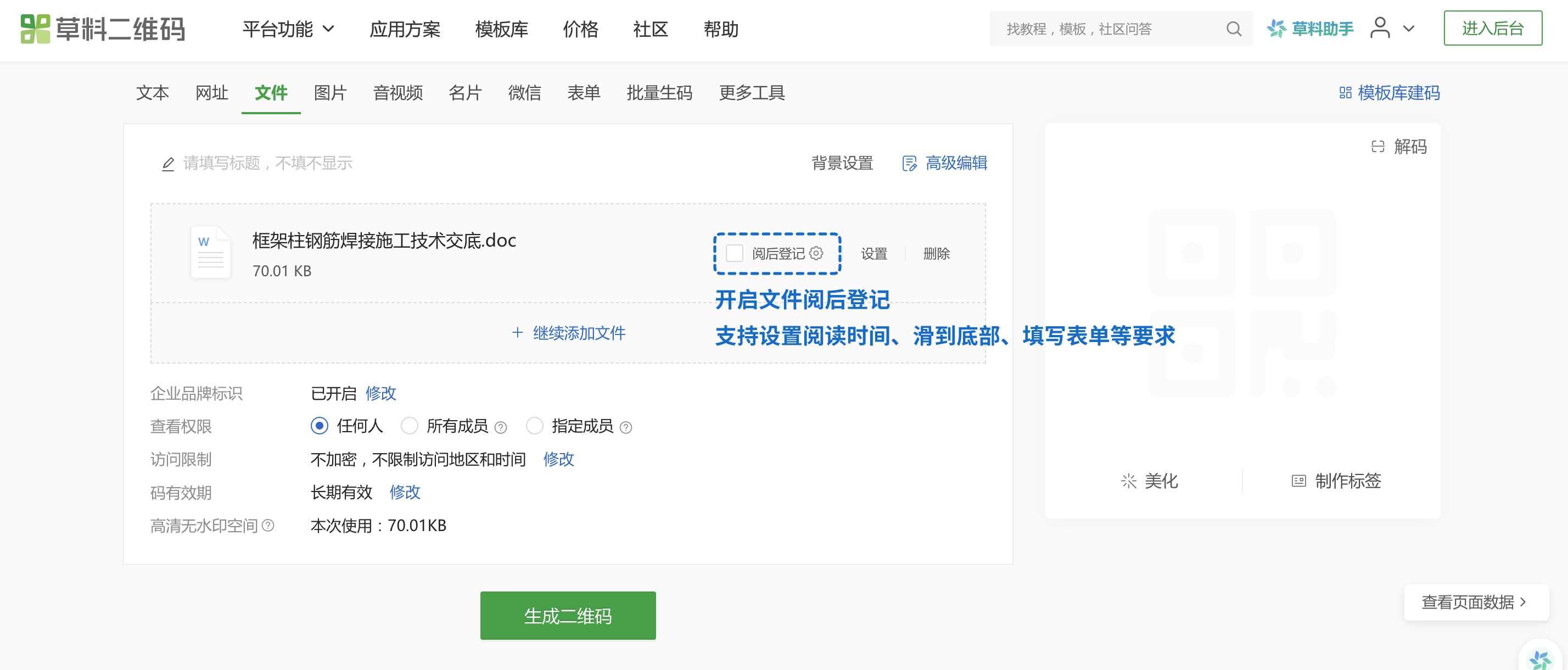
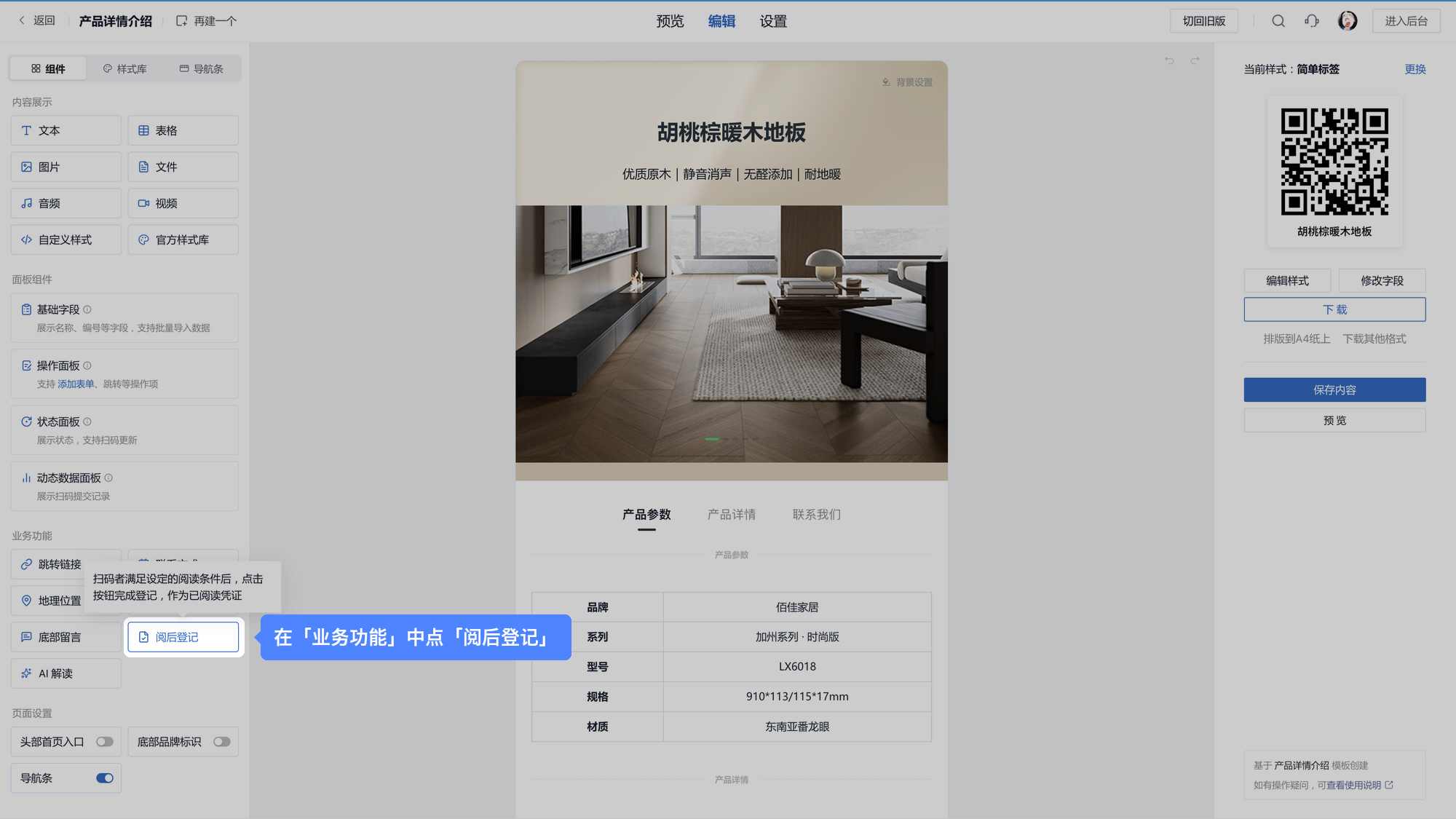
You can also add it in the editor by clicking Read Registration under Business Features on the left.
How to Disable
To disable this feature, log in to your account from a computer and go to the workbench. Find and edit the QR code, locate the file, click Settings, and turn off read registration.