Product Introduction QR Codes
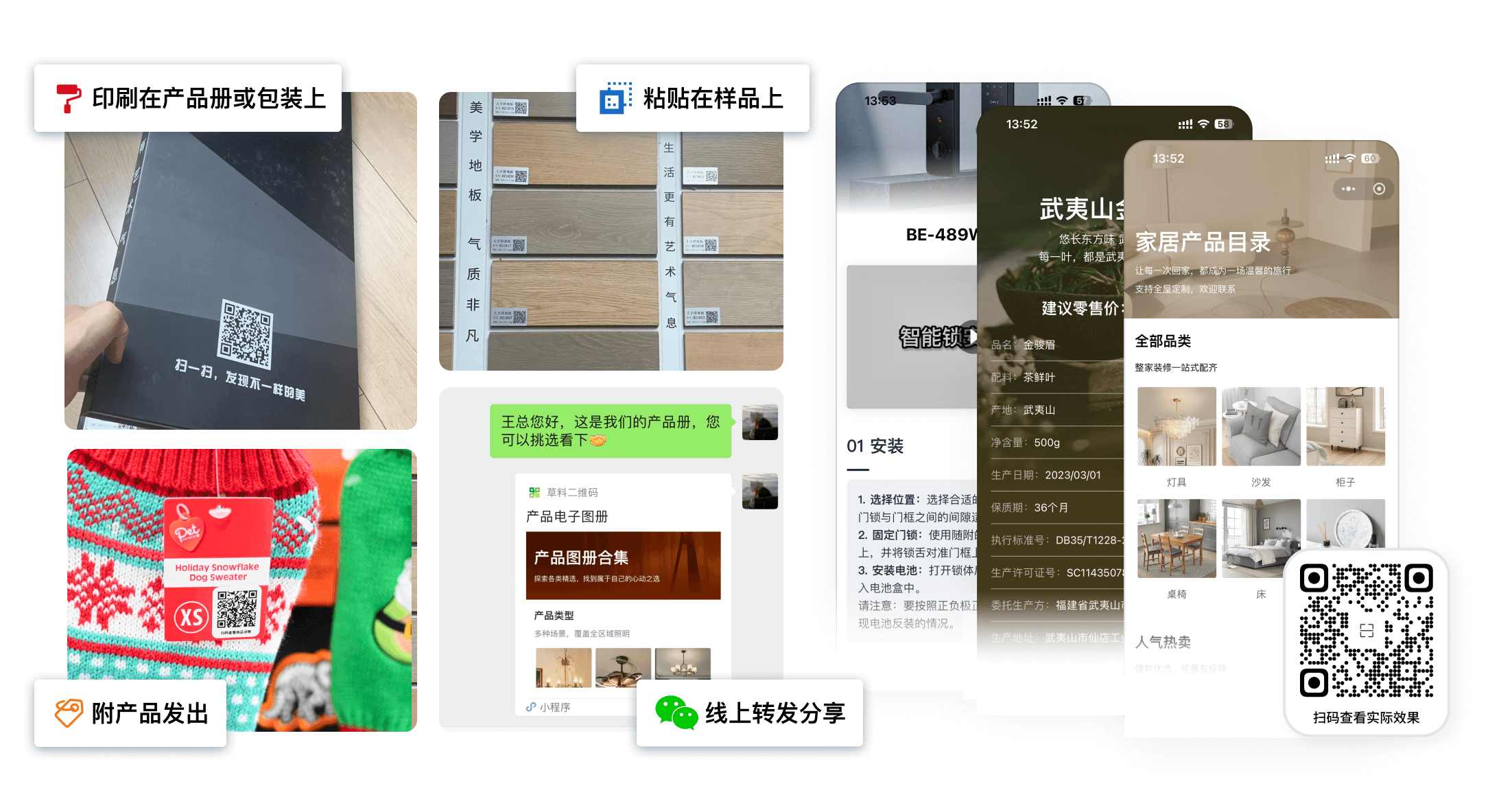
QR codes can be used at every stage—product promotion, sales, and after-sales—to display product information, traceability, catalogs, user manuals, and more.
Suitable for businesses of all industries that want to display product information at low cost and high efficiency. No coding or design skills required—even beginners can build effortlessly.
Part 1: Core Uses
1. QR Codes to Display Product Information
Upload images, videos, and files and add contact information. Convert product introductions, user manuals, test reports, and other product information into a QR code. Customers scan to view.
2. Compatible with All Major App Scanners
Compatible with WeChat, DingTalk, Douyin, and other major apps for scanning, ensuring all customers can view the content.
3. Build a Product Mini Program from Scratch—No Coding Required
A few simple steps to create your own product catalog Mini Program. Customers scan to open it, browse and select all products, and share or save at any time.
4. Update Content Anytime
Both mobile and desktop workbenches allow you to update content at any time. After updates, the QR code stays the same, and every time customers scan, they see the latest product information.
5. Track QR Code Scan Counts
View scan count trends and detailed scan records at any time to help analyze customer interest and product popularity.
Part 2: Free to Start, Paid Upgrades for More Features
1. Free Version Features
- Commercial use supported
- Unlimited number of QR codes generated
- Unlimited image/file/video uploads
- Unlimited people scanning
- QR codes are valid indefinitely
2. Paid Version Features
- High-definition large images and watermark-free display; unlimited HD video playback. Suitable for the Basic Edition (¥780/year).
- Display your company logo with personalized customization. Available by separately purchasing the enterprise exclusive WeChat Mini Program after upgrading.
- Multi-user collaboration with permission management. Suitable for the Advanced Edition (¥1,280/year) and above. View different paid versions
Part 3: Start Creating
The following templates are based on real user practice to help you quickly draw on peer experience. All template content can be freely modified and customized.
- Product Detail Introduction: Display product introduction images, text, and videos—update content at any time.
- Product Catalog: Display products by category for customers to browse and select, with sharing and saving support.
- User Manual: Display product tutorial videos and instruction manuals for consumers to view by scanning.