Basic Edition Overview
Edition price: 780 CNY/year Core features: compared to the free version, removes the CaoLiao logo and watermark, lets you display your own brand, removes the duration limit on audio/video files, and more After-sales service: dedicated after-sales online consultation channel Recommended for: users with content display needs such as product introductions, training materials, travel itineraries, and similar use cases
I. Basic Edition Features
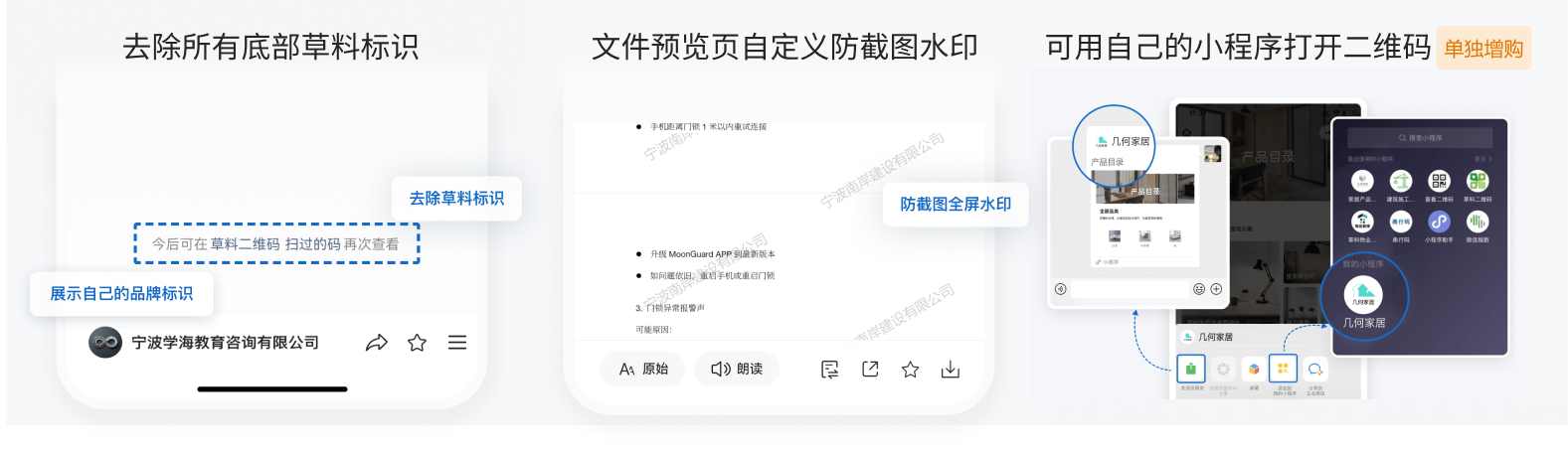
1. Remove CaoLiao Branding — Show Your Own Brand
- Automatically removes the CaoLiao logo from the bottom of QR code content pages and dynamic data detail pages.
- Add a custom anti-screenshot watermark on file preview pages, so files still carry a source reminder when screenshotted or forwarded — keeping your information more secure.
- Supports purchasing the exclusive Mini Program as an add-on — one-time payment, lifetime use. All dynamic QR codes open with your own Mini Program to strengthen brand exposure and build a professional image. View details
2. HD Watermark-Free Image/File Storage
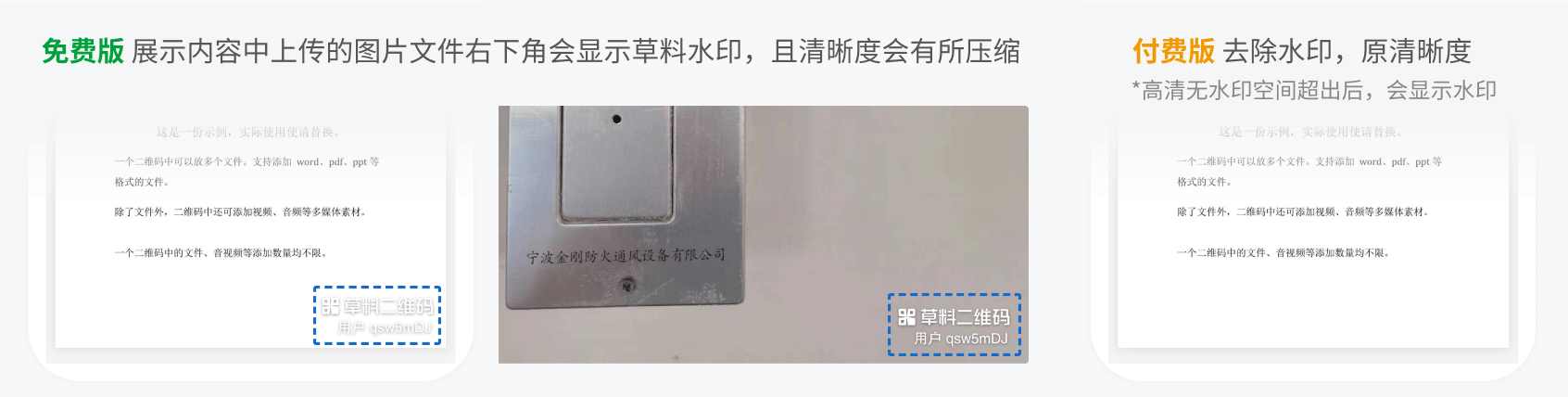
- Provides 1 GB of HD watermark-free storage — removes the CaoLiao watermark from image files and supports display at original resolution.
For detailed explanation, see: Image and File Specifications
3. Enhanced File Features
- Add custom watermark text that covers the page diagonally to reduce the risk of screenshot leaks — fully protecting content security.
- Increases the single-file upload limit to 500 MB (free version limit: 50 MB per file).
- Supports uploading zip files and all other formats, except for high-risk types.
4. Audio/Video: No Duration Limit, HD Playback
- No duration limit per audio/video file. Audio/video uploaded during the paid period is retained indefinitely and stays playable after the plan expires.
- Includes 240 GB of audio/video HD playback traffic. Purchase an add-on pack if traffic runs low.
For detailed explanation, see: Audio/Video FAQ
5. QR Code Open Methods
In WeChat, QR codes can be opened via H5 webpage or the no-branding Mini Program.
- No-branding Mini Program: includes all CaoLiao Mini Program features with no CaoLiao branding displayed.
- H5 webpage: supports long-pressing to recognize all QR code images in the content, opening external URLs directly, and sharing to Moments.

- From Basic Edition, the exclusive Mini Program is available as a separate add-on — one-time payment, lifetime use: open all dynamic QR codes with your own Mini Program, with a custom logo, name, and more, to strengthen brand exposure and build a professional image. Learn more
For detailed explanation and demo, see: QR Code Open Methods
6. Custom Login Page
- Set up a custom enterprise login page with a custom system name, logo, background image, notes, and links. Multiple background image options are available to create a professional look.
- Admins and advanced members can log in via the dedicated login domain directly, without visiting the public CaoLiao login page — creating a professional internal management system.
- Offers 3 login methods: mobile number verification code, account/password, and WeChat scan-to-login, for better convenience and security.

For detailed explanation and demo, see: Custom Login Page
7. Video Background and Dynamic Background for QR Code Content
7.1 Video Background
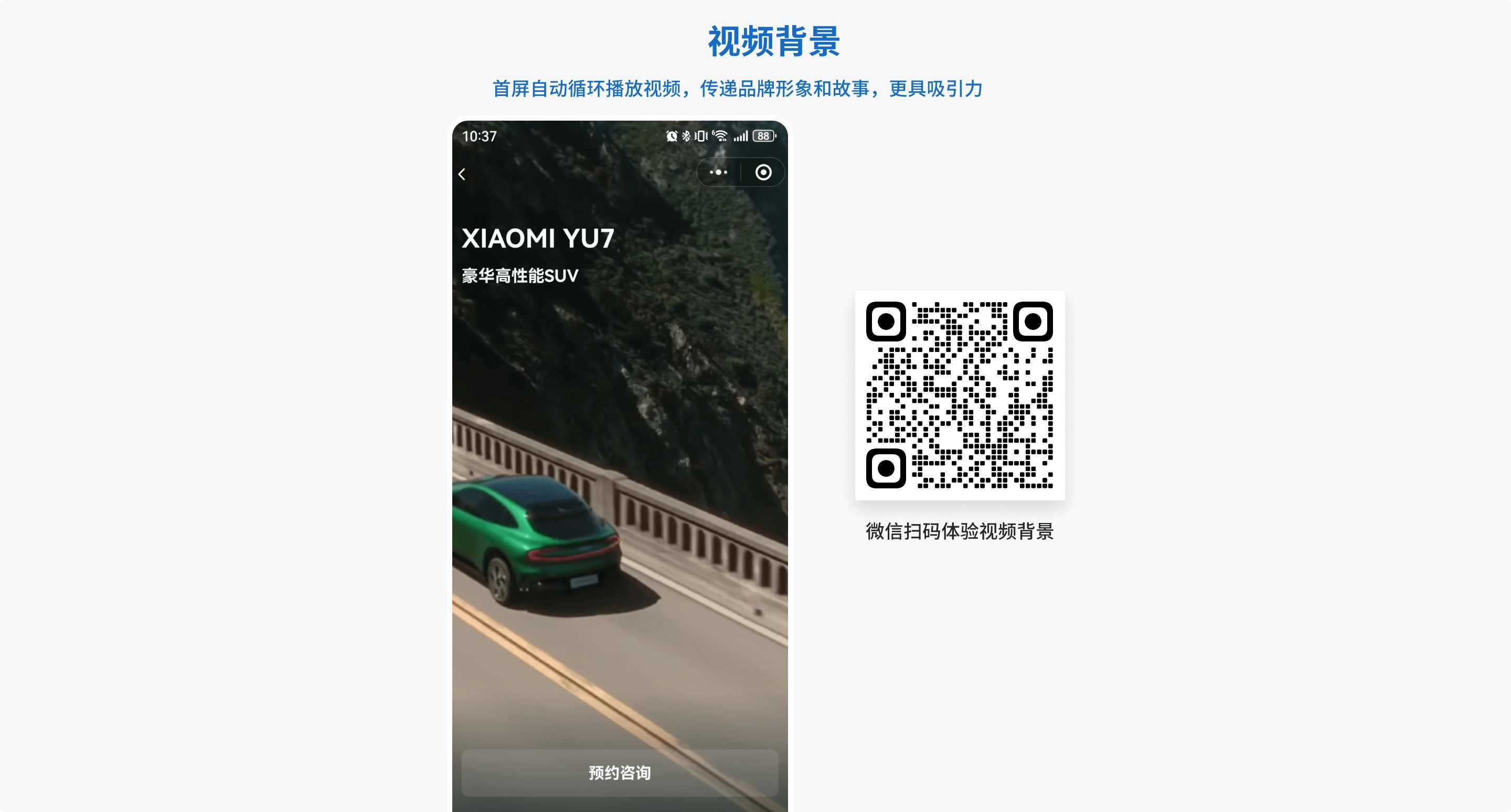
- A video can auto-play as the QR code page background, conveying your brand story from the first screen — suitable for product showcases, event registrations, business introductions, and more.
- Loops automatically after the user scans; no tap required.
- Compared to static images, dynamic video is more attention-grabbing, increases time on page, and enhances brand professionalism and appeal.
- Free trial available: each code can be tested for up to 2 hours after saving. After the trial period, the video freezes on the first frame as a static image — normal QR code use is unaffected. Upgrade to a paid edition to restore the effect immediately.
- From Basic Edition (paid), the video background feature can be used officially to create a more vivid QR code display.
7.2 Dynamic Background
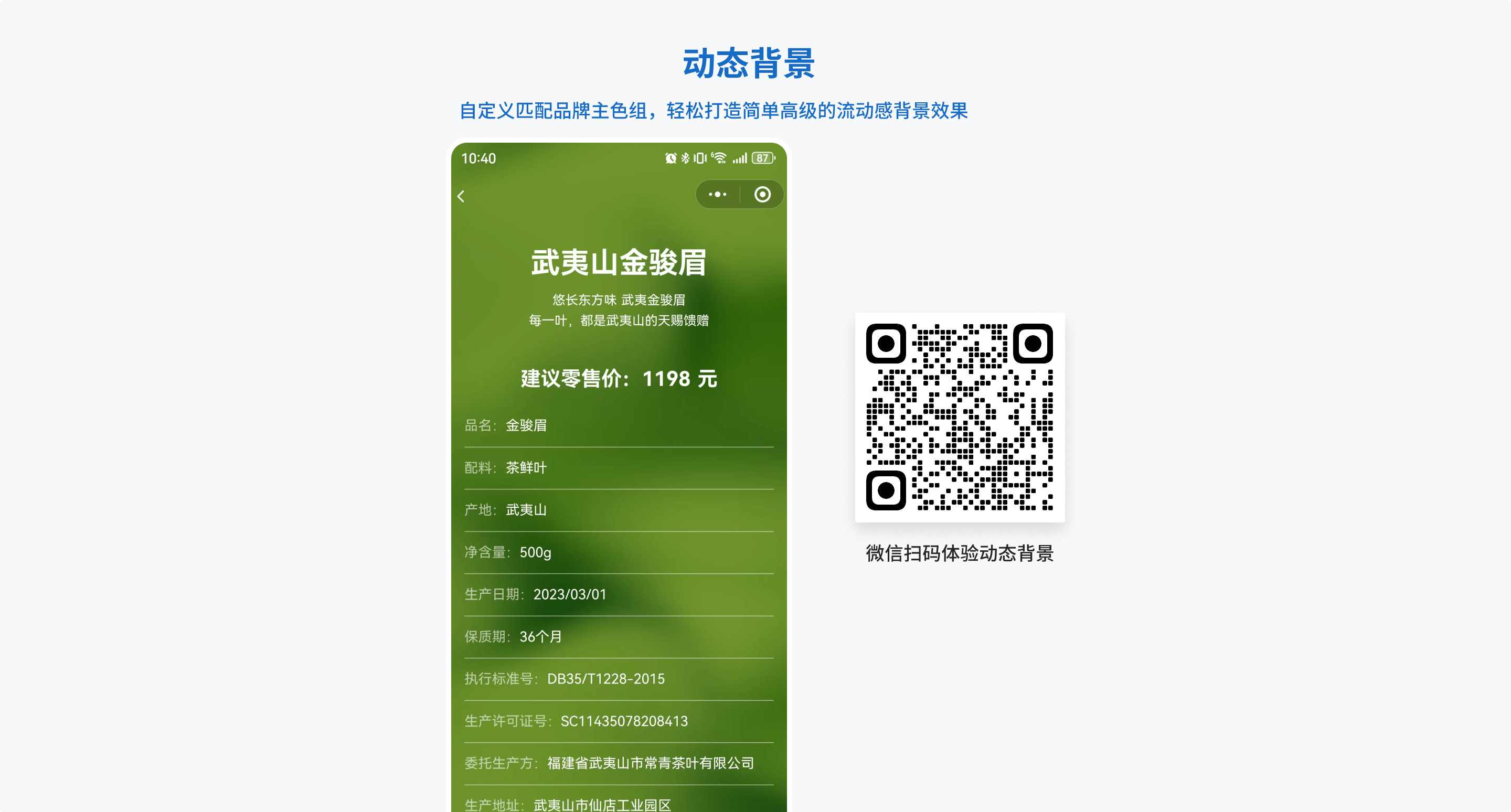
- Choose from system theme color sets or a custom theme color that matches your brand's primary color — easily create a flowing, colorful visual effect.
- Ideal for scenarios where the QR code page needs a sense of technology or interactivity, such as smart device description pages, event promotion pages, and creative brand showcase pages.
- Free trial available: each code can be tested for up to 2 hours after saving. After the trial period, the background freezes as a static theme-color image — normal QR code use is unaffected. Upgrade to a paid edition to restore the effect immediately.
- From Basic Edition (paid), the dynamic background feature can be used officially for a clean and premium background effect.
8. Other Features
- The editor design library supports "advanced display styles" for further visual enhancement.
- Data recovery service: if you accidentally delete QR codes, forms, statuses, or other dynamic data, recovery is available. Learn more
- View operation logs: all operations by admins and advanced members on the desktop (such as creating, modifying, or deleting QR codes) are recorded in the operation log. The operation log is visible to admins only and enables tracking of advanced member actions. Learn more
II. After-Sales Technical Support
Access a dedicated after-sales channel — find [After-Sales Support] in the lower right corner of any page to contact after-sales technical staff directly. We communicate via online web chat to answer your operational and usage questions.
III. After Basic Edition Expires
- QR codes generated during the paid period: continue to work normally, valid indefinitely, but the CaoLiao logo will reappear.
- QR codes created or edited after expiration: can no longer enjoy paid features.
After expiration, features such as CaoLiao logo removal, watermark removal, and unlimited audio/video duration are no longer available. Details below.
- Content display — HD Watermark-Free Image/File Storage: During paid period: 1 GB / After expiration: standard definition with watermark
- Content display — Traffic: During paid period: 240 GB / After expiration: does not expire, can continue to be used
- Content display — Audio/Video QR codes: During paid period: unlimited playback, retained indefinitely / After expiration — QR codes created during paid period: unlimited playback, retained indefinitely; Audio/video newly uploaded after expiration: up to 1 minute per file, unlimited viewers and plays, and long-term playback
- Content display — QR code open method: During paid period: can switch to no-branding Mini Program or H5 webpage / After expiration — QR codes created during paid period: retain their set open method; QR codes created after expiration: open via CaoLiao QR Code Mini Program
- Content display — CaoLiao logo: During paid period: not displayed / After expiration: CaoLiao logo reappears on all QR codes
- Content display — URL redirect dynamic QR codes: During paid period: no security notice page / After expiration: security notice page displayed
Learn more
For purchase or renewal, see: Purchase Guide Overview
For self-service ordering and cross-edition feature comparison, see: Pricing Page
For detailed introductions to other editions, see:
- Advanced Edition: Advanced Edition Overview
- Flagship Edition: Flagship Edition Overview
- Industry edition: Industry Edition Overview
For edition selection advice, see: Edition Selection Guide
For other purchase questions, contact a Business Consultant