Can Submitted Form Data Be Deleted or Withdrawn?
Withdrawal is not supported. Submitted form data cannot be withdrawn by the submitter. To delete data, contact the QR code admin to do so from the desktop workbench.
Permissions by Role
| Role | Withdraw | Delete | Edit |
|---|---|---|---|
| Submitter | Not supported | Not supported | Not supported |
| Basic member | Not supported | Not supported | Not supported |
| Advanced member | Not supported | Supported | Supported (requires authorization) |
| Admin / Super admin | Not supported | Supported (batch supported) | Supported |
How Admins Delete Data
- Log in to the desktop workbench.
- Find Forms in the left menu and click to enter.
- Locate the form whose data needs to be deleted and click into the data detail page.
- Select the records to delete and click Batch Delete.
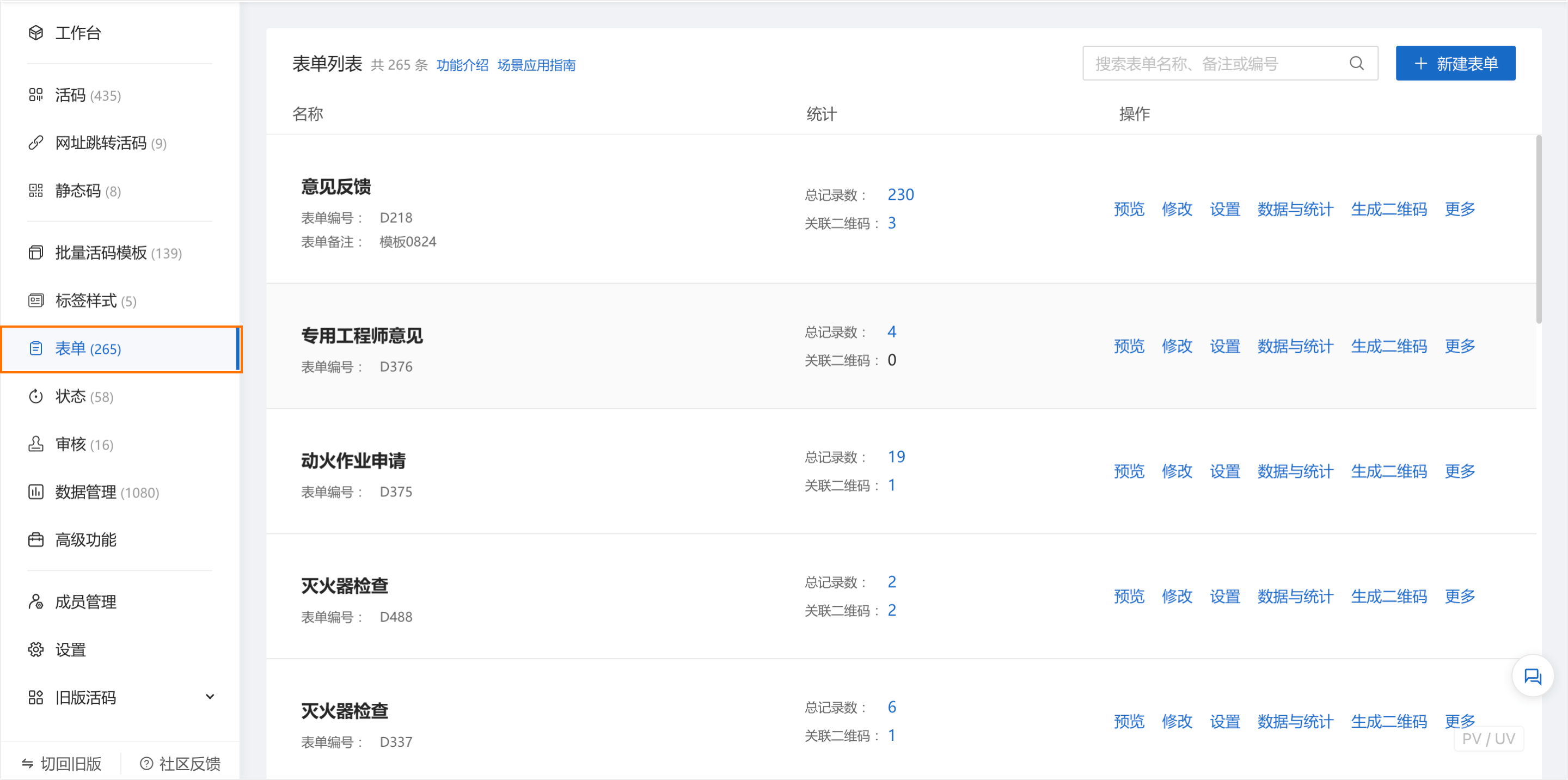
Note: Deleted data cannot be recovered. Please confirm carefully before proceeding. If you only need to correct the data, the admin can edit the record directly without deleting it.
What to Do If Data Was Entered Incorrectly
If a submitter realizes their submitted data contains errors, they can contact the admin:
- Edit the data: The admin edits the record directly on the data detail page.
- Delete and re-submit: The admin deletes the incorrect record, and the submitter scans the QR code to fill in the form again.