Can Form Data Be Supplemented After the Fact?
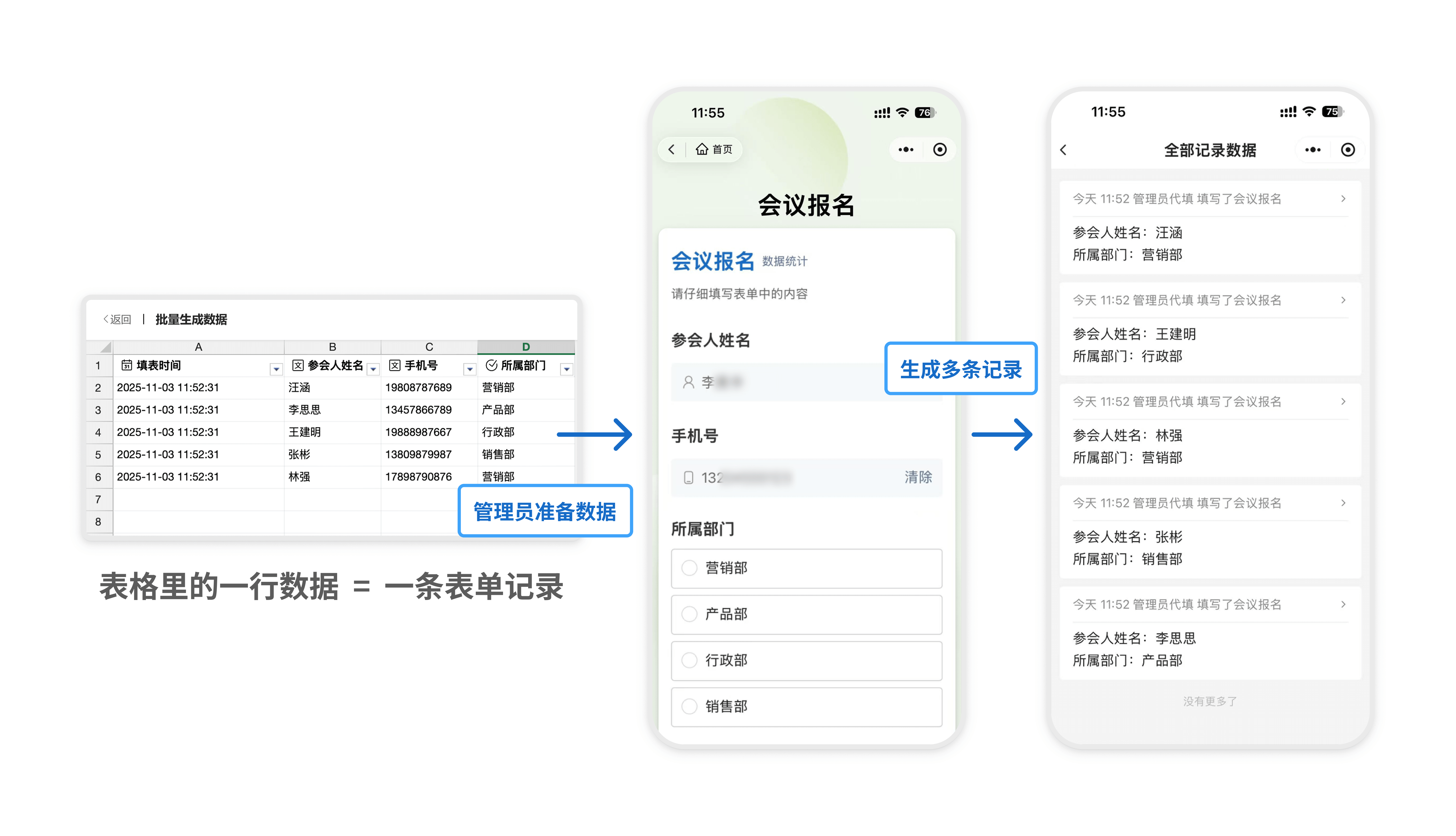
Yes. You can add records by scanning the QR code to fill out the form, or by using Batch Add Records in the workbench. The two methods suit different scenarios — choose based on data volume.
Methods for Adding Records
| Method | Description | Best for |
|---|---|---|
| Scan to fill | Scan the QR code and submit entries one by one | Small volume (a few to a dozen entries) |
| Batch Add Records | Fill in data online via a spreadsheet or upload an Excel file in the workbench | Large-scale historical data migration or batch entry |
How to Use Batch Add Records
- Log in to the desktop workbench.
- Find Forms in the left menu and click to enter.
- Locate the form that needs data added and go to the data detail page.
- Click Batch Add Records and choose to fill in online or upload an Excel file.
Note: Regardless of the method, the system's default Form Submission Time cannot be modified. The submission time is recorded based on the actual operation time and cannot be set retroactively. If you need to record the actual working time, add a Time component to the form so submitters can enter it manually.