Why Doesn't the Submitter Receive the Review Result Notification?
The most common reason is that the submitter did not authorize WeChat Service Notifications when submitting the form. Review results are only pushed via WeChat service notifications, and submitters must actively enable this option at submission time.
Troubleshooting
Cause 1: Submitter did not authorize notifications (most common)
Symptom: The submitter has never received any review result notifications.
Solution: Review results are delivered via WeChat's Service Notifications. When submitting a form, the submitter sees an option to Allow Receiving Notifications. If the submitter skipped or declined this option, they will not receive review result notifications.
There is currently no alternative method to push review results to submitters. Admins should inform submitters in advance: always select Allow Receiving Notifications when submitting a form, otherwise they will not receive any review status updates.
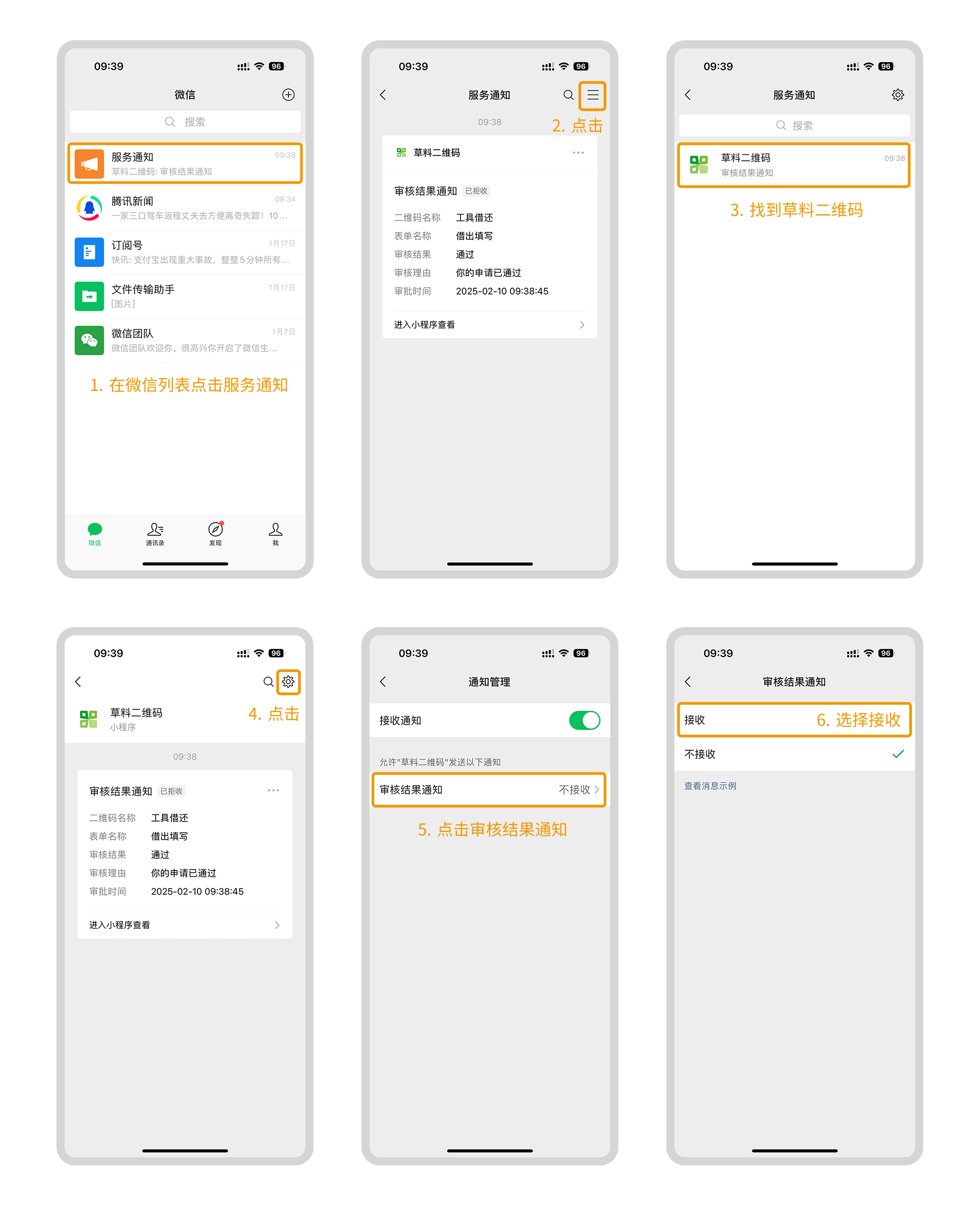
Cause 2: WeChat service notifications are turned off
Symptom: The submitter previously received notifications but suddenly stopped.
Solution:
- Open WeChat, go to Settings → New Message Notifications.
- Confirm that the Service Notifications toggle is enabled.
- If it is already enabled but notifications are still not coming through, ask the submitter to re-submit a record and re-authorize notifications at submission time.
Cause 3: Review has not been completed yet
Symptom: The submitter enabled notifications but has not received a result after submitting.
Solution: Review result notifications are only sent after the admin completes the review action. Ask the admin to confirm whether the record has been reviewed. You can check the review status on the form data page in the workbench.
Still Not Resolved?
If none of the above solutions work, click Contact Us → Submit Feedback in the bottom-right corner of any CaoLiao page. Our technical team will help investigate.