Design Library Feature Overview
In daily work, QR codes are commonly used for product introductions, event promotions, and service descriptions. When users scan a code and land on a page, the layout and presentation often directly shape their first impression of the enterprise. CaoLiao QR Code's design library provides preset layout styles to make QR code page content clearer and more visually appealing.
Available Styles
The CaoLiao QR Code design library offers a variety of commonly used layout components, such as:
- Heading and body text styles
- Table styles
- Mixed image and text layout
- Dividers
- Link styles (large image / list / button, etc.)
- Contact card
These styles let you transform plain text content into pages with a clearer, more structured layout.
Before and After Comparison
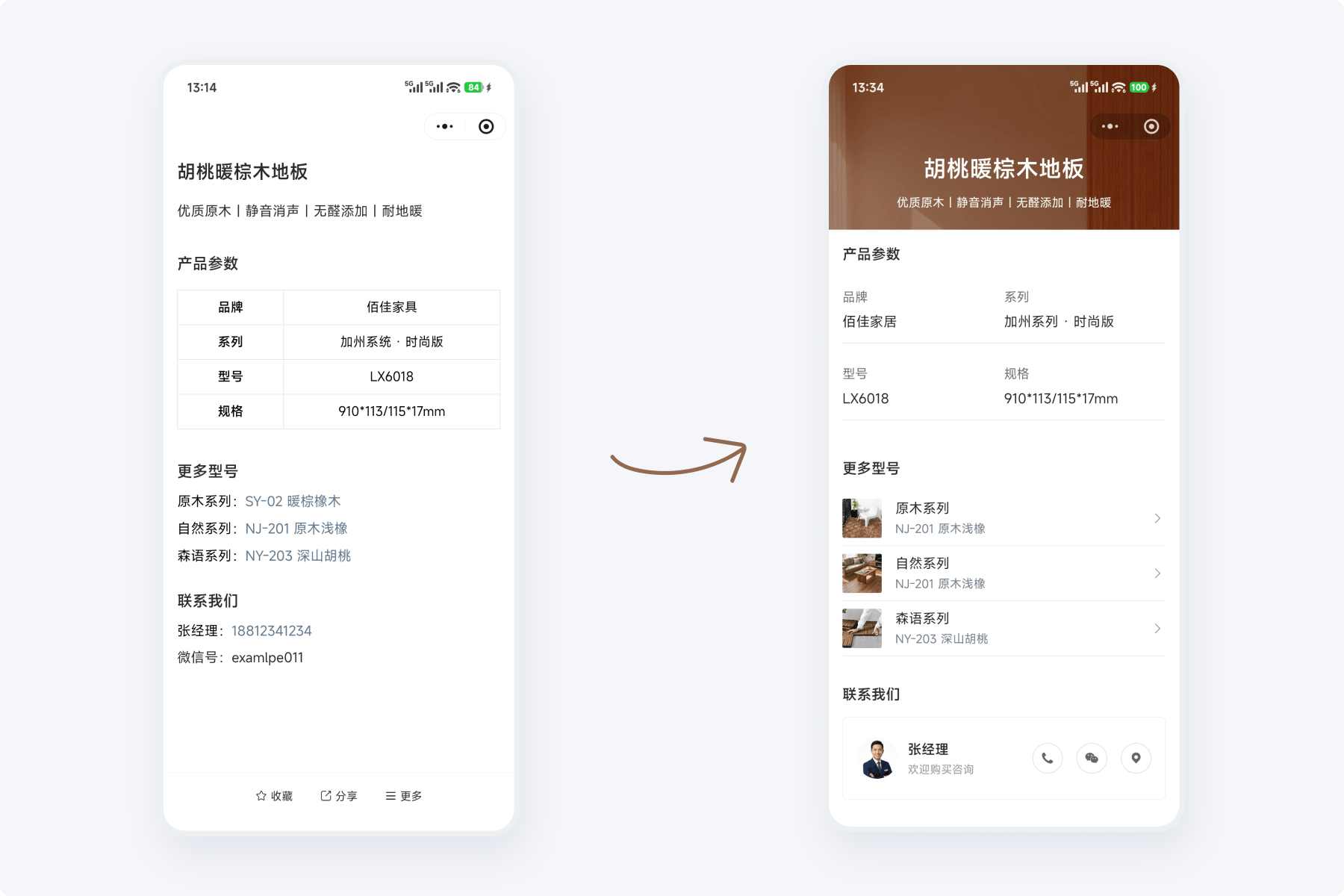
Below is the same product information displayed in two different layouts. Compared to plain text, a styled page is more visually appealing and easier to read — giving scanning users an immediate sense of the enterprise's professionalism and reliability.
How to Use the Design Library
Open the QR code content editor to use the design library. You can enter the editor from:
- Home → Advanced Editor
- Workbench → Edit QR Code
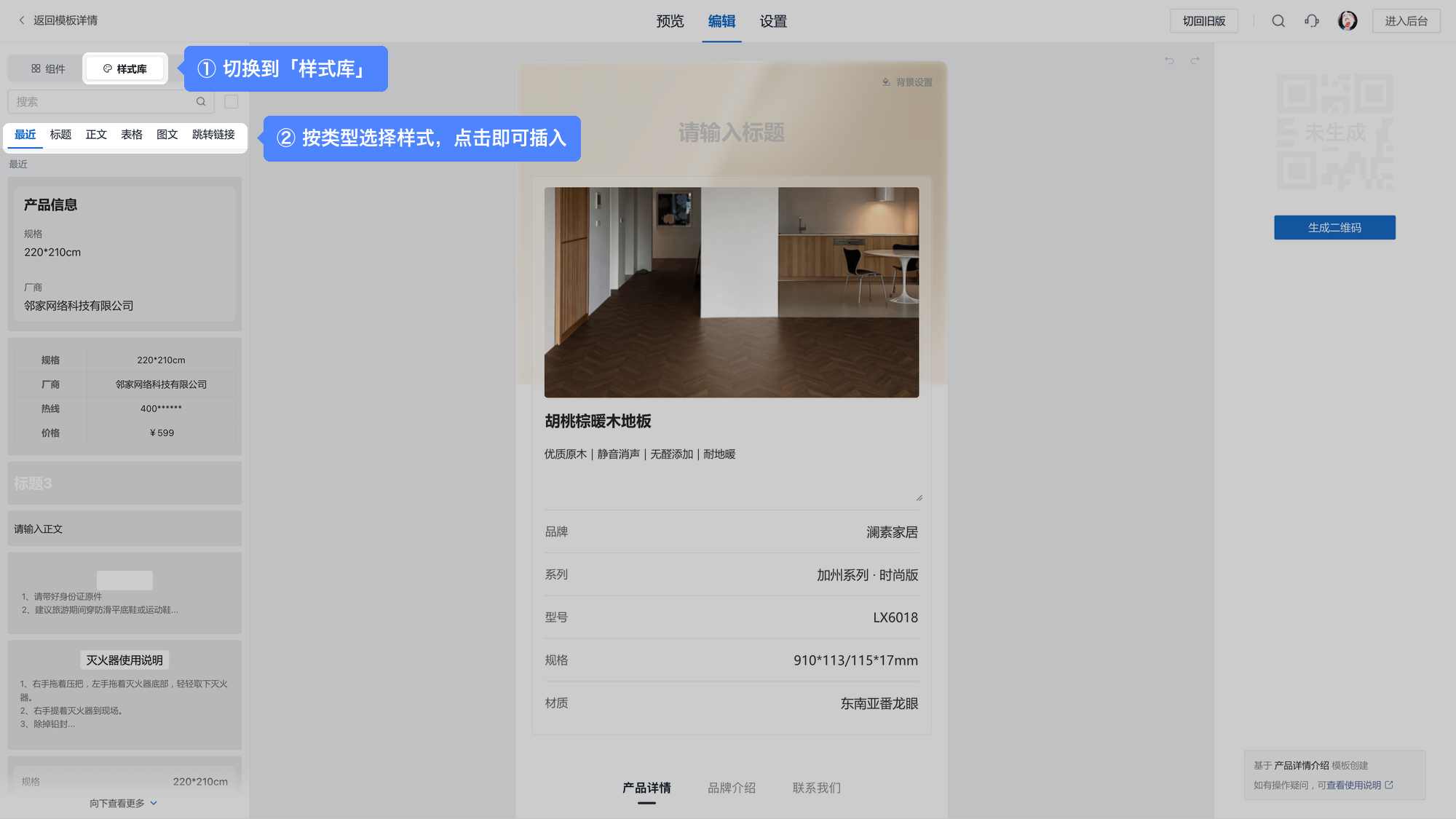
Once in the editor, switch to the "Design Library" tab on the left, choose a style by type, click to insert it, then fill in or replace the content to complete the layout.
Some Advanced Styles Require a Paid Version
Most styles in the CaoLiao QR Code design library are free, meeting common information display and content layout needs. To provide richer page presentation options, some advanced style components require upgrading to Basic Edition or above. In the design library, these styles are marked with a [Paid Only] badge in the upper-right corner for easy identification.