Advanced Forms Features
Basic forms features are free: add a form to a QR code so users can scan to fill it in. Supports fill-in permissions, notifications, and other forms settings. Filled records become dynamic data for the code, viewable and exportable on desktop and mobile. Learn about forms features
From the Advanced Edition, in addition to basic forms features, you can use advanced forms features to further improve management efficiency.
1. Multi-Level Cascading Data Approval
- Set up multi-level review and approval workflows. Each level can designate one or more approvers to meet diverse review and approval requirements.

2. Single-Choice Scoring
- This feature is currently free for a limited time and is expected to become an Advanced Edition paid feature in the future.
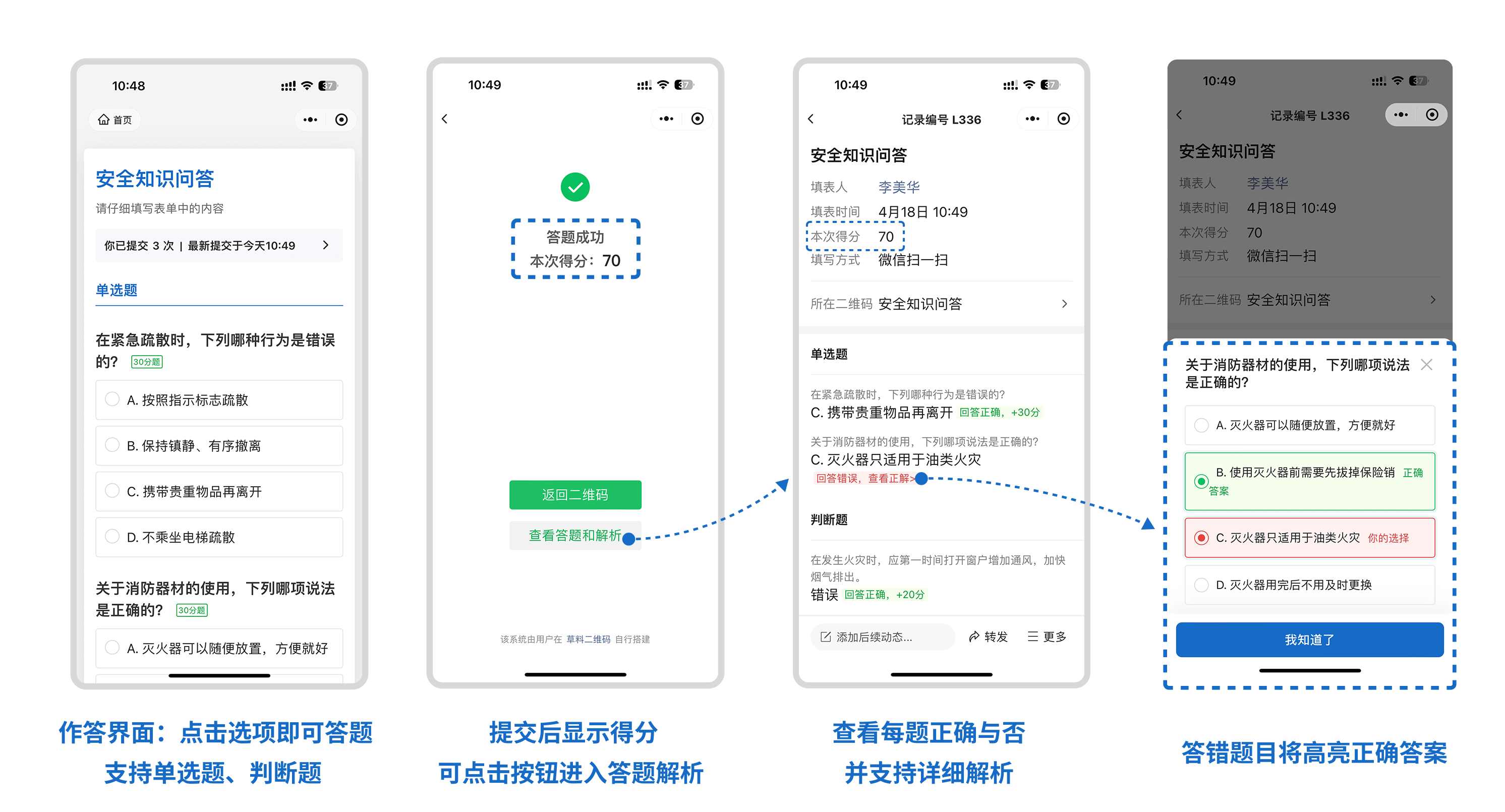
- In a form's [Single Choice] component, "set correct options and auto-score" is supported, suitable for safety exams, employee training tests, knowledge competitions, and other scenarios requiring correct-answer evaluation.
3. Add Follow-Up Actions to Close the Loop
- Supports linking another form in follow-up actions to create a more standardized issue-handling workflow, better aligned with data formatting requirements on export.

4. AI Components
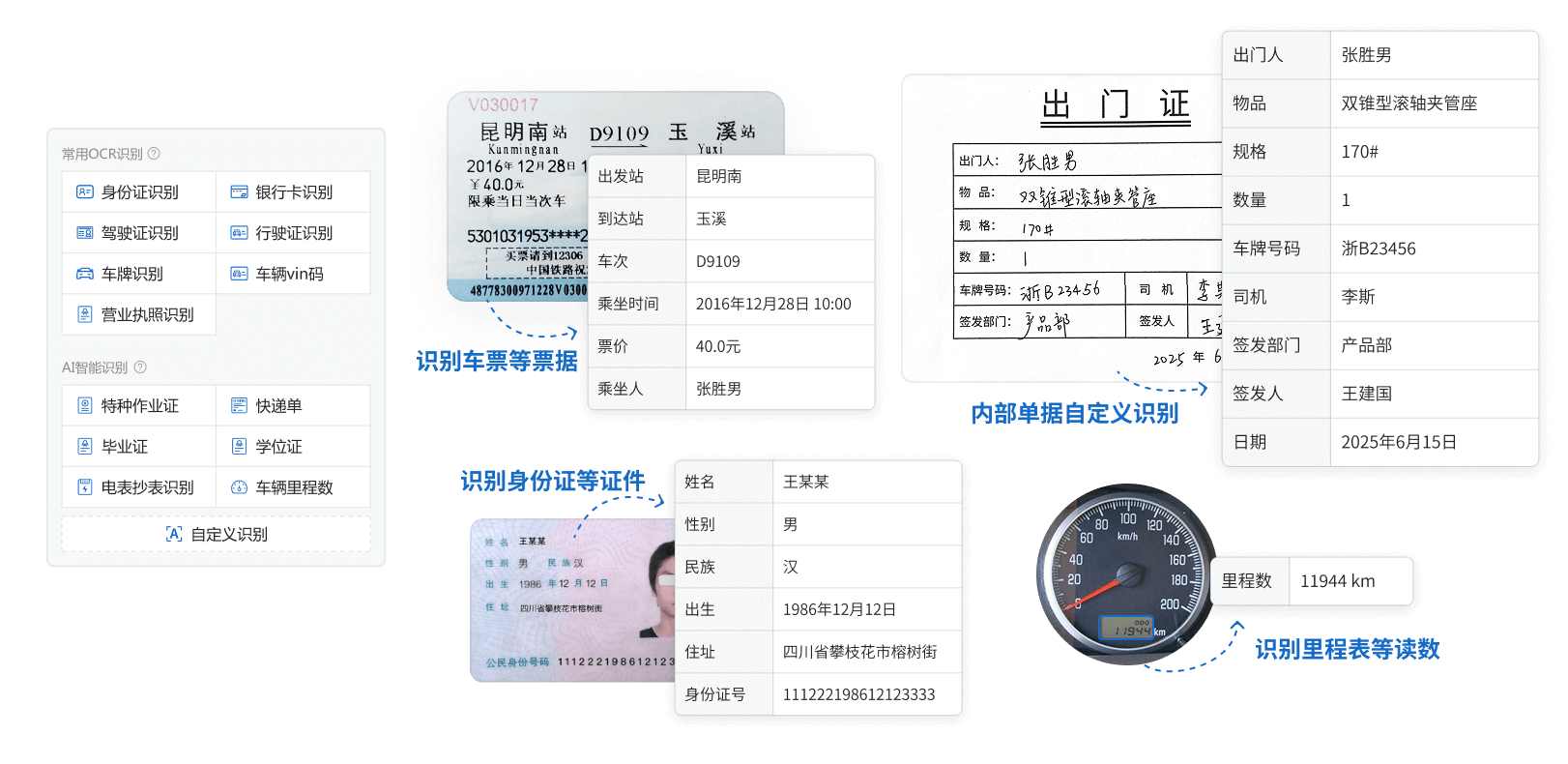
- Supports adding AI components to forms; when filling in, OCR recognition and AI capabilities automatically recognize and fill in information, speeding up form completion.
- OCR recognition: ID cards, bank cards, driver's licenses, vehicle registration certificates, license plates, VIN codes, business licenses, and more
- AI intelligent recognition: special work permits, courier waybills, graduation certificates, degree certificates, electricity meter readings, odometer readings, etc. Custom recognition is supported — define recognition fields and AI will automatically recognize content when scanners upload images
- This feature is currently free for a limited time; free version and Basic Edition users can try it. It will become an Advanced Edition paid feature in the future.