Dozens of Resources in One Code:
Scan to Browse by Directory
Bring policies, product resources, and training materials into one code for browsing by directory.
Add or remove resources in the workbench without changing shared codes.
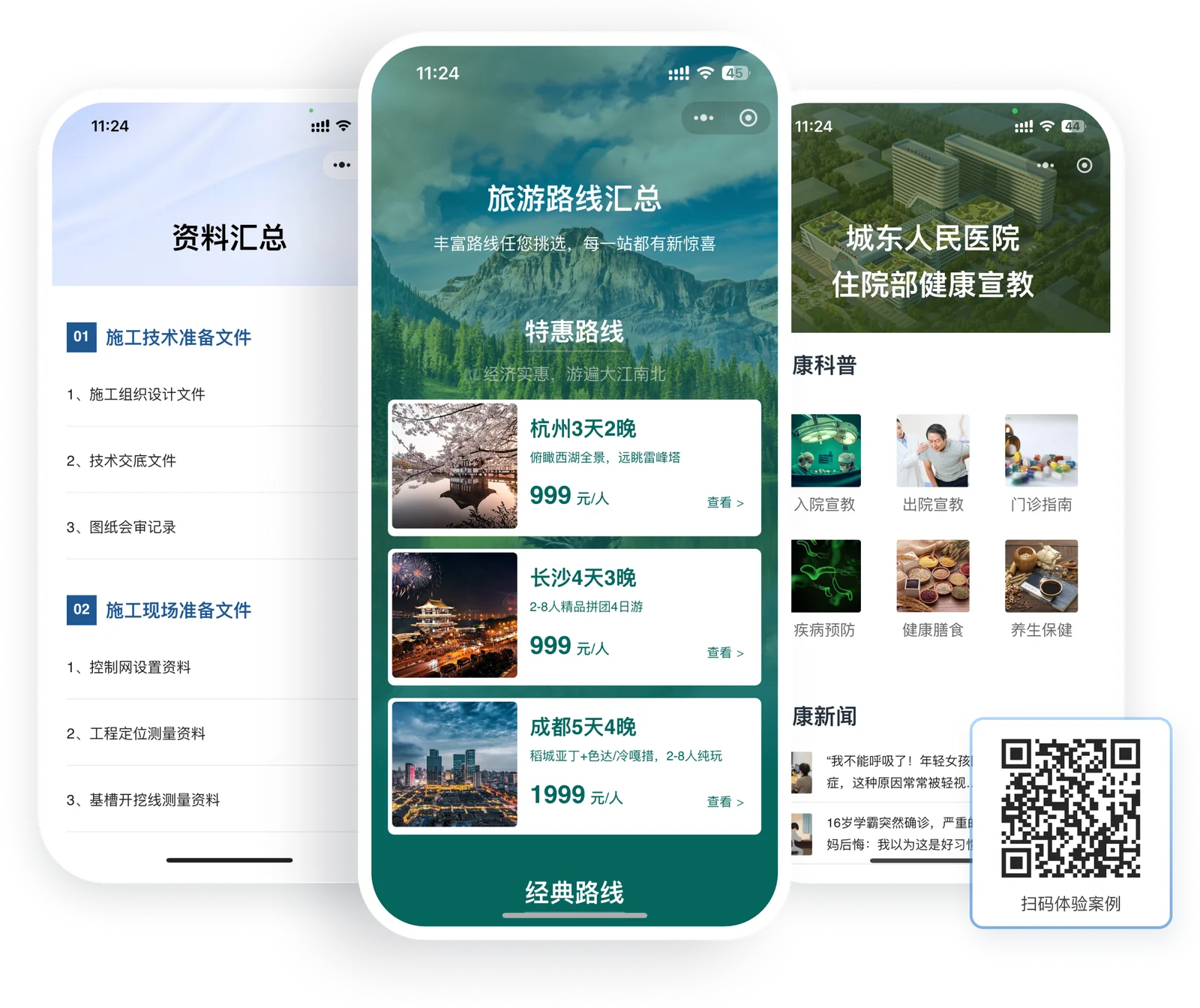
Ways to use resource summary QR codes
Policies and Documents
Employee handbooks and process forms, available by scanning
Product Resource Packs
Keep brochures, manuals, and test reports together
Training Materials
Courseware, videos, and question banks for new employees anytime
Equipment Archives
Drawings, procedures, and maintenance records stay with equipment
Meeting Materials
Share notices, agendas, and materials through one code
Educational Materials
Open department education and service guides by category
Page After Scanning

Browse hundreds of engineering files through nested directories
Create separate directories for construction technical files, site preparation files, and acceptance materials. Scan one code to expand them level by level. Add materials as work progresses without changing the code on the archive box.

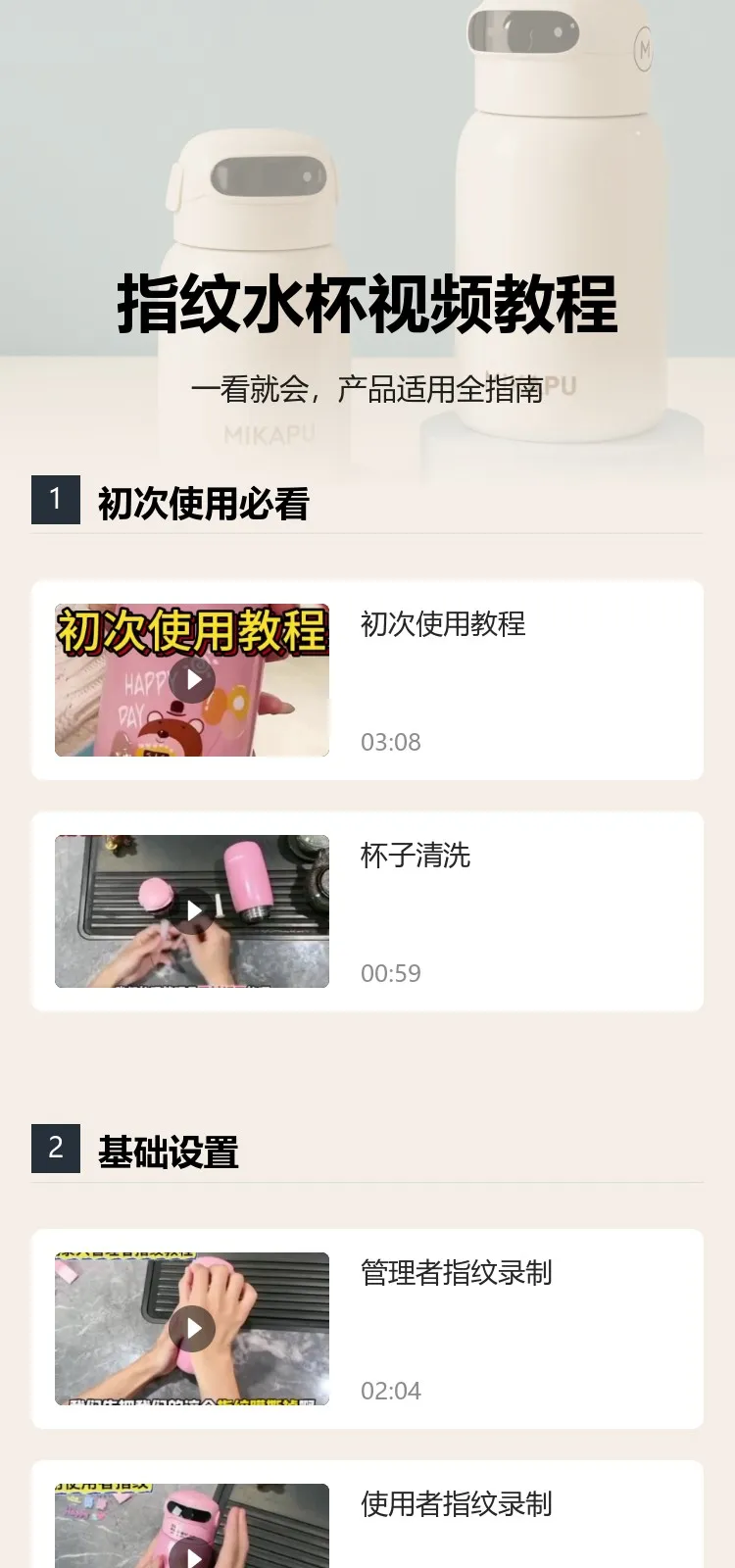
One code for installation, operation, and maintenance videos
Organize videos into first use, basic settings, and routine maintenance chapters. Print the code on packaging and manual covers so customers can scan to watch, reducing after-sales calls.

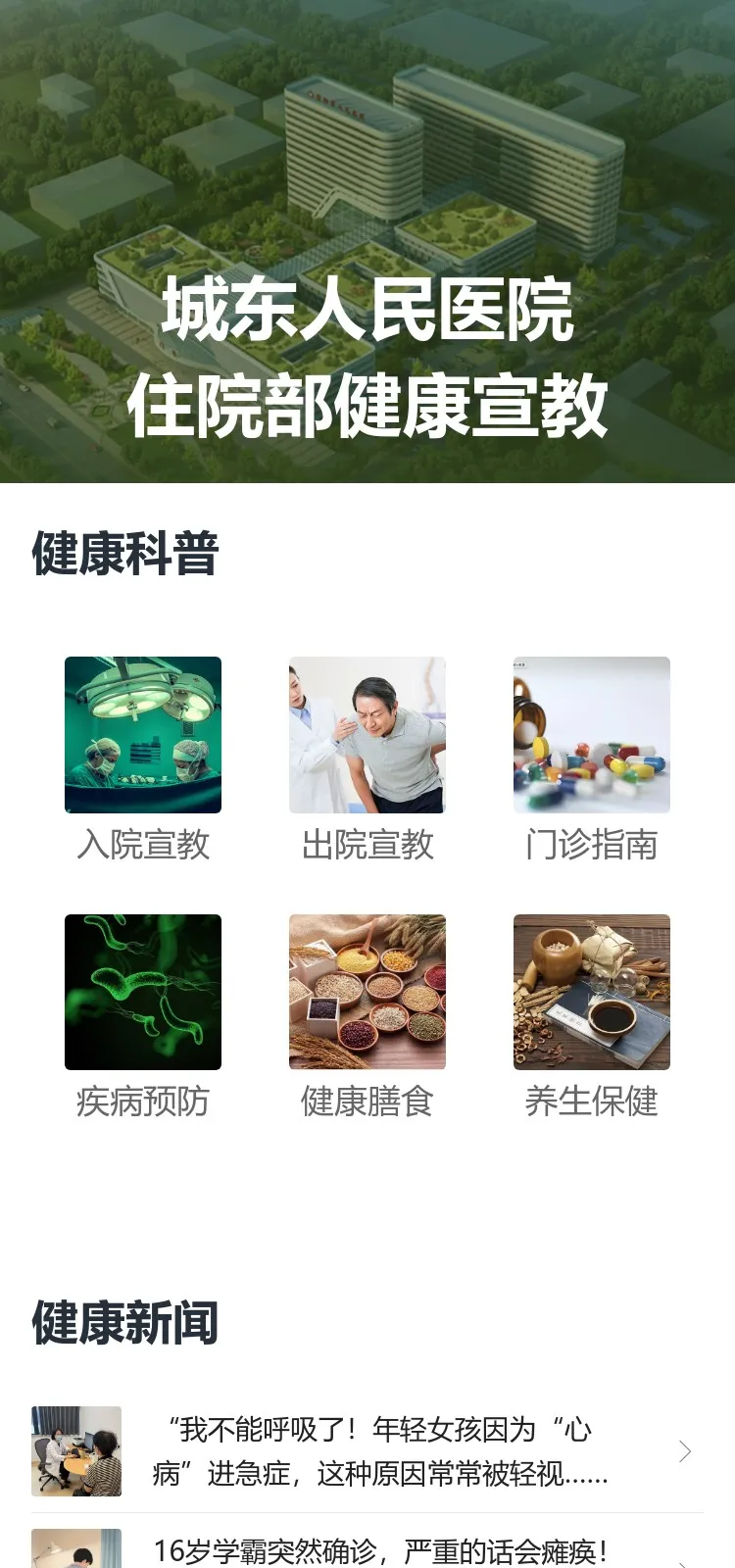
One code for all a department’s educational materials
Arrange admission education, discharge education, disease prevention, and healthy eating by section, and post codes in ward corridors and at bedsides. Patients and families scan to read independently, reducing repeated explanations by nurses.

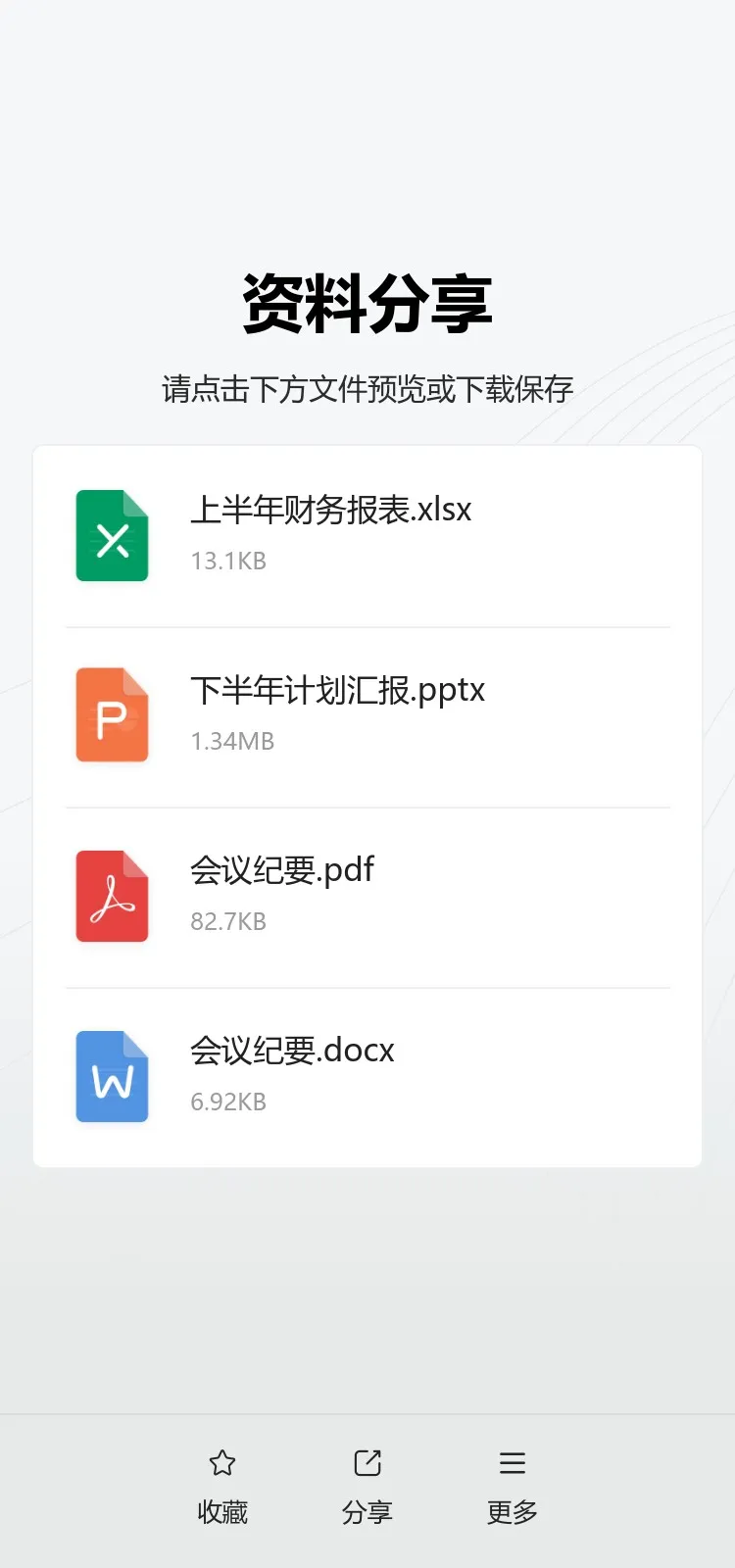
Scan to preview and download a set of files
Upload meeting materials, reports, and minutes into one code. Attendees scan to view online or download what they need. Share it in a group before the meeting; materials remain available afterward.
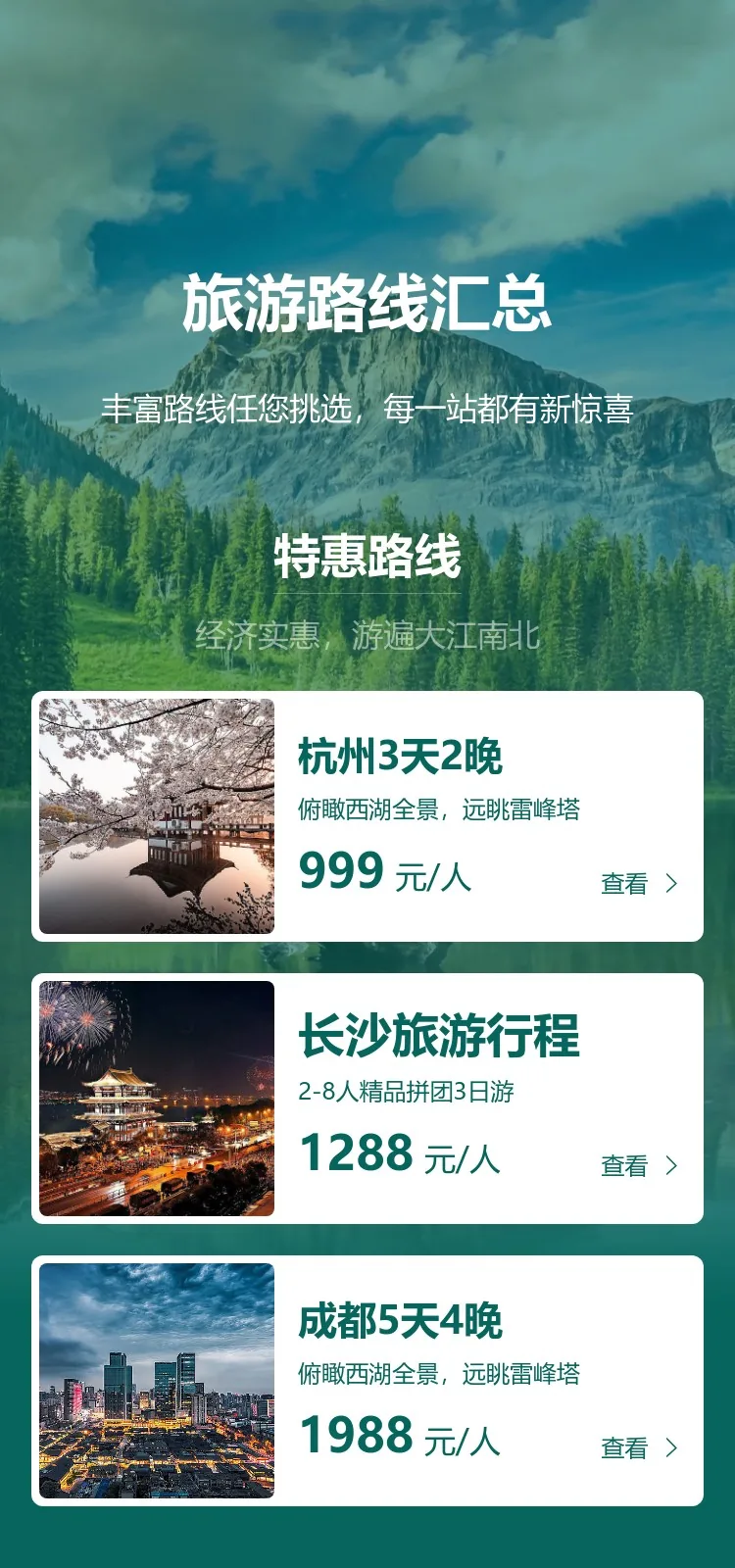
One code for all routes so customers can choose
Create an introduction code for each route and combine them into one route code. Customers scan to browse deals, nearby trips, and long-distance trips, then open itineraries and prices. Update seasonal routes in the workbench without changing shared codes.

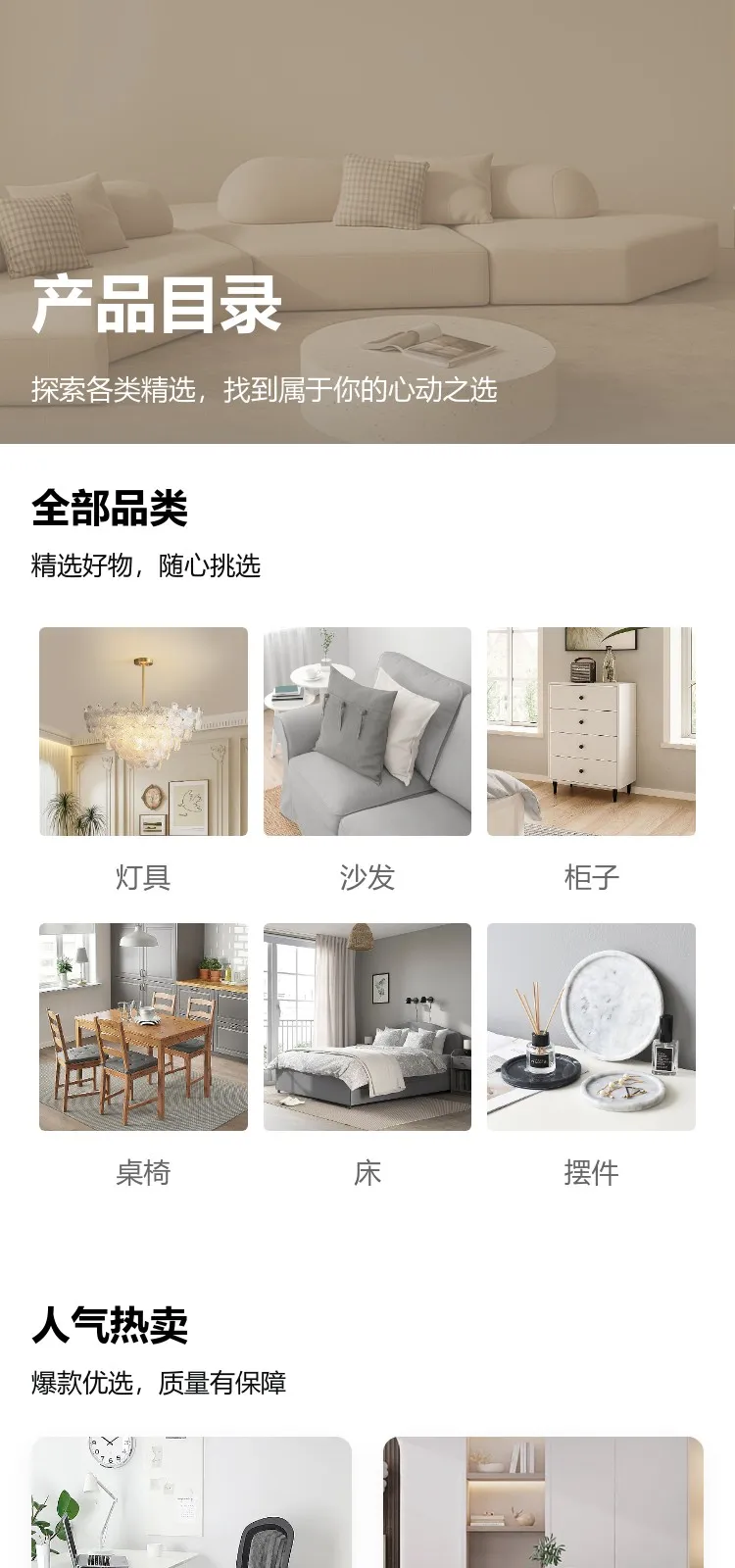
Turn your full product range into a digital brochure
Create a code for each product and combine them into a directory summary code. Customers scan to browse categories and open specifications and manuals. Add new products in the workbench without changing the printed catalog code.

How to bring resources into one code
Choose based on the number of resources and your presentation needs. All three options are free and can be changed later.
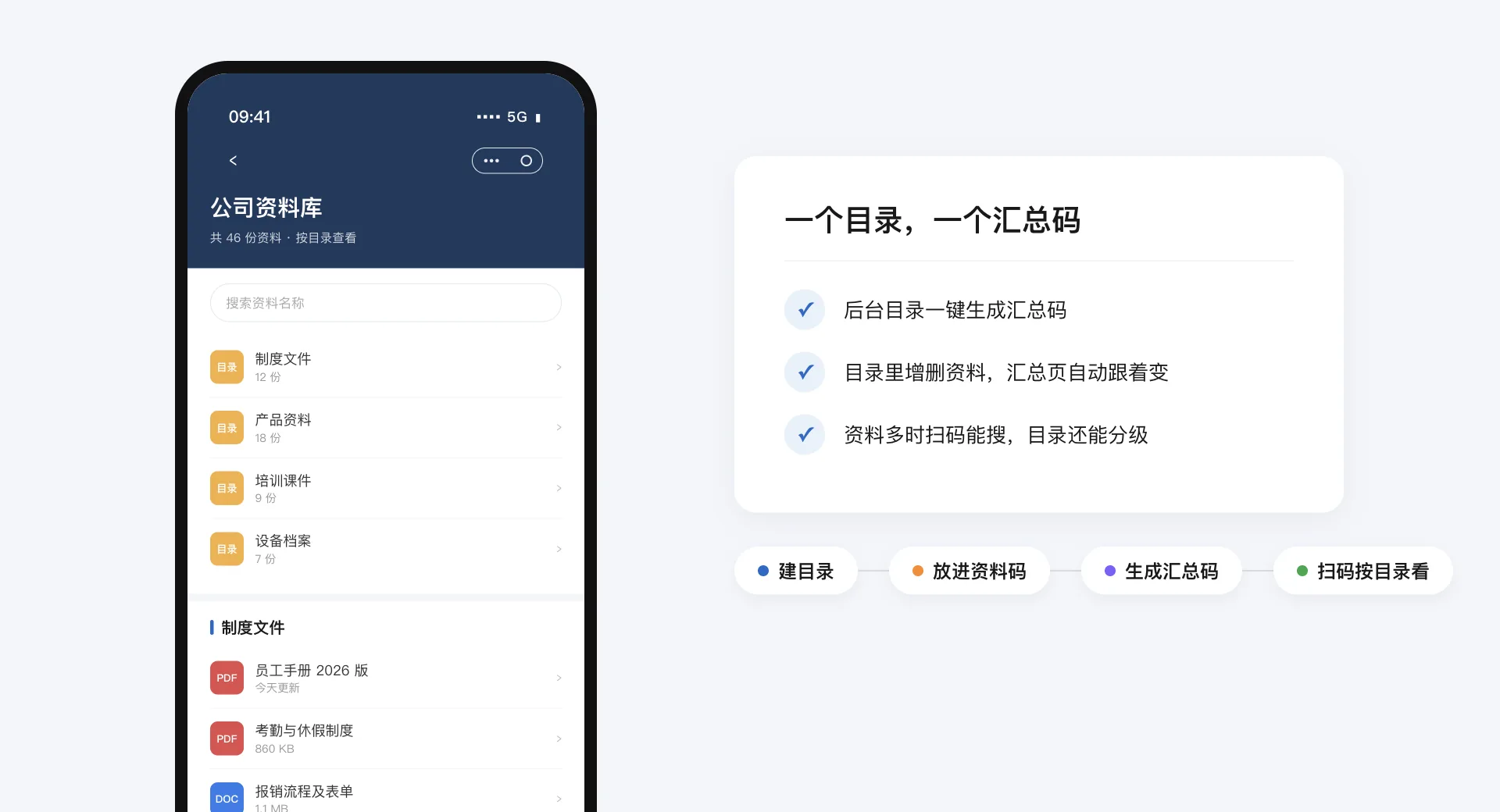
1Use a directory summary QR code for many resources
- Put resource codes into a directory in the workbench and generate a summary code with one click
- The summary page updates automatically when you add or remove resources
- Scanners can search large collections, and directories support multiple levels
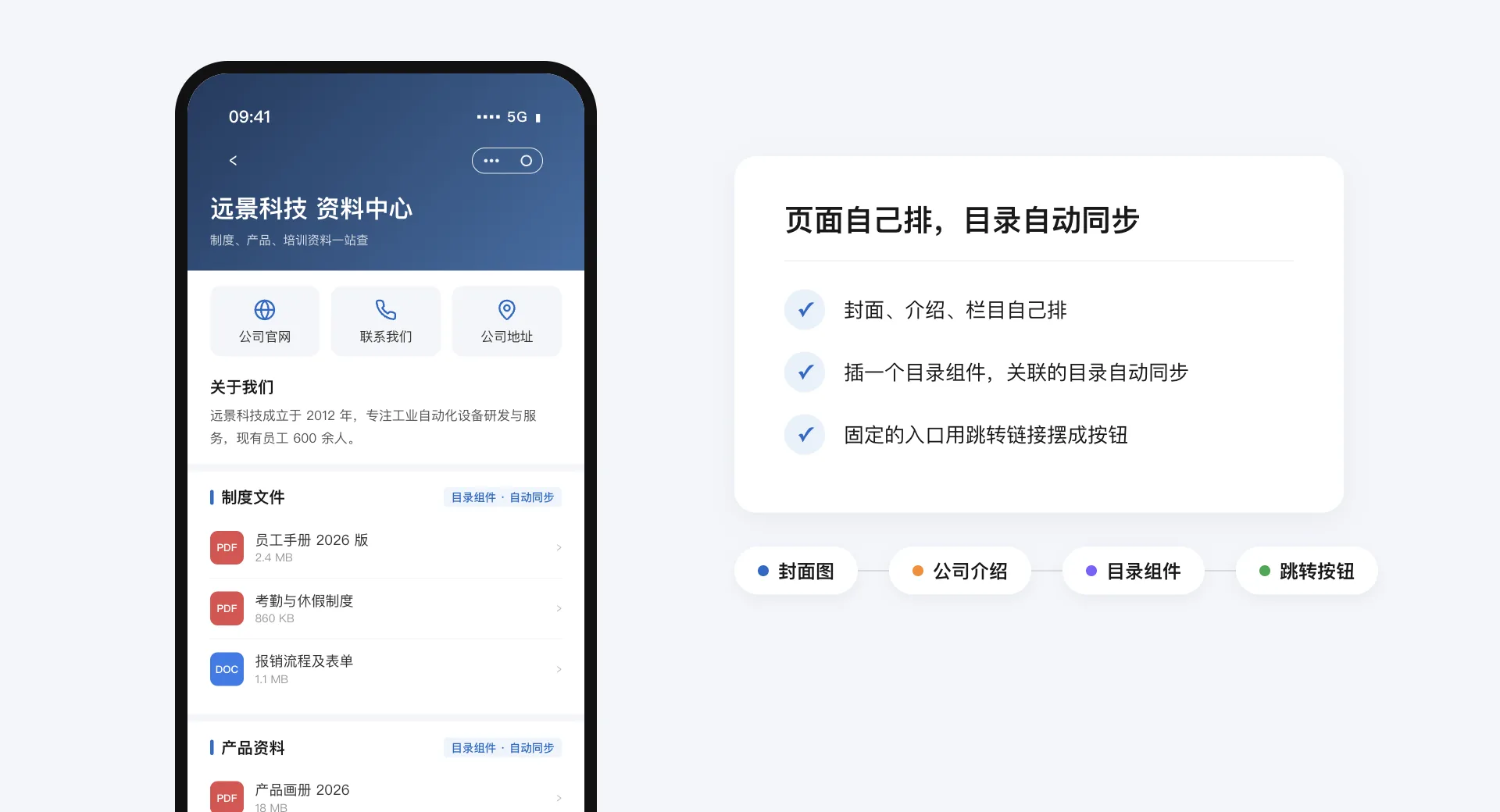
2Design a directory page for your public presentation
- Arrange a cover, introduction, and sections yourself, like designing a poster
- Add a directory component to synchronize the linked directory automatically
- Use redirect-link buttons for fixed entries
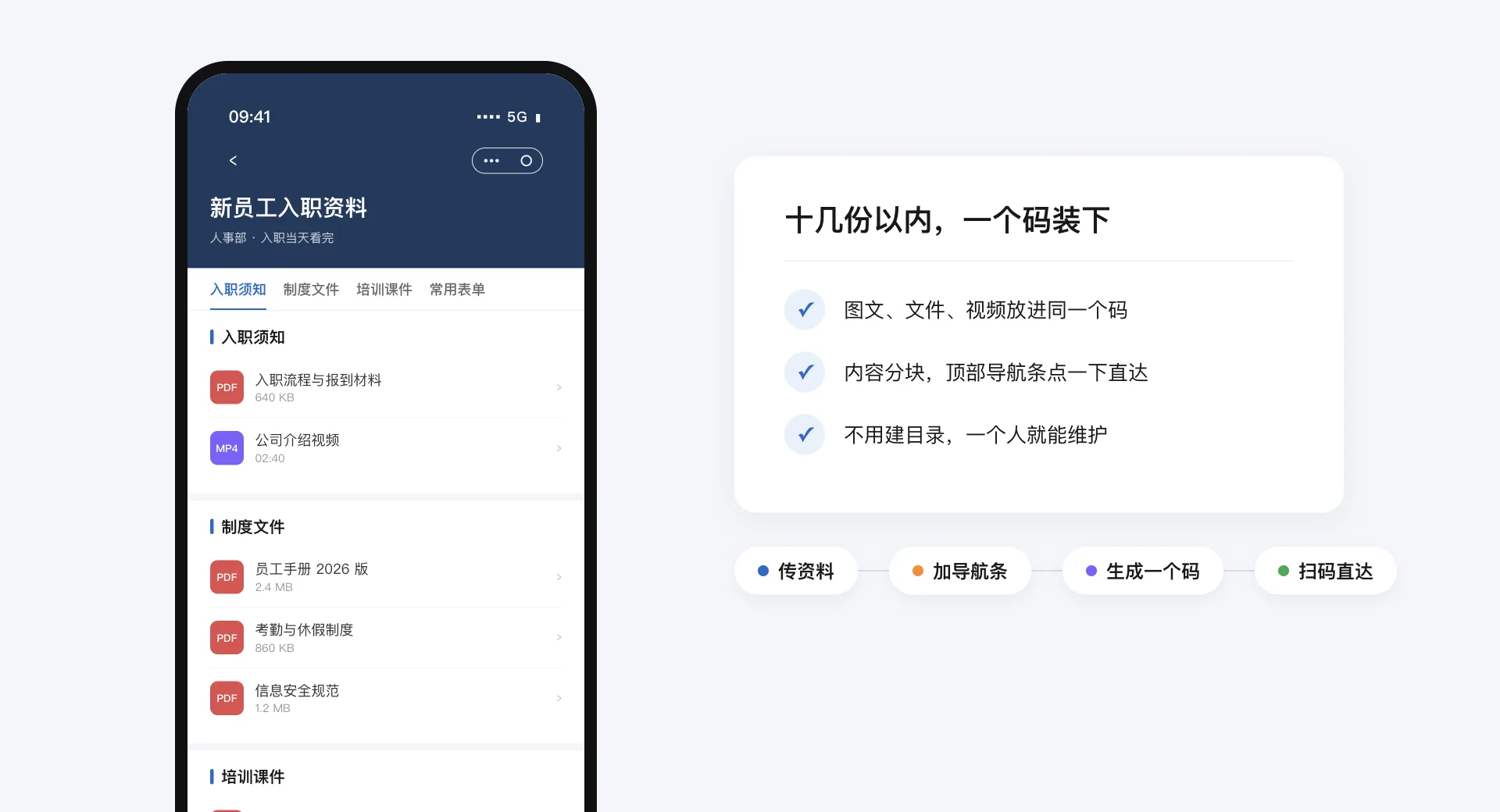
3Keep up to a dozen resources in one code
- Put text, images, files, and videos into one code
- Organize content into sections with a top navigation bar for direct access
- No directory needed; one person can maintain it
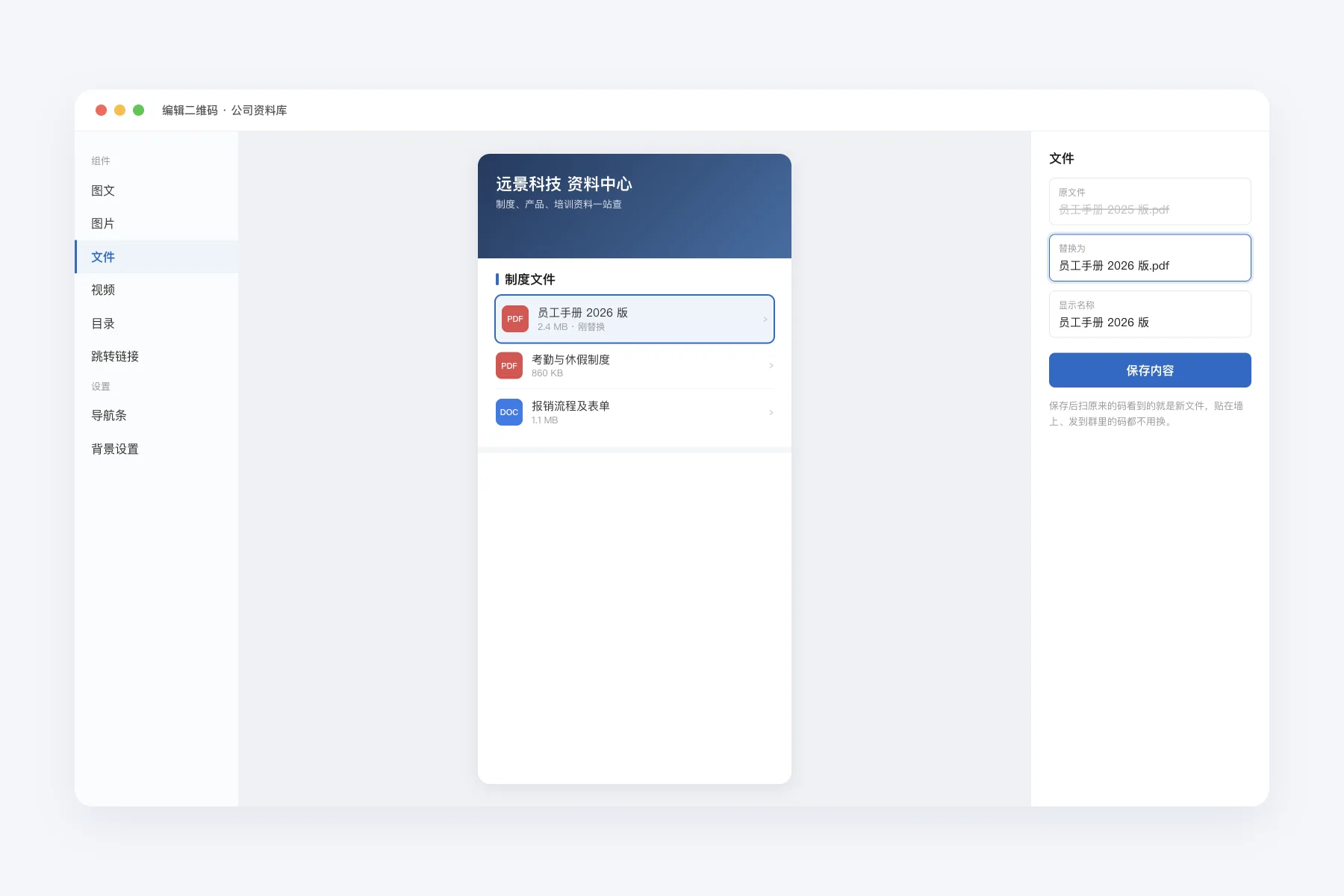
Everyday management after setup
Where to share resource codes
Share the same code online or post it offline, and edit content in the workbench.
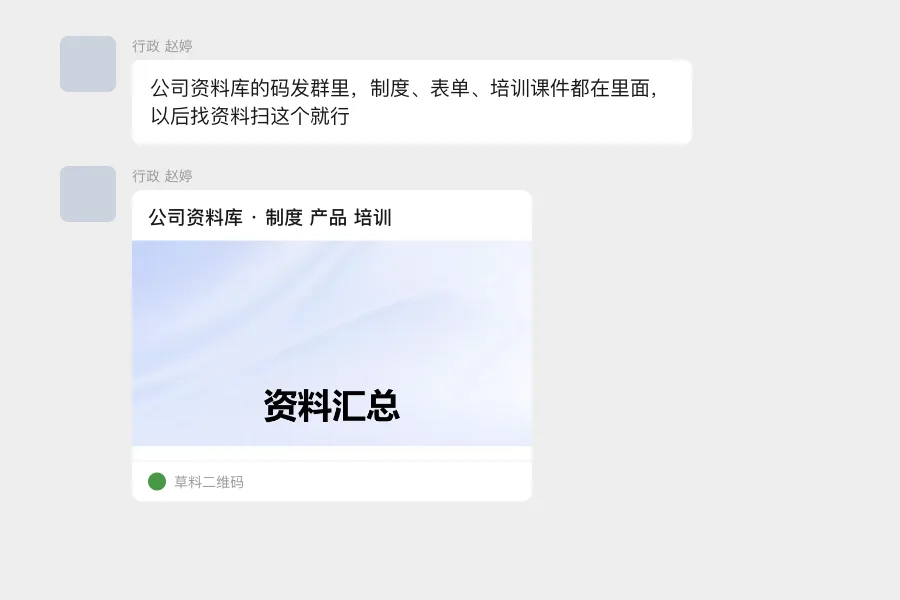
Share one code in the group so people can find resources without searching chat histories.
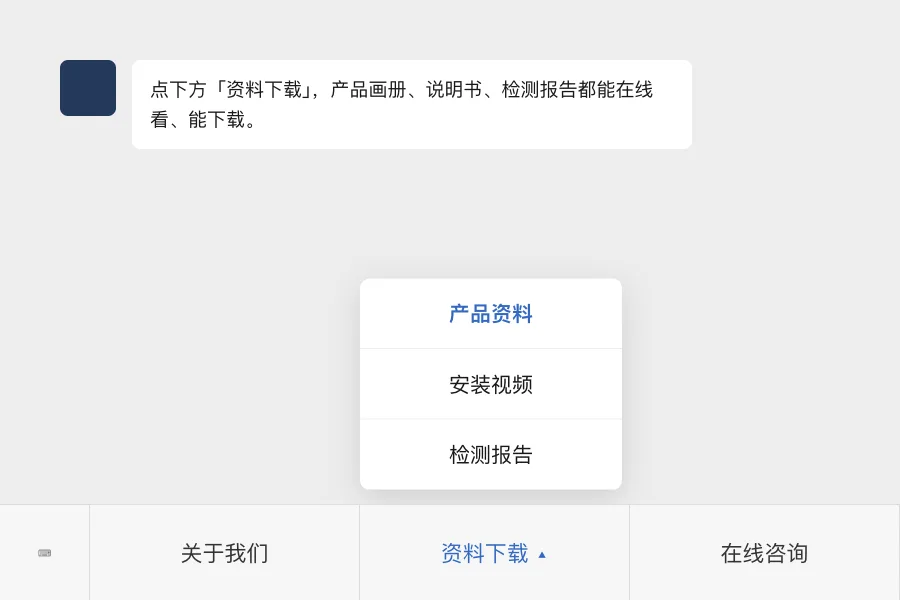
Put product resources and manuals in the menu for customers to open anytime.

Place codes beside equipment, on meeting tables, or in ward corridors to open relevant resources.

Print one code in the paper handbook and scan for updated content.
Customer Stories
A pre-shift meeting QR code sits on a meeting table as a desk sign, with that day’s materials and attendance form. Materials update while the code stays the same, reducing preparation time from 15 minutes to 6 minutes.
Equipment archives from manufacturers used to be filed in office cabinets. Now each device’s materials are in its QR code, ready to scan during on-site repairs and maintenance.
Codes hold equipment operating procedures, disease education, and nursing clinical teaching videos. New nurses scan to study independently, saving resource storage space.
Editions and Pricing
Start with a free resource code and upgrade for larger files or a more polished public presentation.Edition Selection Guide
Summary codes and directory pages, free long term
- Long-lasting codes stay the same after posting or sharing
- Unlimited resource codes and directories
- Unlimited scanners and scans
- Preview files online without downloading
- Up to 50M per file
- CaoLiao branding at the page bottom and watermarked file previews
- Each audio or video file is limited to 1 minute with standard-definition playback
HD files without watermarks for public presentation
All free-version features, plus
- High-definition files without watermarks500M per file, with HD storage starting at 1G
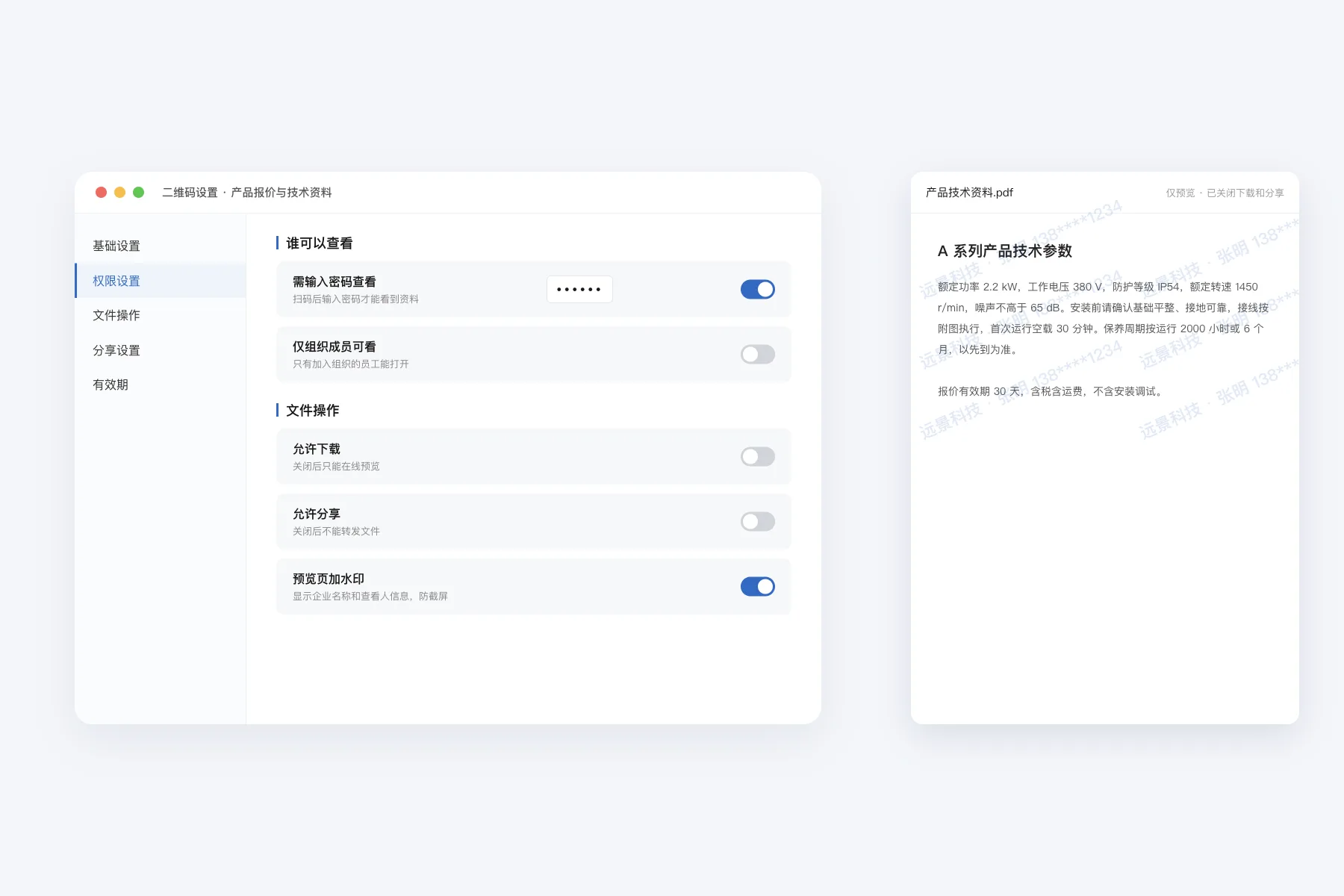
- Screenshot-deterrent WatermarksDiagonal company-name watermarks on previews
- Present Your Own OrganizationRemove CaoLiao branding and display your company logo
- Unlimited Audio and VideoNo duration limit, with high-definition display
- Maintain by DepartmentEach department manages its own directories, from the Advanced Edition
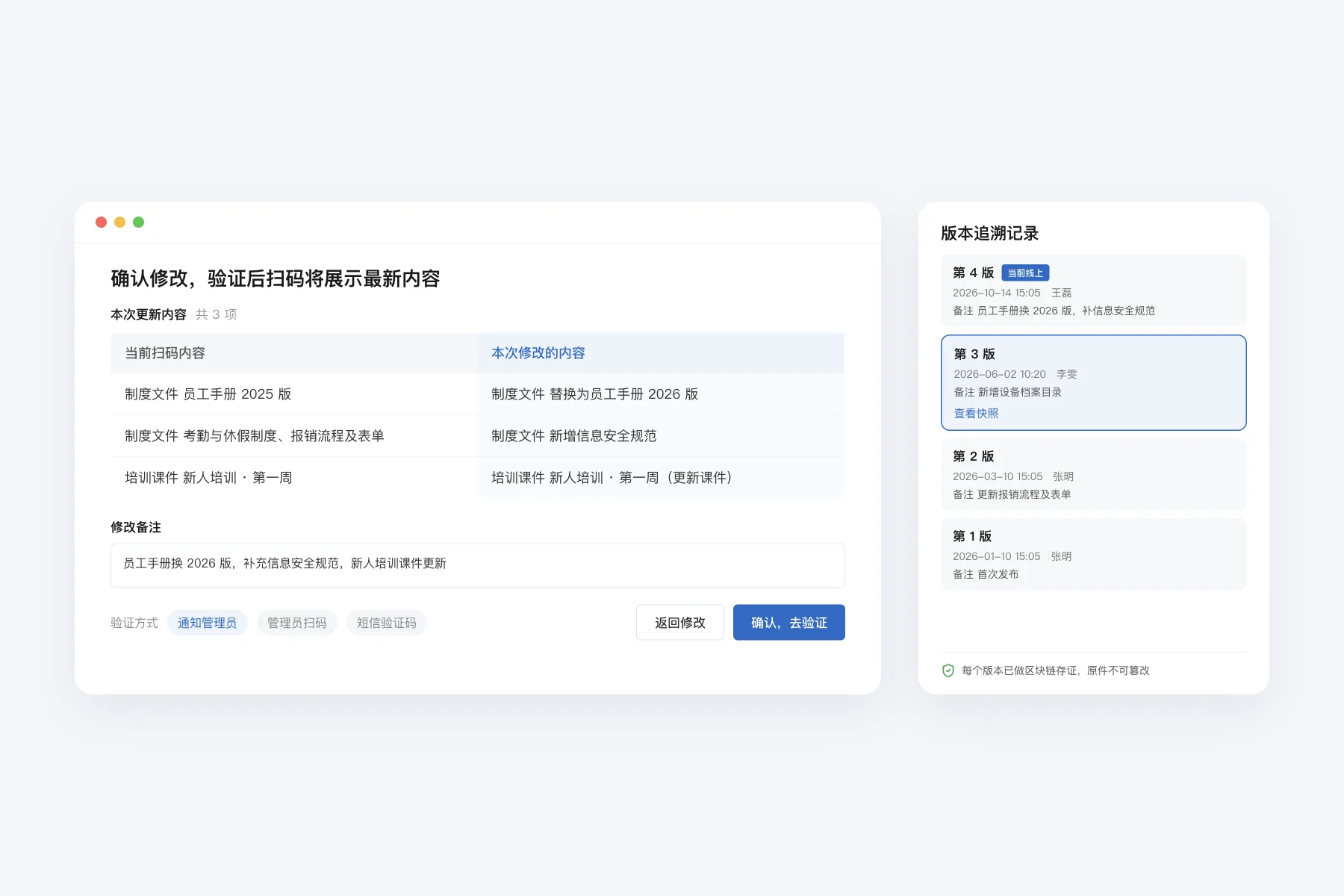
- Content ControlConfirm updates before display, from the Flagship Edition
Upgrading keeps shared codes valid. HD storage is 1G for Basic, 3G for Advanced, and 30G for Flagship. After it is used up, new files use standard-definition display with watermarks.
Frequently Asked Questions
Do scanners need an app or an account?
No. Scan with WeChat to open directly, browse categories, and preview files online, with less hassle than a cloud-drive link.
Do shared codes need changing when resources are updated?
No. Replace files or add and remove directory resources, and the original code always shows current content. You only need to share it again if you change the WeChat Open Method.
Can scanners find what they need among hundreds of resources?
Yes. Directories support multiple levels, and directory summary QR codes include search for keyword access. For very large collections, use several topic codes and combine them under one entry.
How can I stop price lists or internal policies from being downloaded or forwarded?
Set a password or allow only organization members to view the code. Disable downloads and sharing separately for files, leaving online viewing only. Paid versions can also add company-name watermarks to previews.
Can I see who has read the content?
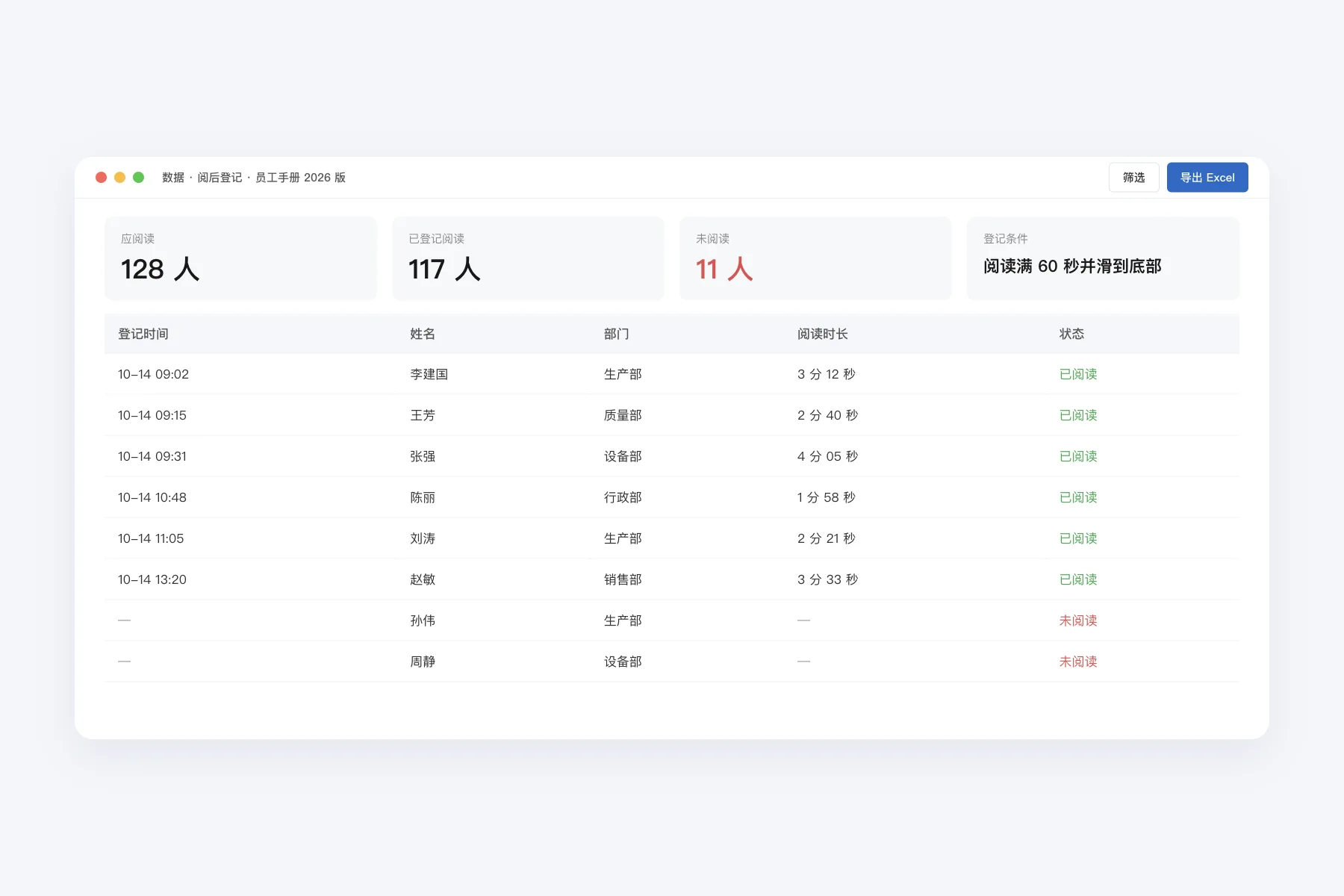
Scan statistics show counts, scanner totals, and regions, but not identities. Enable read registration on files to identify readers. A minimum reading duration is required, and the list can be exported.
Is the free version enough?
The free version includes directory summary QR codes, directory components, file previews, passwords, and read registration, with unlimited codes and uploads. Upgrade to the Basic Edition for files over 50M, HD files without watermarks, or external audio/video playback, at RMB 780 per year.
Start your resource summary code from a template
Use a ready-made template, replace its resources with your own, and share it.