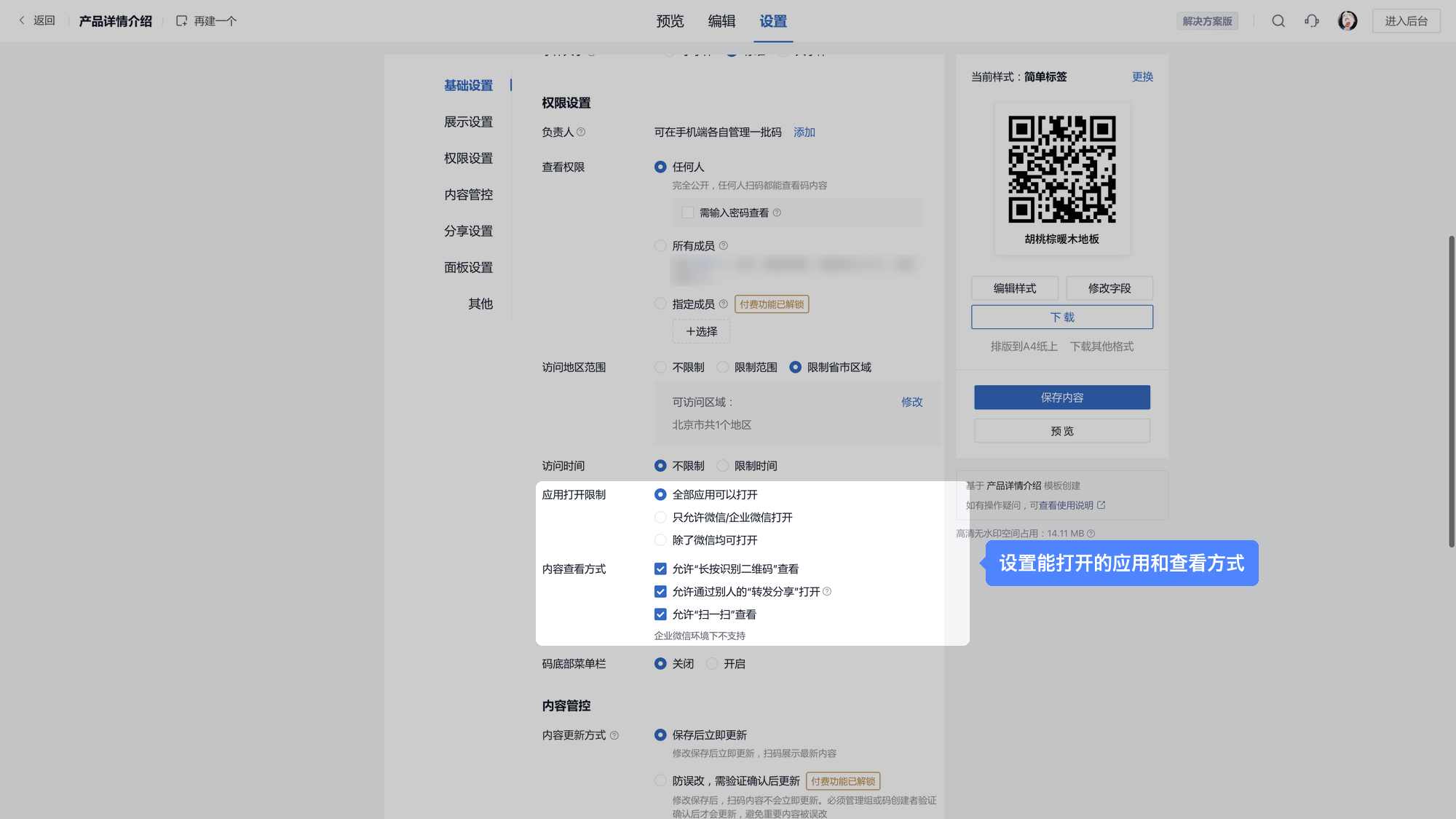
Scan Restrictions
Dynamic QR codes can be configured to restrict which mobile apps can scan and open them. Options include: no restriction (mobile browsers, Alipay, QQ, Toutiao, and other scan-capable apps can open), WeChat/WeCom only, or non-WeChat apps only.
For WeChat access, you can further restrict whether the code can be opened via "Long Press to Identify," Share/Forward, or "Scan QR Code."
For example, in check-in or inspection scenarios, you can restrict the code to "Scan QR Code" only. For scenarios where the code content is sensitive and should not be freely shared, you can disable the option to open via another person's shared link.
Scan Effect Preview

Setup Tutorial
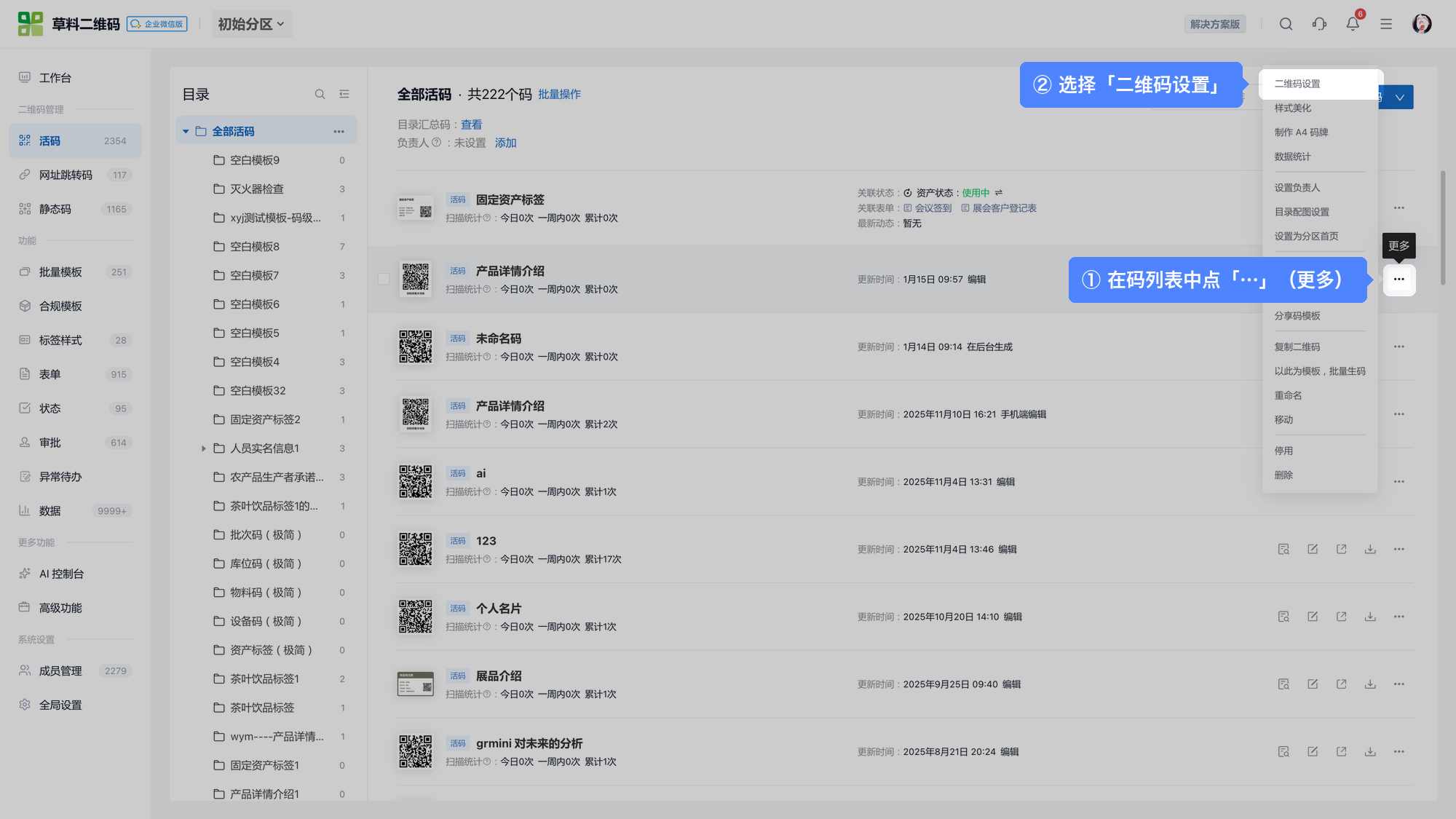
Log in to your account and open the Dynamic QR Codes list on the left. Find the QR code you want to configure, click … (More) > QR Code Settings to enter the settings page.
Under Permission Settings, change App Open Restriction and Content Viewing Method.