QR Code Font Size Settings
To help frontline staff read content more easily after scanning, admins can configure the font size during QR code creation. Frontline staff can also adjust the font size after scanning via the bottom management panel.
Font size preview:

Setup Tutorial
1. Desktop Settings
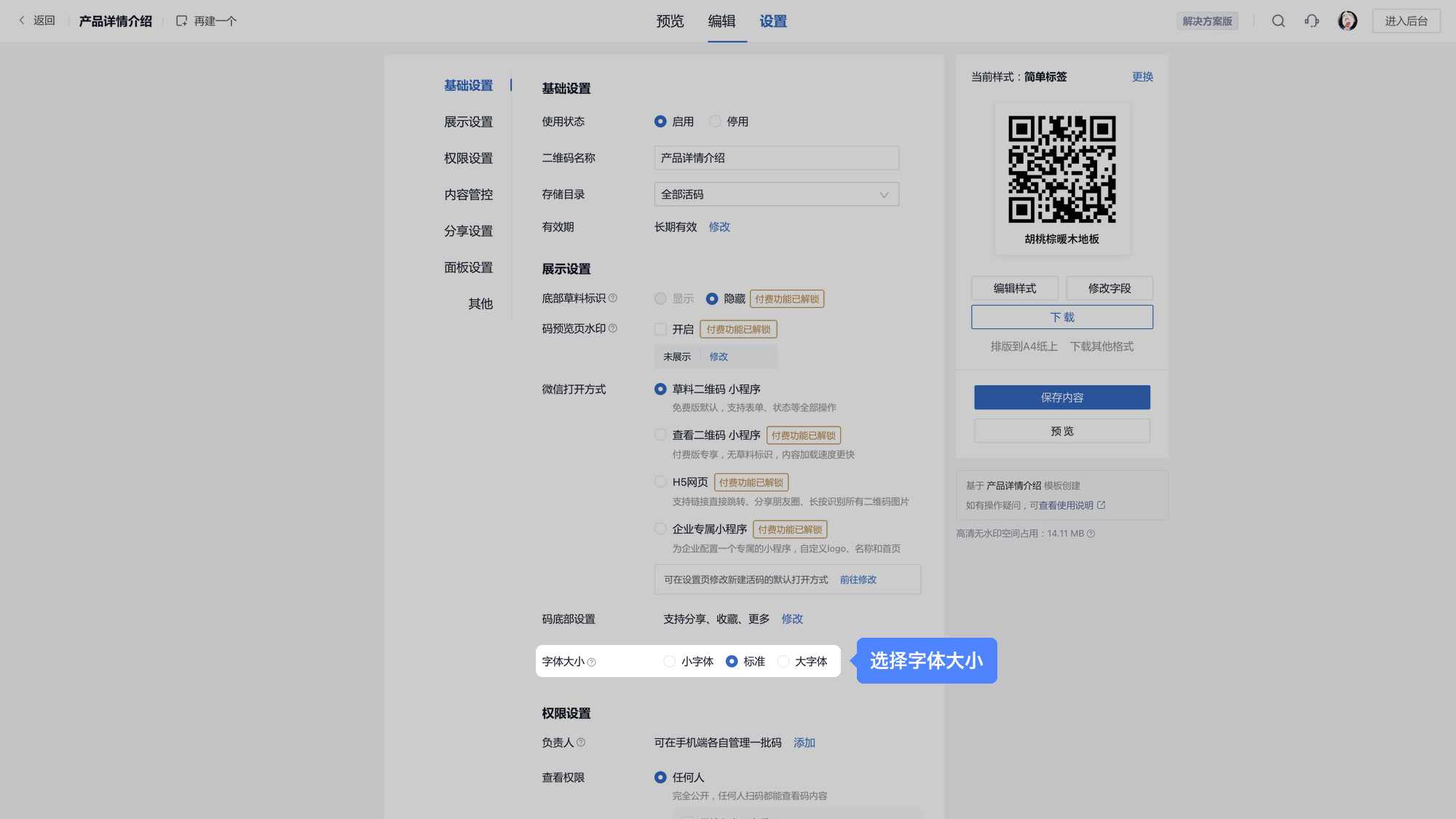
Admins can configure the font size during QR code creation on desktop:
- In the QR code editor, click Settings at the top and choose Small, Standard, or Large under Font Size.
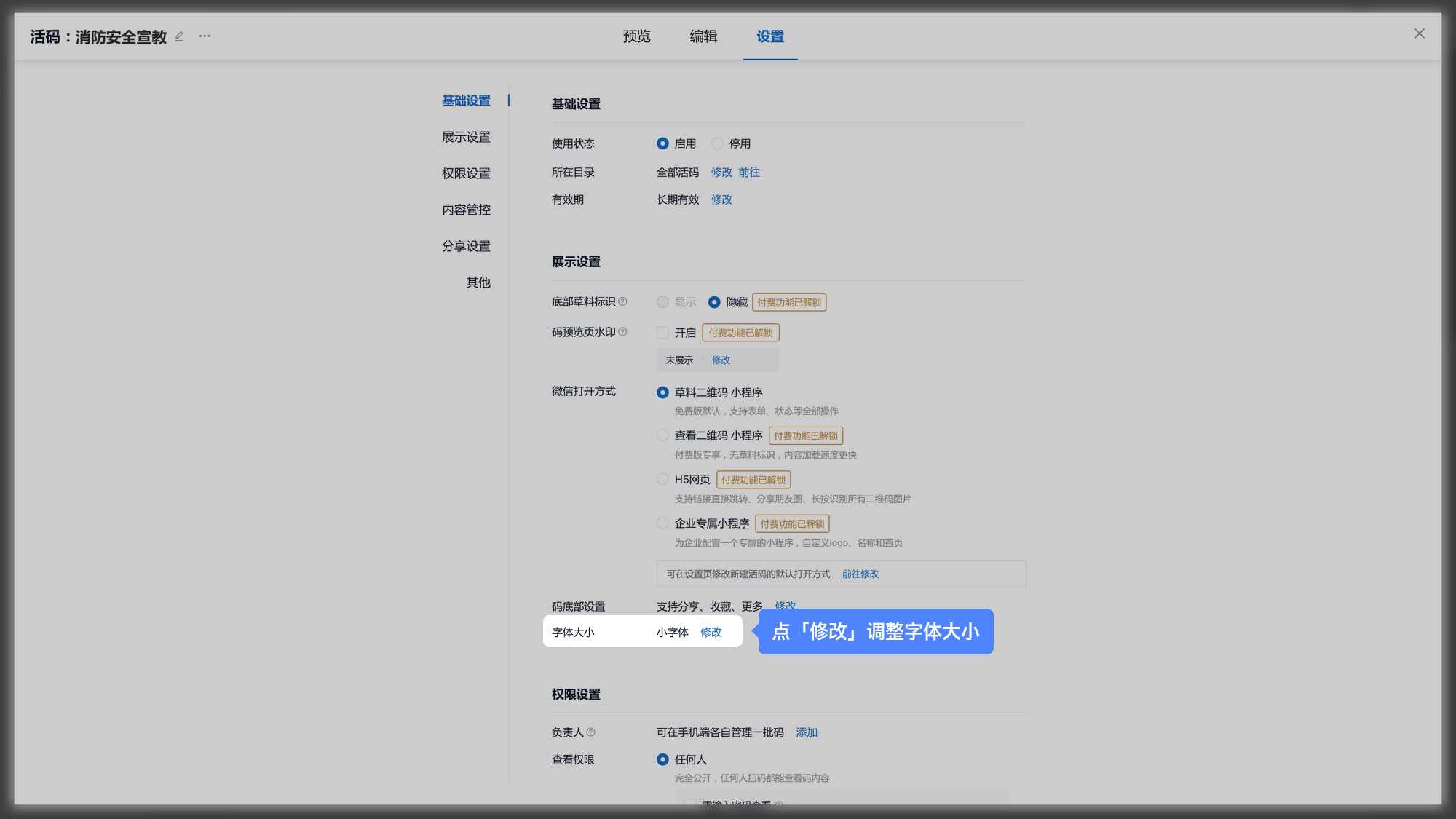
- You can also click the QR code on the workbench, open Settings in the page that pops up, find Font Size, and click Edit.
2. Mobile Settings
After scanning the QR code, frontline staff can tap the management button at the bottom of the code page to enter the management panel and adjust the font size for that code.
