Period of Validity Settings
QR codes generated on the CaoLiao platform are permanently valid by default, regardless of whether you are on the free version or a paid version.
If your QR code content is used for a time-limited event or temporary resource sharing, you can follow the tutorial below to set a period of validity.
Dynamic QR codes support period of validity settings: you can set a valid viewing period. After expiration, the QR code will not be deleted, but scanning it will show a message that it has expired and cannot be viewed. You can reset the period of validity at any time.
Static QR codes and URL redirect dynamic QR codes do not support period of validity settings.
Effect After Setting a Period of Validity

Period of Validity Setup Tutorial
1. Single QR Code Settings
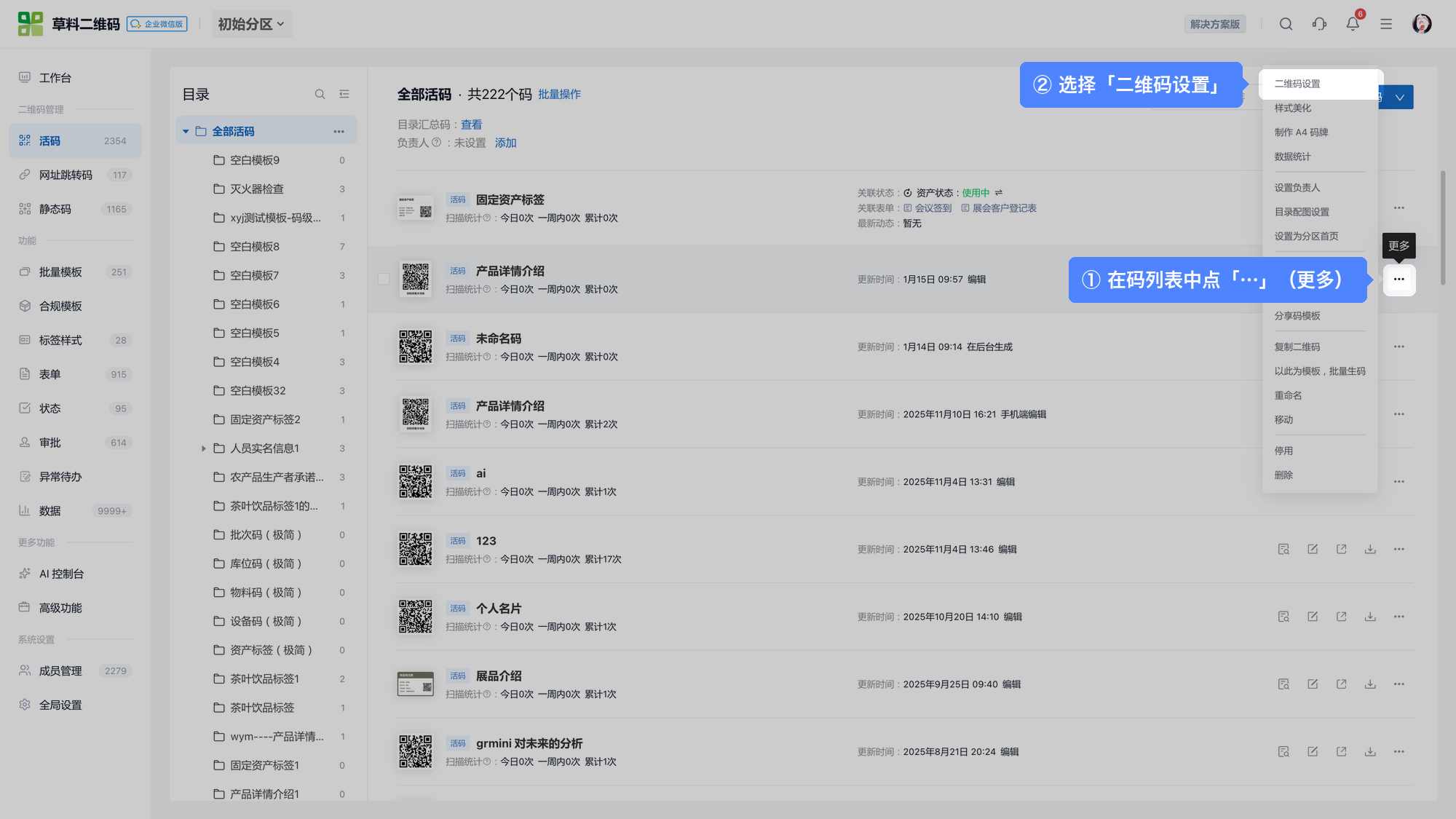
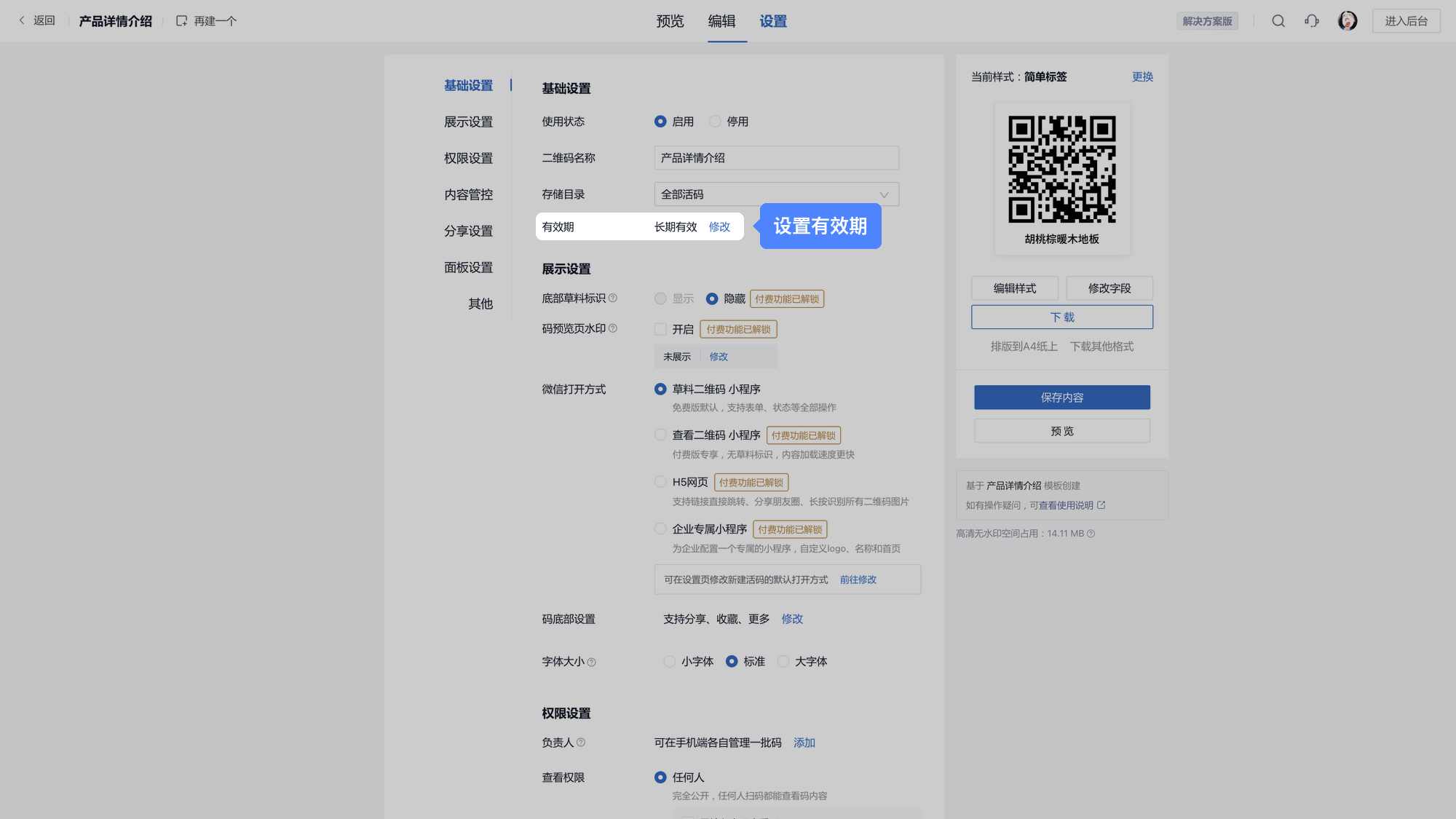
Log in to your account. Find the QR code in the Dynamic QR Codes list on the left, click … (More) > QR Code Settings to enter the settings page.
Select the valid viewing period.
2. Bulk QR Code Settings
In the bulk templates section, click Details for the relevant bulk template.

Click More Settings > Period of Validity Settings.
