QR Code Signage
Scan to View Complete Information
Print names and IDs on signs, and put specifications, manuals, drawings and public information inside the QR code. Update content in the workbench without remaking the sign.
Which Signs Benefit from QR Codes?
Add a code when information will not fit on a sign, changes frequently, or needs to be viewed by the public and inspectors.
Equipment Signs
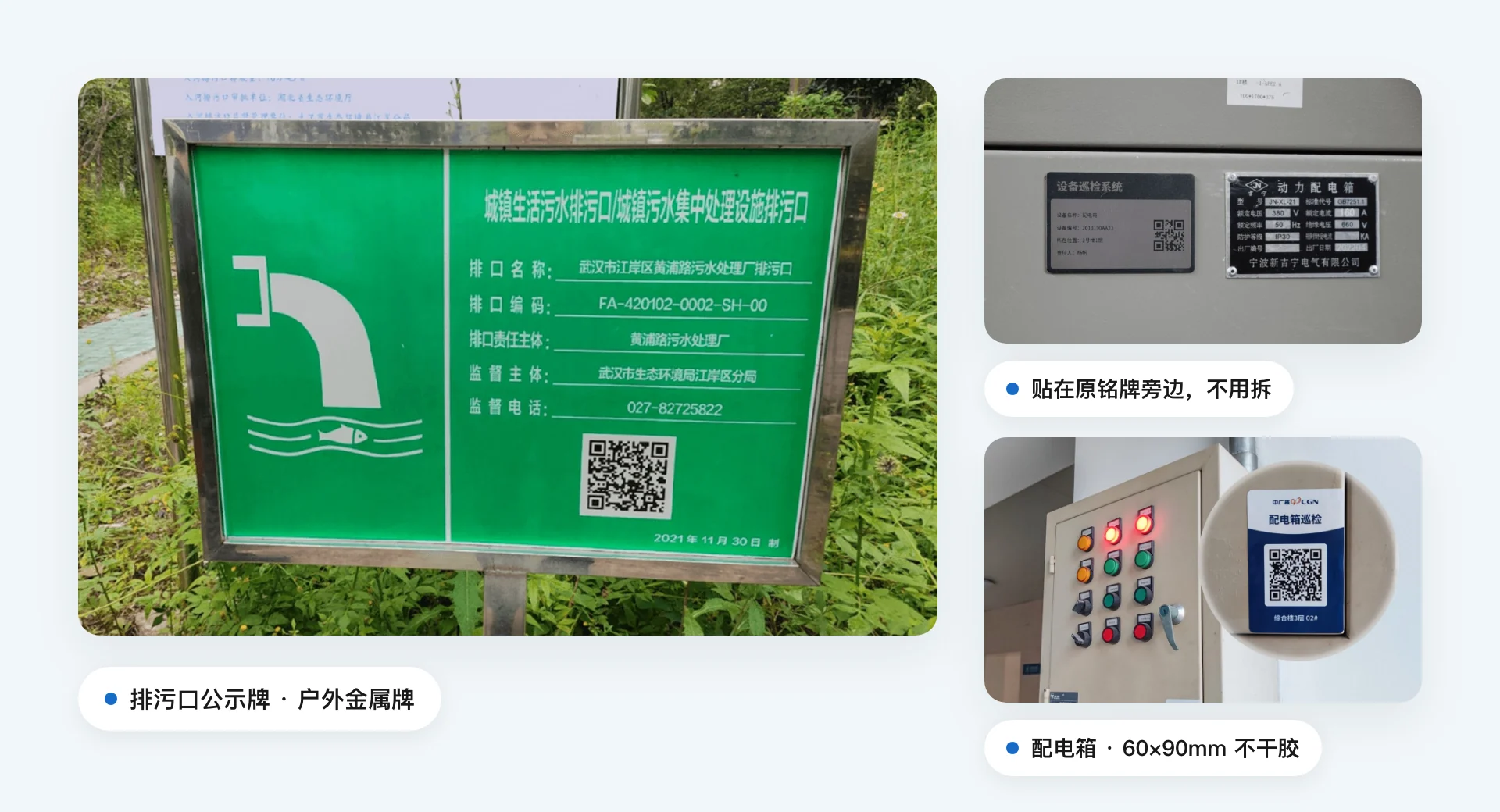
Place a code beside the nameplate to show full specifications, manuals, drawings and the responsible person's phone number. Codes also suit electrical and equipment room entrances.
Hazardous Waste Labels
Add QR codes to hazardous waste labels and storage facility signs according to HJ 1276-2022, with scanned content matching the printed label.
Public Information Signs
Put IDs, locations and responsible organizations into codes on discharge outlet, waterway and bridge signs, so regulators and the public can scan to view them.
Business Signs
Use one code per business to show its business type, location, operating status and phone number.
Tree Labels
Scan to view scientific names, families, genera and key features. Labels for heritage and notable trees can also include age, protection level and cultural history.
Material Labels
Label construction materials, components and test specimens with specifications and batches. Scan to check certificates, test reports and other inspection documents.
What Can People See After Scanning?
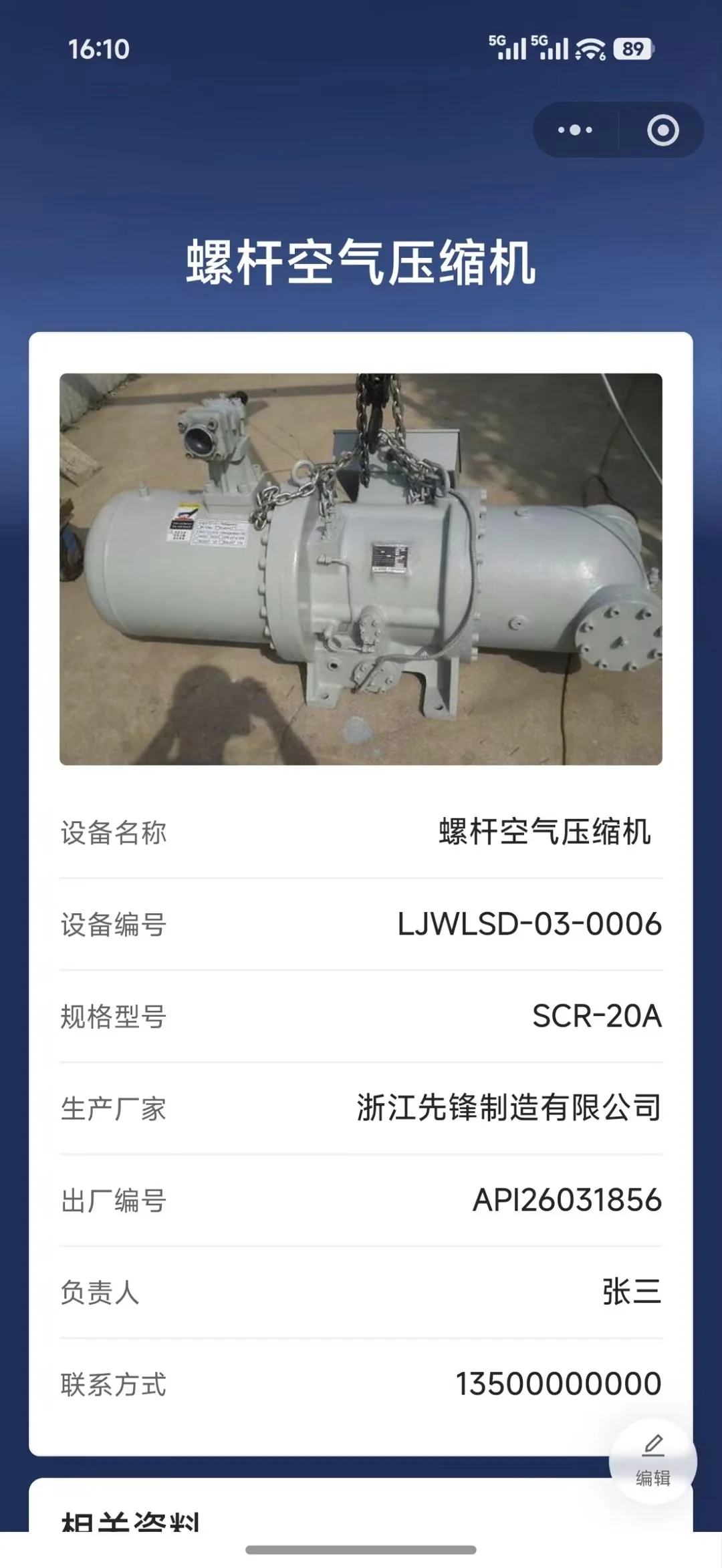
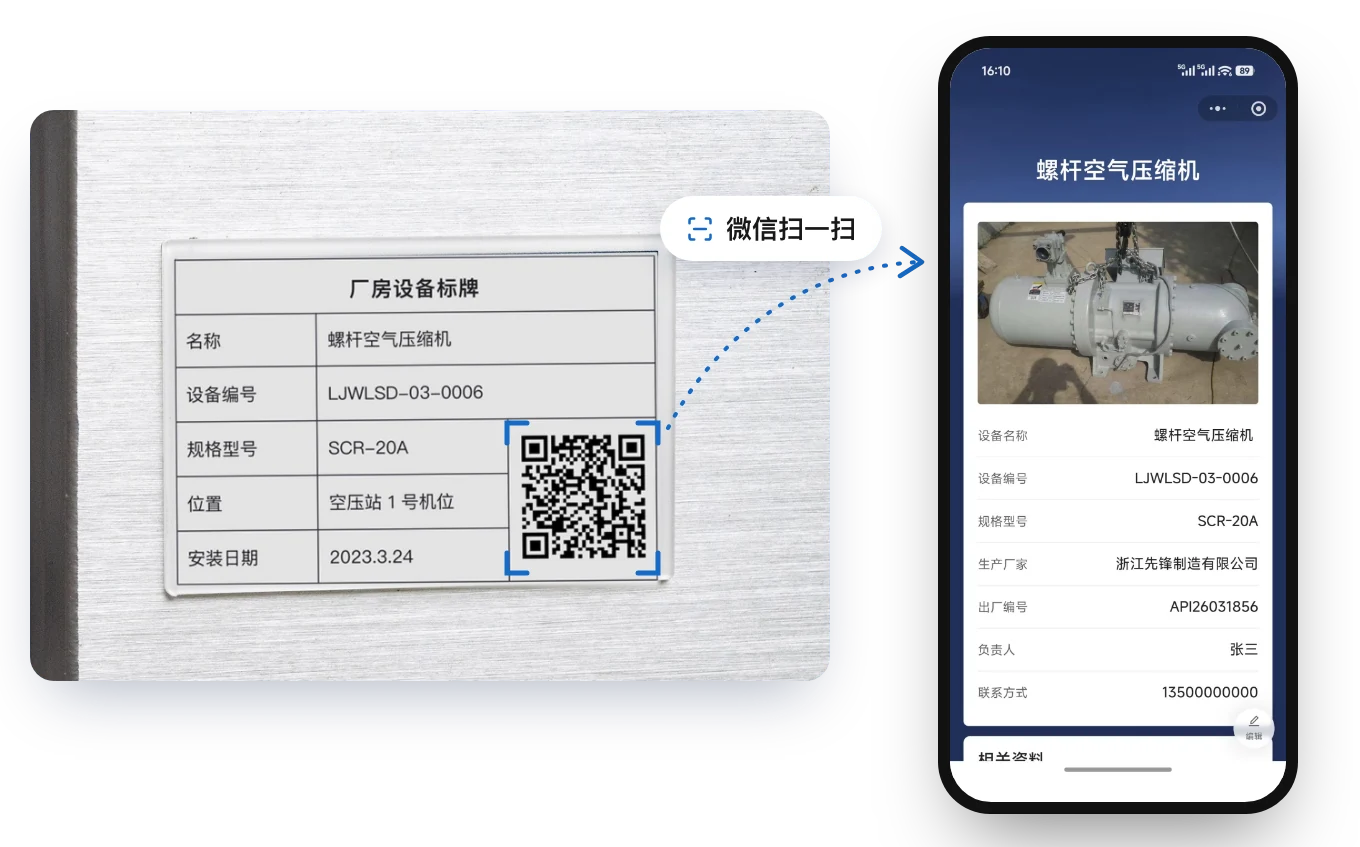
Scan to See What Will Not Fit on a Nameplate
See equipment IDs, models, manufacturers and contact numbers on one screen. Open operating manuals and drawings with a tap. Equipment of the same model can share a manual.
 Scan with WeChat to try it; click the label to enlarge
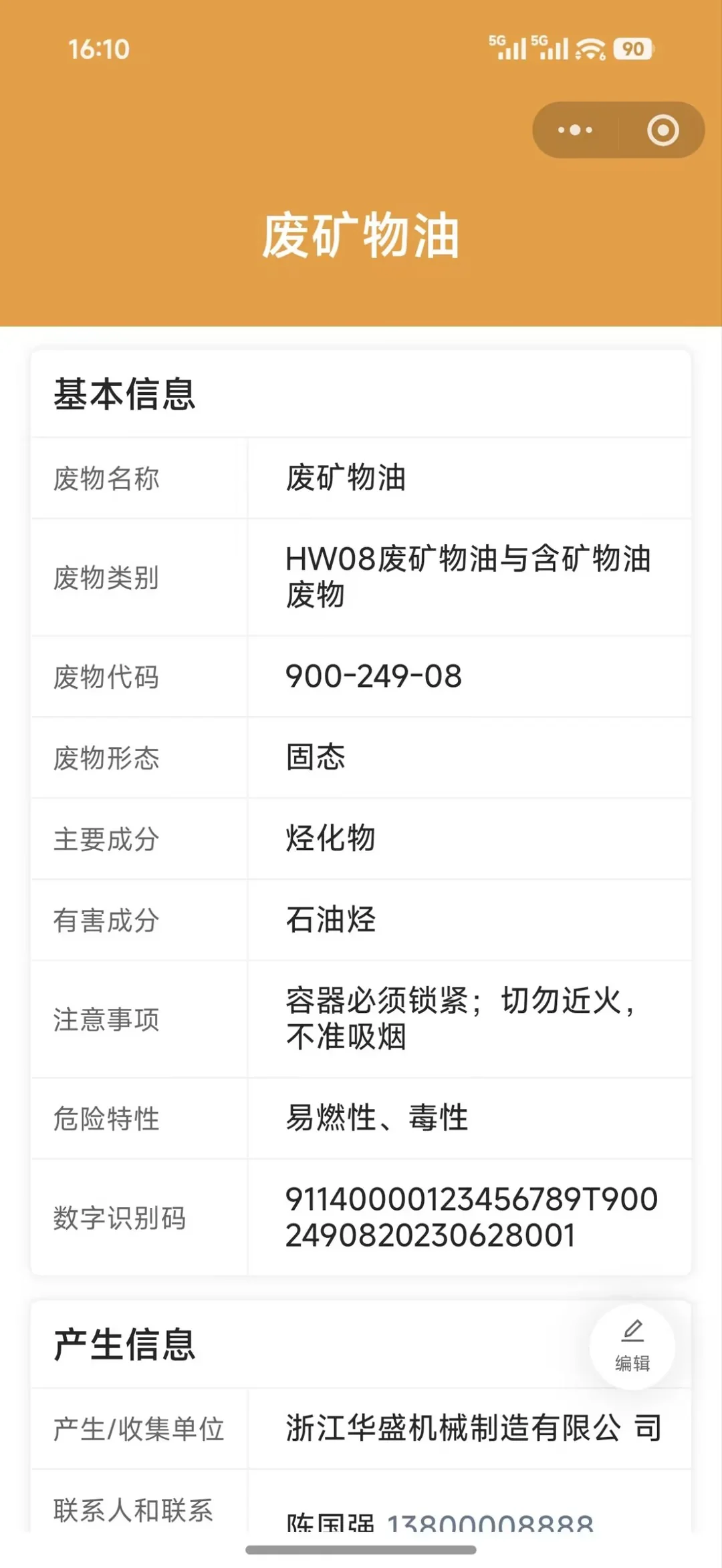
Keep Scanned Content Consistent with Labels for Inspections
Waste name, category, code, hazardous characteristics and digital identification code are preset according to HJ 1276-2022, with the waste producer and contact person also included. Each waste item has its own code showing its own information.
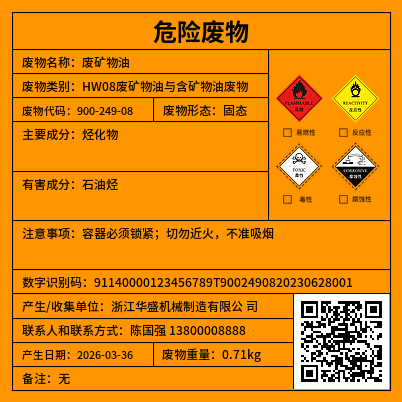 Scan with WeChat to try it; click the label to enlarge
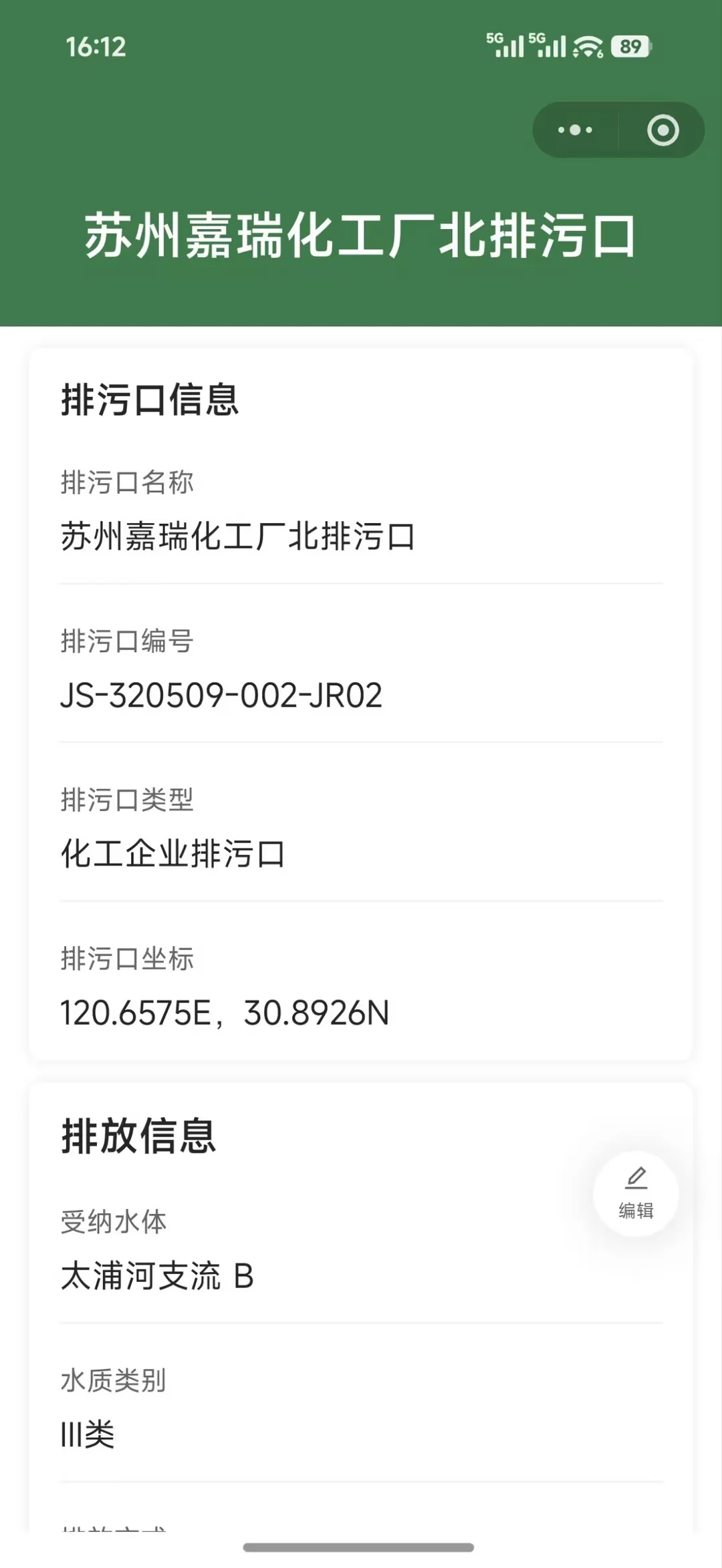
Scan to View Discharge Outlet Information
The code shows the outlet's name, ID, type and coordinates, plus receiving waters, water quality category and other discharge information. The template is preset according to HJ 1314-2023. Workbench changes update the content immediately.
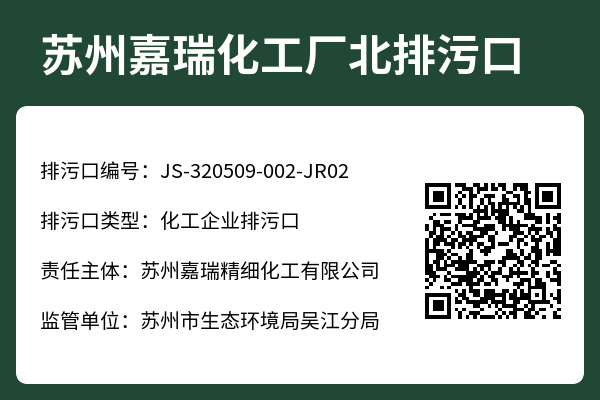 Scan with WeChat to try it; click the label to enlarge
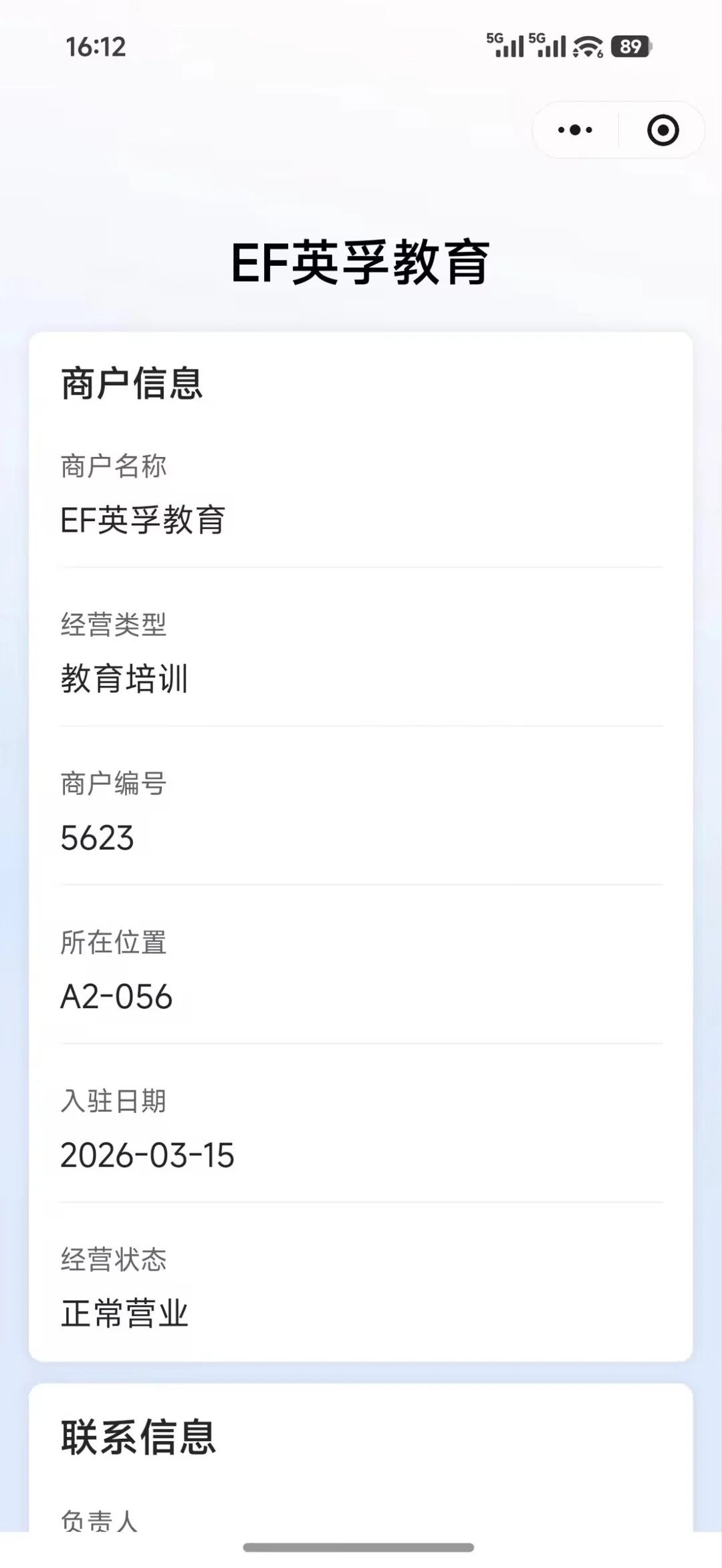
One Code per Business for Easy Information Access
View the business name, type, location and operating status on one screen, along with the responsible person and phone number. Business information can change without replacing the sign.
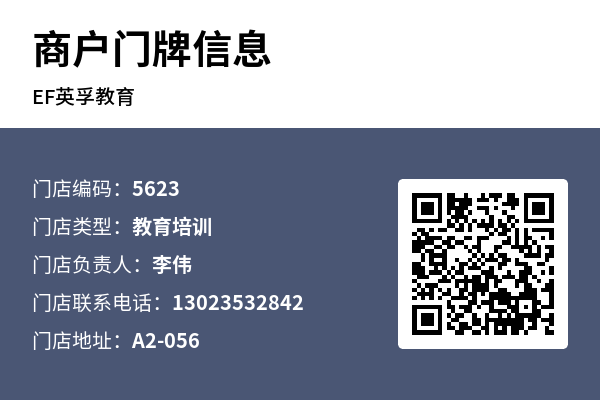 Scan with WeChat to try it; click the label to enlarge
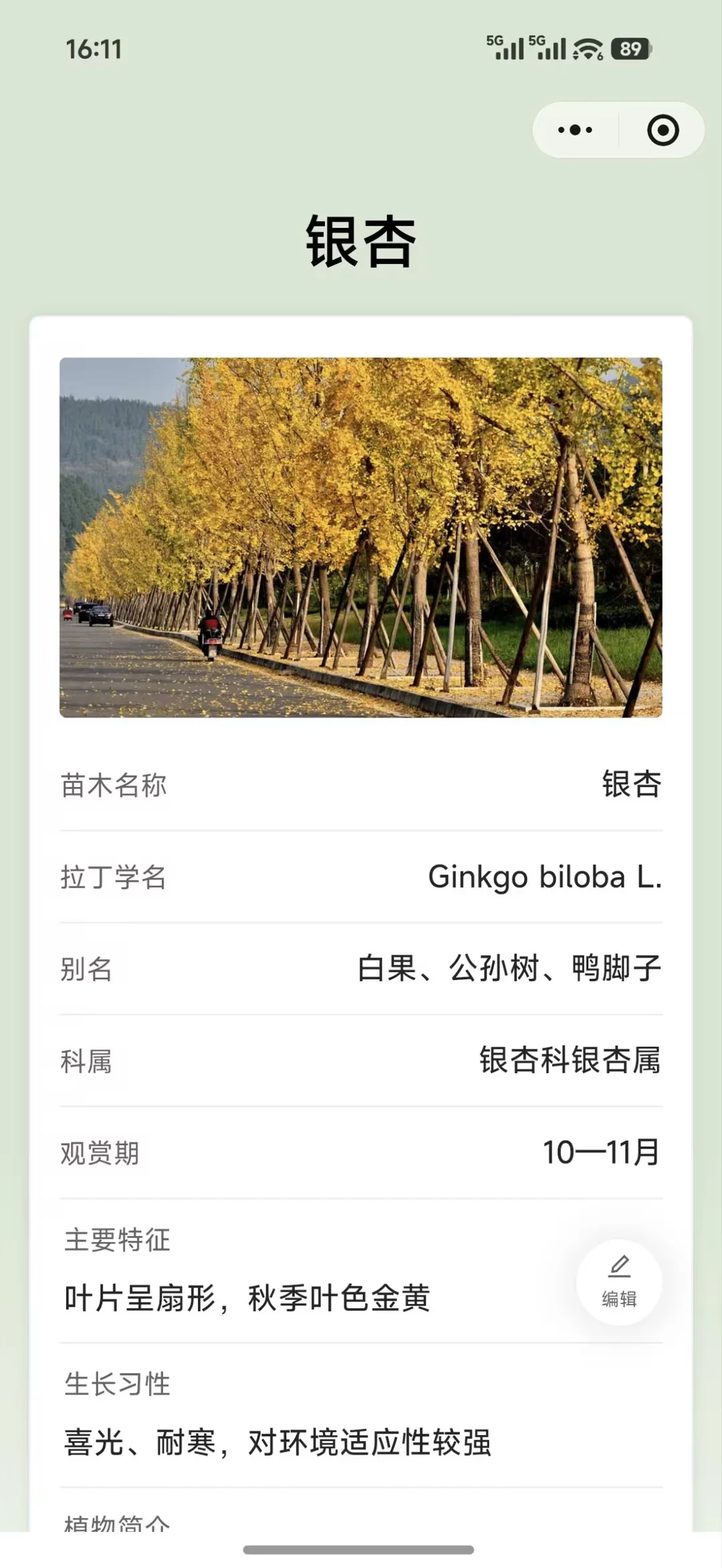
One Code per Tree to Show Its Species and Growing Habits
See the tree's name, Latin scientific name, family, genus, viewing season and key features on one screen. Scroll for growing habits and a plant introduction.
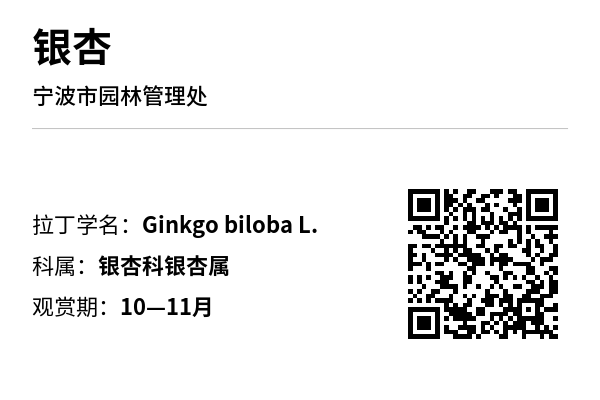 Scan with WeChat to try it; click the label to enlarge
How It Works
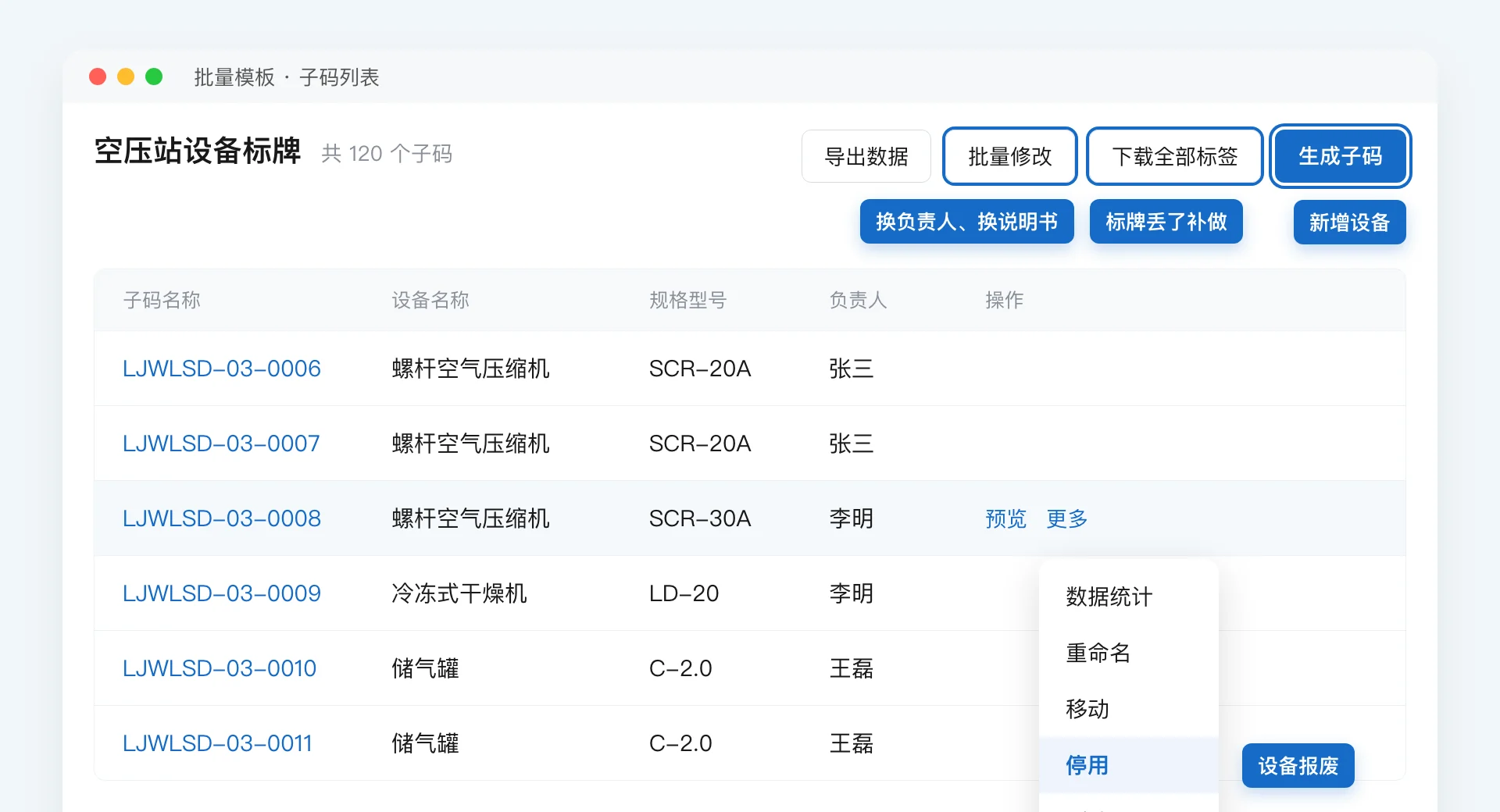
1Import Your Register to Generate Hundreds of Signs at Once
- Bulk generation: use one Excel row per sign and generate them together on import
- File matching: match photos and manuals to each sign automatically by filename
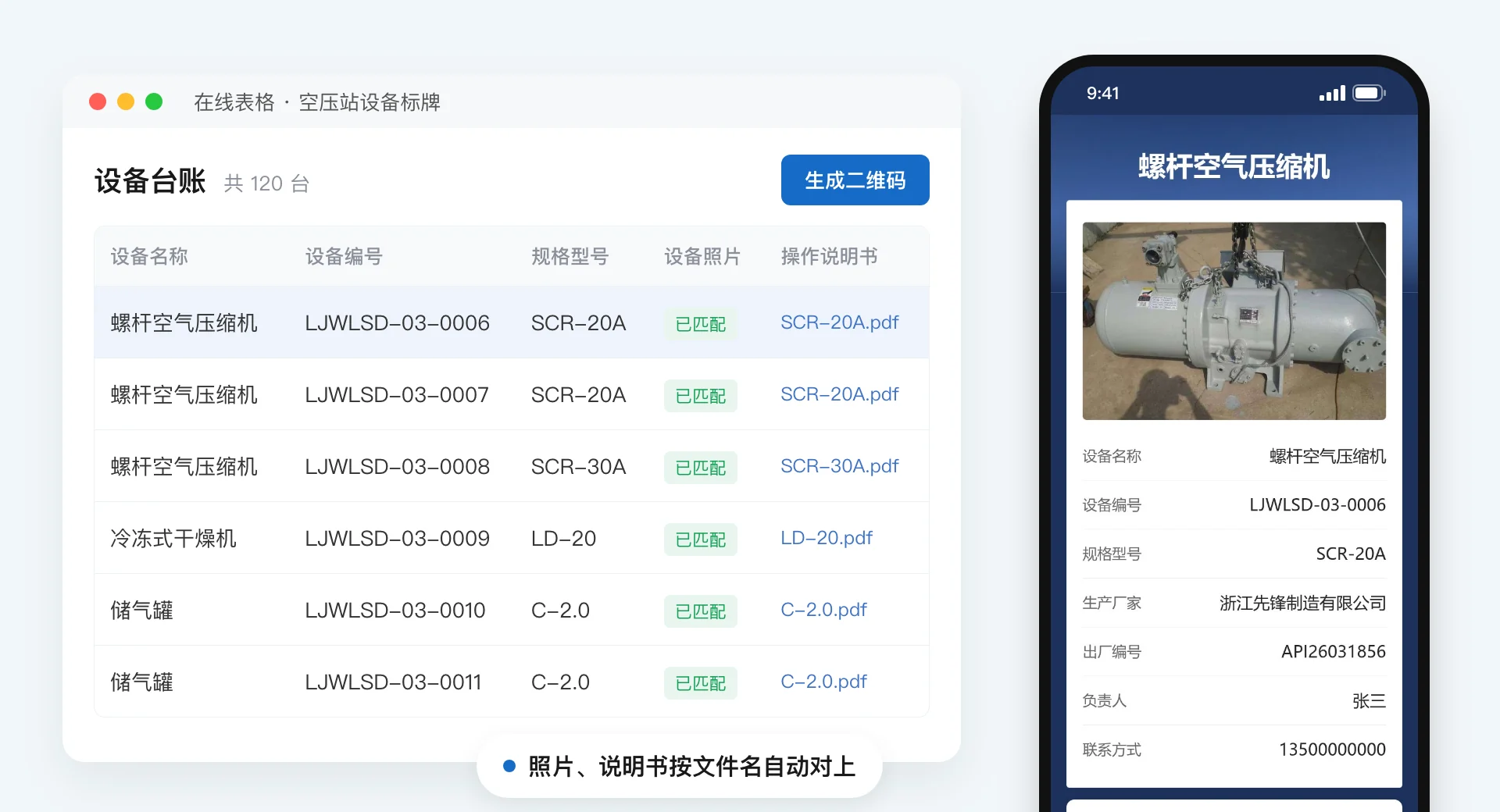
2Choose the Size and Material, Then Print and Install
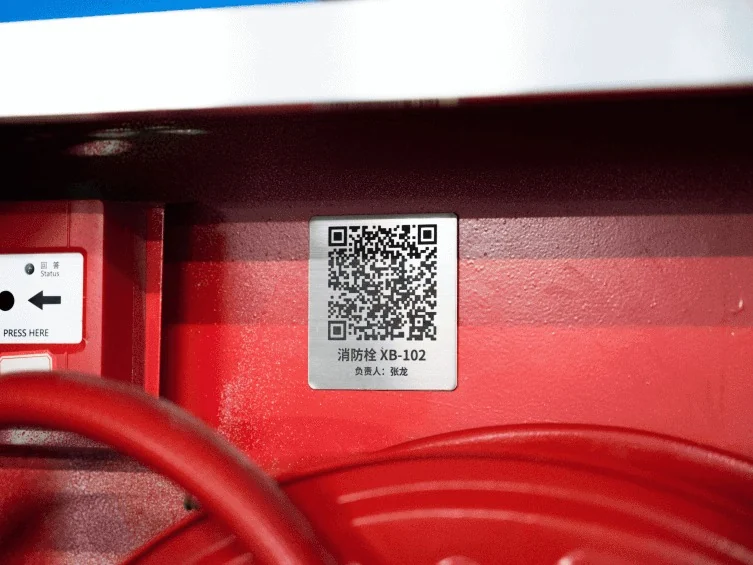
- Print yourself: download an A4 layout PDF and try A4 adhesive paper first
- Use a sign maker: download vector PDFs to make stainless steel or acrylic signs
- CaoLiao printing service: order in the workbench, with 5 materials available
3Update Information in the Workbench and Keep the Sign
- Update content: change specifications or responsible persons in the workbench and keep the code
- Replace or add signs: download lost signs again; add one row for each new sign
- Disable codes: disable the code when equipment is scrapped or a business moves out
Choose Materials for the Installation Environment
Service life is a reference under normal use. See the Label Printing and Implementation Guide.
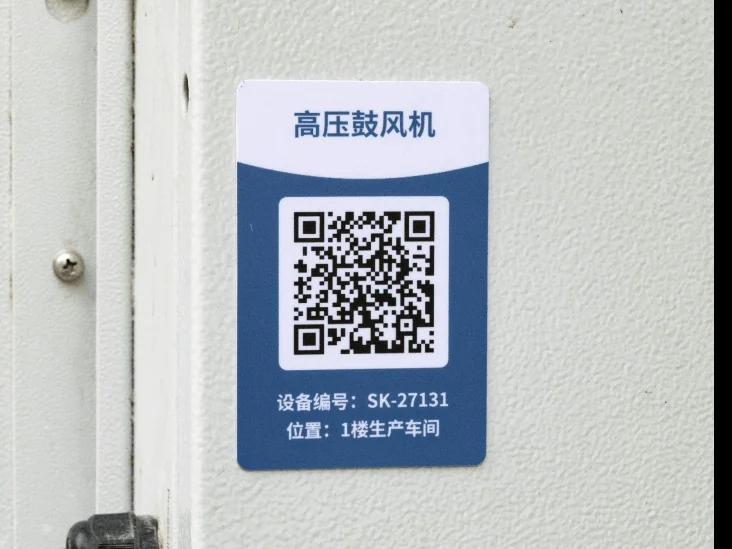
- Environment
- Indoors, workshops and equipment rooms
- Service life
- 2 to 5 years
- Suitable for
- Equipment, electrical room and ward signs
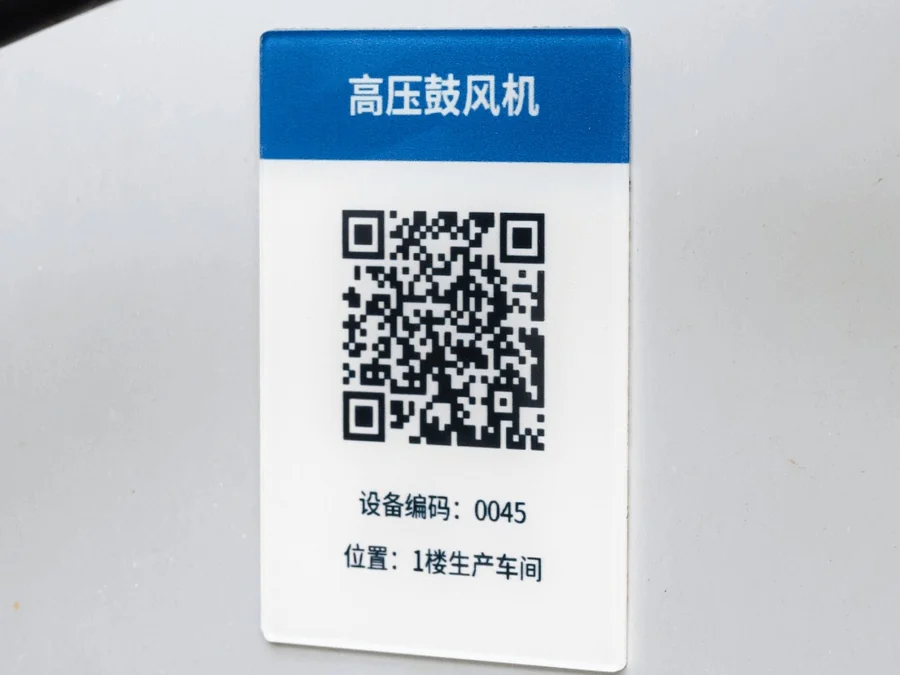
- Environment
- Indoors, hanging or fixed
- Service life
- 5 to 10 years
- Suitable for
- Exhibit information signs and department signs
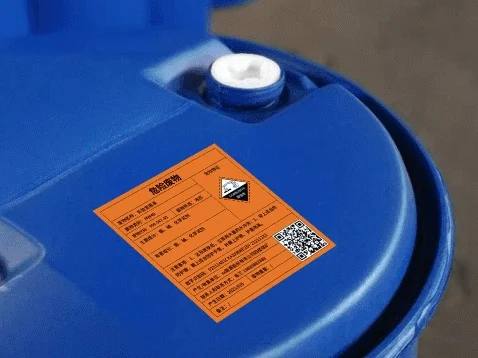
- Environment
- Outdoors, exposed to sun and rain
- Service life
- 3 to 5 years
- Suitable for
- Hazardous waste storage facilities, outdoor equipment and vehicles
- Environment
- Long-term outdoor use, frequent abrasion
- Service life
- 5 years or more
- Suitable for
- Discharge outlets, bridges and manholes; aluminum signs for curved surfaces such as pipes
Scan to Record Information as Well as View It
Equipment Checks
Use one code per device to check each item and record photos. Notify maintenance staff to follow up on exceptions.
View Template ›Equipment Repair Requests
Scan to report equipment faults, notify maintenance staff automatically, and record the full repair and acceptance process.
View Template ›Electrical Room Inspection
Scan to record routine electrical room inspections and follow faults through to resolution.
View Template ›Landscape Maintenance Records
Maintenance staff scan to record their work. Check each task's completion in the workbench.
View Template ›Repair Request Log
Scan to report damaged public facilities, notify maintenance staff automatically, and accept and close the repair after completion.
View Template ›Complaints and Reports
The public can scan in WeChat to submit complaints or reports, which are collected in the workbench.
View Template ›Customer Stories
Stainless steel QR nameplates on manholes include pipe directions, road names and repair phone numbers. Residents and inspectors scan to identify the owner and report damage.
QR audio guide signs in exhibition halls let visitors scan in WeChat to listen to exhibit explanations and view text and images, without renting a guide device or downloading an app.
Each sample has a code for customers to view prices, specifications and carton details. Update quotations in the workbench without reprinting labels.
For more examples, visit the Customer Stories Library.
Implementation Costs
Core Features, Free to Use
- QR codes remain valid long term
- Unlimited QR codes and scans
- Bulk generation and editing
- Include text, images, manuals and drawings
- Scanned pages display CaoLiao branding
- Images and files use free version specifications and carry a CaoLiao watermark
Pay as Needed for Branding and Clear, Watermark-Free Content
Includes free version features. Available enhancements vary by edition and commonly include:
- Show your own brandRemove CaoLiao branding and show your company name and logo
- High-resolution images and files without watermarksView manuals, drawings and certificates clearly
- Unlimited video durationShow operation demonstrations and exhibit videos in high definition without duration limits
- Collaborative managementEach workshop or area maintains its own signs
Frequently Asked Questions
Do people need to download an app to scan?
No. Scan with common apps such as WeChat and Alipay, without registering. Only people maintaining sign content need to sign in to the workbench.
Do signs need to be replaced when information changes?
No. Update the content in the workbench and the QR pattern stays the same. Scans show the updated content. A sign only needs replacing when its printed text changes, so keep changing information such as responsible persons and phone numbers inside the code.
What if a sign is worn out or lost?
Download the sign's label again to make a replacement, keeping the same QR code and content. When equipment is scrapped or a business moves out, disable the code in the workbench so scans no longer display content. You can re-enable it when needed.
Must we remove existing metal nameplates?
No. Place a QR label beside the existing nameplate. To make new nameplates in a consistent style, download vector PDFs or export QR code data for a sign maker to lay out. See Custom Label Layout.
Can I make signs covered by national standards, such as hazardous waste labels and discharge outlet signs?
Yes. The template library has corresponding templates with preset fields and layouts: HJ 1276-2022 for hazardous waste labels and HJ 1314-2023 for river discharge outlet information. HJ 1276-2022 requires scanned hazardous waste content to match the printed label. If a printed item changes, reprint the label. See Guide to Creating the New Hazardous Waste Labels.
How can I hide the responsible person's phone number from outsiders?
Set the item to Hide After Scanning. It remains viewable and exportable in the workbench; this setting is available only for bulk-generated codes. To limit the whole code to internal staff, select All Members for viewing permissions or set a password. See QR Code Viewing Permissions.
Can I make signs before the register is ready?
Yes. Generate blank codes in bulk, make and install the signs, then scan on site to enter information and take photos. See Can I Attach QR Labels Before the Register Is Ready?
Can I use the free version, and what should I check before making stainless steel signs?
Yes. QR code generation and scans are unlimited, including bulk generation. The free version displays CaoLiao branding and watermarks on images and files. If you plan to pay, do so before making signs: removing the CaoLiao loading branding from codes generated before payment requires changing the opening method. This changes the QR pattern, so permanent signs such as stainless steel ones need replacing. See Edition Selection Guide.
Start Creating QR Codes for Signs
Start with the closest sign template, add your content and import your register to generate codes in bulk.