Generate pesticide label codes from ready-made templates to carry new requirements such as technical material (concentrate) registration numbers and manufacturers. Scan to view pesticide names, registration numbers, batches, and quality inspection information. Bulk generation is supported in the free version.
I. Overview
1. Regulatory requirements
Pesticide label code requirements are spread across several documents. Announcement No. 925 is collected in CaoLiao's knowledge base; other original texts are available on the authority's website. Key QR code provisions include:
New marking requirements: From January 1, 2026, pesticide formulation products must state the registration number and manufacturer of the technical material (concentrate) used. This may be printed directly on the label or carried by a traceable electronic information code. The formulation registration certificate holder is responsible for authenticity (Ministry of Agriculture and Rural Affairs Announcement No. 925)
Symbology and content: Label codes may use QR or DM symbology, with content including a traceability URL and unit identification code (Ministry of Agriculture Announcement No. 2579)
Scan display: Display pesticide names, registration certificate holders, and other information; the traceability URL must provide production batches, quality inspection information, and more (Announcement No. 2579)
Style pending: The pesticide label QR code management provisions published in September 2025 remain a draft for comments. No uniform style, size, or placement has been specified; follow the formally published document when available
2. Solution results
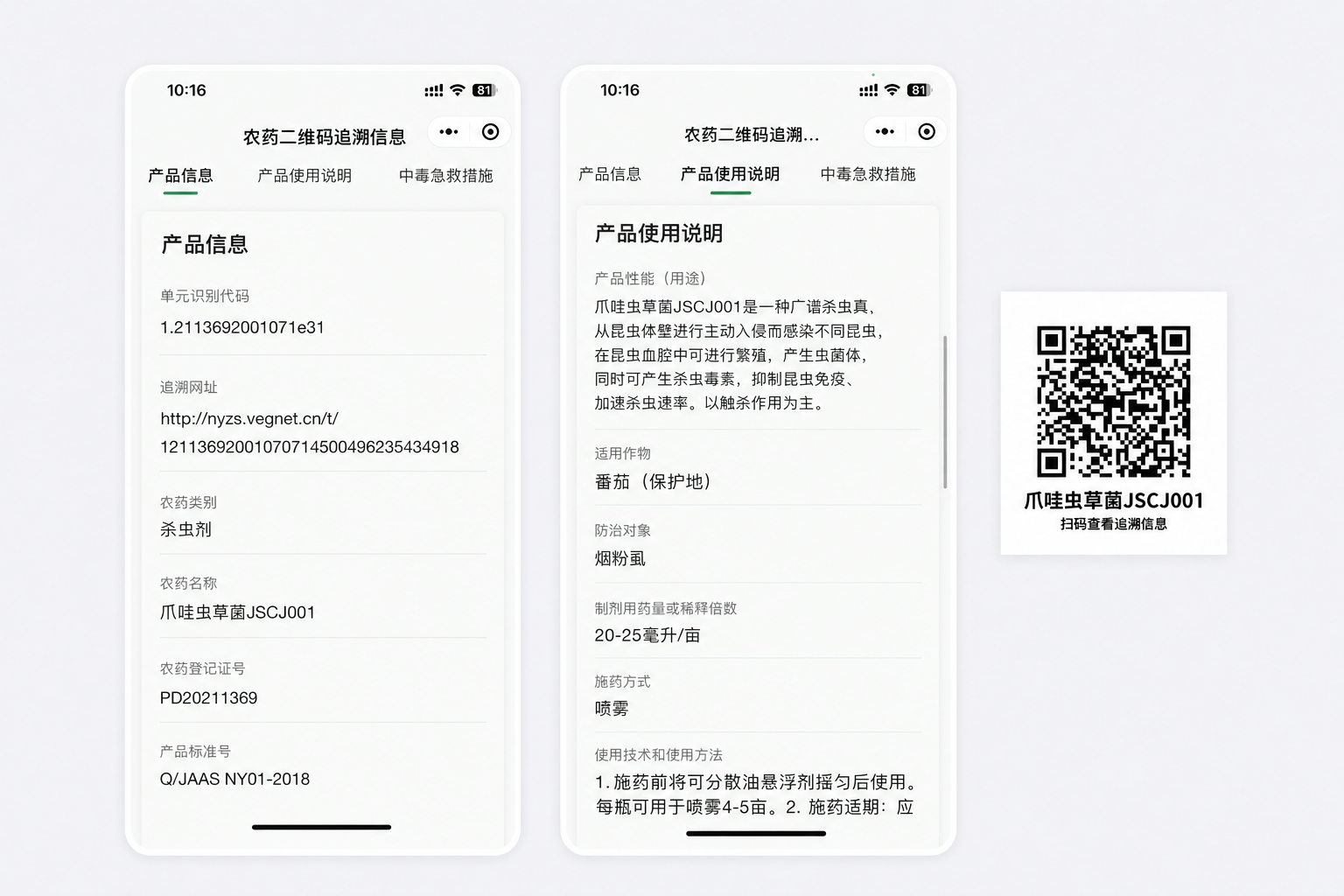
Registration certificate holders are responsible for label content and authenticity. CaoLiao provides the tool: enter product information in templates and generate codes in bulk for packaging labels, outer-carton labels, or product materials. Consumers, dealers, and regulators see the following after scanning:
The pesticide label page shows pesticide names, registration numbers, technical material (concentrate) information, production batches, and quality inspection content
Fit newly required information in the code
QR codes display newly required details, including technical material (concentrate) registration numbers and manufacturers.
Generate any number of batches together
Organize products, specifications, and batches in a table and generate label codes together.
Put information that does not fit on packaging in the code
Display test reports, usage guidance videos, and business qualifications on the scan page.
Update content without changing the code image
Update supplementary materials without reprinting. Enable content protection and automatically notarize updates on the blockchain.
II. Setup and Bulk Generation
1. Set up label content in the template first
Common information fields are already organized
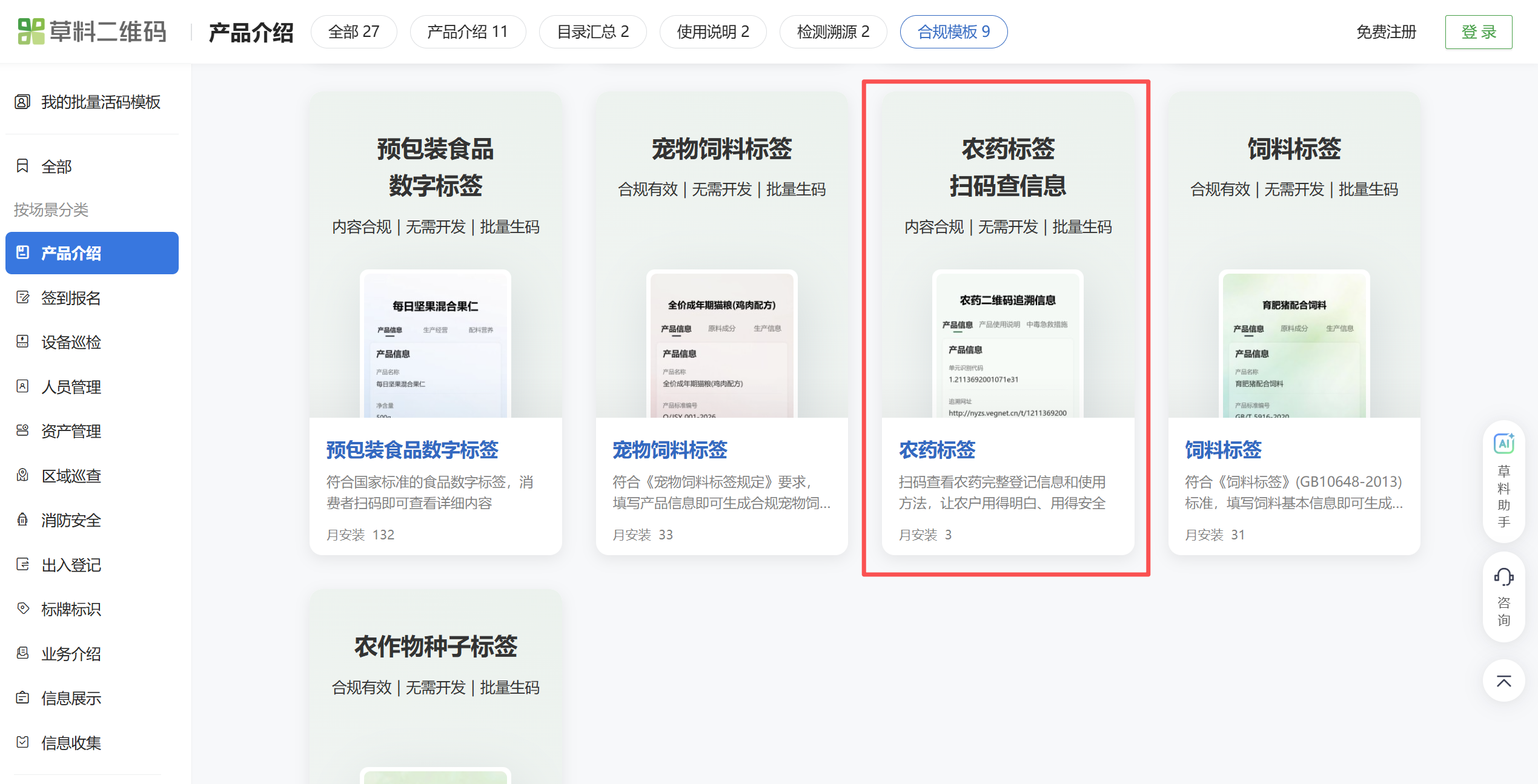
CaoLiao's Pesticide Label template can show pesticide names, registration certificate holders, pesticide registration numbers, technical material (concentrate) registration numbers and manufacturers, production batches, and quality inspection information. Click "Use Template to Generate Codes", then "Edit Bulk Template", adjust the background, display content, and fields, and save to your account.
The Pesticide Label template: generate codes, adjust fields for your products, and save
Include supplementary materials on the scan page
Besides required information, add test reports, usage guidance videos, business qualifications, and after-sales contacts to supplement product and brand information.
Reserve fields for future rules
The QR code management provisions are still seeking comments. Reserve fields for unit identification codes, production types, specifications, and inner/outer packaging relationships in the bulk table, then add data when formal rules are published.
2. Generate codes in bulk by product and batch
One information table row corresponds to one code
Organize product information in a table and use bulk QR code generation to generate codes for different products, specifications, or batches together, without creating them individually.
Check generated codes before use
Sample-scan to confirm that pesticide names, registration numbers, technical material information, and batches match approved labels. Download images for packaging labels, outer-carton labels, or product materials.
III. Printing and Maintenance
1. Arrange and print labels; test scanning first
Use the design library for layout
After generating codes, arrange labels in the design library and download code images or label files for packaging labels, outer-carton labels, or product materials.
Confirm readability and no obstruction before printing
Current public documents do not specify a uniform code style, size, or placement for pesticide labels. Before printing, test size, clarity, clear areas, and scanning, and confirm that codes do not obstruct other approved packaging content.
2. Update and protect content after printing
Update content while keeping the QR code image
Update supplementary materials and explanatory content in the workbench without recreating printed codes. Users see updated content after scanning.
Sub-code content notarization (enabled by default)
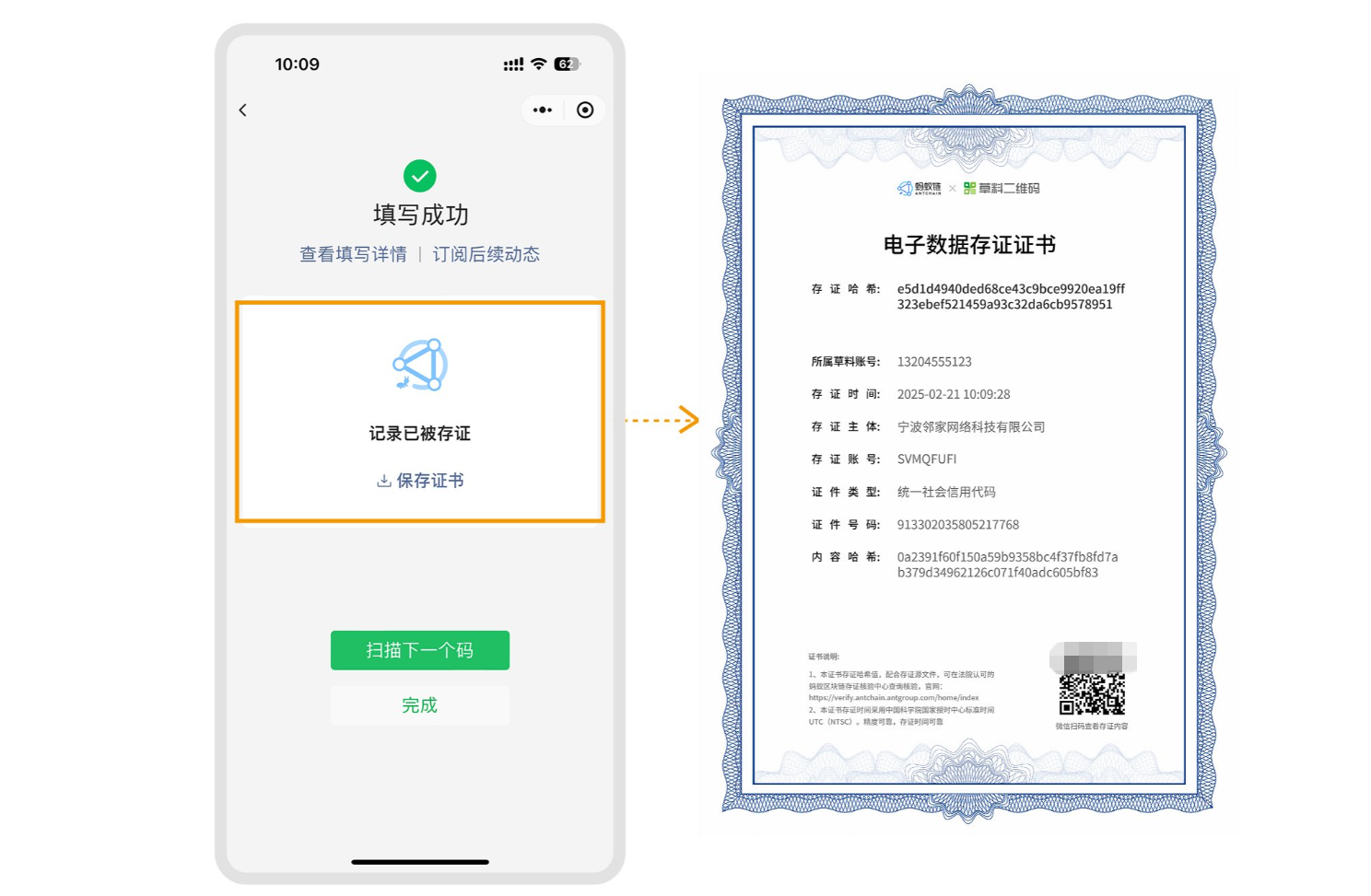
Sub-code content notarization is enabled by default. After variable content is submitted, Ant Blockchain generates a notarization hash and source file for later tracing and verification. See the blockchain notarization tutorial.
Sub-code content notarization: Ant Blockchain generates hashes and source files for variable content
IV. Implementation Costs
Pesticide label QR codes are free to create in the free version. Actual costs mainly involve packaging and label printing.
Upgrading preserves existing QR codes and content. For a detailed comparison, see pricing plans.
V. Frequently Asked Questions
Where does this solution apply, and where does it not apply?
Suitable for pesticide label QR code creation, bulk generation, packaging printing and related activities by pesticide manufacturers and registration certificate holders implementing new labeling requirements. Not suitable for replacing approved label content, or system integration with regulatory traceability platforms.
Do pesticide label codes have fixed size or style requirements?
Current public documents do not uniformly specify a fixed style, size, or position. The provisions published in September 2025 remain a draft for comments; follow the formally published document when available. Ensure codes are readable and do not obscure approved content, and test scanning before printing.
How does code content relate to approved labels?
QR code content must match approved label content and the business's production and quality inspection records. Content concerning product safety or effectiveness should not be rewritten independently of approved labels.
Can content change after packaging is printed?
Yes. Update supplementary materials and explanations in the workbench. The QR code image stays unchanged, so printed packaging remains usable.
How do I create codes in bulk for products, specifications, and batches?
Organize product information in a table and use bulk generation. Reserve fields for unit identification codes, production types, specifications, and inner/outer packaging relationships to prepare for formal management rules.
Start Building
The template includes common pesticide label fields. Enter your product information to generate codes: