Scan to Use
Simpler Production Management
Manage equipment, identify hazards and manage personnel with flexibility and ease. Build without code to reduce costs and improve efficiency.
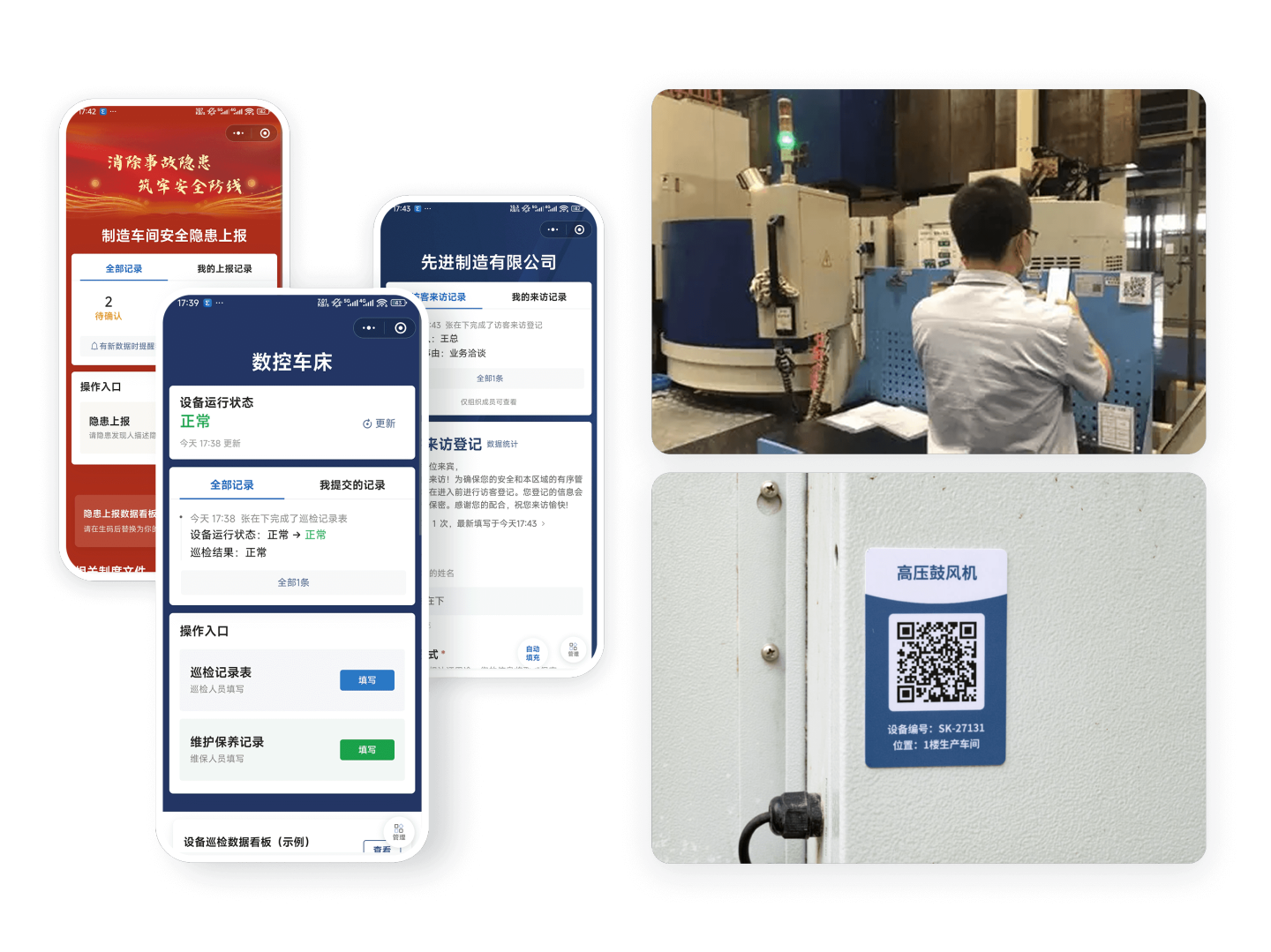
For a Range of Manufacturing Scenarios
Based on real user experience, these templates are ready to use.
Equipment InspectionScheduled inspections with anti-fraud measuresHazard IdentificationPrompt reporting and closed-loop resolutionSafety TrainingScan to view anytime, anywherePersonnel ManagementIdentity verification and site accessAttendance Check-inLocation-based check-in for authentic recordsHazardous Waste LabelsMeet the new Chinese national standardStock In and Out RegistrationOne product, one code: scan to registerMore ScenariosExplore more ways to use QR codes
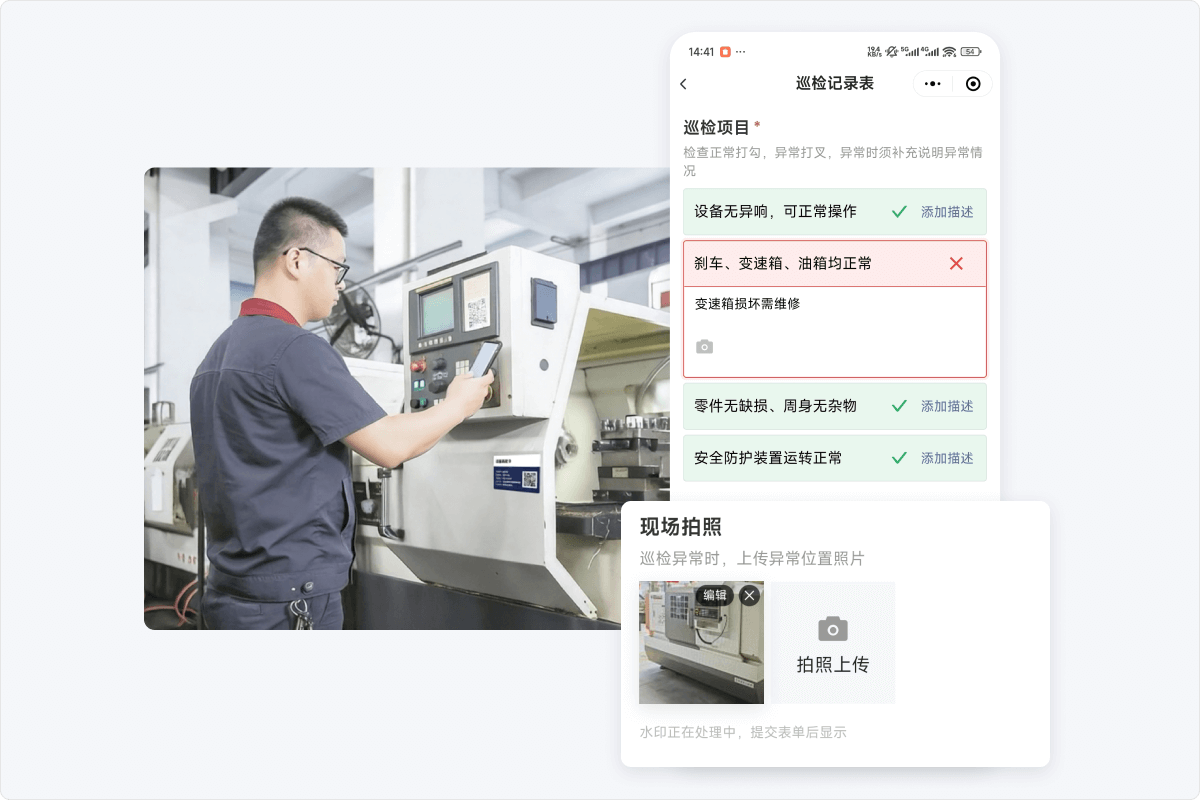
Complete Every Inspection to the Required Standard
Easy for employees to adopt
Scan in WeChat to use it without installing an app.
Multiple ways to prevent fabricated records
Use on-site watermarked photos and location capture to ensure authentic records.
Reduce downtime
Receive real-time notifications of equipment exceptions for rapid inspection and repairs.
Real-time online supervision
Records sync automatically so admins can see the latest situation on the dashboard.
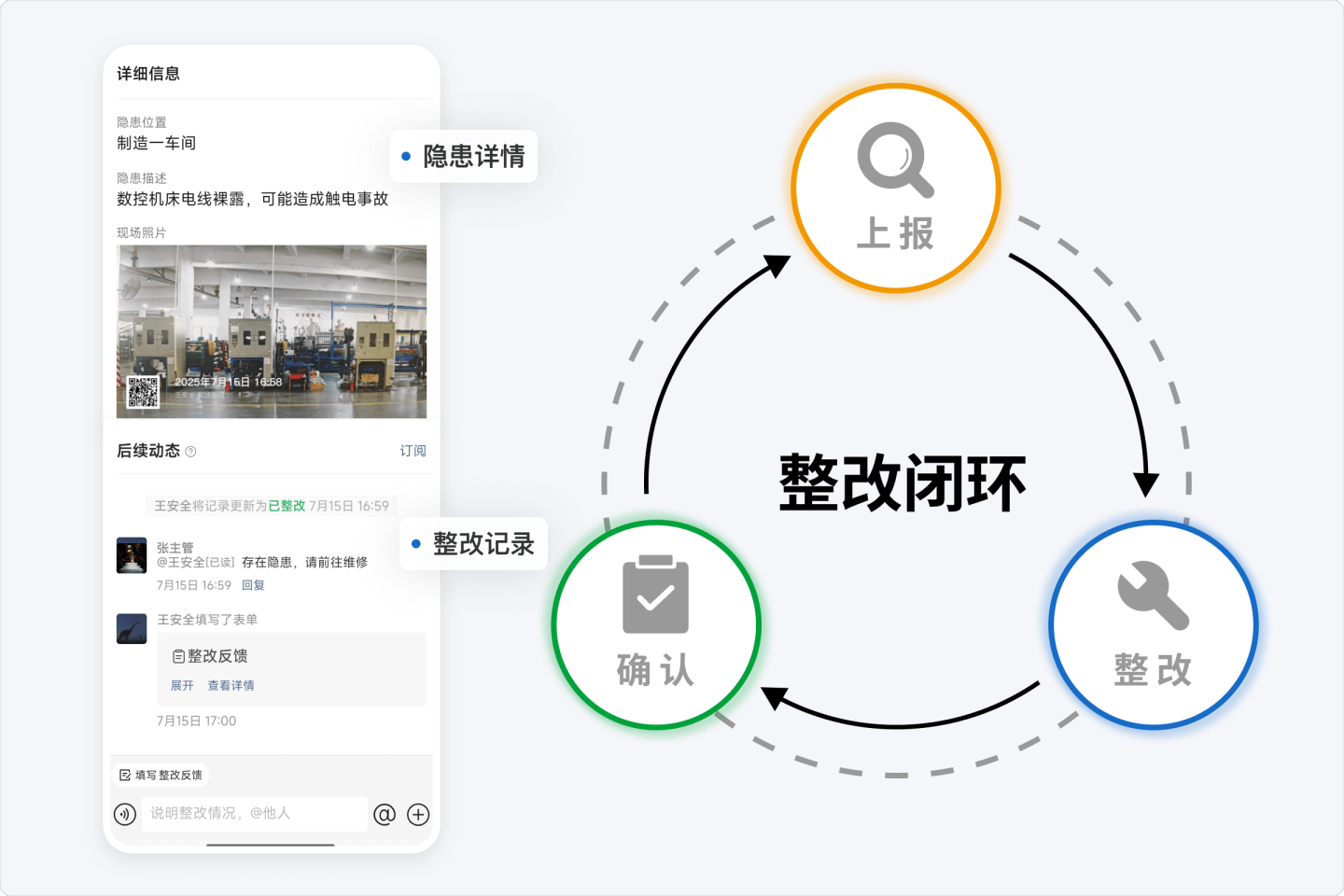
Respond Quickly to Hazards and Reduce Risks
Report anytime, anywhere
Leave pen and paper behind: report a hazard on your phone as soon as you find it.
Record photos quickly and accurately
Scan to photograph hazards on site instead of writing lengthy descriptions: a picture is worth a thousand words.
Closed-loop reporting, rectification and confirmation
Close the loop on every hazard so no risk is overlooked.
Standardized, Reliable Personnel Management
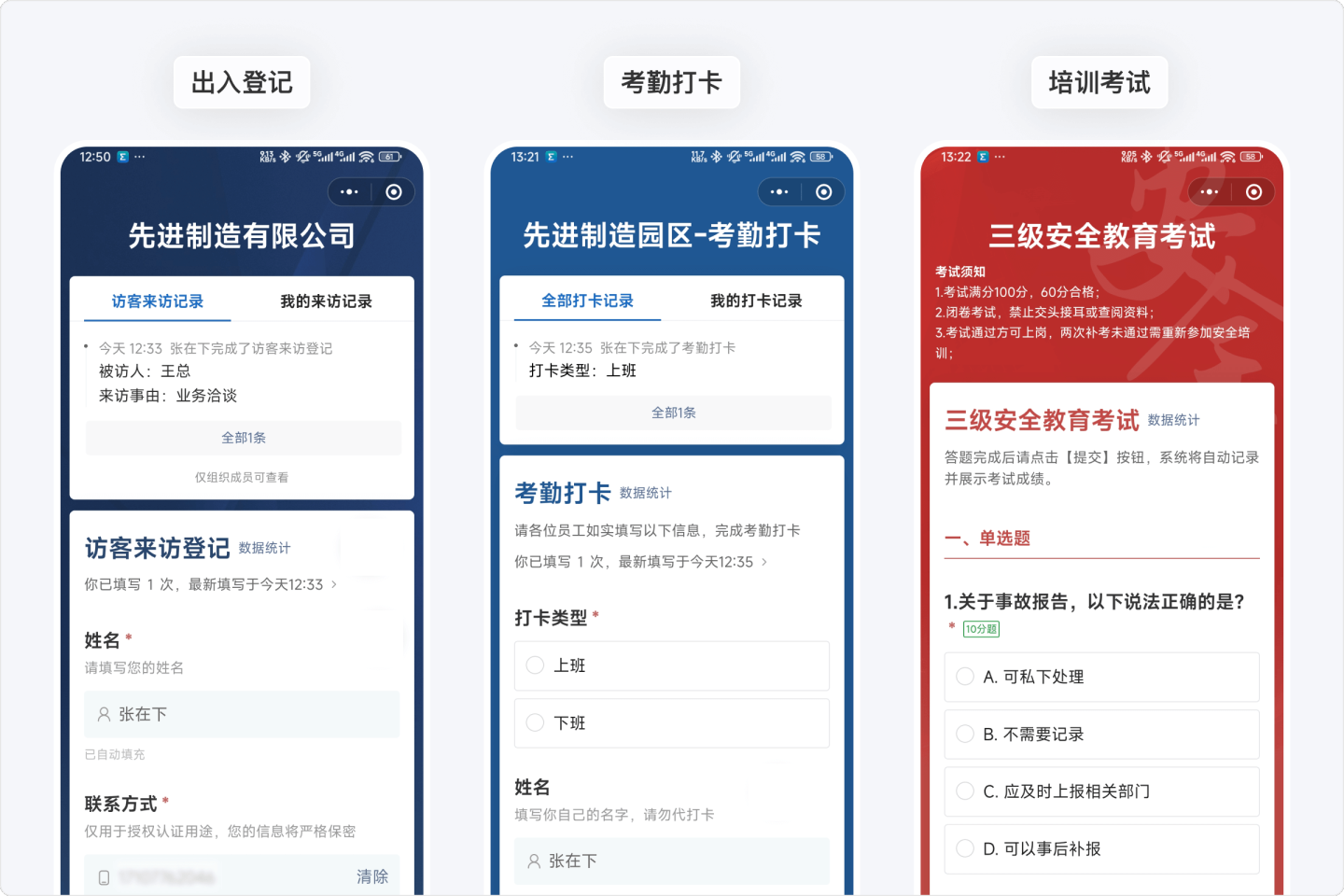
Easily trace personnel entry and exit
Scan to record entry and exit, easing gate staff workloads and retaining complete records.
Efficient attendance with anti-fraud measures
Scan on arrival to capture location, with attendance data summarized automatically.
Easier training and exams
Run paperless exams with automatic grading and correct answers available after completion.
Clear Responsibilities for Dedicated Roles
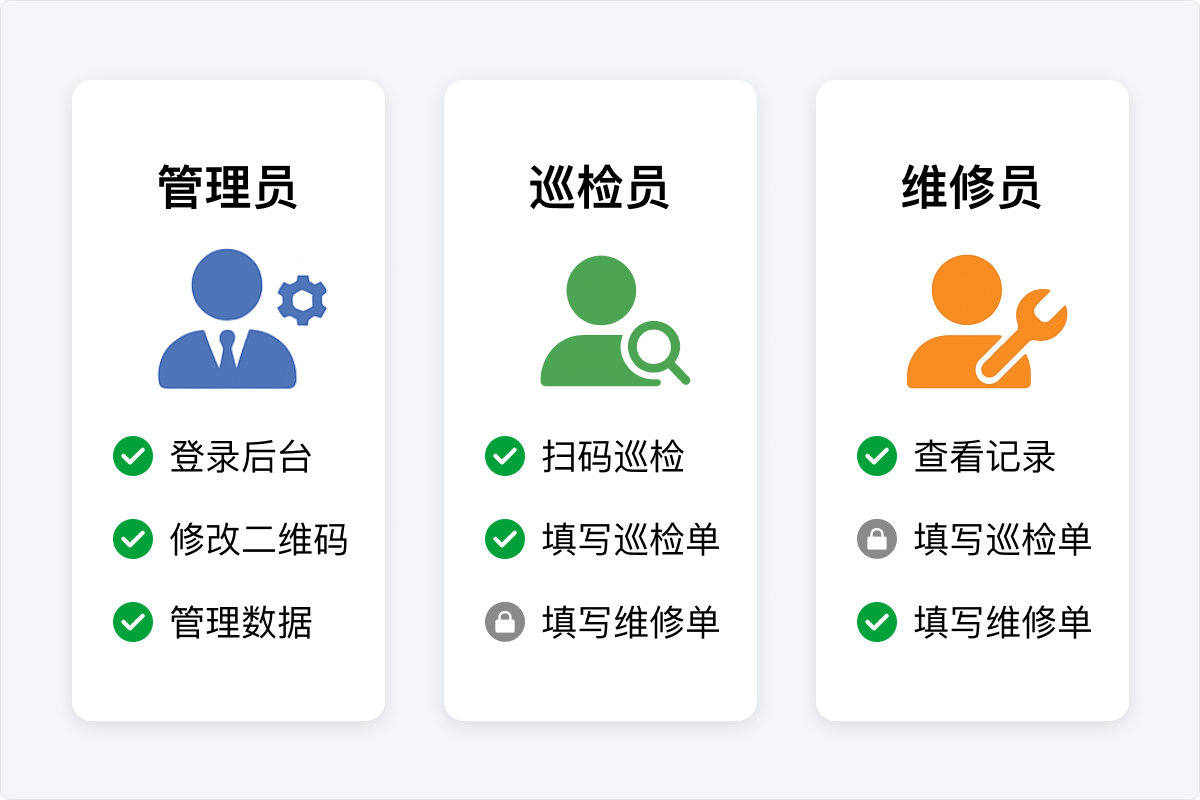
Different members have different responsibilities
Inspectors only conduct inspections and repair staff only handle repairs, with clearly defined roles.
Separate data for different departments
Create partitions by department or other dimensions to isolate data and meet audit requirements.
Make Full Use of Data to Improve Management
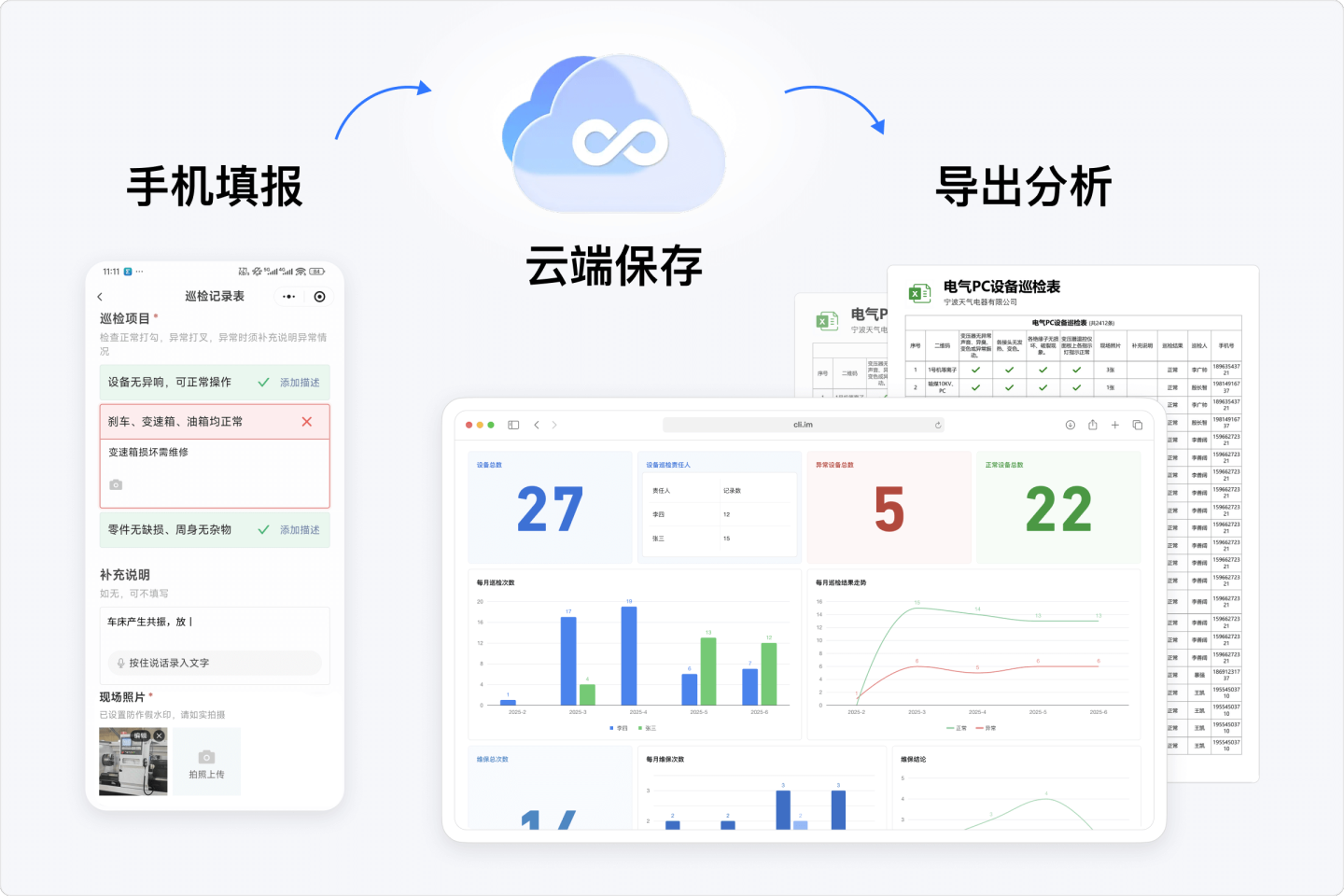
Never lose data
Data is permanently stored in the cloud instead of scattered like paper forms.
Export for archiving anytime
Export Excel spreadsheets to meet existing management requirements.
Visual data analysis
Connect data to statistical analysis tools to save time and effort on summaries and reports.
The Free Version Covers Basic Needs
QR codes remain valid long termDistribute widely with reliable scanning over the long term.
Unlimited scansNo scan limits on any QR code.
Unlimited QR code generationGenerate as many QR codes as you need.
Unlimited content uploadsUpload unlimited photos, records and more.
Upgrade for More Efficient Team Management
Multi-Person Management
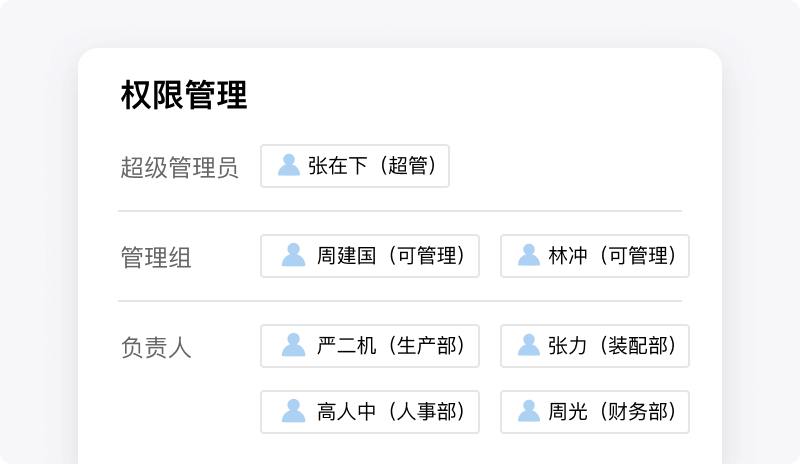
Let several people manage account content together, share responsibilities and reduce the super admin's workload.
AI Interpretation
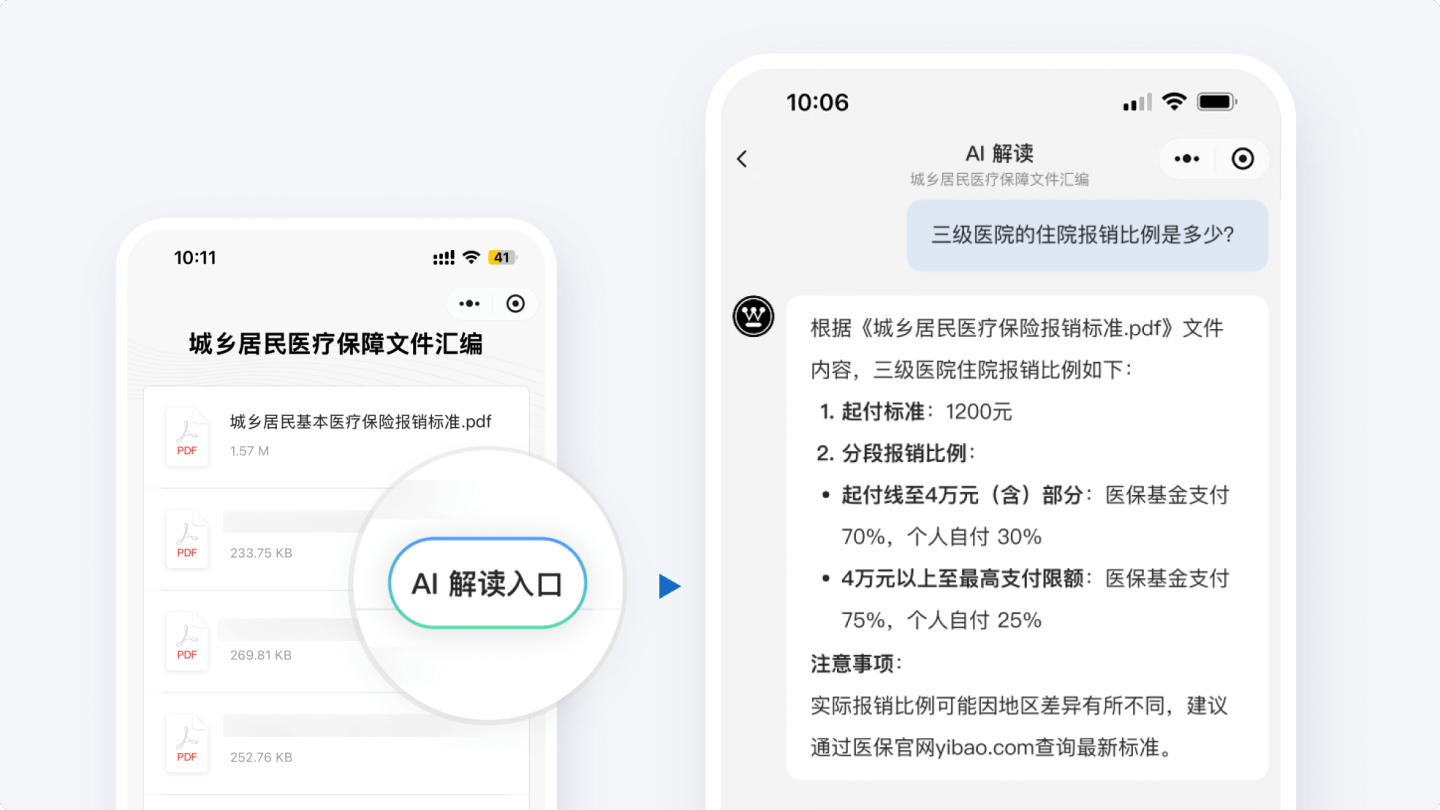
Upload equipment manuals and training materials so employees can ask AI directly when they have questions.
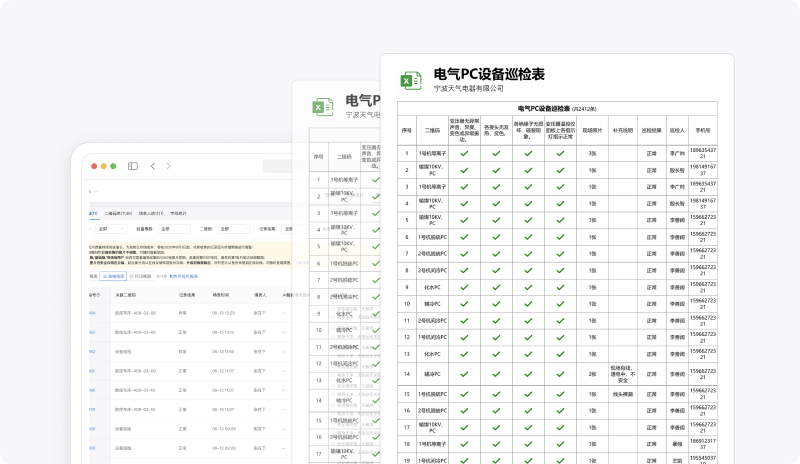
Export Records from Any Time Period
Export data from any period whenever needed for audits, year-end reviews and more.
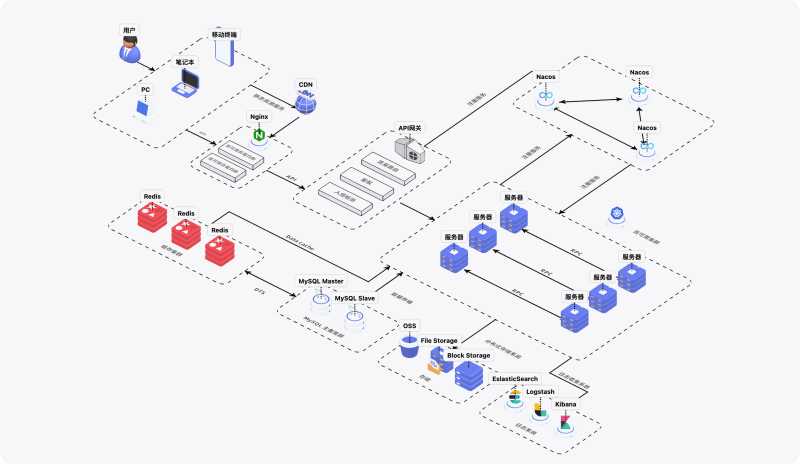
Enterprise-Grade Security
Advanced security gateways and domain protection provide comprehensive data security.
Customer Stories
 Bull Group
Build an equipment monitoring and management system that rivals a professional MES at low cost.
Deliver 80% of MES functionality
 Laite Aviation Manufacturing
Build company platforms for TPM, quality supervision, hazard identification and employee suggestions.
Hazard rectification efficiency improved by 40%
 Liuzhou Dongfeng Lear Fangsheng
5S simplifies processes for improving the company image, reducing costs, safe production and high standardization.
Significantly improved on-site management
Choose a Template to Build Your QR Code System
These templates come from real user practice, helping you learn from peers and reduce setup costs.
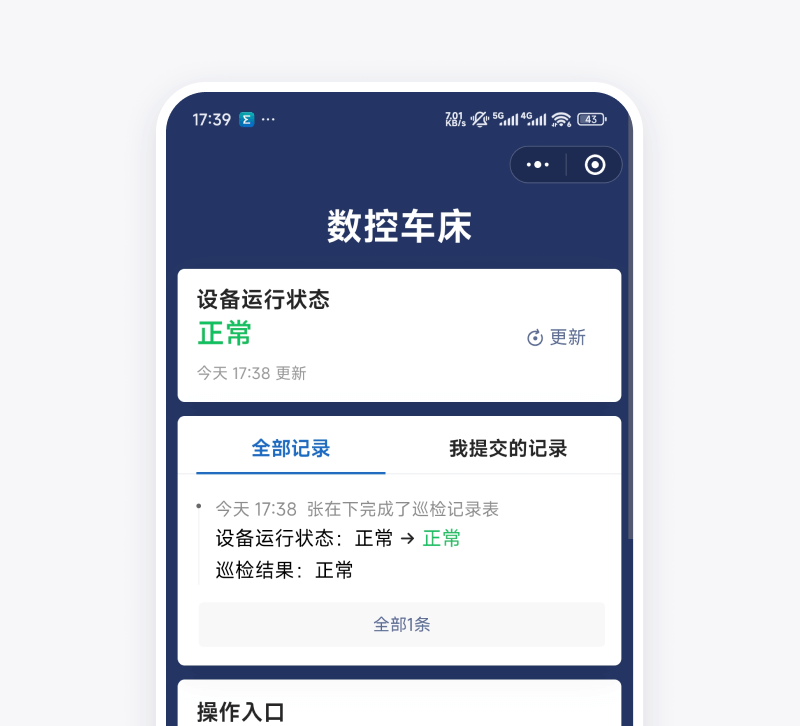
Equipment Inspection
Scan to conduct inspections, upload on-site photos and enable anti-fraud measures.
Use This Template
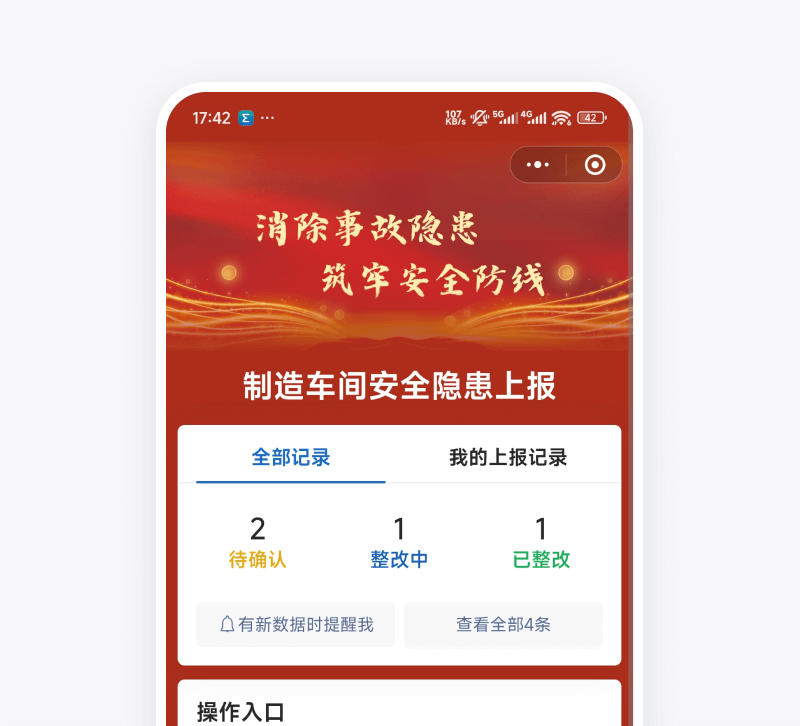
Hazard Reporting
Scan to report hazards and close the loop from reporting to rectification and acceptance.
Use This Template
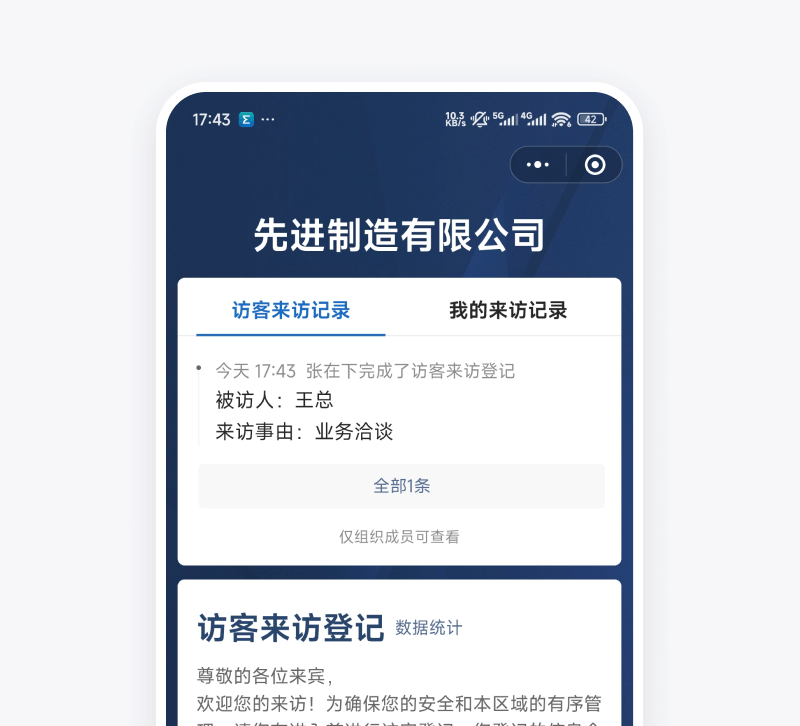
Visitor Registration
Visitors scan to register, and admins can view and export records from the workbench.
Use This Template
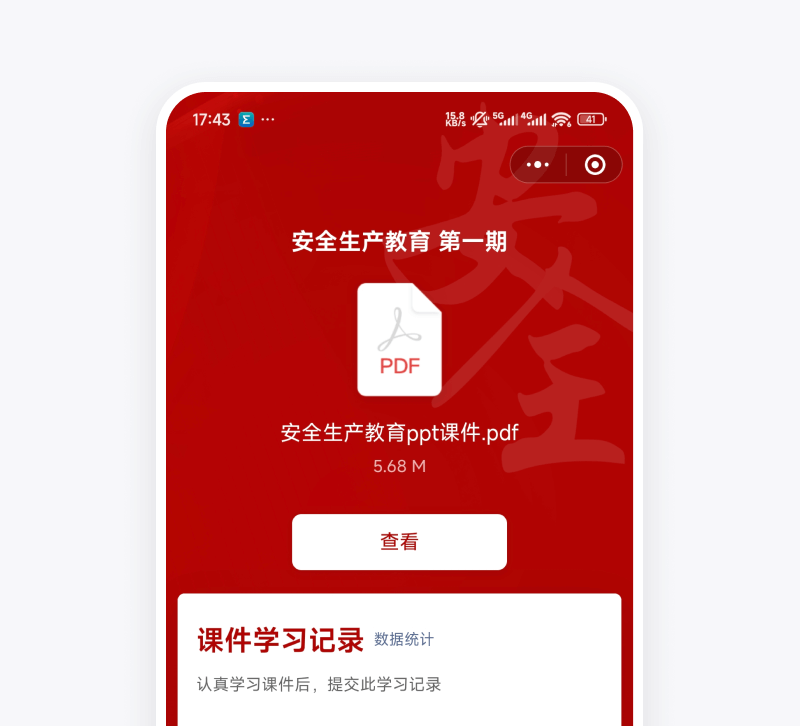
Workplace Safety Training
Scan to access materials and submit learning records, monitor learning and ensure training is effective.
Use This Template