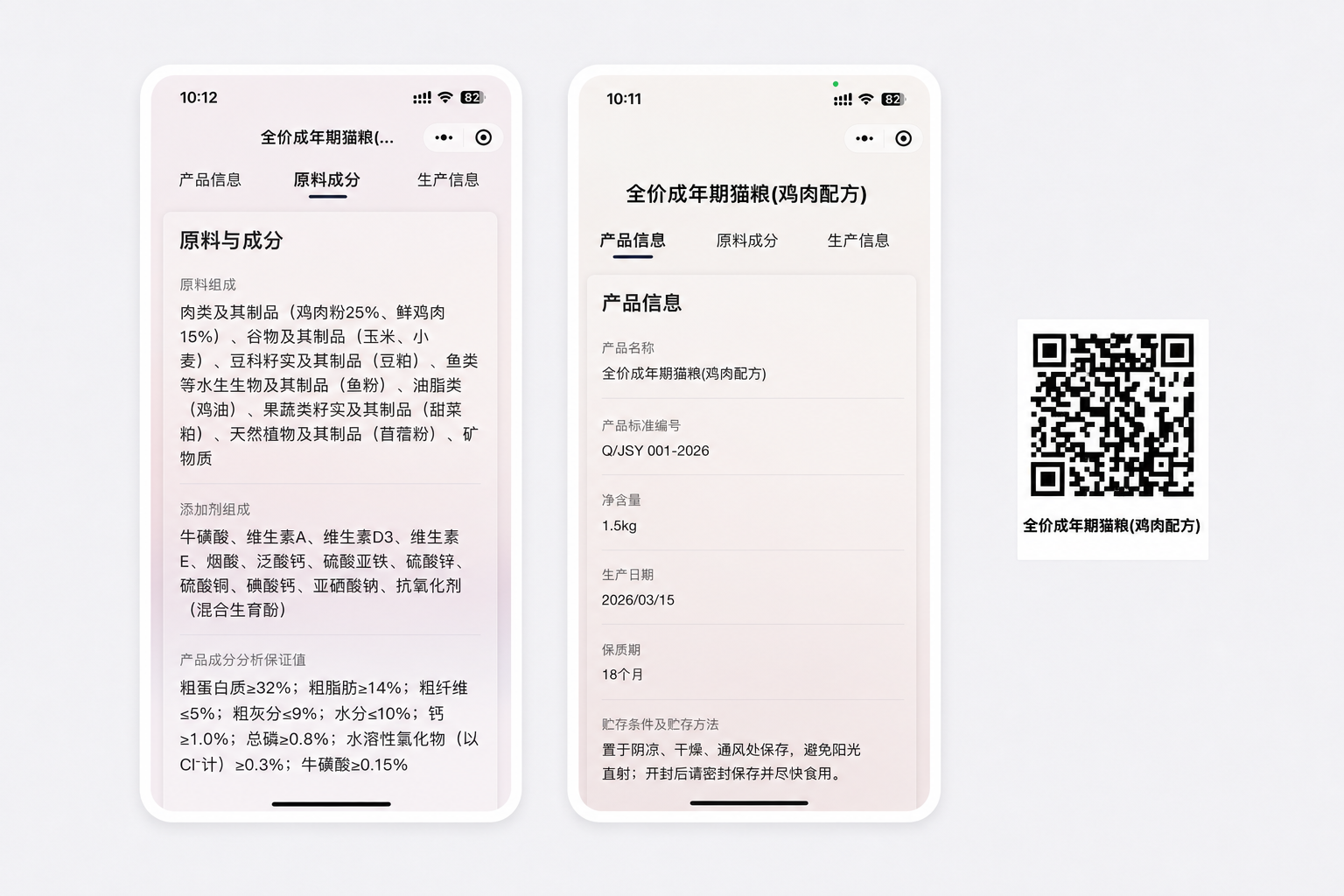
Generate pet feed label QR codes from ready-made templates following the Pet Feed Label Provisions. Scan to view product names, ingredients, guaranteed analysis values, instructions, and more. Bulk generation is supported in the free version.
I. Overview
1. Regulatory requirements
Pet feed label requirements come from Ministry of Agriculture and Rural Affairs announcements, available on the authority's website:
Labeling obligations: Pet feed produced or sold in China must show product names, ingredients, guaranteed analysis values, instructions, business information, and other details under the Pet Feed Label Provisions (Ministry of Agriculture and Rural Affairs Announcement No. 20)
Display and maintenance: Label information must be clear and stay consistent as SKUs, specifications, and batches change, supporting bulk production and later maintenance
2. Solution results
Your business is responsible for label content. CaoLiao provides the tool: enter pet feed label information using templates and generate codes in bulk for packaging, printed labels, information cards, or online disclosure. After scanning, people see:
The pet feed label page shows product names, ingredients, guaranteed analysis values, instructions, and business information together
Scan to view complete label information
View product names, ingredients, guaranteed analysis values, and instructions after scanning.
Generate codes for multiple SKUs and batches together
One code per information table row, with a consistent display structure and centralized management across product lines.
Put information that does not fit on packaging in the code
Display test reports, company introductions, and usage videos on the scan page.
Update content without changing the code image
Maintain feeding advice and test reports in the workbench without replacing printed packaging.
II. Setup and Bulk Generation
1. Set up label content in the template first
Set up the structure under the Pet Feed Label Provisions
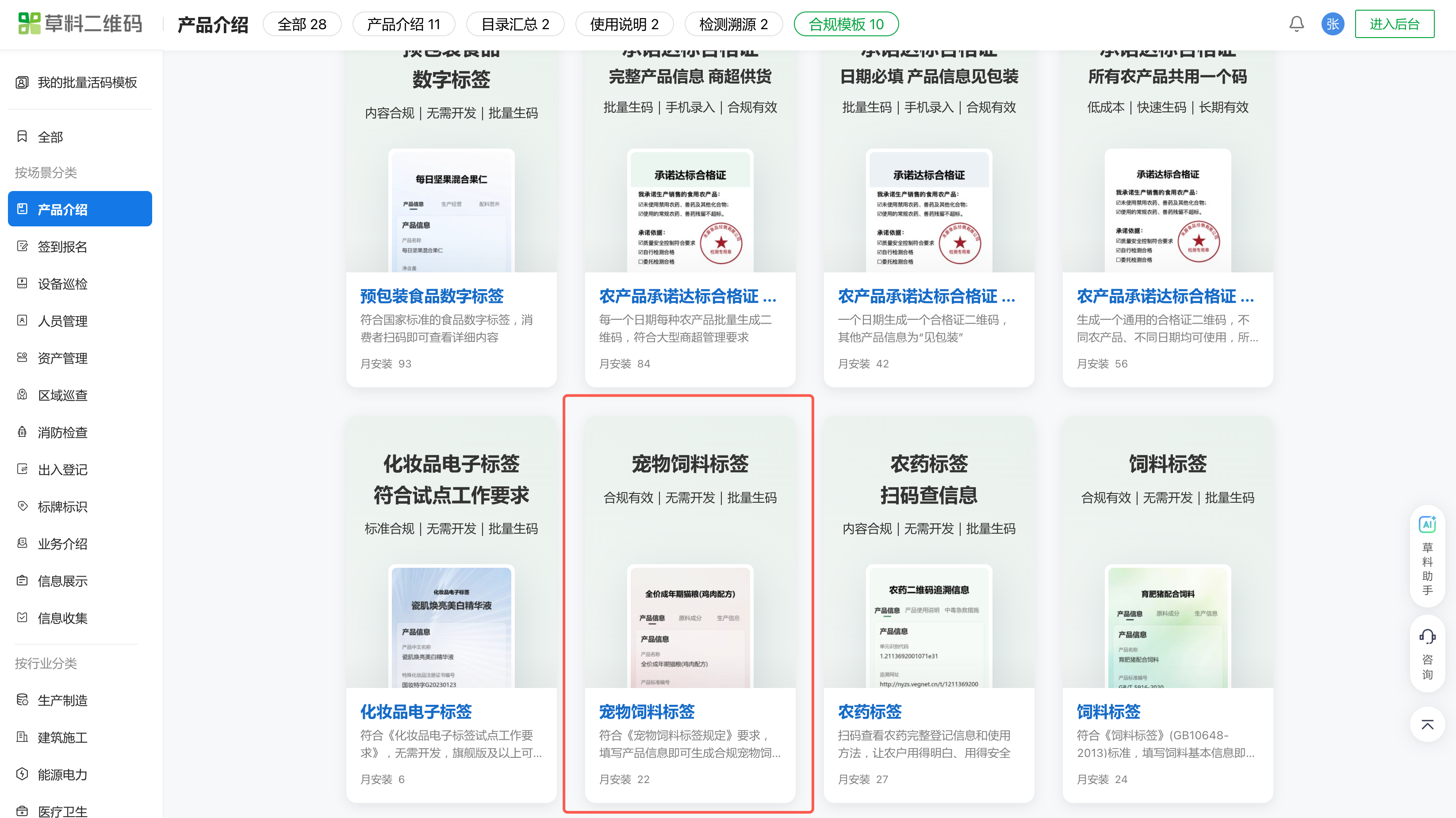
CaoLiao's Pet Feed Label template includes editable modules for product names, ingredients, guaranteed analysis values, net content, storage conditions, instructions, precautions, production date, shelf life, business information, license numbers, and product standards. Click "Use Template to Generate Codes", then "Edit Bulk Template", adjust backgrounds, page styles, and supplementary modules to your packaging style, and save to your account.
The Pet Feed Label template in the Product Introduction category, with fields based on the Pet Feed Label Provisions
Include materials that do not fit on packaging in the code
Put test reports, quality statements, company introductions, feeding advice, and usage videos that do not all fit on packaging on the scan page for consumers, dealers, and regulators.
2. Generate codes in bulk by product and batch
Prepare a product information table first
Each row corresponds to a product, specification, or batch, including product name, ingredients, guaranteed analysis values, net content, instructions, storage conditions, precautions, production date, shelf life, business information, license number, product standard, and test reports.
Enter or import the information table to generate codes together
Enter or import pet feed information into the bulk table and use bulk QR code generation to generate codes together. Check previews to confirm product names, net content, production dates, and shelf life match actual packaging.
III. Printing and Maintenance
1. Download images and print on packaging
Use packaging bags, label paper, or information cards
Download code images for packaging stickers, printed labels, information cards, or online sharing. Place codes close to product label information. For printers and consumables, see the label printing and implementation guide.
2. Update content after printing
Update content while keeping the QR code image
After codes are printed or attached, maintain page content in the workbench. Add test reports, revise company information, or update feeding advice without changing code images or recreating printed codes.
Reuse the same template for new products
For new products or batches, keep entering information in the same bulk template. Scan pages share a consistent structure, reducing repeated setup.
IV. Implementation Costs
Pet feed label QR codes are free to create in the free version. Actual costs mainly involve packaging and label printing.
Upgrading preserves existing QR codes and content. For a detailed comparison, see pricing plans.
V. Frequently Asked Questions
Where does this solution apply, and where does it not apply?
Suitable for pet feed label QR code creation, bulk generation, packaging printing and related activities by producers and sellers of pet staple foods, treats, supplements, and other pet feed. Not suitable for replacing label information that must be shown directly on packaging, or system integration with regulatory platforms.
Where can pet feed label codes be placed?
On pet feed bags, label paper, information cards, outer-carton labels, leaflets, or online product materials. Place codes close to product label information so people can easily scan to view the corresponding content.
How do I generate codes for different specifications or batches of one product?
If net content, production dates, shelf life, test reports, or other information differs between specifications or batches, generate separate QR codes to avoid mismatches with the actual packaging. Enter information in bulk using the same template.
Can label content change after packaging is printed?
Yes. Edit the corresponding content in the workbench. The QR code image stays unchanged, so printed packaging remains usable and consumers see updated content after scanning.
Can label pages include test reports, company introductions, and usage videos?
Yes. Besides label information, template pages support images, files, and videos. Include test reports, quality statements, company introductions, and feeding advice on the scan page.
Start Building
The template's field structure follows the Pet Feed Label Provisions. Enter your product information to generate codes: