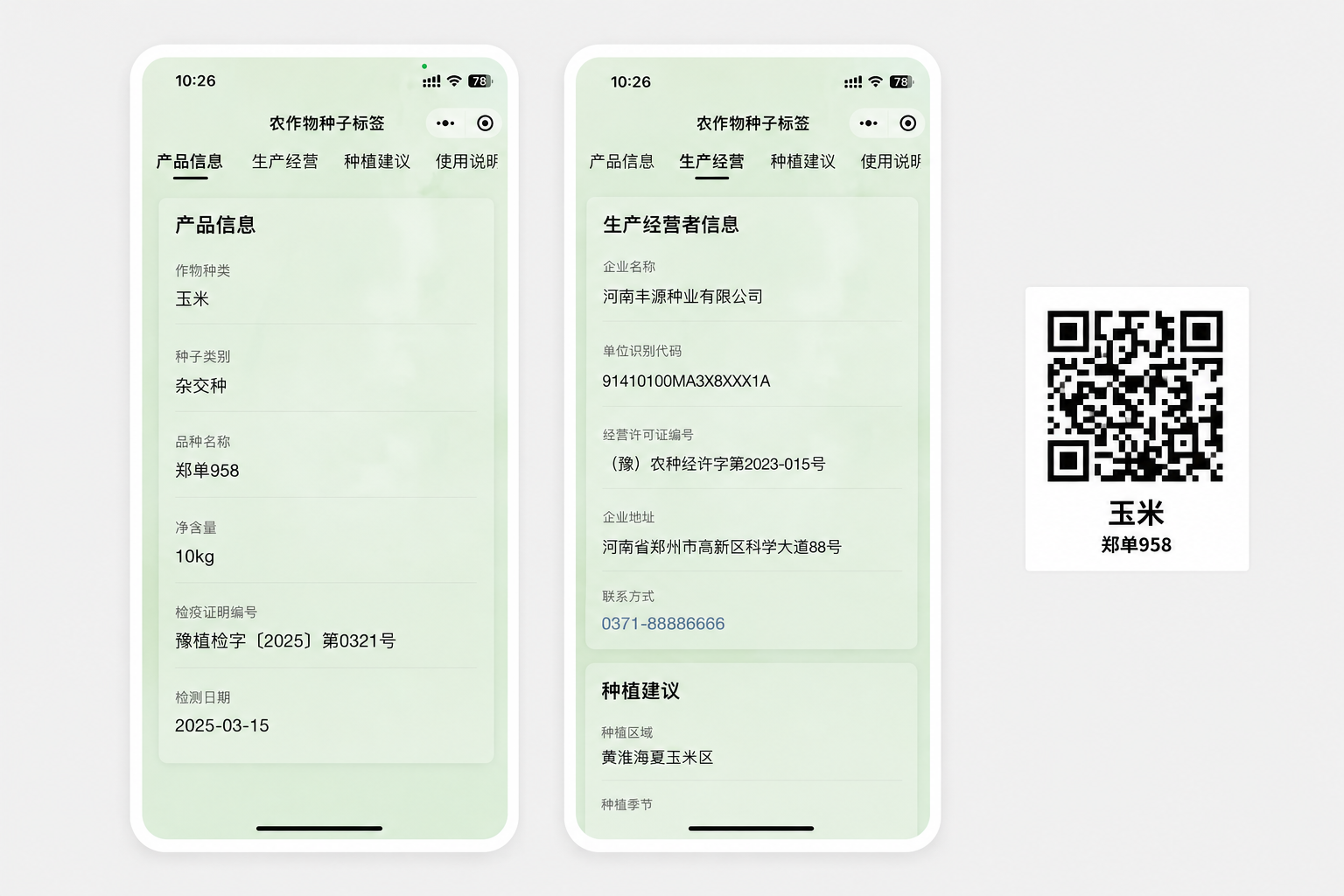
Use ready-made templates to generate seed label QR codes as information codes under the General Rules for Crop Seed Labels. Each code corresponds to a minimum sales unit and shows variety information, quality indicators, producers, and traceability information. Bulk generation is supported in the free version.
I. Overview
1. Regulatory requirements
The Seed Law of the People's Republic of China, the Measures for the Administration of Crop Seed Labels and Instructions, and mandatory standard GB 20464-2024 General Rules for Crop Seed Labels specify requirements for labels and QR information codes. Original texts are collected in CaoLiao's knowledge base. Key QR code provisions include:
Code content: Variety name, producer or importer name, unit identification code, and traceability URL, consistent with the label (coding rules)
Printing requirements: QR code area must be at least 2 square centimeters, with black modules on white. The background must extend at least 2mm beyond the graphic edges, remaining clear and readable (coding rules)
2. Solution results
You generate and print label codes according to the rules. CaoLiao provides the tool: enter seed label information through templates and generate codes in bulk for packaging, labels, or product materials. Dealers, growers, and regulators see the following after scanning:
The seed label page shows variety information, quality indicators, producer details, test reports, and traceability information together
Match each code to its sales unit
Generate codes by variety, batch, and specification to keep scan content consistent with the packaging.
Generate any number of batches together
Each information table row corresponds to a code. Enter data online or import Excel to generate codes in bulk.
Put information that does not fit on packaging in the code
Display test reports, variety descriptions, and business qualifications on the scan page.
Update content without changing the code image
Update content in the workbench without reprinting packaging. Enable content protection and automatically notarize changes on the blockchain.
II. Setup and Bulk Generation
1. Set up label content in the template first
Preset fields follow the rules, avoiding setup from scratch
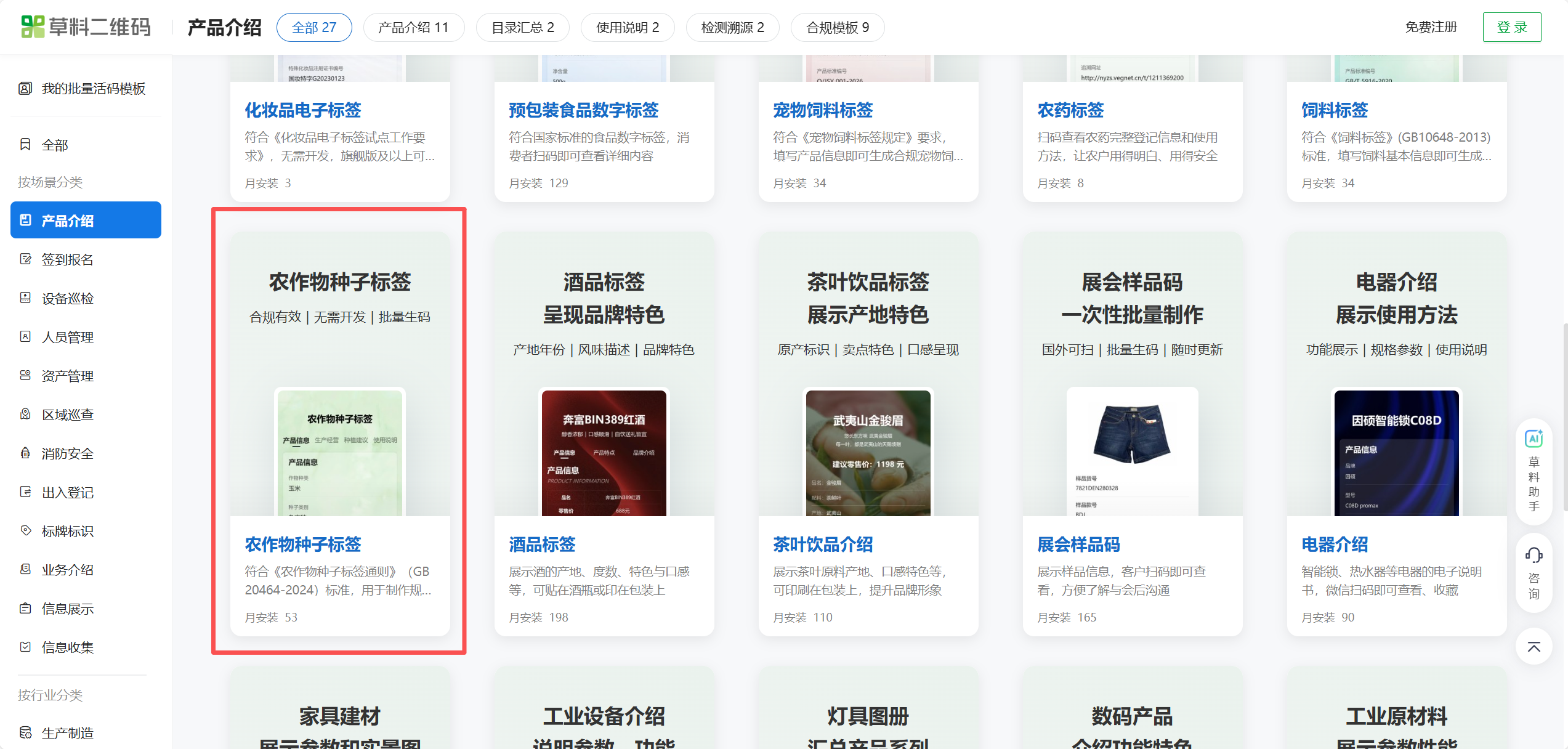
CaoLiao's Crop Seed Label template organizes the display structure according to the measures and general rules, with editable modules for common label fields, information codes, and supplementary materials. Click "Use Template to Generate Codes", then "Edit Bulk Template", adjust the background and display style, and save to your account. Core fields follow regulatory requirements and should not be removed arbitrarily; confirm that any adjustments preserve complete label information.
The Crop Seed Label template: after generating codes from the template, edit and save the bulk template
Include supplementary materials in the code
Alongside required label information, the scan page can show test reports, variety descriptions, planting guidance, business qualifications, and after-sales contacts. Dealers and growers view them through the same code.
2. Generate codes in bulk by variety and batch
Prepare a product information table first
Each row corresponds to a minimum sales unit or batch and includes crop type, seed category, variety name, approval or registration number, specification, batch, quality indicators, testing date, quality guarantee period, suitable planting regions, business information, license number, unit identification code, traceability URL, and test reports.
Enter data online or upload Excel to generate codes together
Fill in the information table online or upload Excel, then use bulk QR code generation to generate codes together. Each row corresponds to one code, with separate codes for different varieties, batches, and specifications.
Spot-check generated codes before use
Scan sample codes to confirm that variety names, batches, quality indicators, license numbers, and traceability URLs match the packaging labels. Then download code images for printing on packaging, labels, or information cards.
III. Printing and Maintenance
1. Print on packaging with the required size and style
Printing requirements specified in the coding rules
Size: QR code image area of at least 2 square centimeters
Color: Black modules on a white background
Clear area: White background extends at least 2mm beyond the graphic edges
Readability: Keep printed images clear and complete; sample-scan before shipment
After label QR codes are in use, update scan-page content in the workbench without replacing printed packaging.
Content protection reduces accidental changes
Enable content update protection to require administrator verification before changes take effect. Important changes are recorded for later reference.
Sub-code content notarization (enabled by default)
Sub-code content notarization is enabled by default. After variable content is submitted, Ant Blockchain automatically generates a notarization hash and source file, recording the content at that point in time. See the blockchain notarization tutorial. Trusted notarization does not replace the business's review of label authenticity, accuracy, and compliance.
IV. Implementation Costs
Seed label QR codes are free to create in the free version. Actual costs mainly involve packaging and label printing.
Upgrading preserves existing QR codes and content. For a detailed comparison, see pricing plans.
V. Frequently Asked Questions
Where does this solution apply, and where does it not apply?
Suitable for seed label QR code creation, bulk generation, packaging printing and related activities by seed producers, sellers, and importers required to use label QR codes under the new rules. Not suitable for replacing information that must appear directly on labels, or system integration with regulatory traceability platforms.
How should seed label QR codes be organized?
Generate them by minimum sales unit or actual traceability management needs. Different varieties, batches, specifications, and packaging units have different information, so code content should be distinguished accordingly. Dealers, growers, and regulators can then scan to view the variety, quality indicators, and traceability information matching the package.
Can different batches of the same variety share one code?
If quality indicators, testing dates, quality guarantee periods, test reports, or traceability information differ, generate or assign separate codes by batch to avoid mismatches between scan content and packaging.
What code size and printing method meet the requirements?
Under the Crop Seed Label QR Code Coding Rules, the code image area must be at least 2 square centimeters, with black modules on a white background extending at least 2mm beyond the graphic edges. Keep printed images clear, complete, and readable.
Can content be changed after generation?
Yes. Edit the corresponding content in the workbench without changing the QR code image or reprinting packaging. Enable content protection if needed: changes require administrator verification and are recorded.
Start Building
The template's field structure follows the measures and general rules. Enter your variety and batch information to generate codes: