Fixed Asset QR Code Solution
Original: https://cli.im/case/detail/1685
By generating QR code labels for fixed assets in bulk, users can scan the code to view asset information, manage allocations, perform simple inventory checks, and report repairs. Asset ledgers can be exported periodically. The system is simple to set up and quick to deploy, enabling efficient fixed asset management at a low cost.
Particularly suitable for application scenarios such as item allocation, equipment repair reporting, inbound/outbound registration, and item borrowing/returning registration.
Main Uses
In fixed asset management, issues like unclear asset status are common, with a lack of accurate information regarding asset quantity, status, location, etc. To address these problems, a fixed asset management system can be built on the CaoLiao platform. By generating a unique QR code for each asset, standardized "one object, one code" management is achieved:
- Asset Information Display: View and update asset information in real time.
- Allocation Registration and Inbound/Outbound Management: Record the asset circulation process.
- Fault Reporting: Quickly report and handle asset faults.
- Data Statistics and Report Generation: Supports data export and analysis to aid management decisions.
Core Features
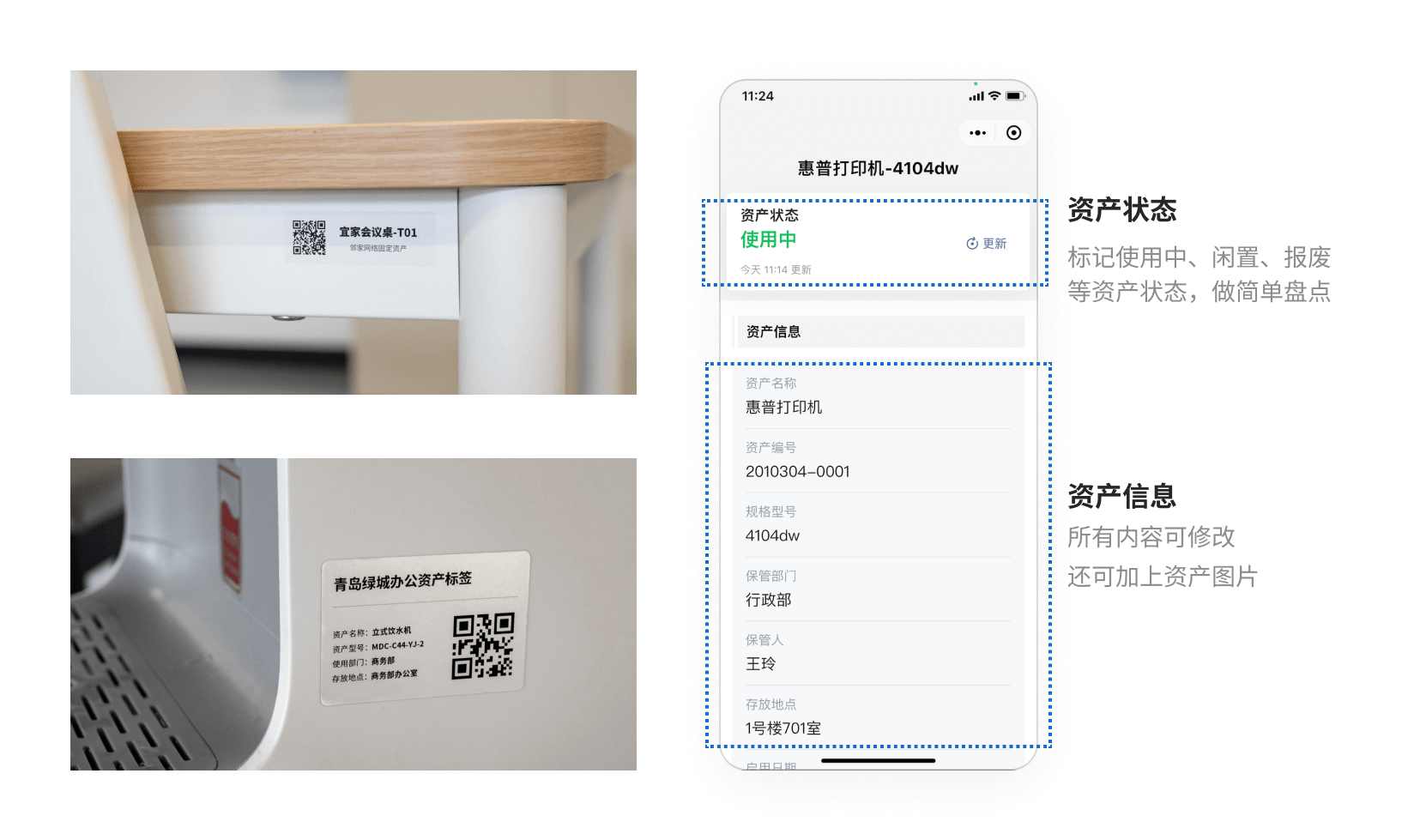
1. One Object, One Code – Scan to View Asset Information
Each asset corresponds to one QR code, which is attached to the asset equipment. After scanning, users can:
- View basic asset information: Including asset name, status, using department, responsible person, usage instructions, purchase date, etc.
- Change asset status: When information like the user or department changes, it can be edited and updated by scanning the code, avoiding the need to reprint labels.
- Understand usage instructions: View the asset's usage methods and precautions at any time, reducing misuse.
2. Bulk QR Code Generation for Rapid Deployment
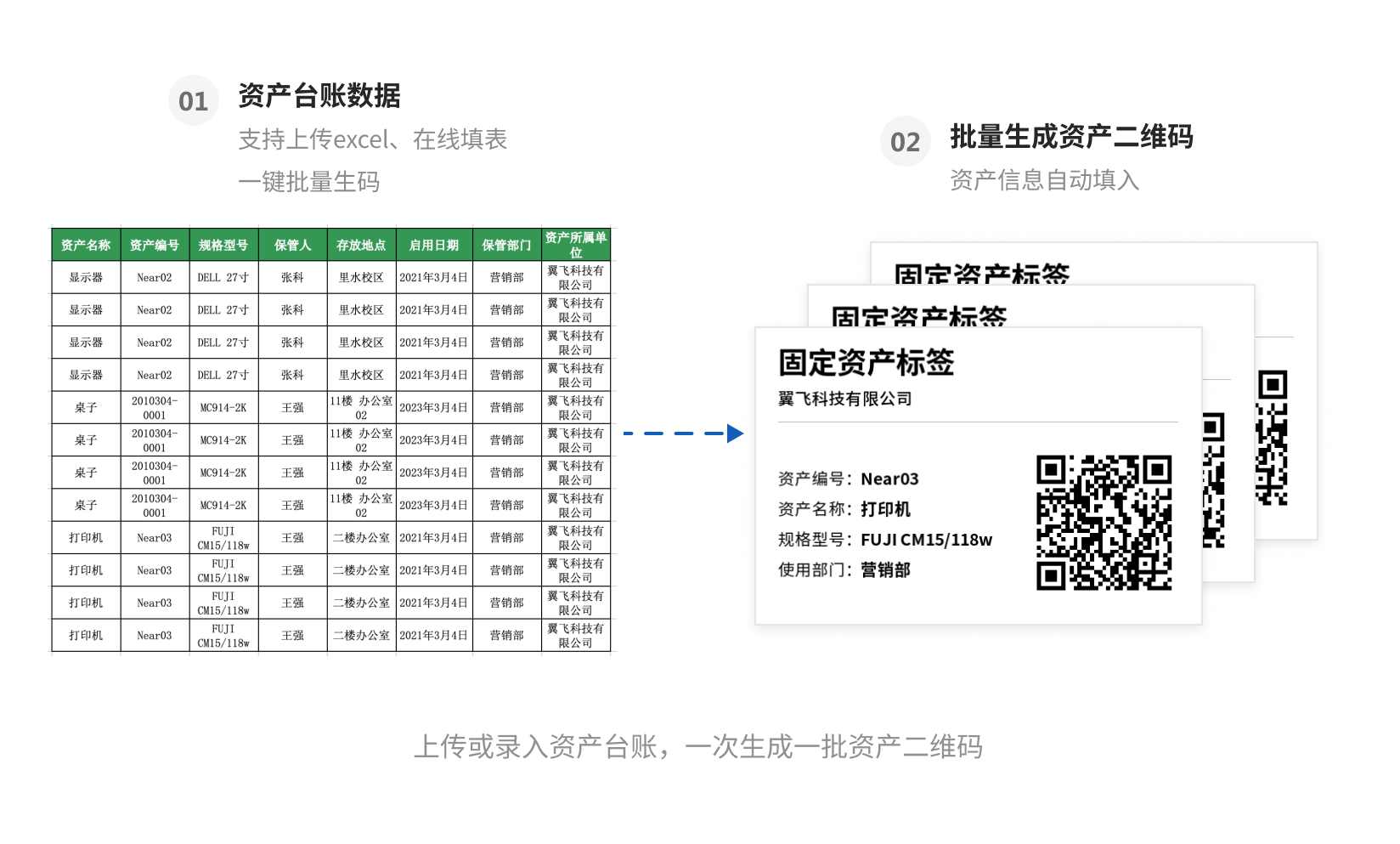
To facilitate large-scale asset management, we provide:
- Bulk QR codes generation: Collect the asset ledger in advance and generate QR codes for all assets at once using bulk templates.
- One Object, One Code Label Generation API: Provides an API interface supporting integration with internal enterprise systems for automatic generation and updating of QR code labels. View bulk QR codes generation feature
3. Centralized Management for Easy Recording
To enhance management efficiency and collaboration, we support:
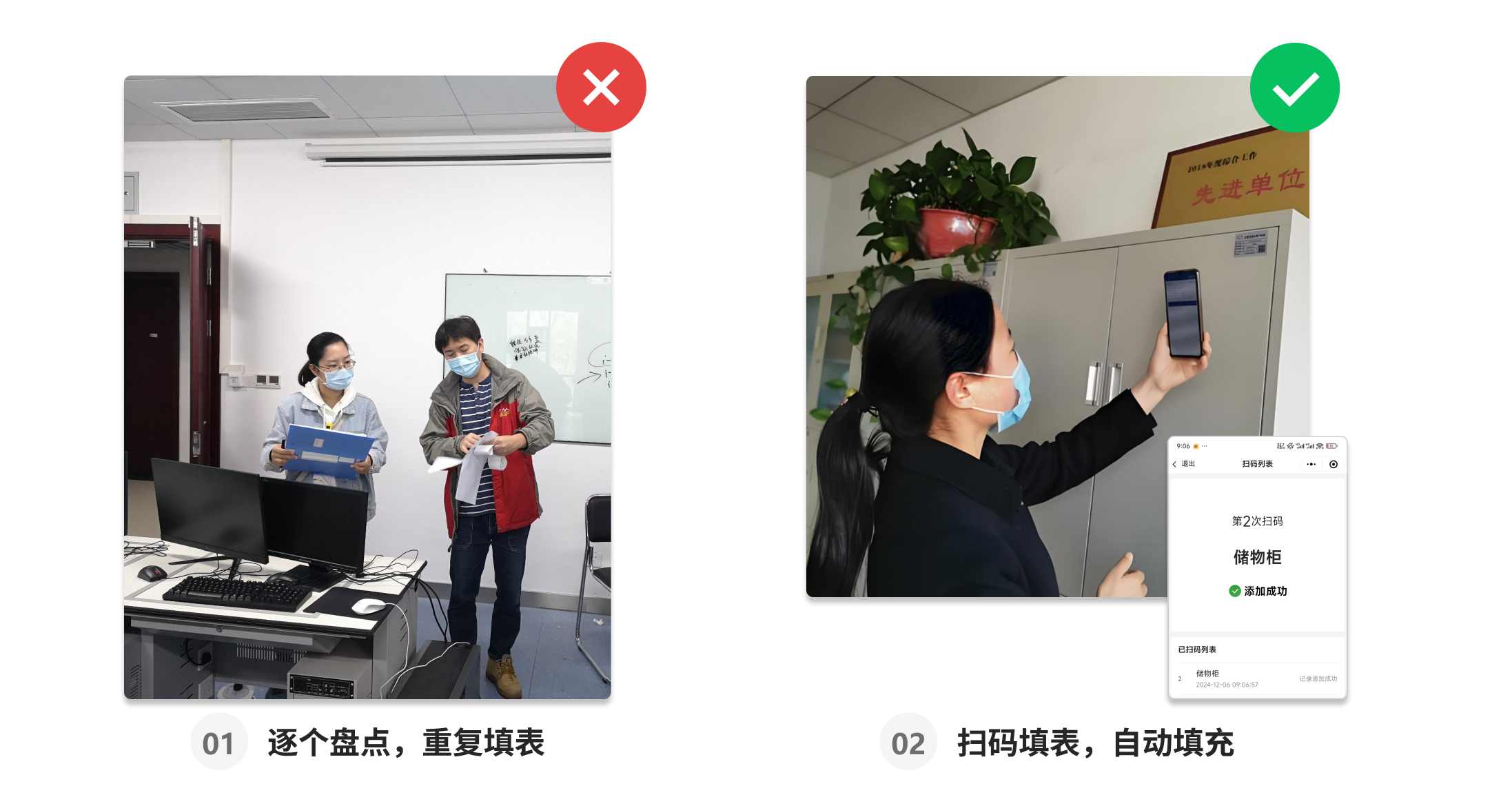
- Summary Page Navigation Management: Under the same account, assemble modules like QR codes, directories, and status dashboards on a summary page for navigation, similar to an app homepage, allowing quick jumps to required function pages.
- Bulk Record Addition to Reduce Repetitive Entry: For operations like item allocation or inbound/outbound processes, use the bulk add records feature. Fill out the record once to add the same record to all relevant assets.
4. Data Statistics and Report Generation
Authorized managers can:
- View and Export Asset Data: View detailed data for all assets in the workbench and export it to Excel or PDF files as needed for archiving and sharing.
- Create Visual Reports: CaoLiao provides data push functionality to create visual reports for asset management, intuitively displaying key data like asset distribution and usage to support management decisions. View data push feature

Differences Between Free and Paid Versions
Free Version
Meets the basic requirements for using QR codes in fixed asset management, with no limits on the number of assets or the number of scans/scanning users.
Paid Version
If you want to implement this within an enterprise, the paid version helps achieve better implementation results, including but not limited to:
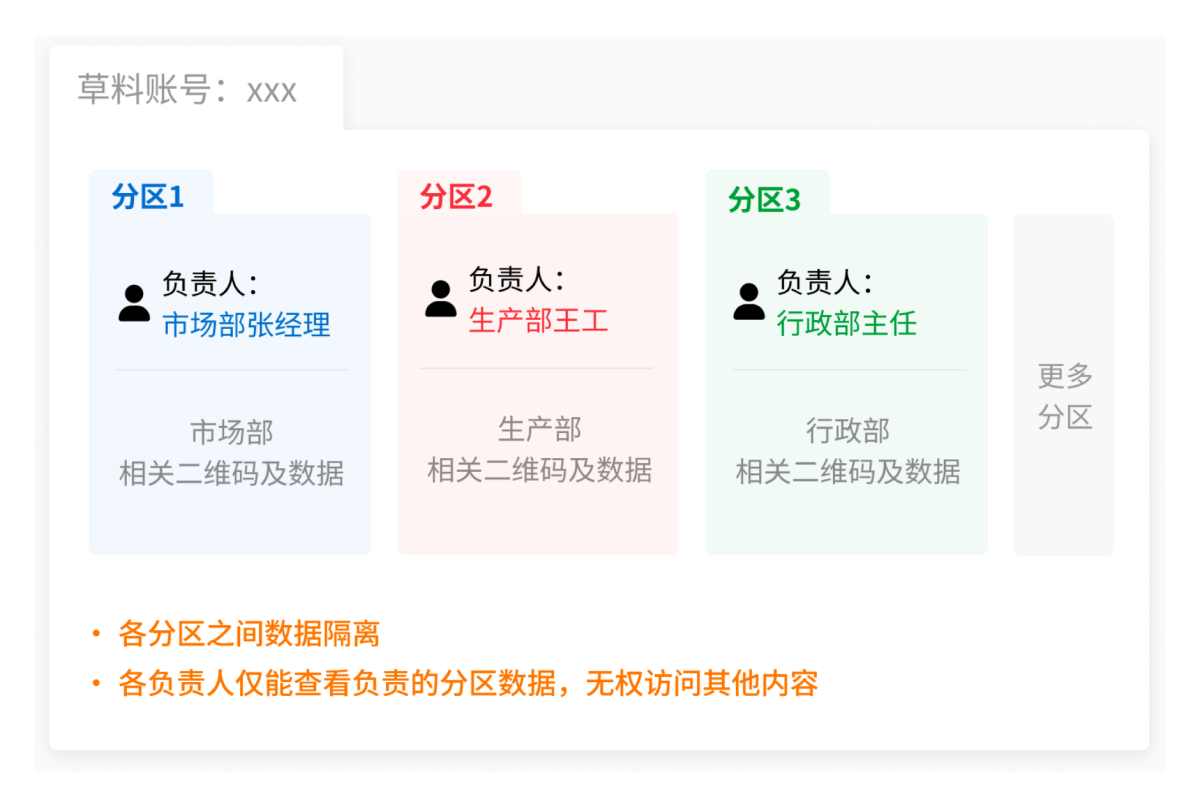
1. Precise Management with Clear Responsibilities
- Dedicated Responsibilities: Starting from the Advanced edition, asset responsible persons can be assigned by department or other dimensions, enabling division of labor management, independent data, and clear responsibilities, reducing the burden on super administrators.
- Permission Assignment: Starting from the Advanced edition, supports setting different operation permissions for asset QR codes based on user identity or department. For example, only allowing inventory personnel to fill out inventory forms, or only allowing managers to view inbound/outbound records, ensuring operational security.
2. Efficient Approval with Standardized Processes
- Multi-level Approval: Starting from the Advanced edition, supports configuring multi-level approval workflows. For example, a material allocation process can be approved first by the department head and finally by the asset management department, ensuring efficient and compliant approvals.
3. Data Interconnection and Application Expansion
- Unlimited Time Range Data Export: Starting from the Flagship edition, supports data export without time restrictions, meeting needs for long-term data comparison and analysis like annual asset inventory.
- Data Push and Integration: Through the data API, inspection records can be pushed to external systems for integration with statistics, reporting, visualization, etc. The monthly push limits are 1000 entries (Free, Basic, Advanced editions), 20,000 entries (Flagship edition), and unlimited for the Industry-specific edition.
We recommend:
- Free Trial: You can first create QR codes for free to try out the basic process of using QR codes for asset management.
- Pay According to Needs: Subsequently, based on your company's asset management standards and specific requirements—such as whether departmental division of labor management or multi-level approval is needed—choose the appropriate paid version. View Pricing Plans
Scan to Experience
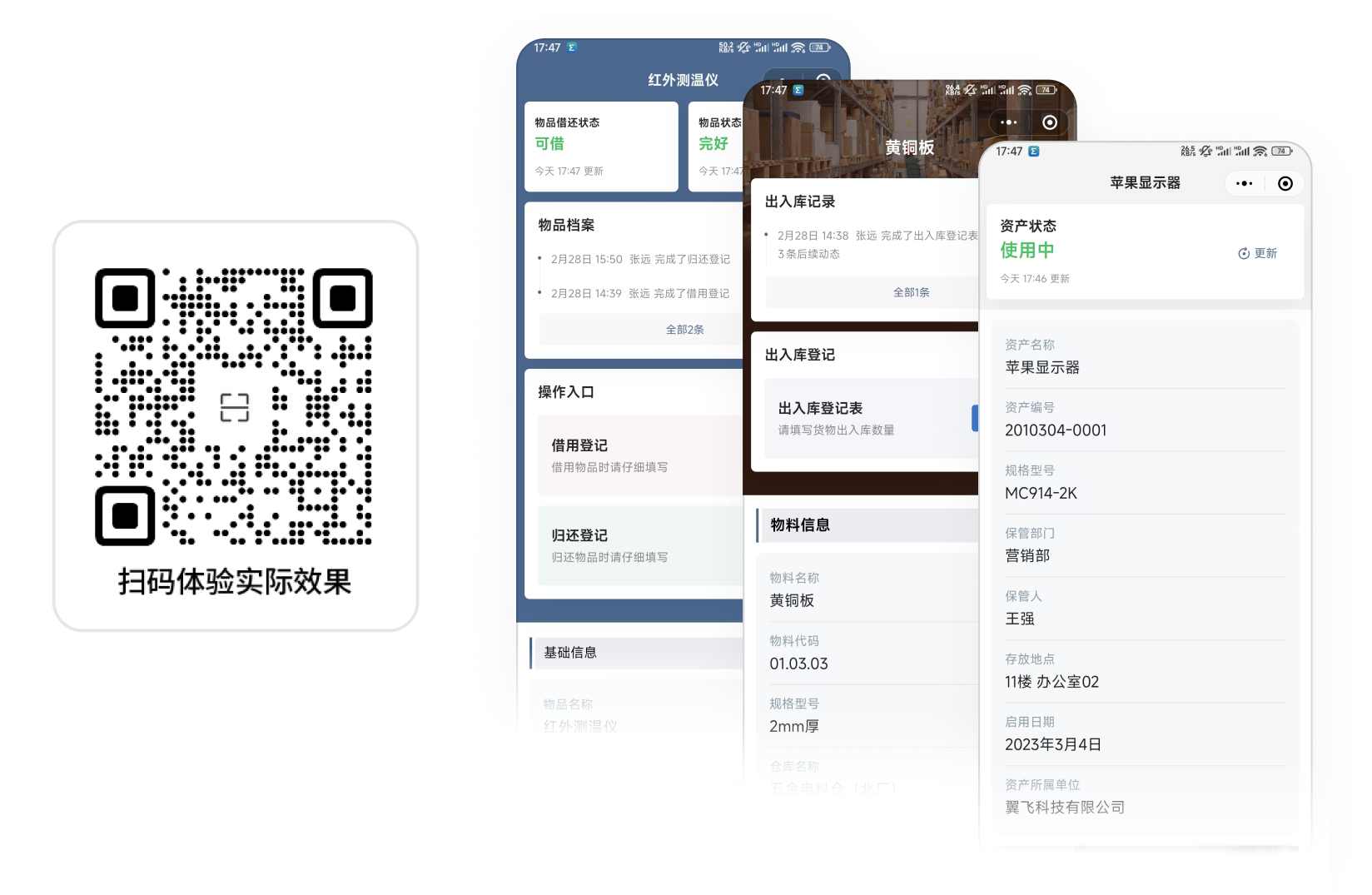
We have selected a batch of codes actually used by users as examples. You can scan them freely to experience, change item statuses, add allocation records, etc.:
Successful Cases from Peers
1. Ningbo Automobile Transport Group uses QR codes to record daily inspection data for engineering vehicles, solving issues of information authenticity and synchronization efficiency. View Details
2. Baofu Expressway Shunping South Maintenance Section creates QR code labels in bulk for physical assets to track and implement maintenance measures. View Details
3. Ningbo Jiangbei District Municipal Administration uses QR codes for bridges in Jiangbei District, allowing scanning for traceability and repair reporting. View Details
Frequently Asked Questions
1. Can I set this up myself without an IT department?
- Absolutely. The CaoLiao platform is designed specifically for frontline managers, requiring no programming or coding knowledge. Users simply drag and drop the required function modules and adjust settings according to their needs. Everyone can use it.
2. Will my asset data be saved permanently?
- Yes, data is saved permanently, and you can view item statuses in the workbench at any time.
3. How do I start creating?
- Click on the template library below, select a suitable fixed asset template, modify the template content and configuration according to your actual needs, and save to generate the QR code.
Start Building
The following templates are derived from real user practices, helping you quickly leverage peer experience and significantly reduce setup costs.
[
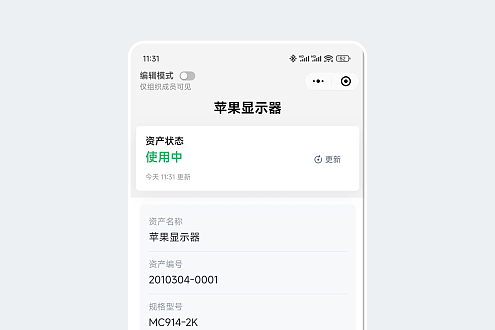
Fixed Asset Label
Generate asset QR code labels quickly in bulk with multiple styles to choose from
Use Template](https://cli.im/template/detail/228555 "Fixed Asset Label")[
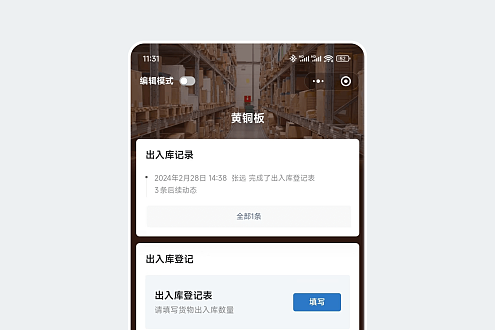
Inbound/Outbound Registration
One item, one code. Scan to add inbound/outbound records
Use Template](https://cli.im/template/detail/30172739 "Inbound/Outbound Registration")[
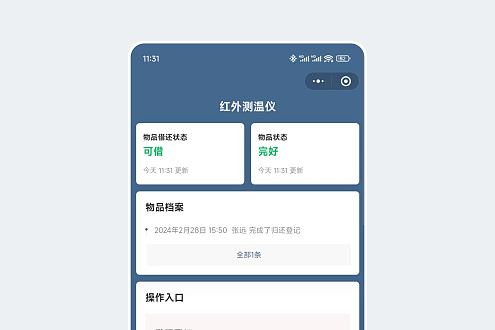
Item Borrowing/Returning Registration
Scan to update item borrowing and returning status, add reasons for borrowing/returning, etc.
Use Template](https://cli.im/template/detail/48885652 "Item Borrowing/Returning Registration")