Party Member Information Public Display
Create individual QR codes for Party members and cadres to be posted on the public display wall. Party members and cadres can scan the code to update their performance and responsibilities, with the QR code content being updated in real-time. The public and relevant units can scan the code to view personal information and performance records, facilitating democratic evaluation.
Basic Information
- Monthly Installations: 10,465
- Monthly Visits: 31,423
- Original Source: https://cli.im/template/detail/70191873
Case Label Image

Usage Instructions
Problems Solved
1. Promoting Accountability and Performance:
Each individual has a unique QR code, allowing the public to scan and view Party members' and cadres' personal information and performance records at any time. This enhances transparency in their work. Additionally, Party members can scan the code to update their work reports and resumes. This innovative approach promotes Party branch development, helps members accept public supervision, and encourages the public to align with Party members' standards.
2. Real-Time Updates:
When Party member information changes, the QR code content can be modified and replaced at any time, while the QR code pattern remains unchanged. This ensures that the public always has access to the latest information.
Application Scenarios
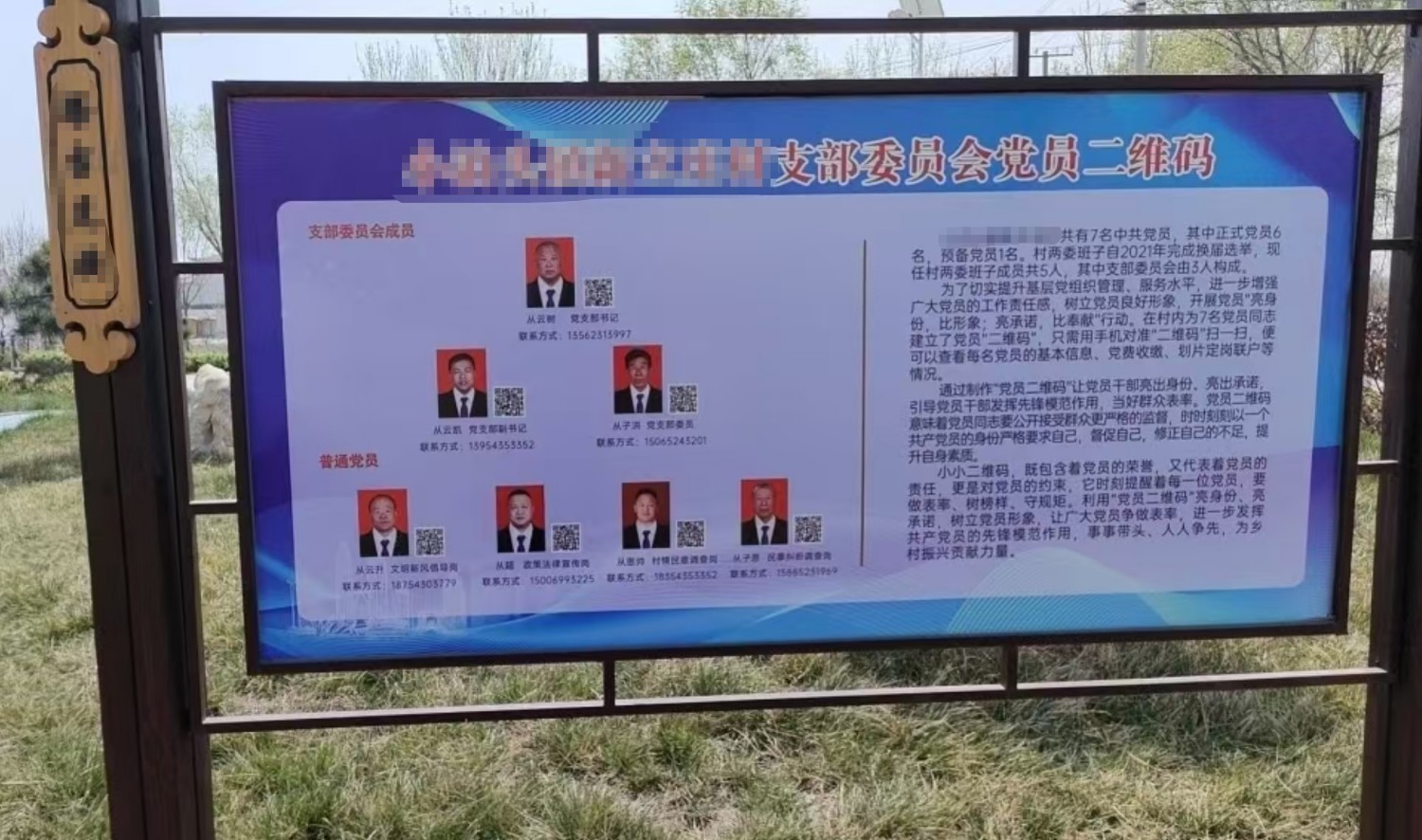
Display on Bulletin Boards:
Print and post the QR codes on Party branch bulletin boards or other public areas. The public can conveniently scan the codes to view Party member information.
Setup Tutorial
Step 1: Choose QR Code Generation Method
- If you only need to generate one QR code, use [Single QR Code Generation].
- If you need to generate public display QR codes for multiple Party members at once, and these QR codes share the same page structure (e.g., displaying photo, name, and responsibilities for each member) but differ in specific details, use [Bulk QR Codes Generation] or modify a [Bulk Template] before generating.
Step 2: Modify Template Content
- For [Single QR Code Generation], edit the title, Party member information, and add or remove text content as needed on the QR code editing page. You are not required to follow the template exactly; you can customize it to display any information you wish. If the work report and democratic evaluation table are unnecessary, you can remove them. After making changes, click [Generate QR Code] to complete the process.
- For [Bulk QR Codes Generation] or modifying a [Bulk Template] before generating, follow the instructions in the Bulk Dynamic QR Code Generation article.
Application Cases
Zhuhu Town: "On-the-Code" Smart Management, Showcasing Party Member Profiles
Related Templates
Grid Management Information: Create QR codes for each grid area to display corresponding grid personnel information, explain grid work content, and publicize grid staff work summaries. A feedback entry can also be added to collect residents' suggestions.
Village Affairs Public Display: Convert village affairs public content into QR codes, print them on bulletin boards and promotional materials, or embed them in public account menus for easy content distribution and public awareness. The public can also scan the codes to provide feedback and participate in democratic supervision.
Service Guide: Create QR codes for service processes, announcements, and government affairs public information. Post them on bulletin boards and promotional materials in service halls to help the public understand relevant procedures and avoid multiple trips.