Equipment Inspection and Maintenance
One QR code per device. Scan the code to conduct inspection tasks, upload on-site photos, enable anti-fraud features, etc. Inspection records are aggregated in the workbench, allowing for result statistics or export of detailed inspection records. Suitable for defect inspection of mechanical equipment, building equipment, energy and power equipment, etc.
Basic Information
- Monthly Installations: 103,029
- Monthly Visits: 540,599
- Original Text: https://cli.im/template/detail/121463037
Case Label Images



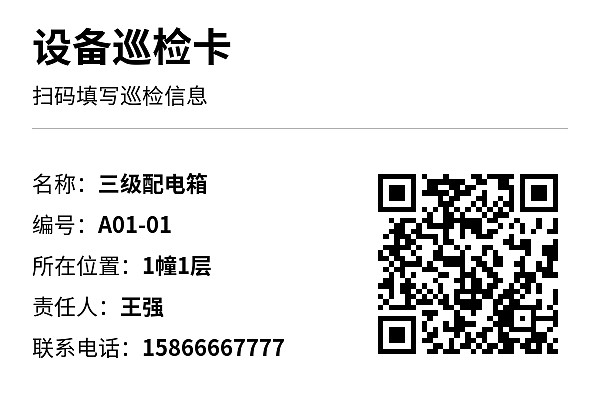

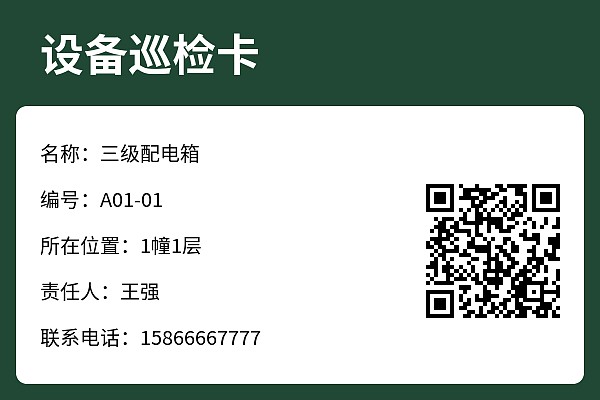
Instructions
I. Scope of Application
This template is a universal template suitable for enterprises of all types that require daily equipment inspections. After modifying the template content, it can be used for daily equipment inspection + regular maintenance + closed-loop fault repair.
Tip: All content on the template can be freely modified. If you only need equipment repair reporting or maintenance, it is recommended to use the relevant single-function templates. Template links: Equipment Repair and Maintenance, Equipment Maintenance
II. Preparation Before Use
1. Equipment Information
You can start by selecting a few pilot devices and temporarily collect information such as equipment name, serial number, location, etc. Other information can be left blank and filled in later.
2. Existing Inspection Forms (if any)
Purpose: Modify the inspection content in the template form to match the form currently used by your organization.
III. Quick Start
1. Generate Equipment QR Codes
Choose the method for generating QR codes:
- Single QR Code Generation: Use when there are multiple equipment types and inspection checklists differ, such as for air compressors, tower cranes.
- Bulk QR Codes Generation: Use when there are many similar devices and the inspection form is consistent, such as for all tertiary distribution boxes. After saving the bulk template, fill in the equipment information in the spreadsheet to generate all equipment QR codes in bulk. Download Quick Tutorial for Bulk QR Codes Generation
2. Label Download and Posting
- Trial Phase: Print on A4 regular paper → Attach to the equipment site with transparent tape.
- Formal Use: Before formal use, check more detailed label material recommendations: Recommended Materials for Equipment Inspection QR Code Labels
3. Personnel Training and On-site Trial
- Training Materials for Inspectors: Operator Guide for Inspectors
- Training Materials for Maintenance Personnel: Operator Guide for Maintenance Personnel
On-site Trial: Arrange for operators to scan the code and fill out the form once each on-site, and submit one "abnormal" equipment record to test the notifications and forwarding functions, ensuring messages are received.
IV. Advanced Usage
Includes settings for creating inspection plans, anti-fraud measures, automatic notifications, form filling permissions, etc.
Management personnel can gradually delve deeper into usage as needed: Management Personnel Learning Manual
Frequently Asked Questions
Below are some related questions from users during the setup process. You can refer to them while setting up:
1. How can I modify the content/inspection form of a QR code that has already been generated?
Answer: You can find the QR code you have generated in the workbench and modify it. For details, see: Edit and Modify QR Codes
2. Is it possible to set up regular inspection tasks, such as daily or weekly automatic system reminders for devices that have not completed inspections?
Answer: You can create inspection plans using the plan management function, which automatically reminds administrators before the inspection deadline. For details, see: Plan Management
3. I want to prevent unauthorized personnel from scanning the code and filling out the inspection form. How do I set form filling permissions?
Answer: You can set the form to be fillable only by organization members or designated personnel. For details, see: Set Form Filling Permissions
4. I want to export the equipment inspection records for paper archives. How can I export them?
Answer: In the workbench, click 【Forms】, find the corresponding equipment inspection record form, and click 【Export Data】 in the Data and Statistics section to export. For details, see: Form Data and Statistics
5. What is the difference between the free version and the paid version?
Free Version: Allows completion of the basic process of using QR codes for equipment inspection, with no limits on the number of devices, inspection records, or number of people scanning the codes.
Paid Version: If you want to implement this within an enterprise, the paid version can help you achieve better implementation results, including but not limited to:
- Assigning different responsible persons for each device
- Real-time notifications of equipment abnormalities to the maintenance group; administrators can view as needed without excessive disturbance
- Unlimited viewing of original equipment inspection photos
For detailed version comparison and purchasing advice, see: Version Selection Advice
6. Is there a complete system setup tutorial?
Answer: For a complete equipment inspection system setup tutorial, see: Equipment Inspection System Setup Tutorial
Related Customer Cases
China Railway 17th Bureau Group: Entering the era of 'QR code' refined management