Fire Control Room Duty Log
Created with reference to the Fire Control Room Duty Log Form and Building Fire Protection Facility Fault Maintenance Record Form from GB25201-2010 "Maintenance Management of Building Fire Protection Facilities". Can be directly reused for fire control room duty logging. Data is permanently saved and can also be exported on paper for archiving.
Basic Information
- Monthly Installations: 82
- Monthly Visits: 32
- Original: https://cli.im/template/detail/121463636
Case Label Image

Instructions
I. Applicable Scenarios & Industries
Suitable for 24-hour duty log management in fire control rooms, daily inspection records for fire alarm control panels, and reporting/tracking of fire protection facility faults.
Relevant Standards
Referencing GB25201-2010 "Maintenance Management of Building Fire Protection Facilities", the following are mandatory requirements:
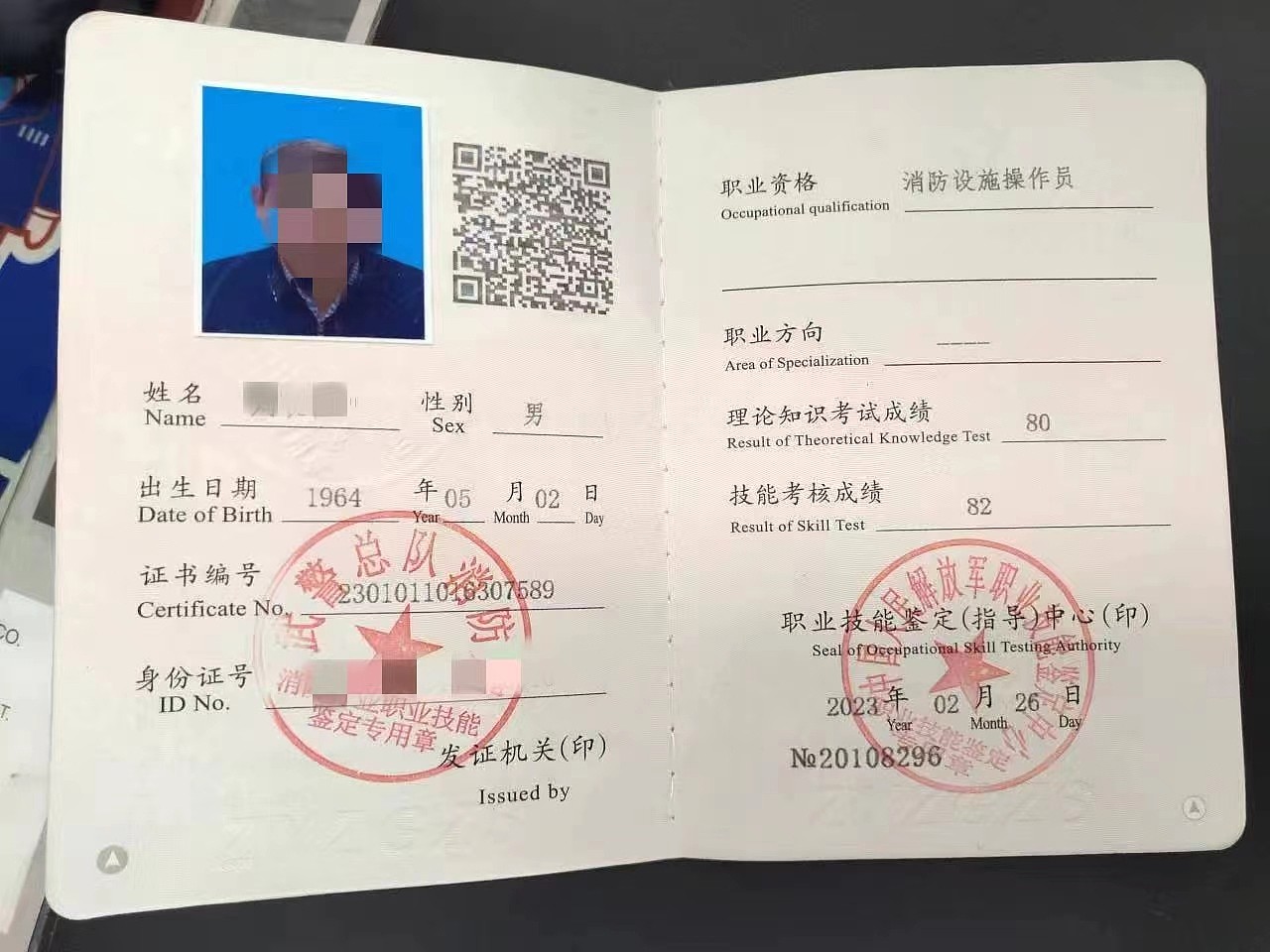
- Personnel Qualifications: Duty personnel must pass the vocational skill appraisal specific to the fire protection industry and hold a Vocational Qualification Certificate at the Primary Skill level or above.
- Duty Hours: Implement a 24-hour daily duty system. Each shift should be no longer than 8 hours, and there should be no fewer than 2 persons per shift.
- Duty Requirements: When performing daily checks, shift handovers, or taking over shifts on the fire alarm control panel, duty personnel must fill in the relevant sections of the Fire Control Room Duty Log Form. Record the operational status of fire protection equipment in the control room every 2 hours during the duty period. Promptly record any fire alarms or fault conditions related to the fire protection equipment in the control room. Under normal operating conditions, automatic fire sprinkler systems, smoke control and extraction systems, and interlocked fire shutters/fire separation facilities should not be set to manual control mode. If other fire protection facilities and related equipment are set to manual mode, there must be reliable measures to quickly switch them to automatic control in the event of a fire.
The following are recommended requirements:
- Alarm Handling Procedure: Upon receiving an alarm signal, fire control room personnel should follow this procedure: a) Confirm the signal in the fastest way possible upon receiving fire alarm information. b) If confirmed as a false alarm, identify the cause and fill out the Building Fire Protection Facility Fault Maintenance Record Form. c) Upon confirmation of a real fire, immediately switch the fire alarm linkage control switch to automatic mode (unless already automatic), and simultaneously call "119" to report the fire. d) Immediately activate the organization's internal firefighting and emergency evacuation plan, and report to the organization's person responsible for fire safety. This person should proceed to the site immediately upon receiving the report.
Safety management information, control, and display requirements for the fire control room shall comply with the provisions of GA 767.
II. Core Features
1. Standardized Duty Logging
- Bi-hourly Duty Reporting: Automatically generates timestamped records, ensuring compliance with the statutory requirements of 8-hour shifts and a minimum of 2 personnel on duty simultaneously.
- Shift Handover Check Reporting: Dedicated form for recording fire alarm control panel inspection results during shift handovers, enabling traceable records.
2. Closed-Loop Fault Management
- Complex Fault Reporting: For faults that cannot be resolved immediately, use a dedicated form to initiate the maintenance process, supporting images and text descriptions.
- Maintenance Progress Tracking: Supports logging maintenance progress and fault resolution confirmation in the follow-up actions for reported faults, forming a closed-loop fault handling process.
3. Visual Schedule Management
- Three-Shift Schedule Template: Pre-set time slots (08:00-16:00 / 16:00-24:00 / 24:00-08:00) that can be modified according to your organization's actual situation.
- Personnel Qualification Association: Can display operator certificate information (requires manual addition), facilitating compliance during regulatory spot checks.
III. Usage Process
- Create QR Code: Modify the template content based on your organization's schedule and personnel, then generate the QR code.
- Configure Permissions: Set the filling permissions for the duty log for the relevant duty personnel.
- On-site Use: Duty personnel scan the code to fill out the duty log every 2 hours (supports location tagging). Perform equipment inspection and confirmation during shift handovers using the "Daily Inspection Record" form. Use the "Fault Report" form for faults that cannot be handled immediately; the system will automatically notify the administrator.
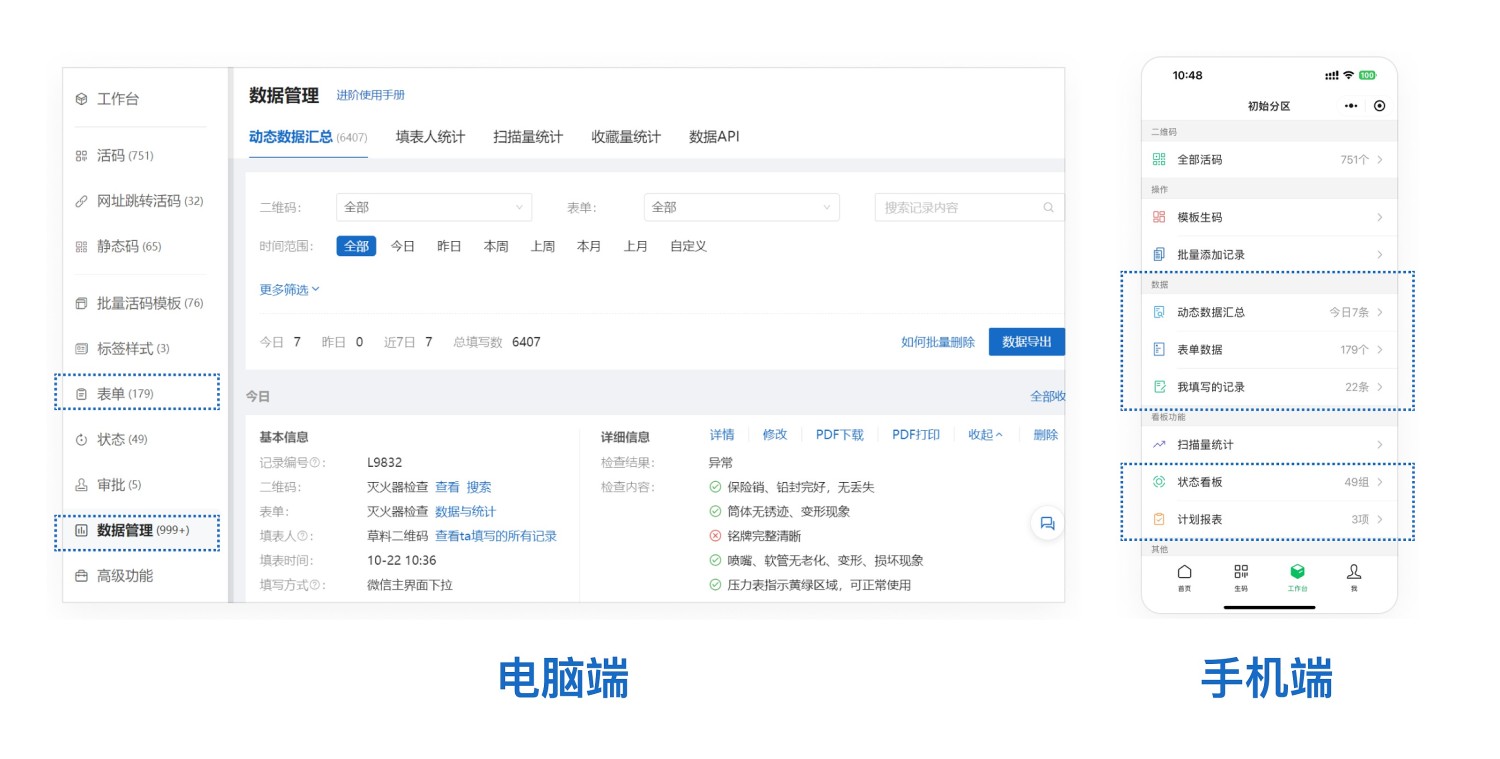
- Data Management: Managers can scan the code to view all duty records or use the dynamic data summary to review all data.
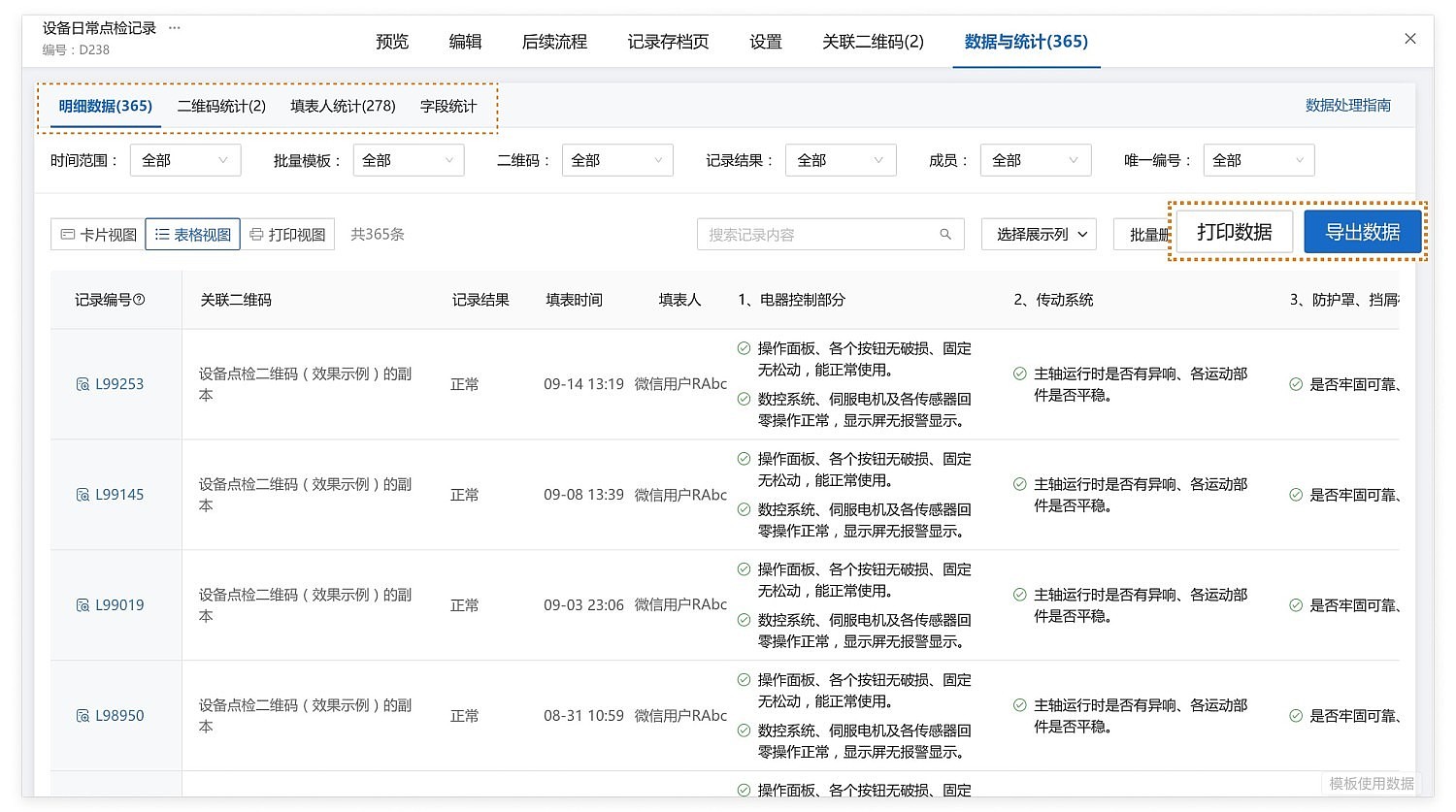
- Data Export: Duty records can be exported as Excel or PDF files for archiving.
Frequently Asked Questions
Q1: How to update the personnel in the schedule?
A: Access the generated QR code on the desktop workbench and directly edit and modify the personnel names and time slots.
Q2: When two people are on duty in the fire control room, can one of them leave for fire patrols or on-site fire confirmation?
A: According to the national standard GB25201-2010 "Maintenance Management of Building Fire Protection Facilities", the fire control room must implement a 24-hour daily duty system staffed by dedicated personnel, with no fewer than 2 persons per shift, all holding the relevant Fire Control Room Operation Vocational Qualification Certificate. Therefore, the fire control room must maintain two personnel on duty at all times. Personnel cannot leave their posts for tasks such as fire patrols or on-site fire confirmation.
Q3: How long is the data saved?
A: Referencing GB25201-2010 "Maintenance Management of Building Fire Protection Facilities", the following are mandatory requirements:
The Fire Control Room Duty Log Form must be archived for no less than one year. The Building Fire Protection Facility Fault Maintenance Record Form must be archived for no less than five years.
Duty log data submitted via QR code scanning is permanently saved online. It also supports export or printing for paper-based archiving.