Boiler Inspection
Create QR codes for boiler information, allowing employees to scan and submit inspection records. In addition to text information, photos and videos can be used to report issues in more detail. Managers can monitor on-site conditions through the workbench. Details such as location data and photo watermarks help verify whether employees are performing inspections as required, preventing falsification.
Basic Information
- Monthly Installations: 2345
- Monthly Visits: 9245
- Original Text: https://cli.im/template/detail/57751068
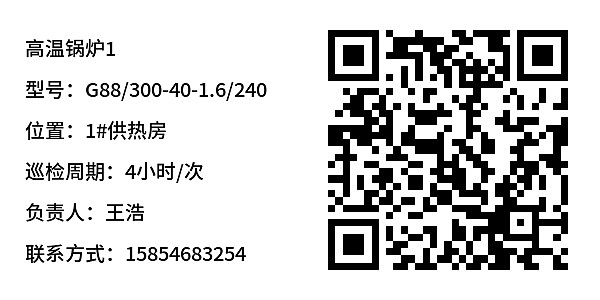
Case Study Label Images

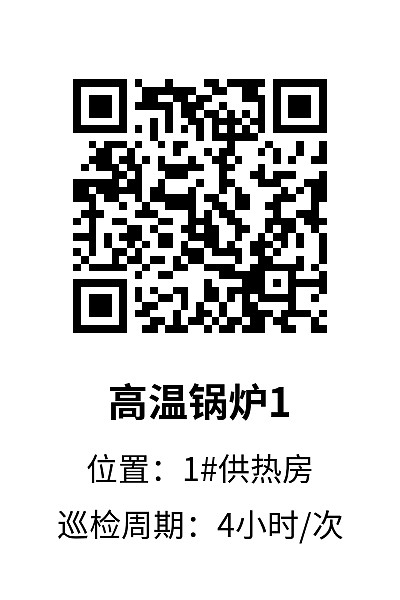
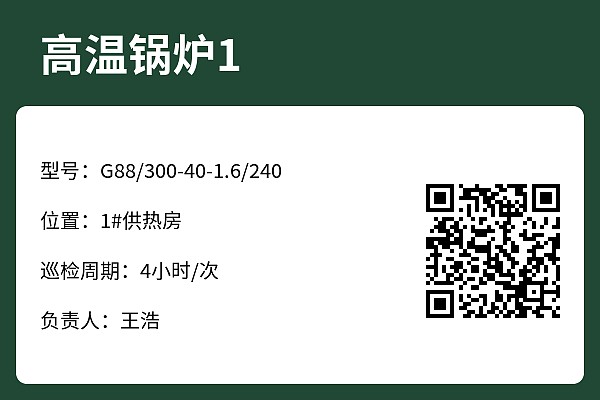
Instructions
I. Problems Solved
Traditional boiler inspection methods face the following issues:
- Manual recording is prone to errors and potential data falsification.
- Abnormal situations cannot be handled promptly.
- Paper-based data is difficult to aggregate and analyze.
To address these problems, we use QR codes to replace paper checklists, generating a unique QR code for each device, achieving "one code per device."
- Inspection personnel use WeChat to scan the code, view device information, perform checks item by item, and take on-site photos to prevent missed inspections and falsification.
- When inspection results are abnormal, the system automatically notifies the maintenance responsible person for timely response and resolution.
- Inspection data is saved under the account. Managers can view and trace data in the workbench at any time, with support for data export and analysis.
This template is suitable for boiler equipment. Each boiler corresponds to one QR code, made into a label and attached to the boiler. Scanning the code allows starting the inspection record entry.
II. Equipment File Information, Viewable by Scan
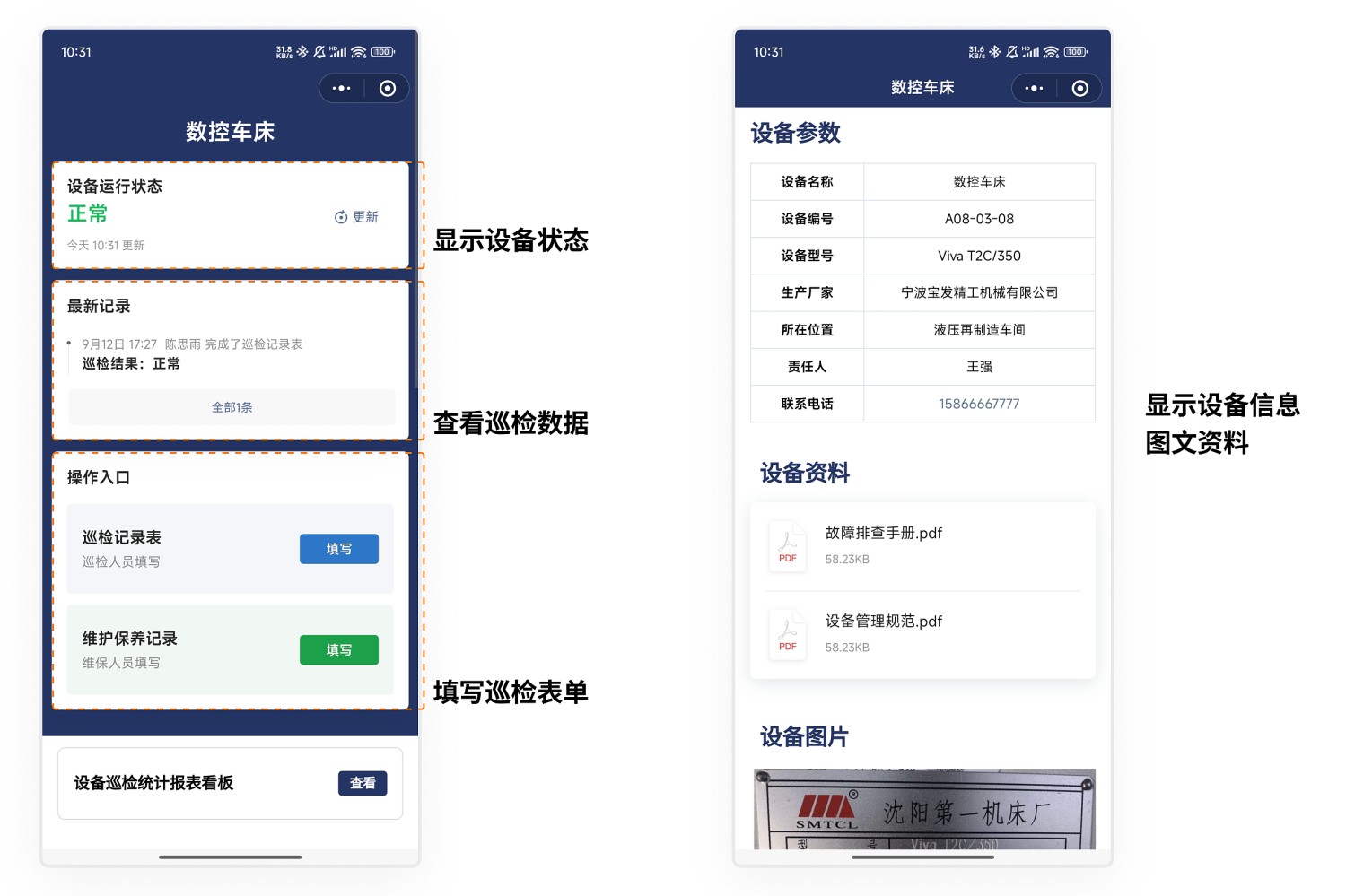
One device, one code. Scan to view device information.
- View device parameters and documentation: After scanning, inspection personnel can see the device's basic information.
- Update equipment operational status: Update the operational status promptly based on the device's condition.
- Fill out the inspection form: Record the inspection situation item by item.
- View inspection data for this device: Understand historical inspection records and issues.
Note: If the device has other items that need recording, more forms can be added. One QR code can be associated with multiple business forms, such as: checklist, fault repair form, equipment startup/shutdown record form, etc.
III. Scan with WeChat to Fill Out and Record Inspection Status
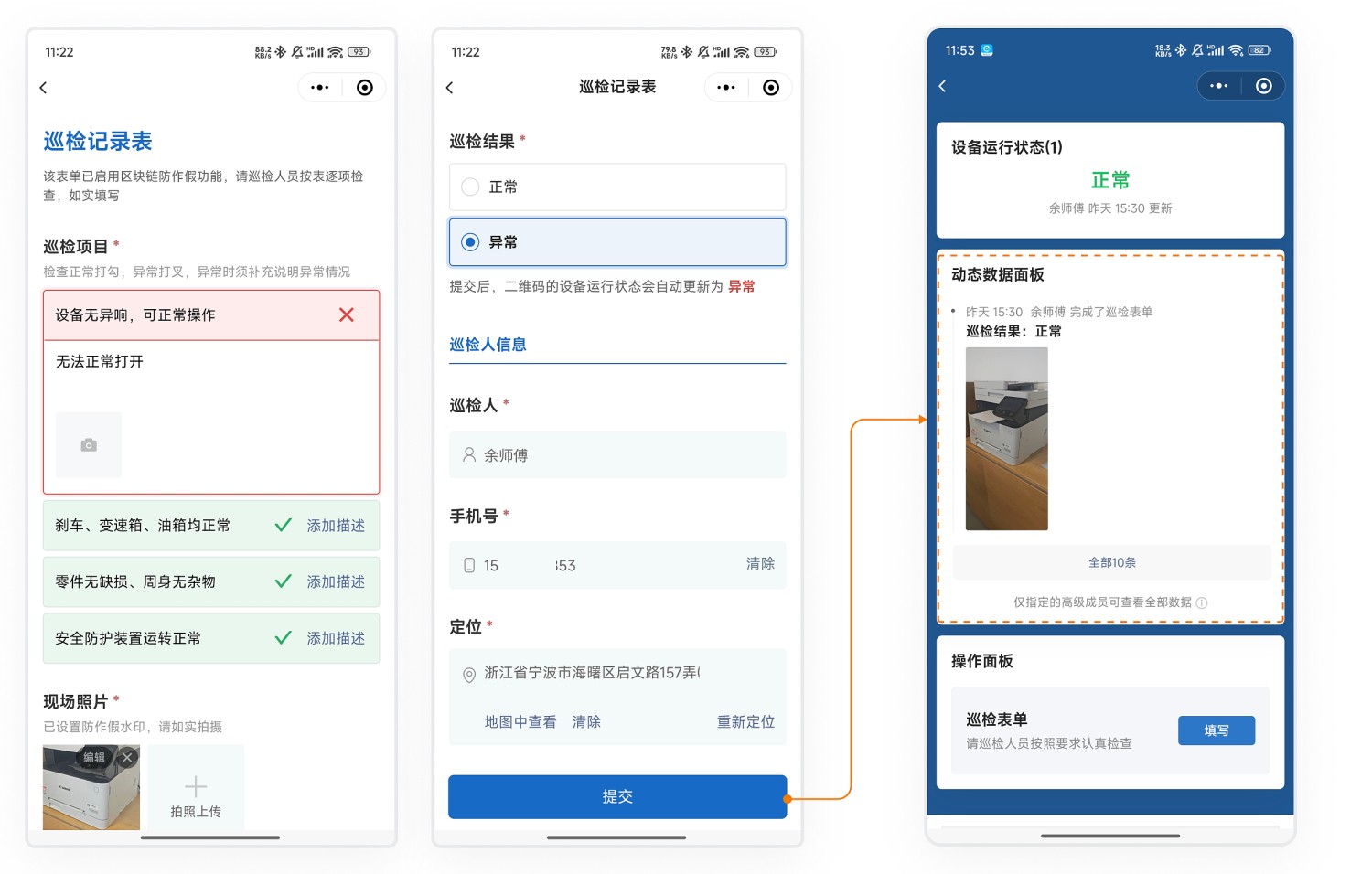
Inspection personnel use WeChat to scan the code and record the inspection status according to the set inspection form specifications, checking item by item. To prevent falsified inspections, we provide the following features:
- Only allow on-site photos: Ensures the authenticity of photos.
- Photo watermarks: Photos automatically include time, location, and other information.
- Location function: Records the inspection location.
- Blockchain notarization: Protects data authenticity and prevents tampering.
The collected inspection data is displayed on the dynamic data panel and can be viewed by scanning the code. View Forms Features
IV. Handling Abnormal Situations, Recording Rectification Content
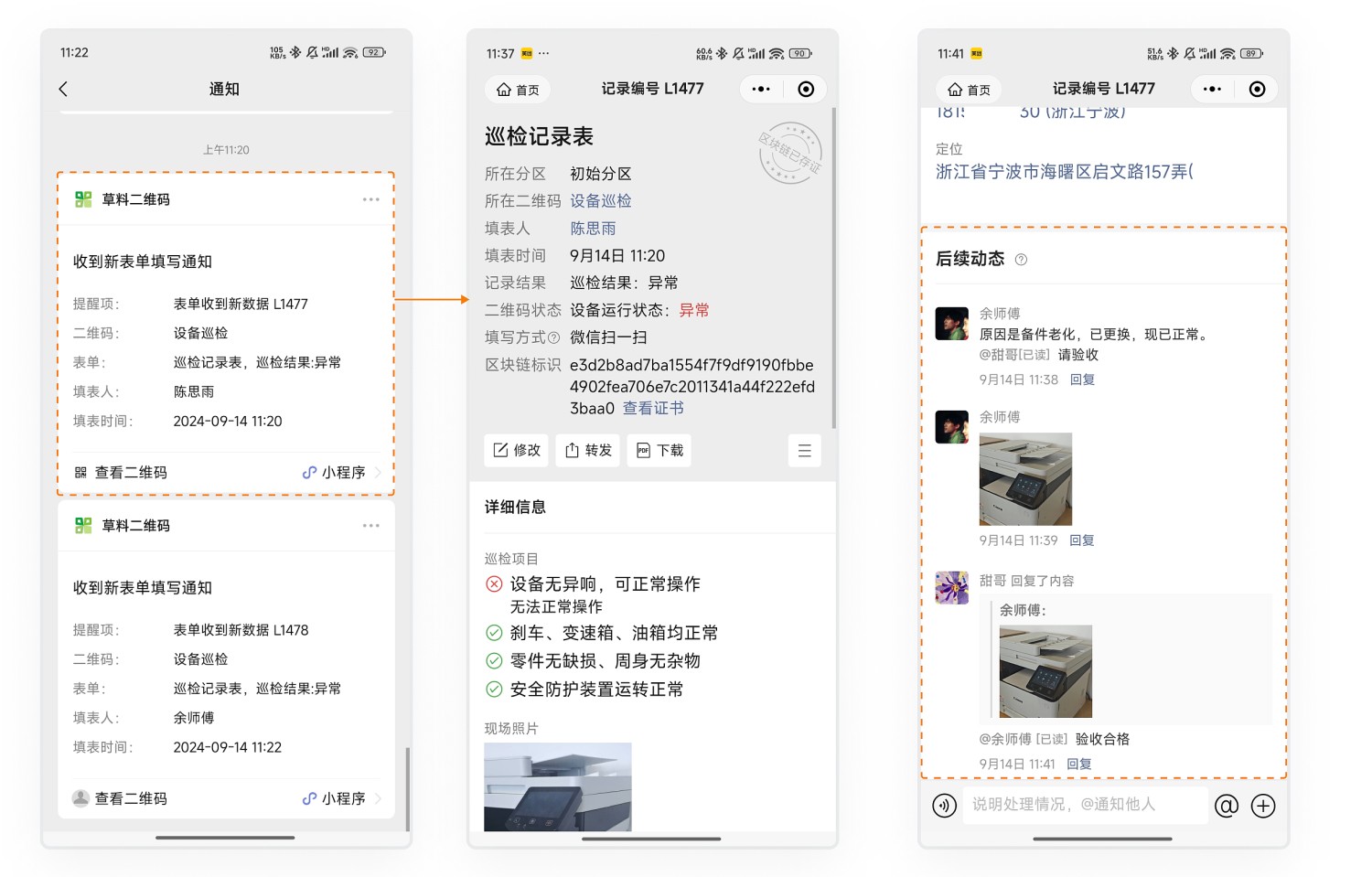
When inspection results are abnormal, the system automatically notifies maintenance personnel via WeChat.
- Maintenance personnel, upon receiving the abnormal record, follow up promptly, completely recording the entire process of maintenance and rectification.
- Acceptance personnel perform acceptance confirmation to ensure the issue is resolved.
The entire process is recorded, facilitating later analysis and improvement. Learn about Scenario Description
V. Regular Inspections, Reminders Before Expiry
As needed, create inspection and maintenance plans, such as monthly maintenance.
- Inspection personnel can view inspection history and the next inspection time after scanning the code.
- Administrators can view plan reports on the mobile workbench to understand completion status.
- Overdue reminders: Before inspections are due, the system reminds administrators via WeChat, statistics on equipment nearing expiry facilitate timely scheduling of personnel for maintenance.

VI. Data Management
1. Data Viewing
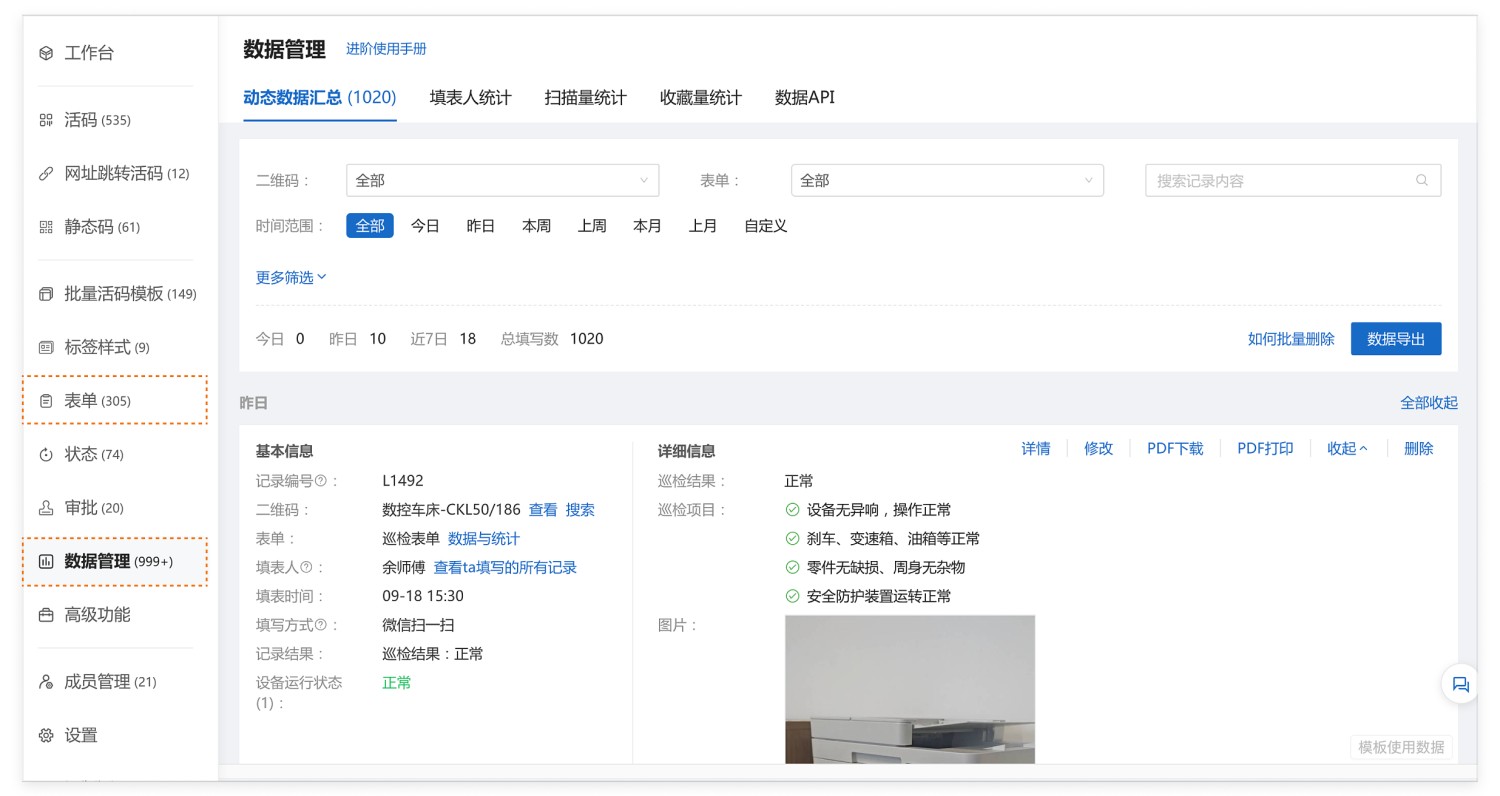
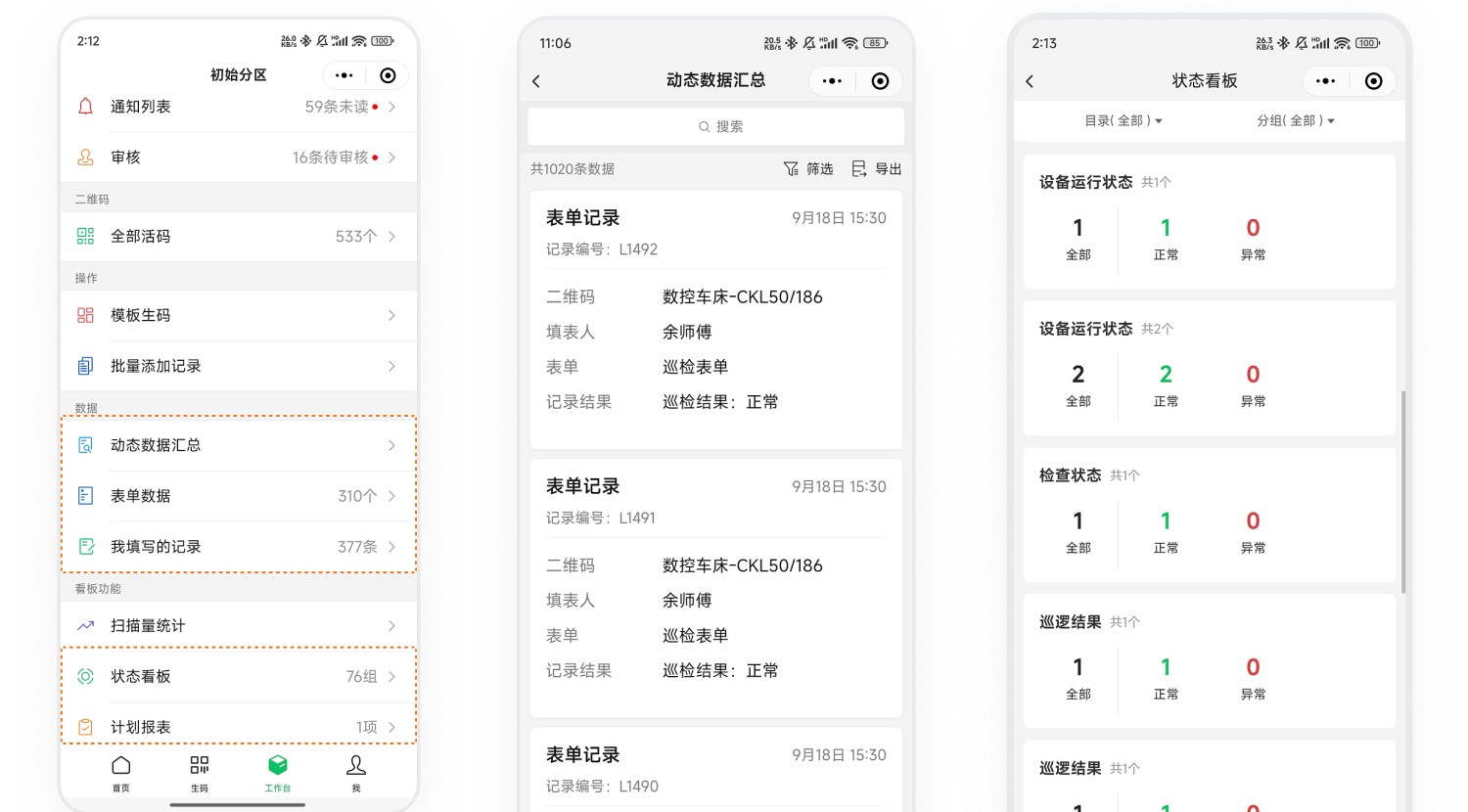
All submitted form data is saved under your account. Administrators can view the inspection status at any time through the following methods:
Desktop Workbench
Mobile WeChat Mini Program Workbench
2. Data Statistics and Export
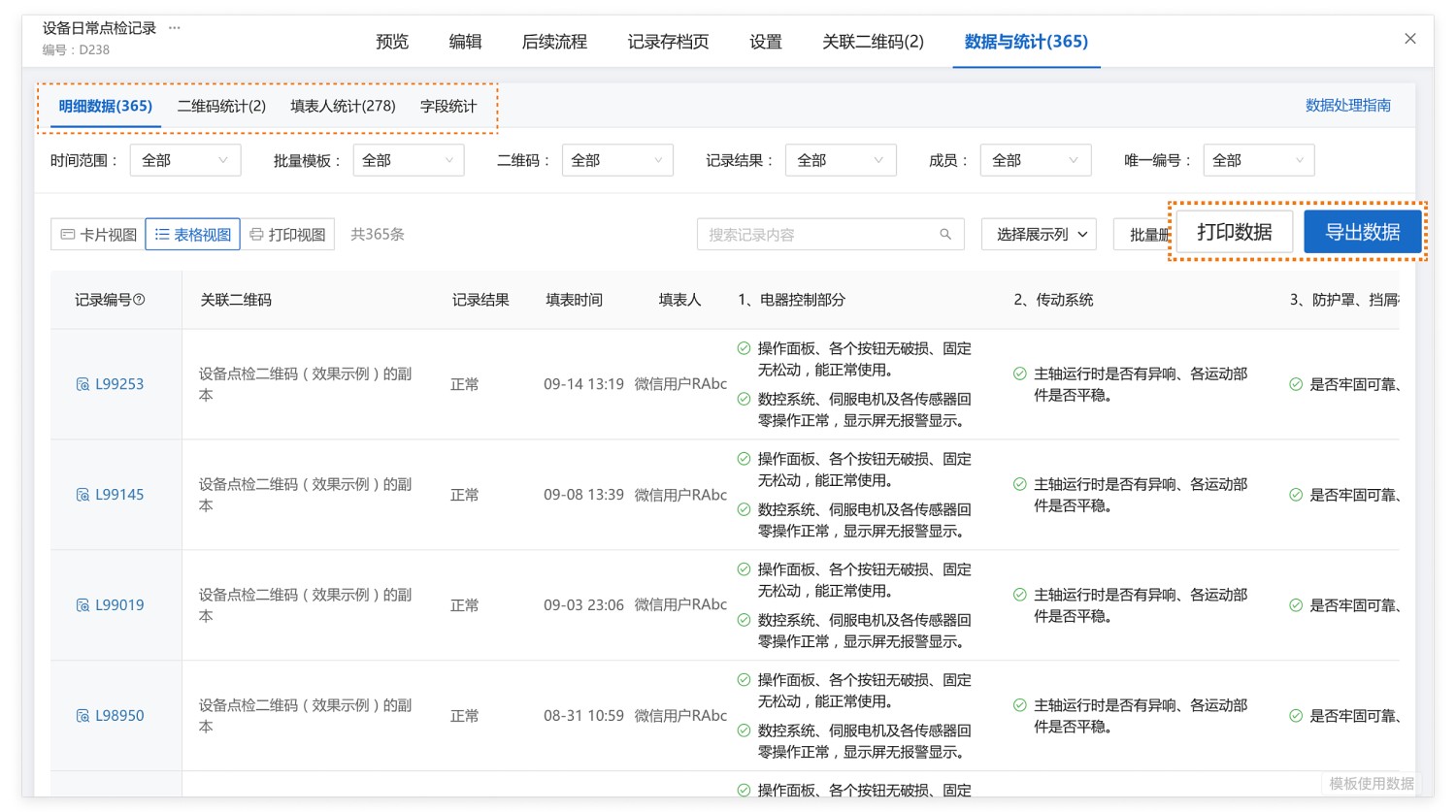
On the form's "Data & Statistics" page, you can view all collected detailed data and view statistics based on associated QR codes, submitters, fields, etc. View Details
Data can be:
- Exported as Excel files for secondary processing, statistical analysis, and reporting locally;
- Downloaded as PDF files, detailing single records or summarizing multiple records, facilitating printing and sharing.
3. Data API
We provide Data API functionality, supporting:
- Automatically push inspection data to WeCom, DingTalk, Feishu group chats, etc., for real-time sharing and communication, improving efficiency.
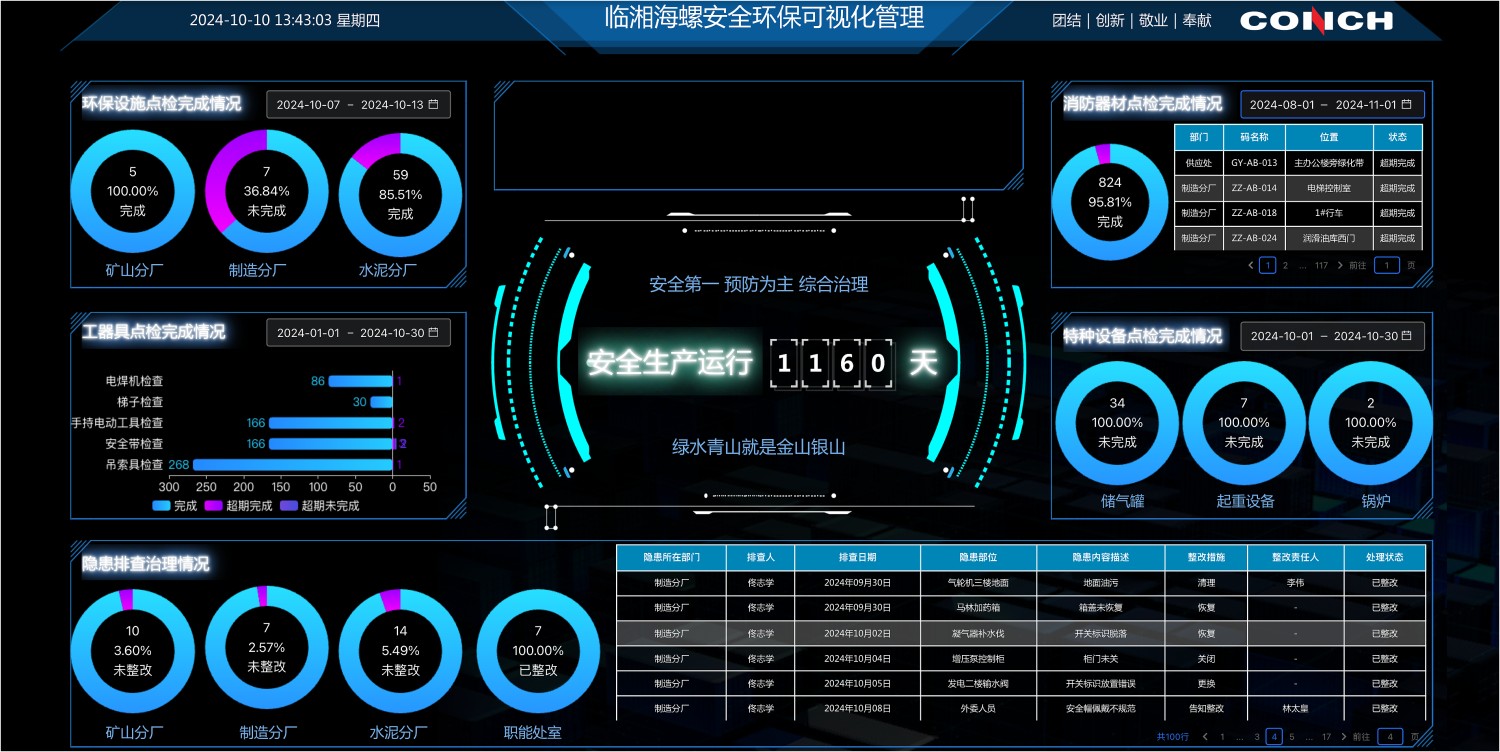
- Create data statistics dashboards: Combined with visualization tools, intuitively understand the inspection situation.
VII. Frequently Asked Questions
1. Which operations can have permissions set?
Answer: You can set permissions for specified personnel for the following operations:
- Viewing the QR code
- Changing equipment status
- Filling out the inspection form
- Viewing data on the QR code page
2. How to manage many device types and large quantities?
Answer:
- Advanced members: Versions above the Advanced edition provide advanced member slots. You can set other management personnel as advanced members, granting them administrator permissions. They can log into the workbench to assist in generating codes, viewing, and exporting data. Learn about Advanced Members
- Partition management: Create multiple partitions to manage different types of equipment and data separately. Advanced members can be set as partition responsible persons for independent management and control permissions. View Setup Tutorial
3. How can administrators see the inspection results for all equipment?
Answer: The equipment status is displayed on the QR code page and automatically updates based on inspection records (e.g., changes from "Normal" to "Abnormal").
Administrators can view the distribution of equipment statuses (Normal/Abnormal) in the status list on the mobile or desktop workbench to understand inspection results. View Details
4. Is there a complete manual for setting up equipment inspection scenarios?
Answer: Yes, please click to view the detailed illustrated tutorial
Related Customer Cases
Related Customer Cases
Light Aviation Manufacturing: Building a Company TPM Information Management Platform with QR Codes