Qinyang High-Temperature Alumina Material Plant: "One Person, One Helmet, One Code" Solves Management of Certified Personnel
Original: https://cli.im/article/detail/2156
Using just one QR code printer and a certain amount of paper, the challenge of managing certified personnel in daily operations can be effectively addressed. At the Qinyang High-Temperature Alumina Material Plant, by affixing QR codes to each employee's safety helmet, it's possible to quickly access information such as training records and special operation qualifications. This low-cost method not only avoids the inconvenience of wearing badges during work or maintenance but also facilitates daily self-inspections and regulatory oversight, receiving widespread acclaim.
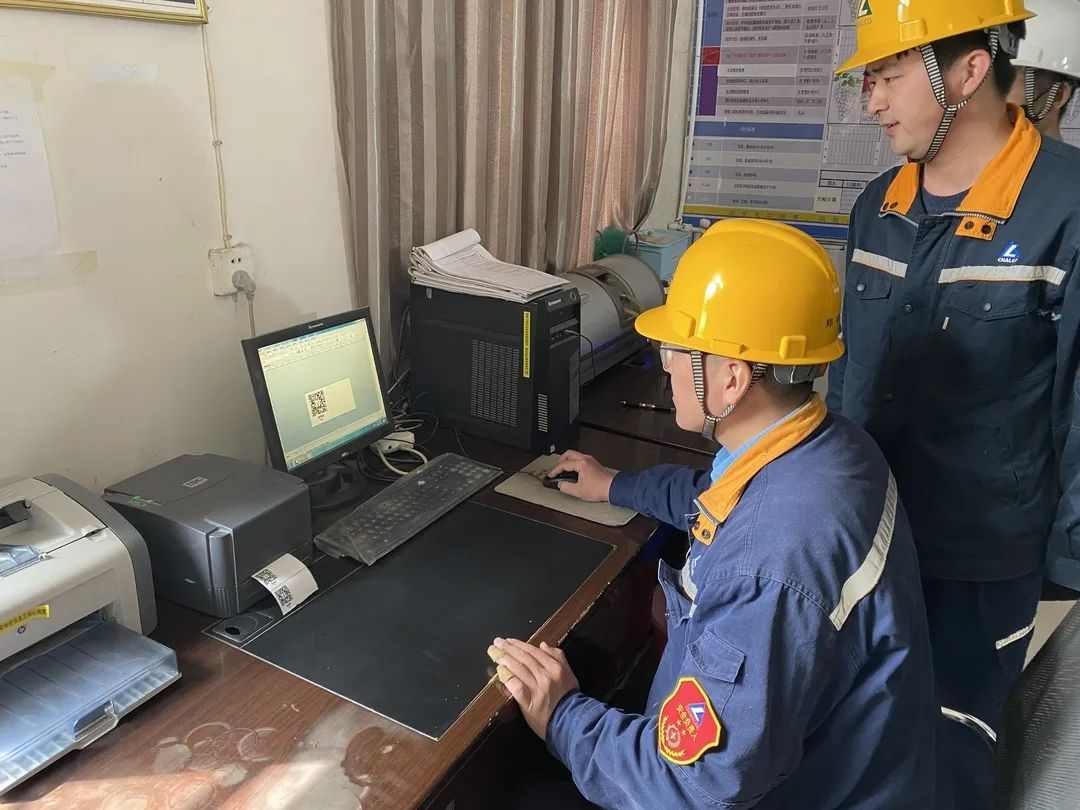
The image shows the plant's technical staff using a computer and a QR code printer to produce personalized QR codes for employees, enabling efficient daily supervision.
"We place great importance on certified personnel management. Initially, we used lanyards and chest cards for each employee, but over time, we found these were easily lost or misplaced during laundry, and they even posed safety risks during welding operations," said Song Weicong, the plant manager. After some research, the technical team decided to replace paper credentials with QR code management for special operations personnel—each employee has a dedicated helmet with a unique QR code.
"After trialing the 'One Person, One Helmet, One Code' system, we found it not only strengthened daily safety management but also indirectly addressed unsafe factors like temporary role changes among outsourced labor, offering multiple benefits. Consequently, we extended this system to all personnel, including management," Song added.
During a visit to a welding site, a reporter randomly scanned a QR code on an employee's helmet (secured with transparent tape) using a smartphone. The scan immediately displayed detailed information, including the employee's basic personal details, training history, relevant operation certificates, and certificate numbers—all clearly presented.
Ding Junting, Director of the Qinyang Emergency Management Bureau, noted that inspectors can now use WeChat to scan the QR codes on welders' helmets to access specific details like ID and certification items, simplifying both regulatory checks and self-inspections. "This one-to-one helmet management helps identify unauthorized role changes without retraining and prevents misuse of special operation helmets. Currently, we're piloting this in three companies and plan to promote it across all large-scale industrial enterprises involving special operations in the city," Ding stated.
Since Jiaozuo City initiated a review of electric welding operations, the Qinyang Emergency Management Bureau has leveraged community grids, economic zones, and enterprises to conduct thorough surveys of welding, cutting, and electrical personnel, registering them and publishing data online. Simultaneously, they've enhanced reporting channels and intensified inspections to crack down on violations in special operations, ensuring ongoing safety and stability.
Overview of Safety Helmet QR Code Usage
To enforce certified personnel protocols while avoiding the inconvenience of wearing badges during work and facilitating easy checks on special operation qualifications, the Qinyang High-Temperature Alumina Material Plant affixed QR codes to each employee's safety helmet. These codes replace traditional credentials by storing personal information, training records, and qualifications in a backend system, allowing quick access to individual training details via scanning.
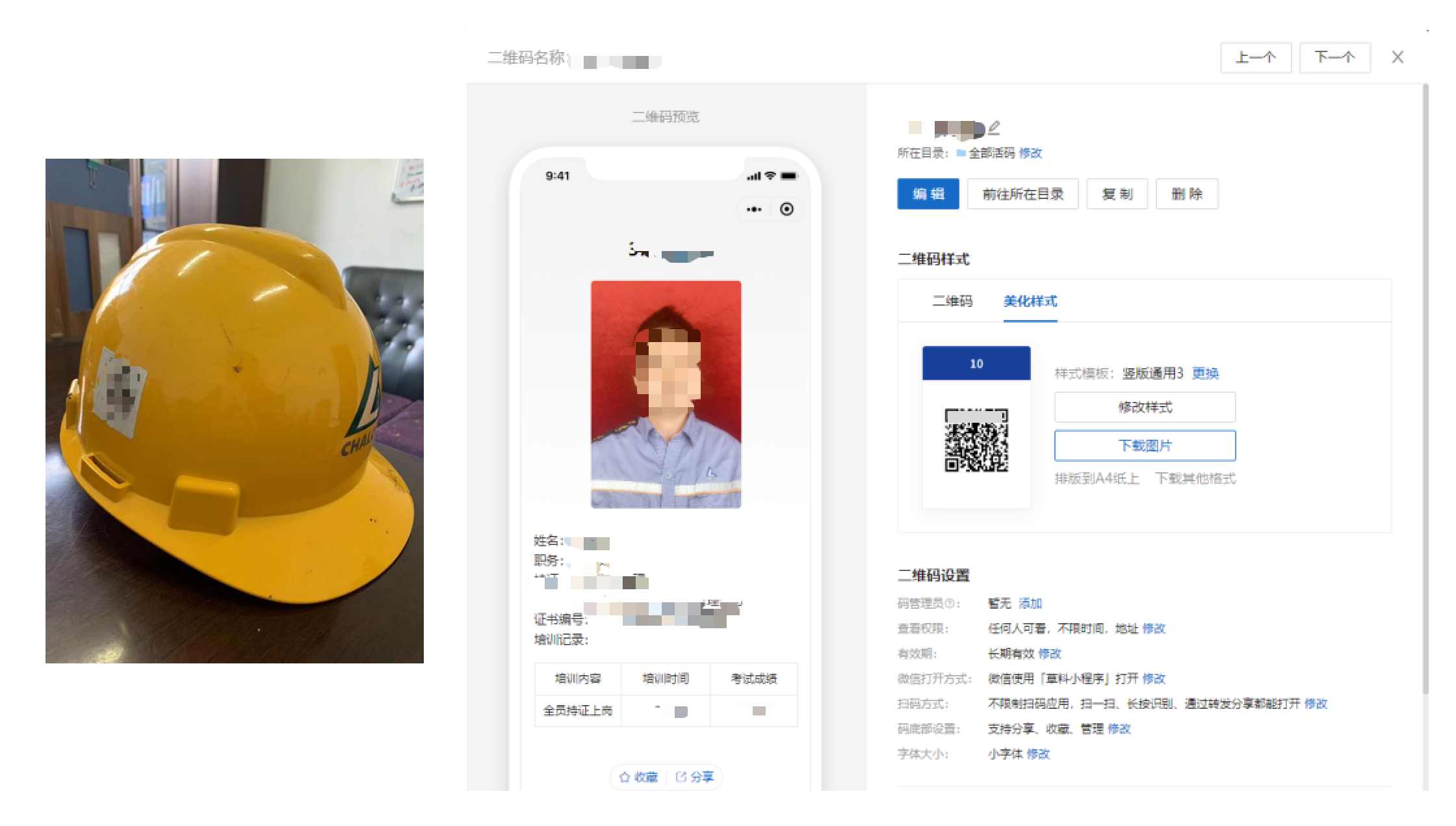
Detailed Method for Generating Safety Helmet QR Codes
Tools used: CaoLiao QR Code (QR Code Generator at cli.im), label printer.
1. Free Registration After Visiting the Website

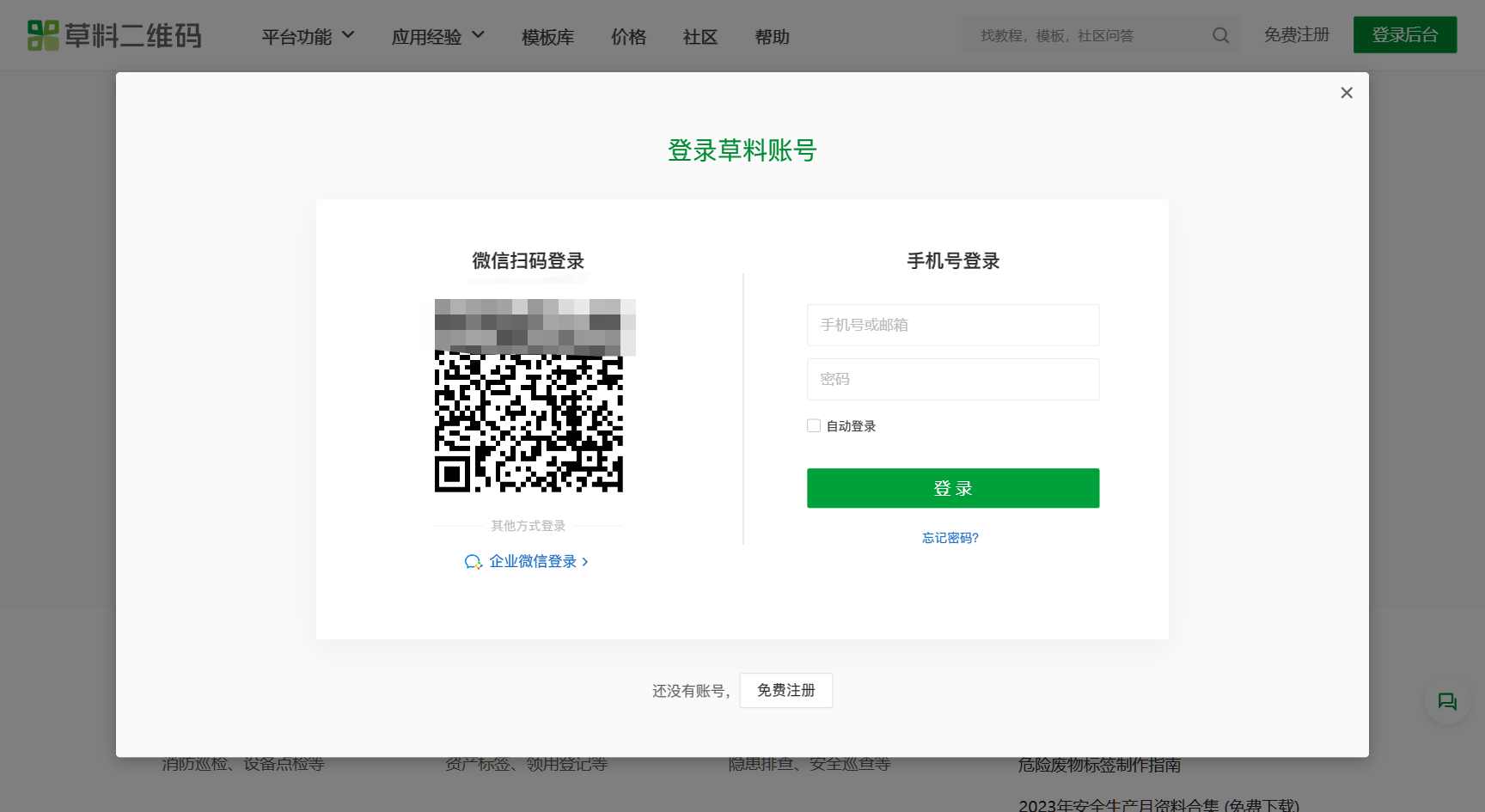
2. Bulk QR Codes Generation
Under "My Templates," select "Dynamic QR Code Bulk Templates," click "New Template" on the right, and choose "Person Real-name Information." If the template doesn't meet your needs, click "Modify Bulk Template" to edit it. If it fits, proceed directly with "Bulk QR Codes Generation."
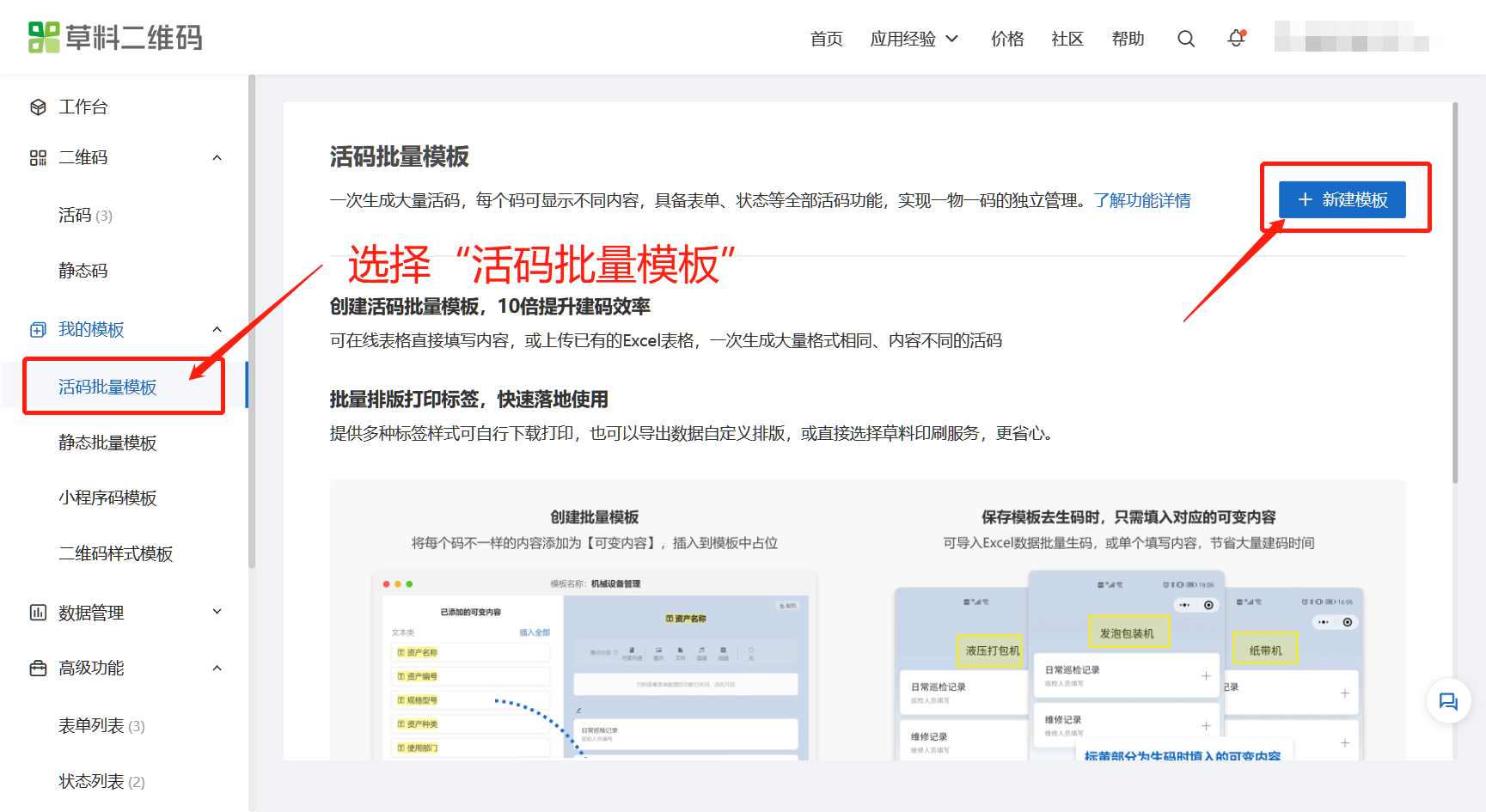
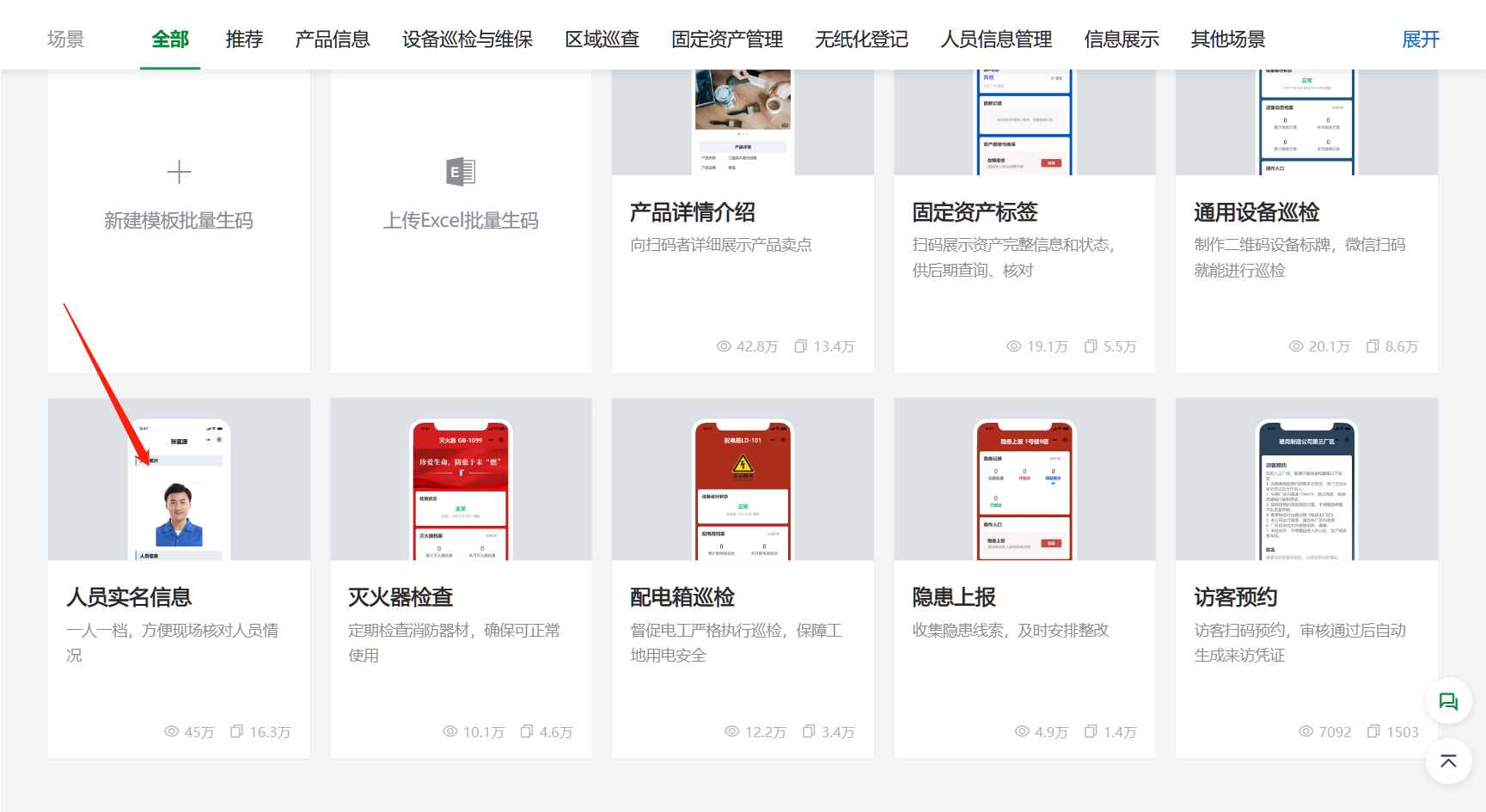

3. Customize Template Style
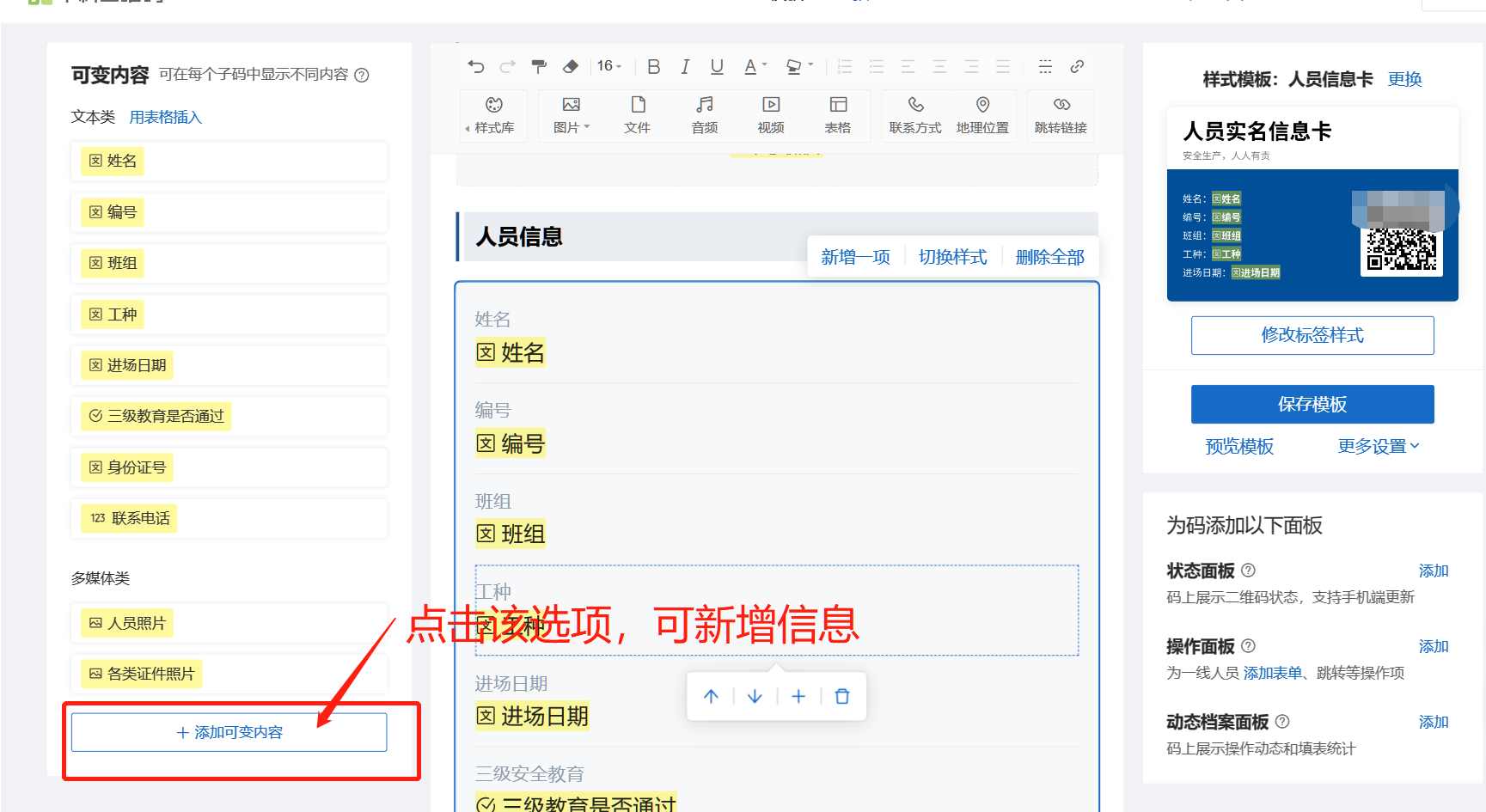
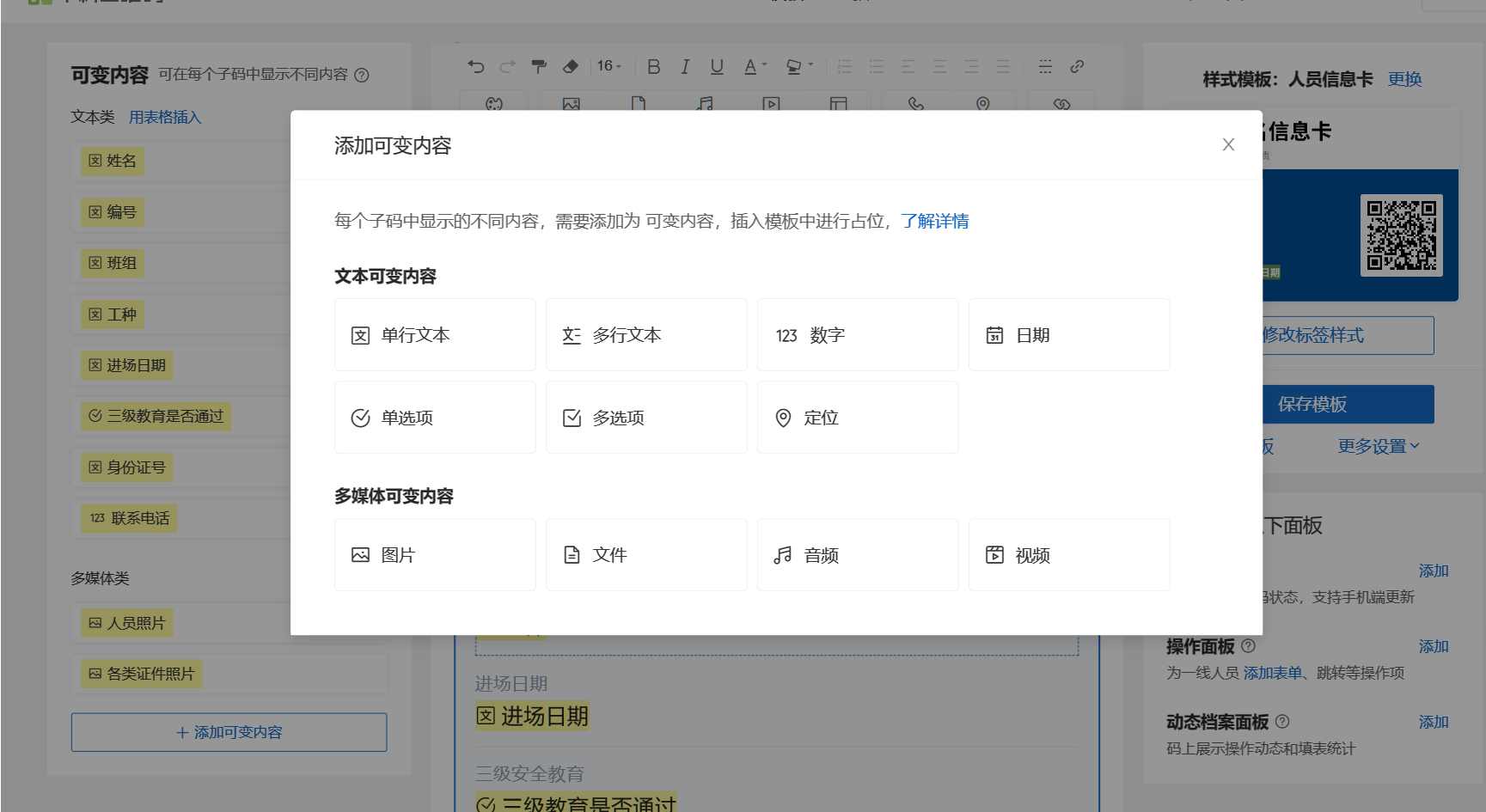
Select "Modify Template" to add or remove content based on your requirements. Click "Variable Content" to add new variable fields as needed.
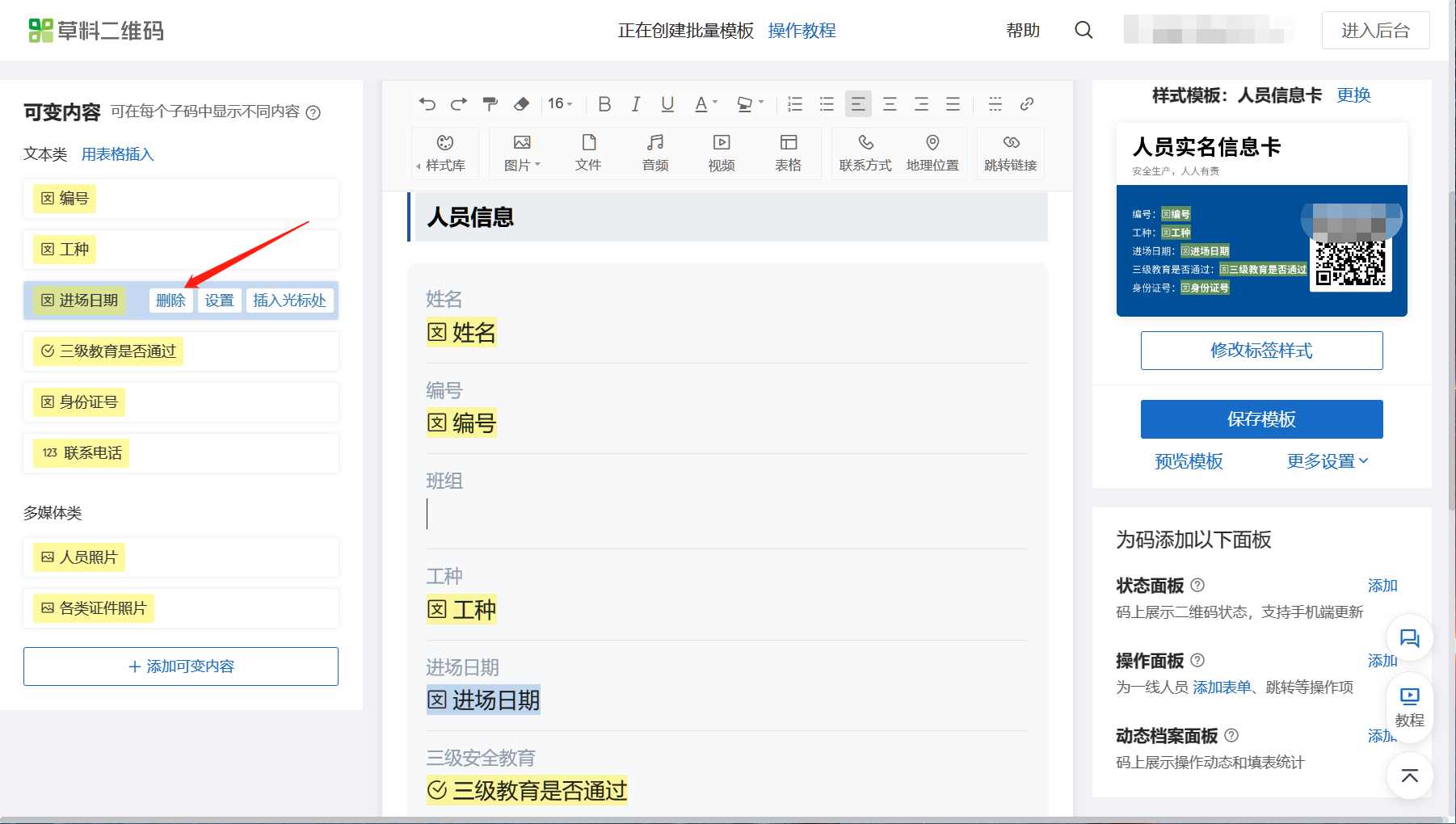
To delete content, hover over the item and click the delete option.
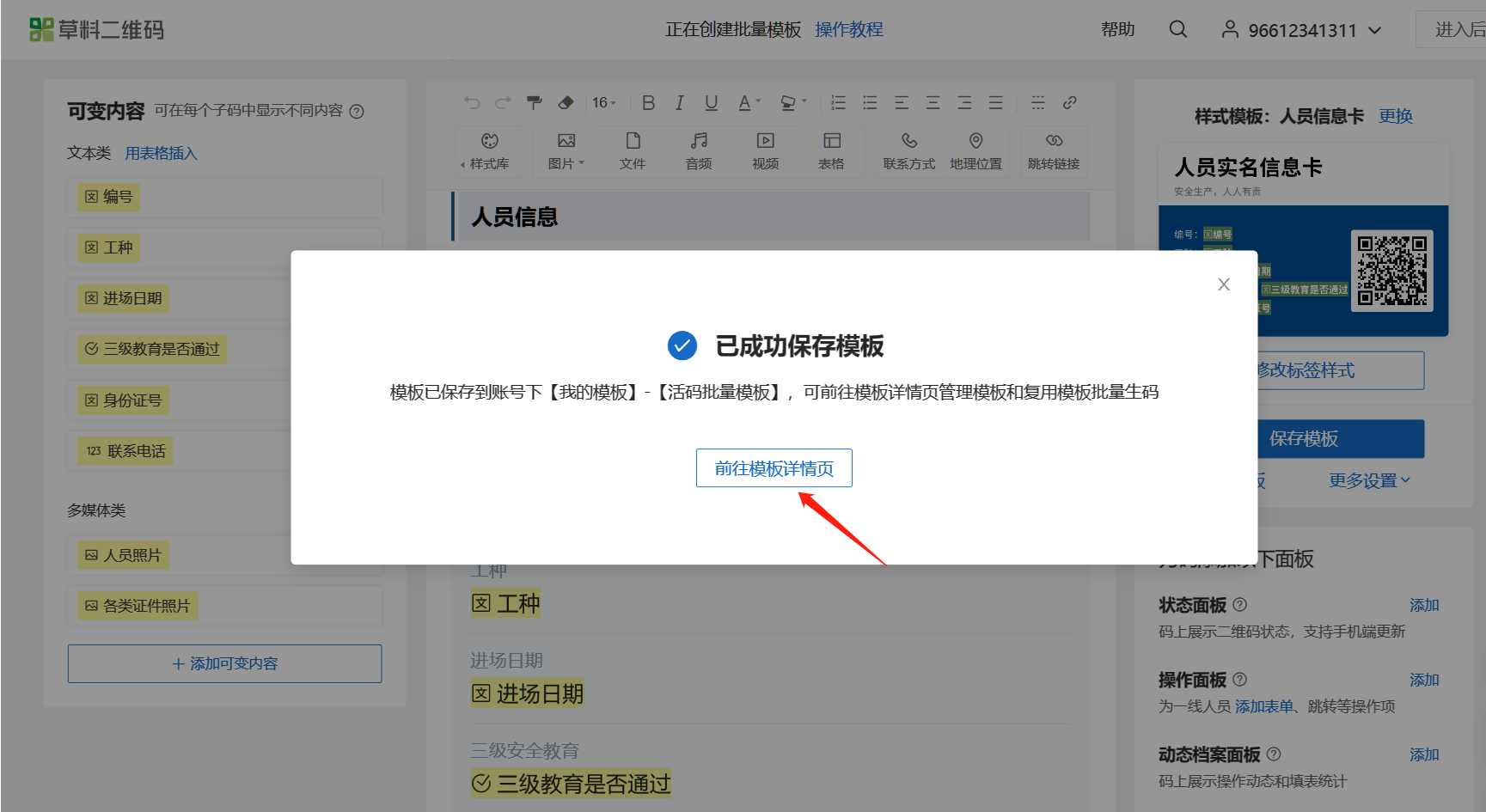
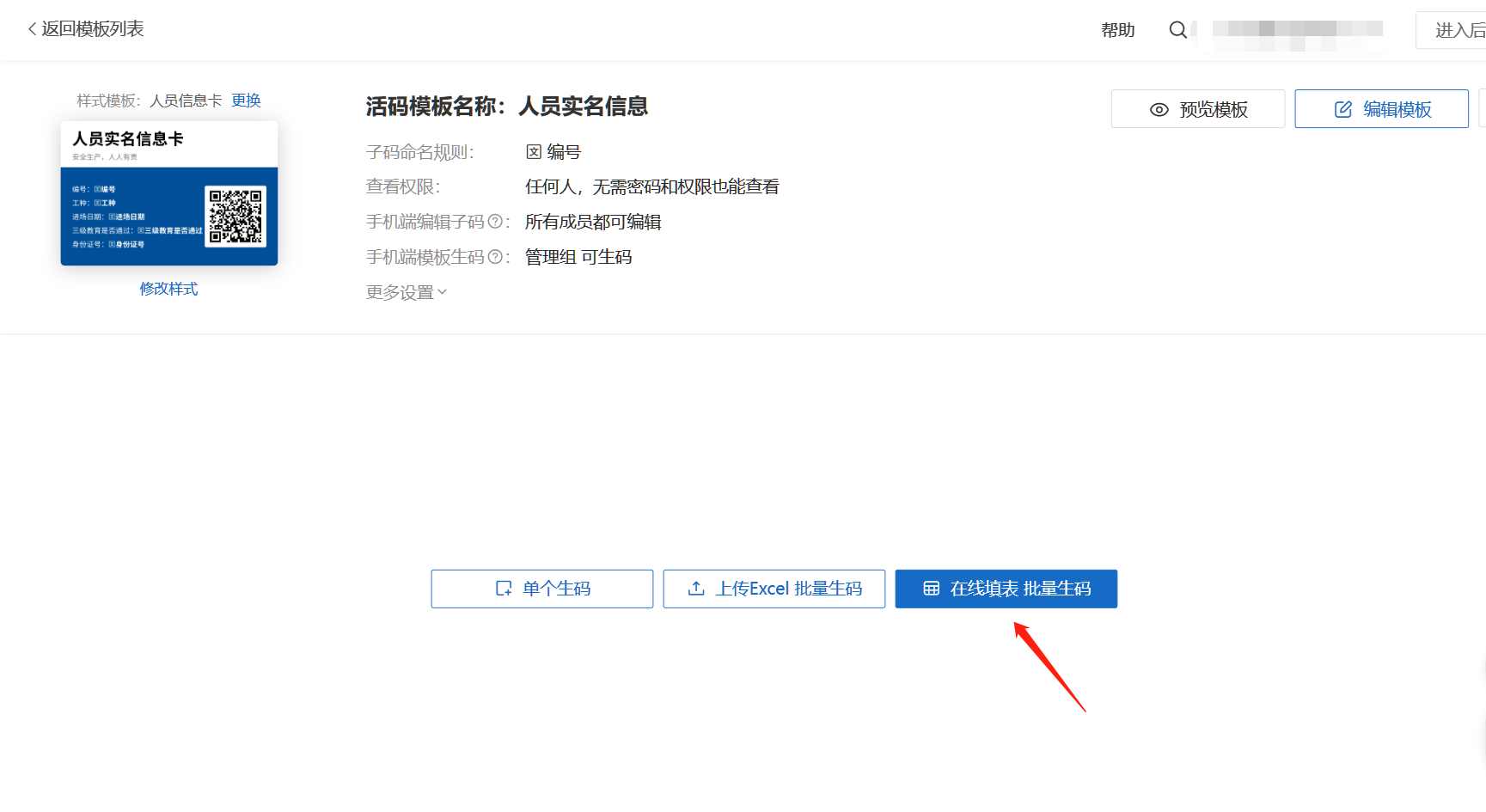
After saving the template, choose "Go to Template Details," then select "Online Spreadsheet Bulk QR Codes Generation."
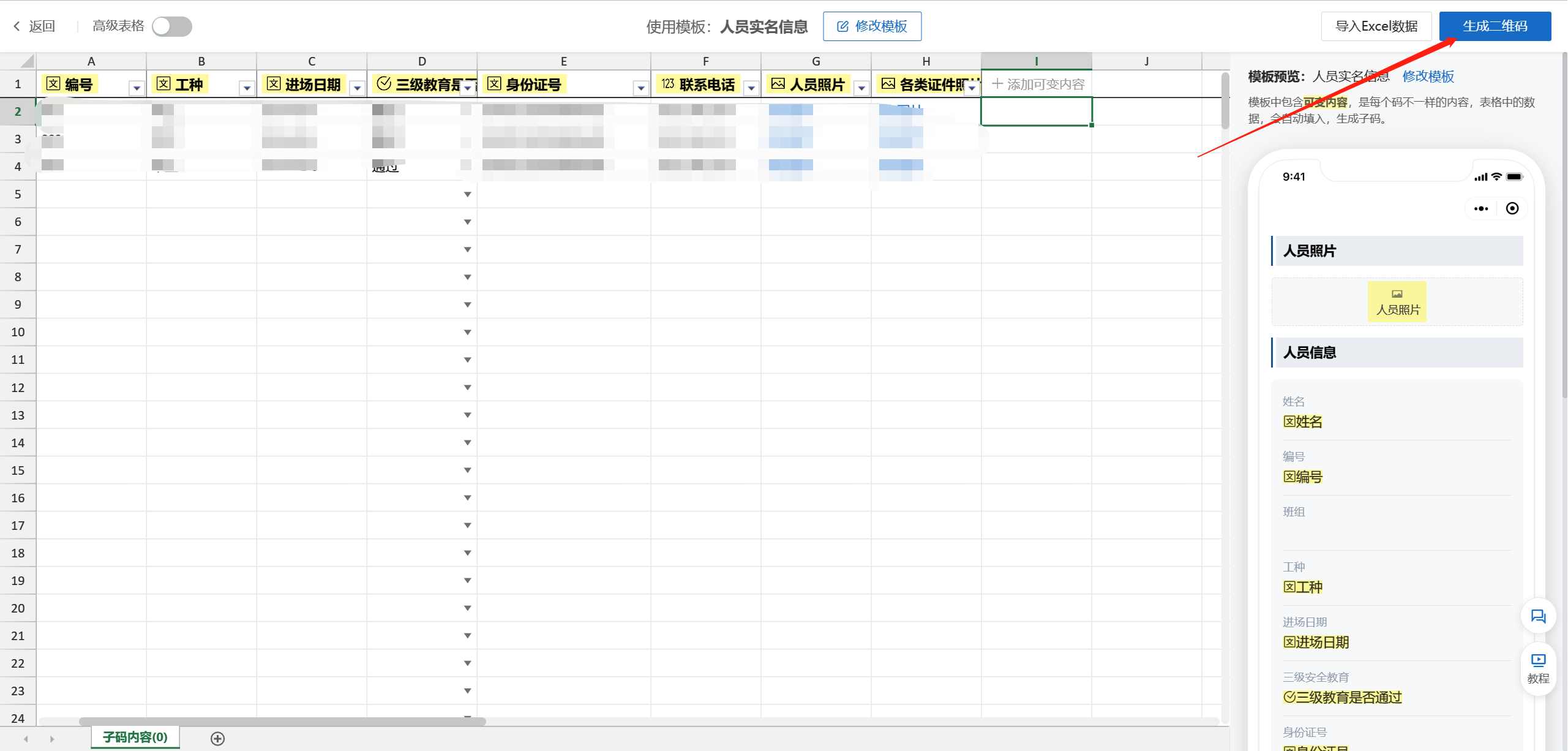
4. Edit QR Code Content
After editing the content, click "Generate QR Code" to create the codes.
5. Download QR Codes
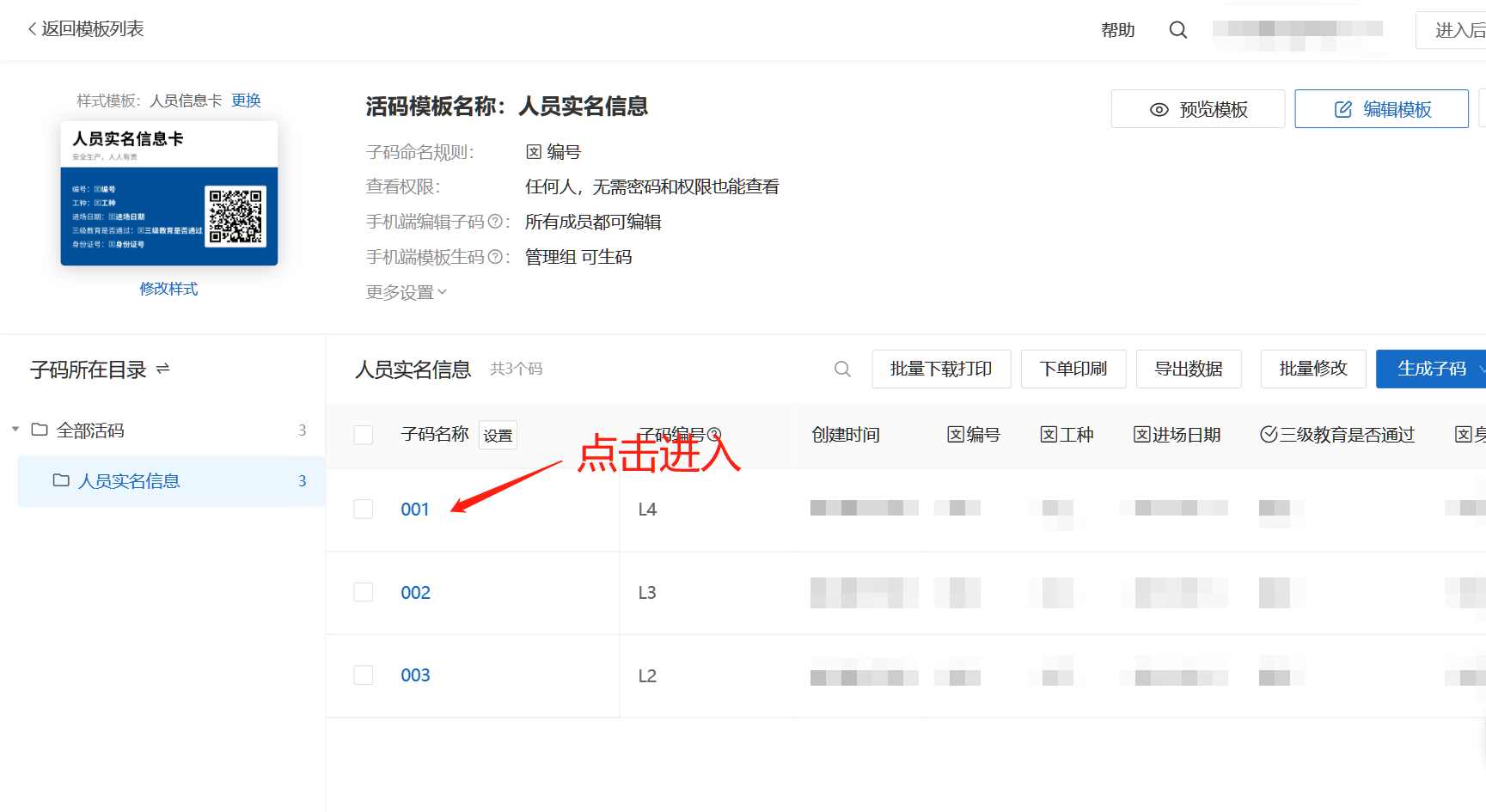
Select the personnel entries for which you need QR codes, choose a label style, and download the images.
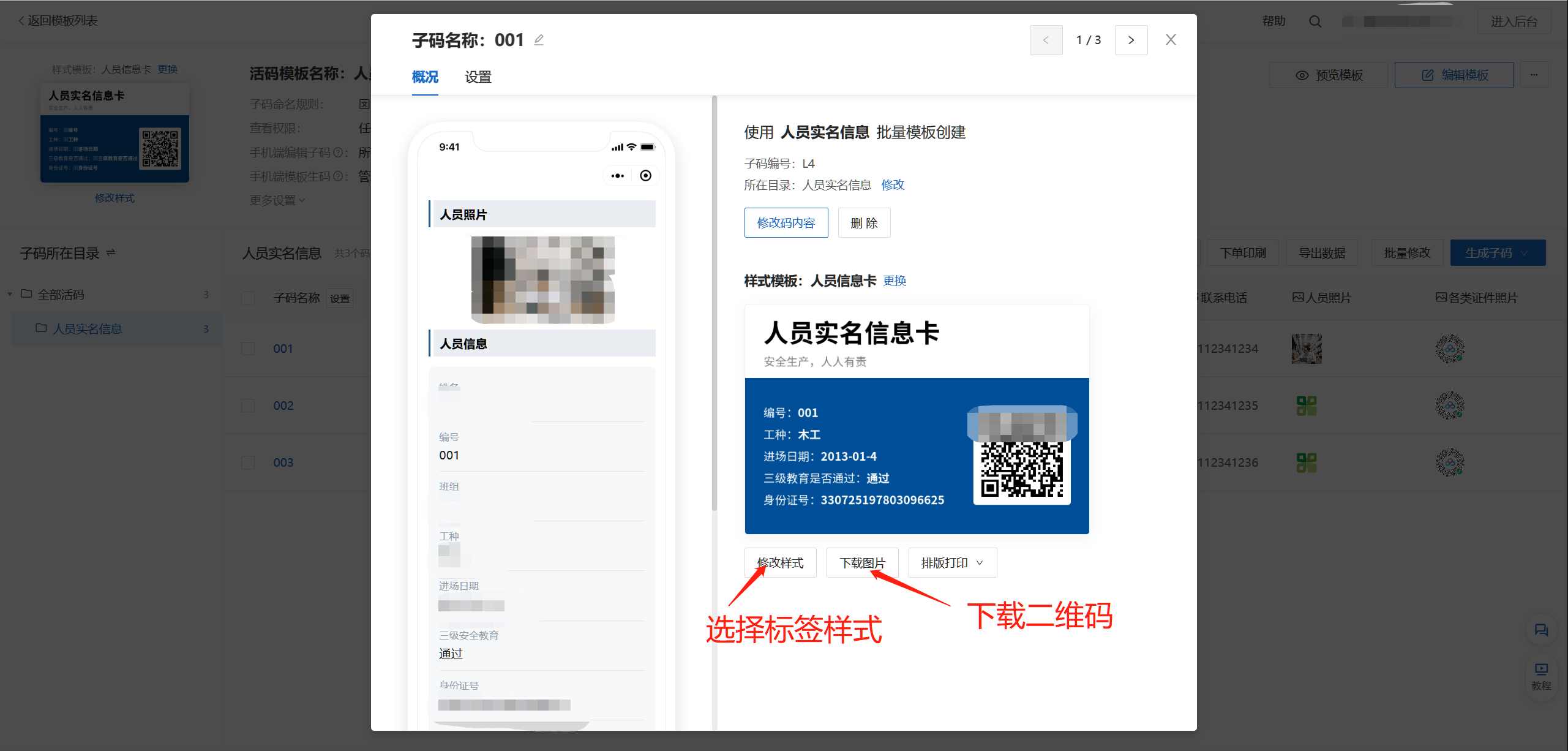
Print the QR codes on adhesive-backed paper and affix them to employees' safety helmets.
Note: Initially, due to limited familiarity with the platform's features, our plant created dynamic QR codes individually. You can use the template method described above to create multiple templates and generate QR codes in bulk. The website offers many other functions worth exploring.
Reminder: The free version provides only 50MB of storage per account, so be mindful of photo file sizes to avoid running out of space quickly.
For reference only.
Original repost from the WeChat Public Platform: Jiaozuo Emergency Management Bureau [《Qinyang's "One Person, One Helmet, One Code": Institutional Innovation to Plug Safety Loopholes!》](https://mp.weixin.qq.com/s/tuAtnK-tHejzjTnPIc3hTg "《Qinyang's "One Person, One Helmet, One Code": Institutional Innovation to Plug Safety Loopholes!》")