Build a Large Conference Check-in System in 1 Day: A No-Code Guide
Original: https://cli.im/article/detail/2414
In daily enterprise operations, meetings and events occur frequently with many participants. Check-in is often the most overlooked yet most problematic part. Especially for slightly larger conferences, once the number of attendees exceeds one hundred, using temporary Excel lists or paper sign-in sheets often leads to chaos, affecting efficiency and hindering subsequent statistics and data archiving.
Is it possible to build a stable check-in system that supports scanning, automatic recording, and data export in just one day, without technical team support or development experience? The answer is yes. By choosing the right tools and planning the structure properly, operations or administrative staff without a technical background can also accomplish this.
This article will share a practical, no-code path to "Complete a Large Conference Check-in System in 1 Day," based on real experience, along with key operational advice and common pitfalls.
1. First, Clarify: What Exactly Should Your Check-in System Do?
Many people rush to create forms and generate QR codes immediately, but the first step should actually be to define: what problems do you want this check-in system to solve?
Different types of meetings have different check-in needs. Some only require recording names; others need to distinguish attendee identities, such as "speakers," "exhibitors," or "internal staff." Some meetings may require collecting more information, such as phone numbers, companies, or whether an invoice is needed.
Additionally, consider the check-in scenario: Is it entirely offline? Are there walk-ins who haven't pre-registered? Is on-site registration allowed? Are there network limitations?
Only after clarifying these prerequisites can you proceed with tool selection, form structure design, and QR code generation effectively.
2. Tool Selection: Choosing the Right Platform is More Important Than Any Feature
There are many no-code tools available, such as CaoLiao QR Code, JianDaoYun, QingLiu, Feishu Forms, and Xiumi.
If your goal is to "launch a usable, maintainable check-in system with exportable data within one day," and the users lack development experience, it's recommended to choose platforms like CaoLiao QR Code or Feishu Forms that are quick to learn, easy to operate, and require no deployment.
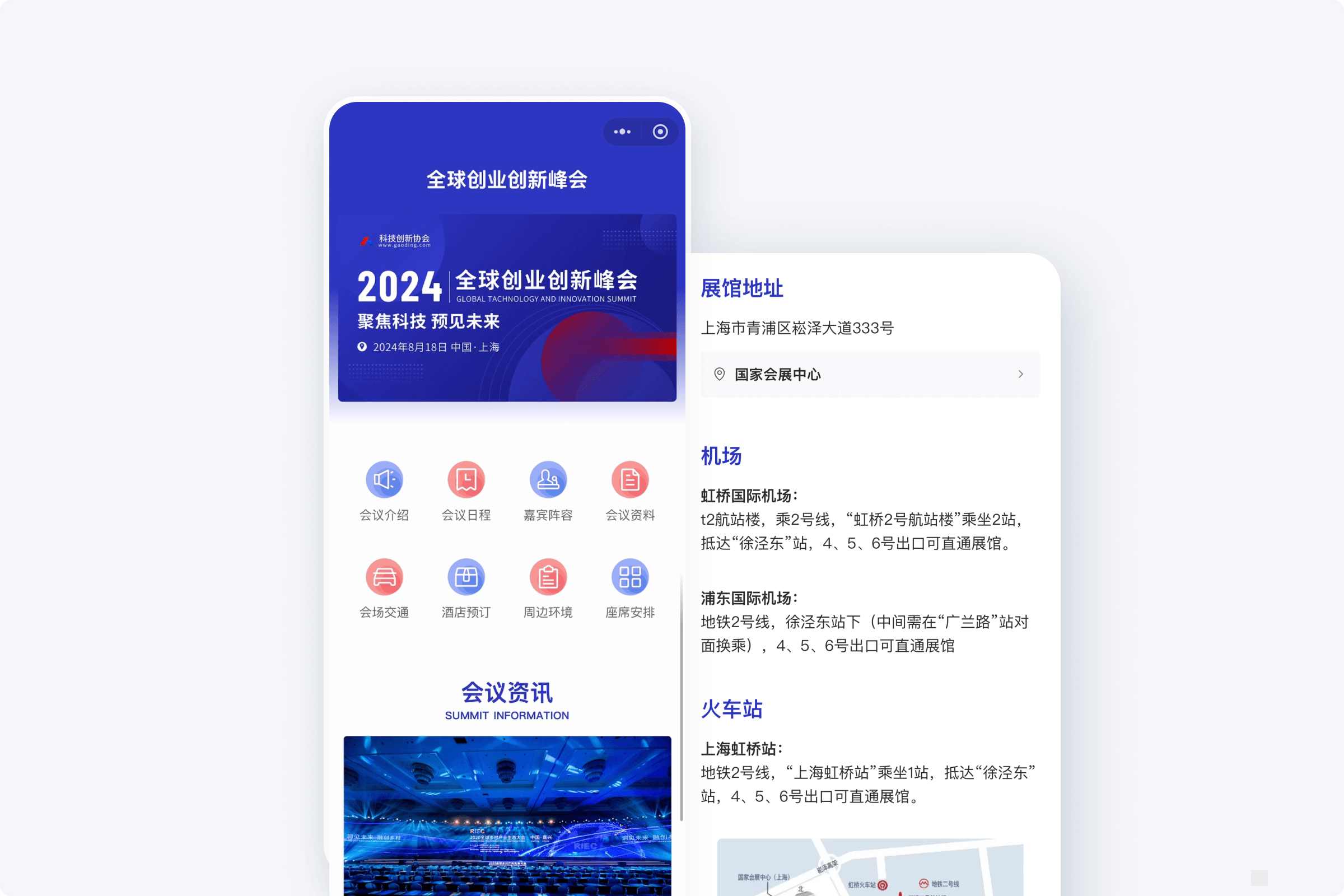
Using CaoLiao QR Code, attendees scan the QR code on-site, fill in their information, and complete the check-in. Alternatively, you can opt for pre-registration with on-site verification to suit different scenarios. Data can be viewed and exported in real-time from the backend. For meetings that need to be set up quickly and used reliably, it's a sufficiently "lightweight" yet "adequate" solution.
3. Actual Build Process: From Zero to Launch in One Day
Below are the specific build steps, arranged chronologically. If you're familiar with the process, the entire workflow can be completed in less than one day.
Step 1: Outline the Information You Need to Collect (Approx. 30 minutes)
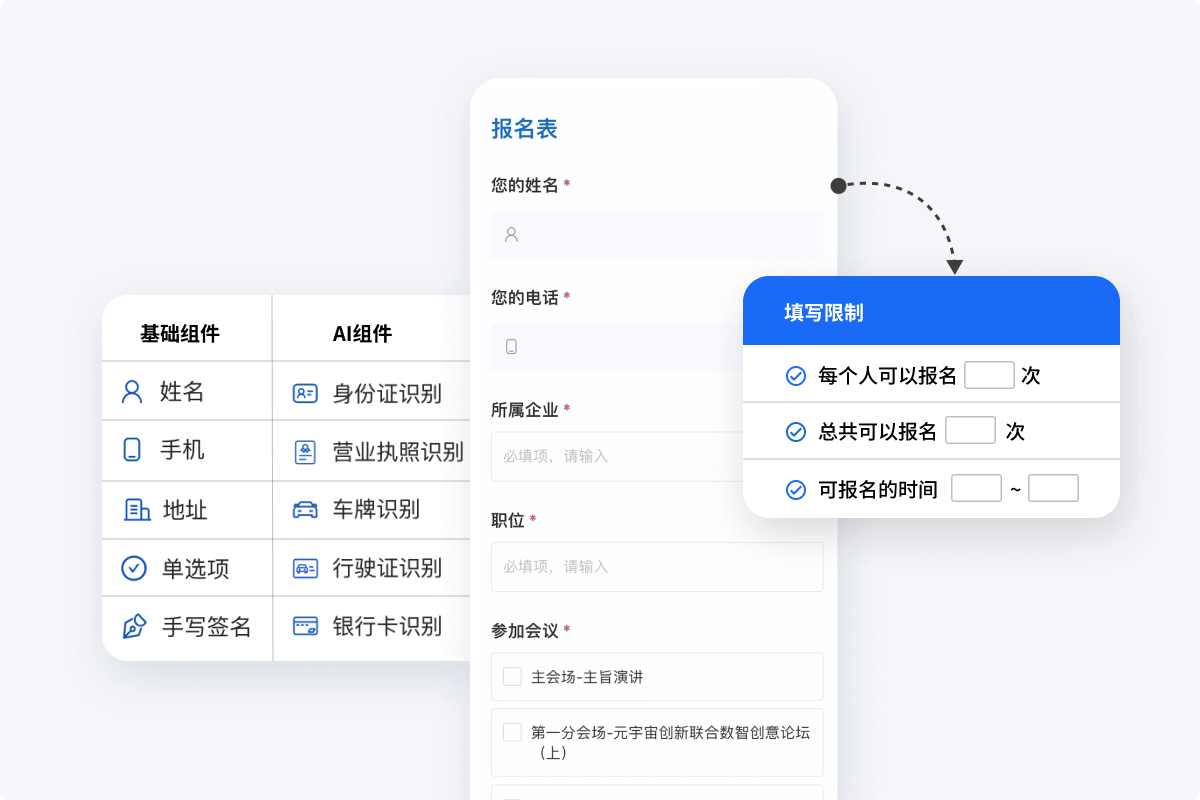
Define which fields the form should include. Start with the "minimum required fields." Avoid designing a dozen items from the beginning, as overly complex forms can cause user fatigue. Common fields include:
- Name
- Organization or Company
- Phone Number
- Identity Type (e.g., Guest, Audience, Employee)
- Remarks (for special requests)
Decide whether to include fields for uploading ID photos or collecting invoice information based on your needs. It's recommended to list these fields in a document in order first.
Step 2: Build the Form on the Platform (Approx. 20 minutes)
Using CaoLiao QR Code as an example, find the conference check-in template in the template library, replace the template information, modify form fields and settings as needed. You can set registration rules, such as the number of registrants, registration period, and preventing duplicate registrations. You can also set a success message after submission, like "Check-in successful, please proceed," so attendees know they've completed the process.
Step 3: Generate QR Codes and Access Links (Approx. 10 minutes)
After building the form, you can directly generate and download QR codes within the system, suitable for printing and posting at on-site check-in points. You can also generate links or screenshots to send out in meeting notification emails or WeChat groups beforehand, allowing attendees to fill out the form in advance for pre-check-in.
For larger conferences, consider generating different forms or QR codes for different attendee types (e.g., guests, general audience) to facilitate later categorization and statistics.
Step 4: Testing and Rehearsal (Approx. 1 hour)
Once built, thoroughly test the scanning functionality on different devices (mobile phones, tablets):
- Does the form open smoothly?
- Is the form easy to fill out?
- Can all information be submitted correctly?
- Is the post-submission message clear?
If you have a list of guests or staff, try pre-filling a few entries and test the export function to ensure no errors in subsequent statistical steps. It's best to involve meeting organizers or colleagues in this testing phase to identify issues early and avoid on-site chaos.
Step 5: Prepare for On-site Use (Approx. 30 minutes)
Print and post the QR codes, or set them up on check-in guidance stands. Consider setting up multiple check-in points to avoid congestion. If concerned about network issues, prepare written instructions alongside the printed QR codes, such as "Please use your phone to scan the QR code for check-in. Show the success screen to enter." If possible, assign 1-2 staff members to assist, e.g., helping elderly attendees with scanning.
Step 6: Data Viewing and Export (Approx. 10 minutes)
During and after the conference, log into the backend to view the data. You can directly export the data to Excel for compiling attendee lists or generating reports.
4. Common Issues and Proactive Avoidance Tips
Although the build process is relatively simple, some easily overlooked issues can arise in practice:
Form Fields Are Too Numerous or Unclear
Too many fields can slow down the filling process; keep only necessary information. Field names should be clear—e.g., use "Organization" instead of ambiguous terms like "Organization/Company Name."Unclear On-site Scanning Instructions
Attendees unfamiliar with the process might get stuck. Prepare clear on-site instructions, e.g., "Please use WeChat to scan the QR code below to check-in," and have backup QR code images ready.QR Code Loss or Damage
Print two copies of each QR code as a backup; also keep electronic files for emergency reprinting.Failure to Prevent Duplicate Check-ins
CaoLiao supports settings like "Allow only one submission per person." Enable this in advance to prevent statistical errors from the same person scanning multiple times.
5. Conclusion: Process is More Important Than Tools
Many believe that building a check-in system relies on tool features, but what's more critical is: Have you thought through the process? Can you approach operations from the "user's" perspective?
Even with simple tools, proper upfront planning, clear form logic, and smooth on-site execution can result in a professional, efficient, and traceable check-in system.
Rather than developing a complex system for a single event, choose a method that is "quick to launch, easy to maintain, and reusable." This reduces trial-and-error costs and lays a foundation for future events.