Fan Inspection
A template suitable for fan equipment management across various industries, providing equipment parameter visualization, operational status tracking, technical document storage, and multi-form association functions to facilitate efficient inspections.
Basic Information
- Monthly Installations: 413
- Monthly Visits: 578
- Original: https://cli.im/template/detail/121463628
Case Label Images


Usage Instructions
Suitable for the daily inspection and ledger management of general-purpose ventilation fans, blowers, etc., covering industries such as manufacturing, energy and mining, metallurgy, and chemicals.
I. Core Features
1. Equipment Information Visualization
Scan the code to view equipment parameters (model / serial number / location), responsible personnel information, and technical documents, replacing traditional paper identification plates.
Supports online preview of PDF documents, solving the problem of on-site access to maintenance guides.
2. Closed-Loop Status Management
The operational status module displays 'Normal / Abnormal' indicators in real-time, with automatic timestamp recording for status changes.
Abnormal statuses can be linked to maintenance forms, forming a complete closed loop of 'Inspection - Report - Repair - Acceptance'.
3. Multi-dimensional Data Association
Historical data is displayed on a timeline, supporting quick retrieval by responsible person / time period.
Supports adding various types of forms such as inspection record forms, maintenance schedule forms, and fault record forms.
II. Usage Process
1. Generate Equipment QR Code
- Adjust Content: Modify, add, or delete fields according to actual usage needs, adjust checklist content, etc.
- Set Inspection Schedule: Set the work cycle for fan inspection (e.g., daily or monthly). Reminders can be pushed via the official account before the schedule expires. Plan Management Function
2. Print and Post the QR Code
For general indoor environments, materials such as matte silver or PVC hard cards are recommended, offering certain waterproof and oil-resistant capabilities with higher cost-effectiveness.
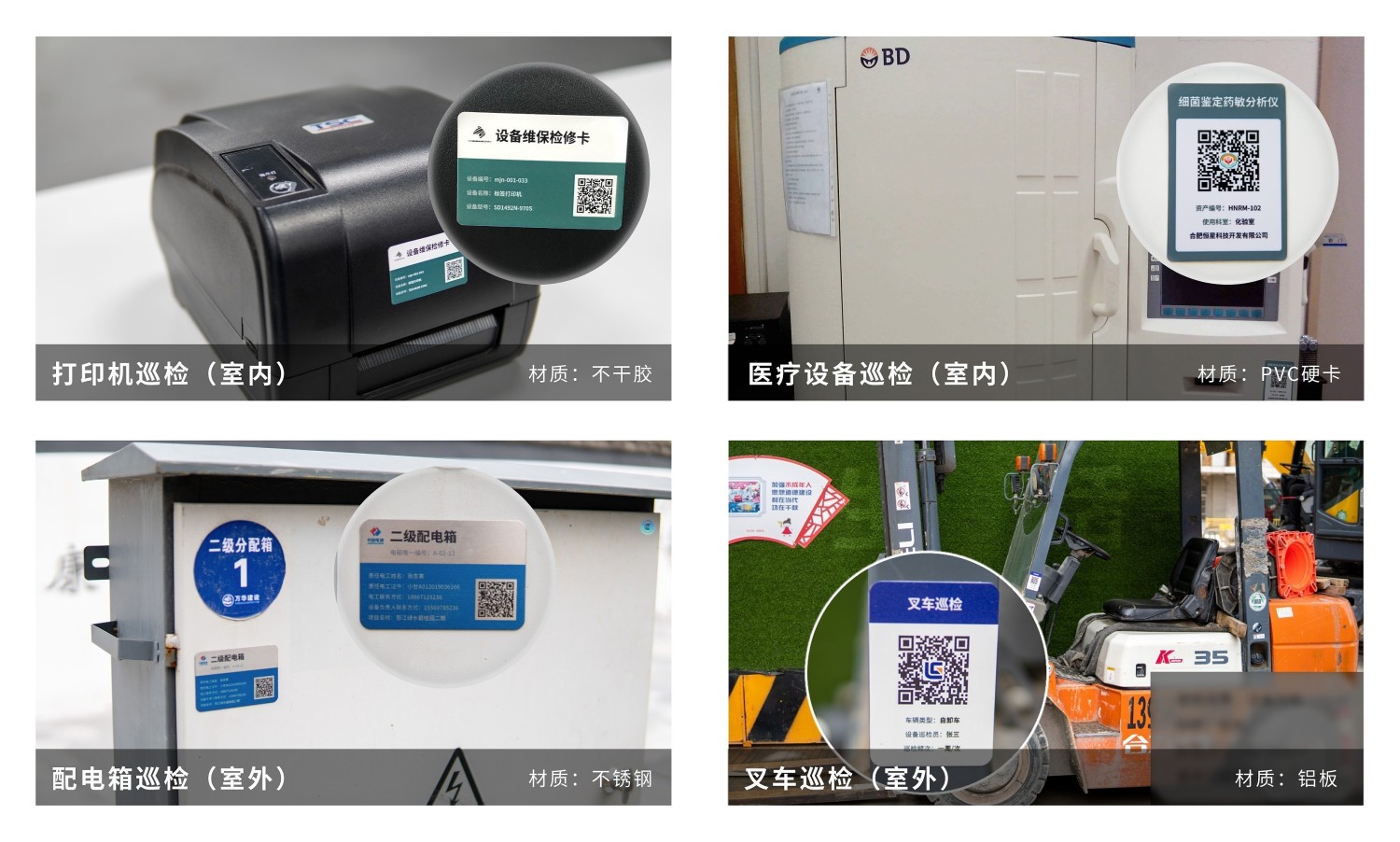
3. View and Summarize Management Records
- Daily Management: Scan the code anytime to access the equipment's dynamic file, view the current equipment status, and historical inspection records.
- Regular Data Archiving: Enter the "Data & Statistics" dashboard to export Excel or PDF files with one click for use as paper archives.
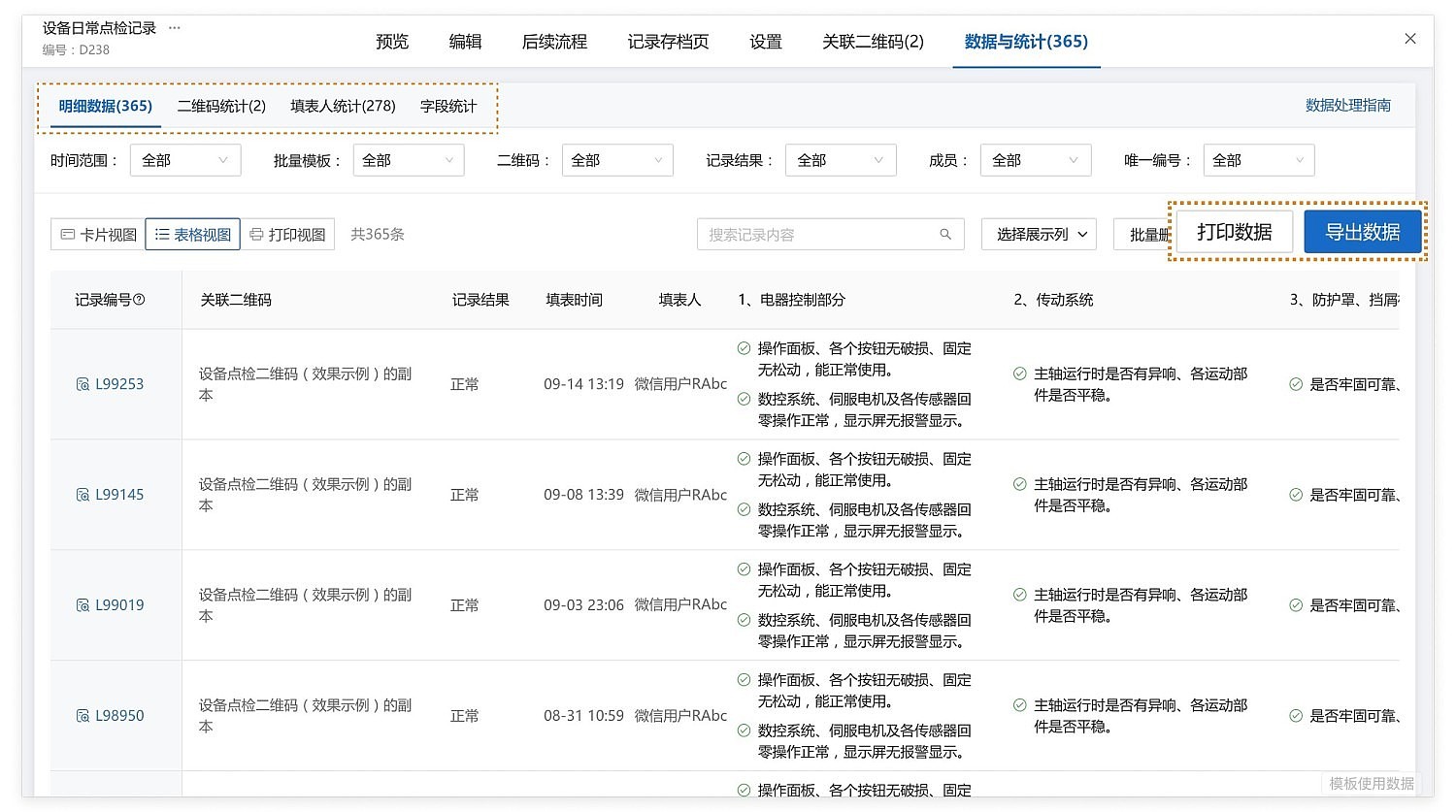
III. Frequently Asked Questions
1. Is it free to use?
Answer: You can choose the version that suits your actual needs.
Free Version: No limit on the number of QR codes or data entries; QR codes are valid long-term, meeting basic usage needs.
Flagship Version (¥2680/year): Provides advanced data management functions such as bulk export and custom export formats. Different workshops can manage their respective equipment through partitioned collaboration, suitable for large-scale applications.
View details: Version Selection Suggestions
2. How does CaoLiao ensure my data security?
Answer: We employ industry-leading security protection technologies to ensure the data security of every user.
Certified by the Ministry of Public Security Level 3, passed Alibaba Cloud security penetration testing.
Served over 10 million enterprises and organizations, including the Beijing 2022 Organizing Committee, various provincial and municipal governments, and large central enterprises.
Data storage is stable and reliable, with configurable access permissions and encryption protection.
View details: Data Security Explanation
3. How to ensure the authenticity and validity of inspection content?
Answer: It is recommended to enable anti-fraud features in forms, such as photo watermarks, and enforce the addition of inspection time and location information. How to Prevent Cheating in QR Code Inspections
4. How to operate if equipment requires regular checks?
Answer: It is recommended to enable the plan management function. Notifications for upcoming, uninspected equipment will be pushed via the official account. Plan Management Function