Tool Lending and Return Registration
Suitable for manufacturing, energy, construction, and other industries. Register tool lending and returns by scanning a QR code, take photos to record quantities with automatic watermarking. Data is permanently saved, supports filtering records by personnel, facilitating inventory optimization and management.
Basic Information
- Monthly Installations: 642
- Monthly Visits: 107
- Source: https://cli.im/template/detail/121463642
Case Label Image

Instructions
1. Applicable Scenarios & Industries
- Applicable Industries: Manufacturing, Energy & Mining, Construction, and other fields involving the lending and return flow of tools and equipment.
- Typical Scenarios: Personal Protective Equipment (PPE) / Professional Tool Lending and Return Management.
- Target Users: Warehouse managers, on-site project supervisors, safety inspectors, etc.
2. Core Features
Paperless Registration via QR Code Scan
- Scan the WeChat QR code to fill out the electronic form directly, replacing paper registration logs.
- Automatically records lending/return times and the operator, avoiding time errors from manual entry.
Precise Materials Management
- Pre-set list of 10 common tool categories (e.g., hard hats, insulated equipment, electrician tools). Can be freely modified based on your organization's warehouse items.
- When borrowing, enter item quantities. When returning, information like personnel name, phone number, returned item quantities, and return time is auto-filled, improving efficiency and reducing input hassle.
Accountability Mechanism
- Automatically adds submission time + geographical location information.
- Supports taking photos to record the condition of borrowed items, preventing disputes upon return.
- Data is linked to WeChat accounts, supporting filtering of historical records by personnel.
Inventory Optimization Support
- View lending/return records in real-time by scanning the code or accessing the workbench.
- Export data to Excel for item turnover analysis and procurement decisions.
3. Usage Process
1. Administrator Generates Code
Modify the lending/return item list based on your organization's items → Generate the QR code → Print and post the QR code on the tool wall / warehouse entrance/exit.
2. On-site Personnel Operation
WeChat Scan → Select Lending or Return type → Enter item quantities for lending/return → Take photos of the tools/equipment → Submit the form.
3. Data Management
View "All Lending/Return Records" by scanning the code with a mobile phone or accessing the workbench Dynamic Data Summary. Supports filtering by personnel.
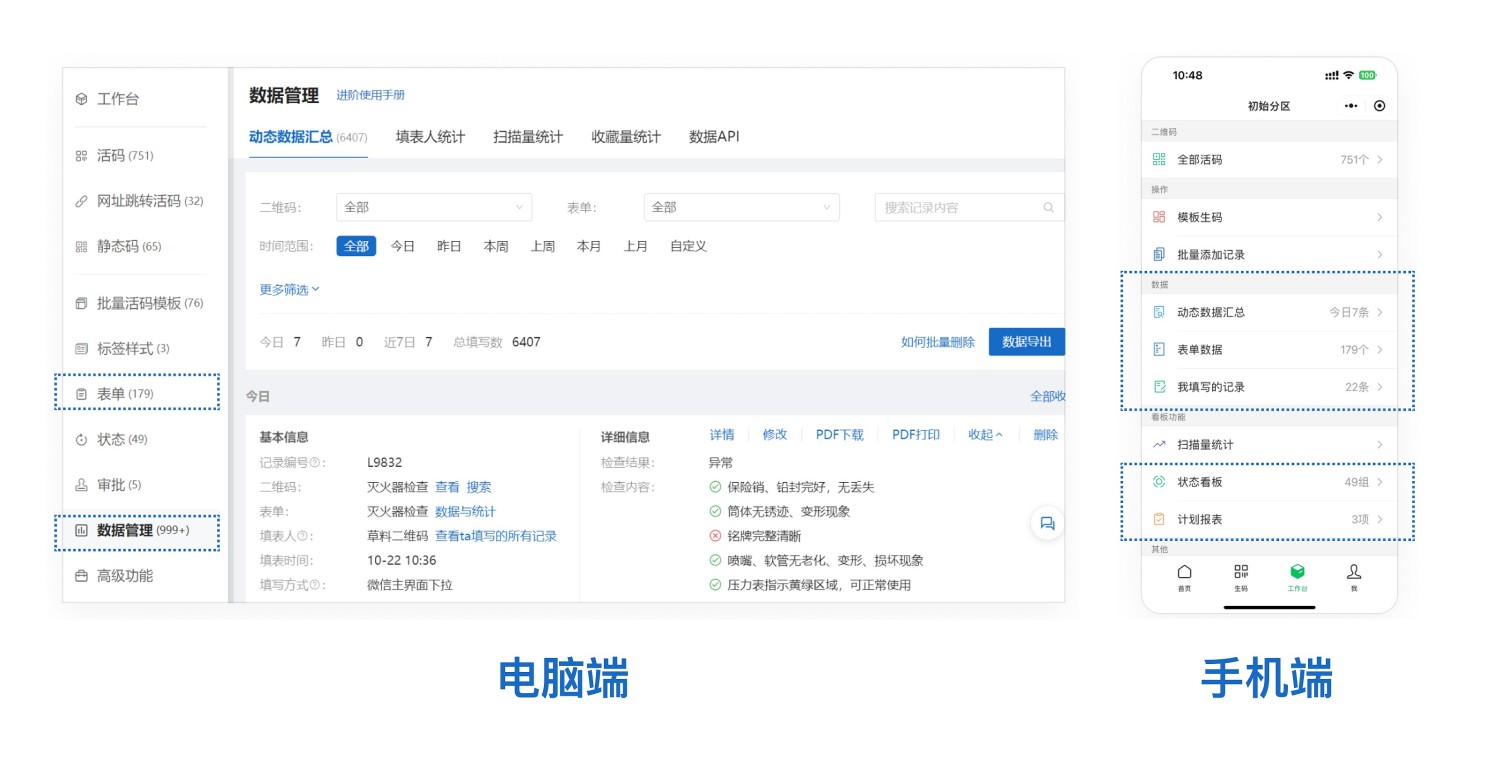
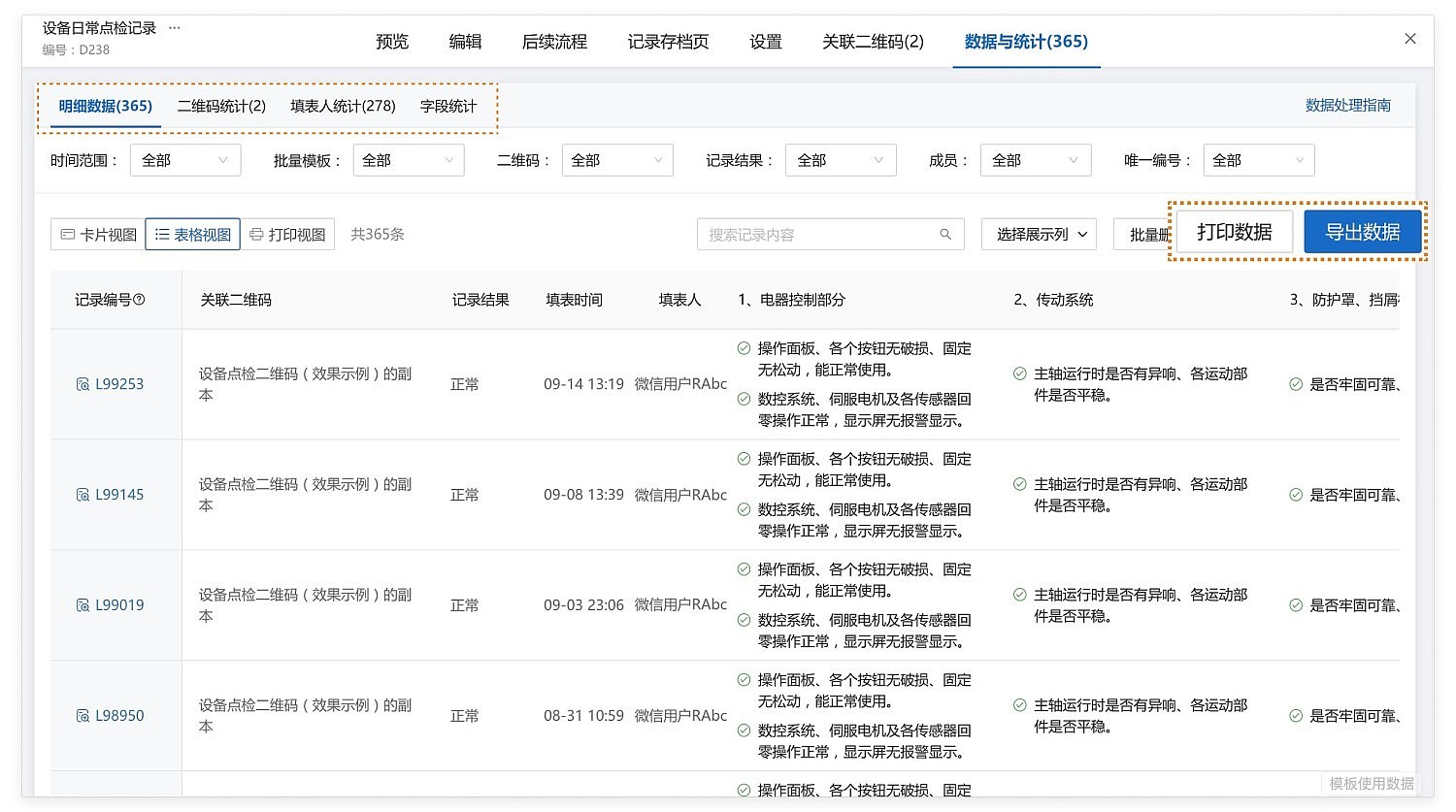
Export data for archiving, inventory analysis, and other business purposes.
- Data Export for Archiving: Lending/return records can be exported as Excel or PDF files for archiving.
- Real-time Data Push: Using the Data API feature, lending/return registration information can be pushed in real-time to group chats in WeCom, DingTalk, or Feishu.
Frequently Asked Questions
Q1: How to modify the pre-set tool list?
A: On the computer, go to the forms editor page Modify Form, where you can add/remove item types and modify names.
Q2: How long is historical data stored?
A: Data is permanently stored in the cloud. The Free, Basic, and Advanced versions can export data from the last 180 days. The Enterprise version and above have no restrictions.