Recruitment Information Hub
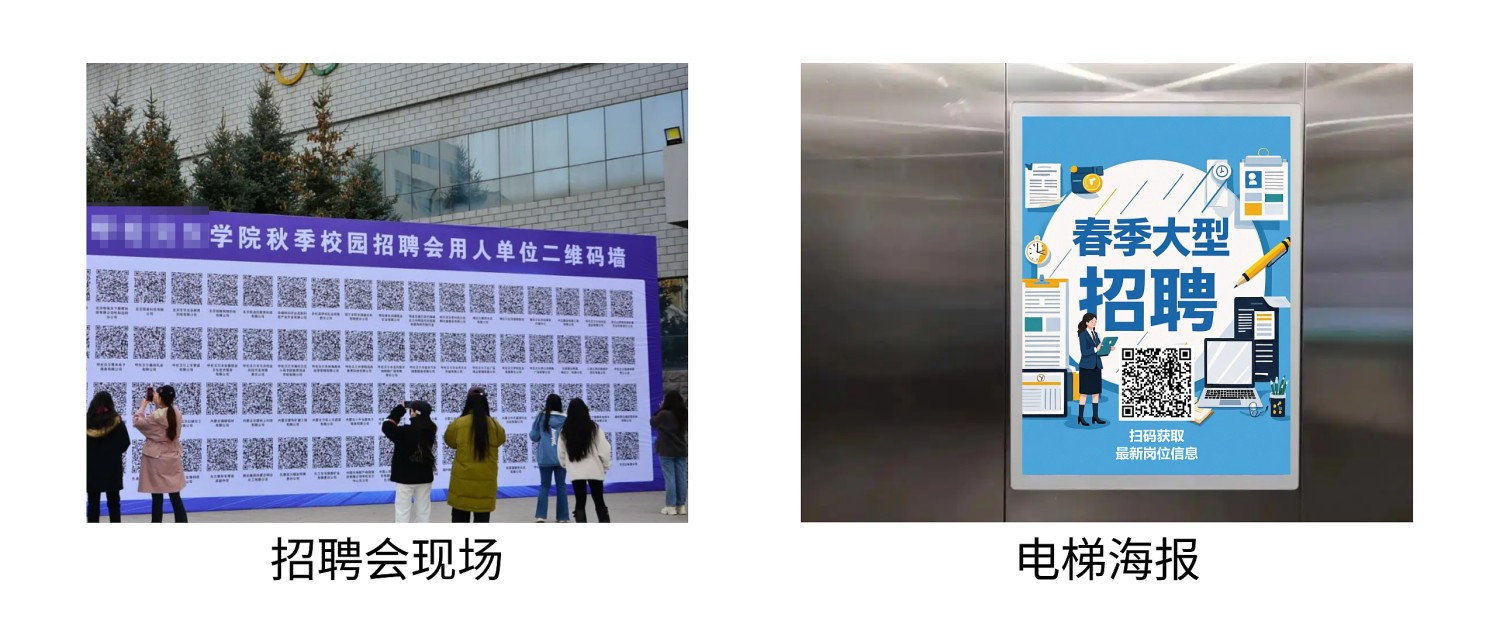
Consolidate multiple job positions into a single QR code, suitable for job fairs, talent market WeChat official accounts, career guidance centers, elevator recruitment posters, and other scenarios. Job seekers can scan one code to access all position information.
Basic Information
- Monthly Installs: 365
- Monthly Visits: 181
- Original: https://cli.im/template/detail/121463525
Case Label Image

Usage Instructions
1. Core Value
- Consolidated Access, Saves Time and Effort: Job seekers no longer need to search extensively—scanning the code provides direct access to multiple positions across various companies.
- Multi-Channel Distribution: Use offline at recruitment booths, talent market employment zones, elevator ads, etc., replacing printed materials to reduce costs. Online integration into official account sections, social media graphics, or direct sharing expands reach.
- Real-Time Updates, Long-Term Reusability: Modify content on the QR code anytime—add new positions or remove expired ones. Job seekers consistently receive the latest recruitment information by scanning the same code.
2. Usage Process
1. Generate Recruitment QR Code
Click [Use Template to Generate Code] to create a QR code. Modify the content based on your recruitment information and generate the QR code.
2. Download and Use
Download the QR code label. Choose the appropriate usage method according to your recruitment format and scale.
3. Update Position Information
If new positions become available later, edit the QR code to update its content directly. Job seekers can continue scanning the same code to access the latest information.
3. Frequently Asked Questions
1. Is It Free to Use? What Are the Differences Between Paid and Free Versions?
Answer: Choose the version that fits your needs.
- Free Version: Unlimited views and applications, unlimited QR code generation, long-term data storage—ideal for basic recruitment display needs.
- Advanced Version (¥1,280/year): Supports multiple users managing or publishing recruitment information under one account, offers advanced data export and processing features—suited for enterprises or organizations requiring collaborative management.
For detailed selection advice, see: Version Selection Guide