How to Build a Low-Cost Conference Management System for Large Events
Original: https://cli.im/article/detail/2405
For conference organizers, the larger the event, the more prone process management is to chaos: messy registration and check-in, long queues for sign-in, and manual data compilation. This not only impacts the attendee experience but also reduces overall efficiency.
While there are many mature event management systems on the market, their prices are often not budget-friendly. Many platforms even charge based on the number of registrants or sessions, leading to costs ranging from thousands to tens of thousands for a single conference. For teams with limited budgets that still wish to improve organizational efficiency, a lightweight, flexible, and rapidly deployable solution is the real necessity.
This article, leveraging the features of CaoLiao QR Code, shares a complete solution from registration and check-in to data export. It is suitable for large conferences with up to a thousand attendees, covering core processes like multi-venue management, material display, and guest management.
1. Why Choose QR Codes for Conference Management?
Traditional methods using Excel spreadsheets and paper-based sign-in can no longer meet the efficiency and informatization requirements of modern conferences. The QR code solution offers several distinct advantages:
- Streamlined Processes: QR codes handle all attendee processes—from registration and check-in to accessing materials—with a simple scan.
- Device-Friendly: No need to purchase specialized hardware; check-in can be completed using WeChat or standard barcode scanners on-site.
- Real-time Data Aggregation: The system backend automatically records registration and check-in data, facilitating statistical analysis.
As a no-code platform, CaoLiao QR Code provides a lightweight, complete conference solution. Whether for internal corporate training or large-scale events with thousands of attendees, it can be set up quickly without relying on development resources.
2. Steps to Build a QR Code Conference Management System
Using CaoLiao QR Code as an example, here is the process for building a standard QR code management workflow for a conference:
1. Generate Conference QR Codes
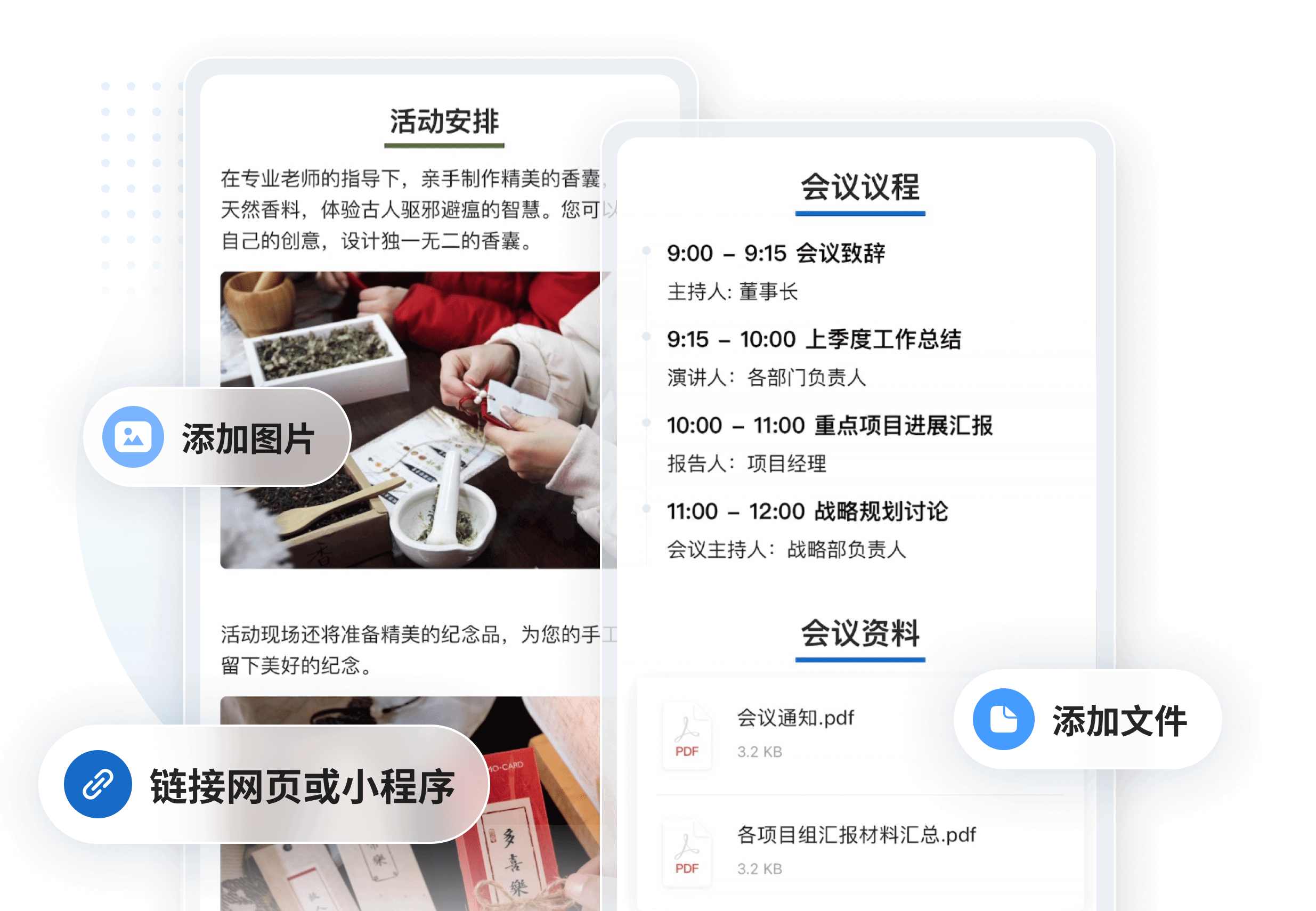
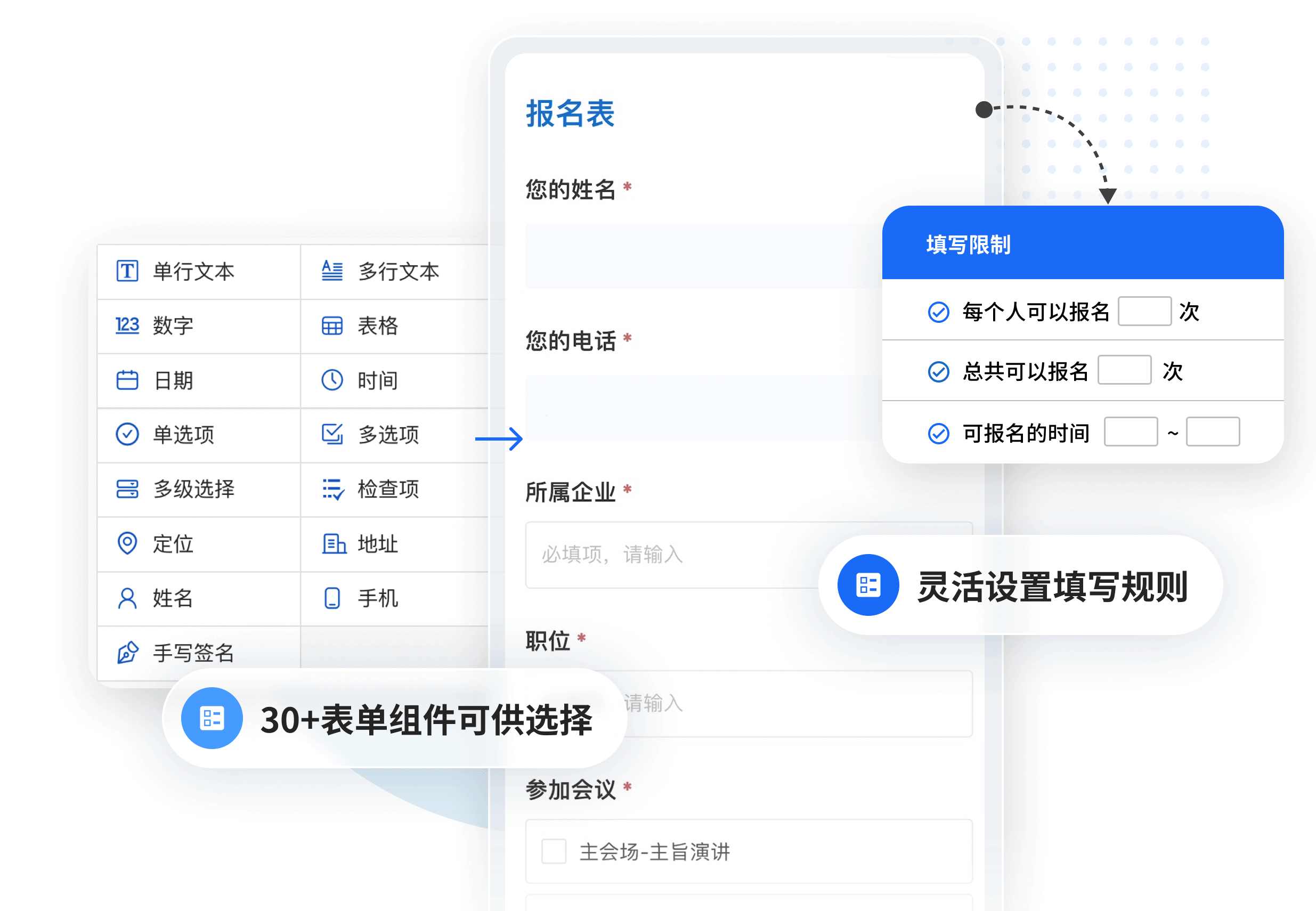
Go to the CaoLiao QR Code official website and select the "Large Conference Promotion & Registration" template from the template library. Customize the page information according to your conference details, such as the schedule, speaker lineup, seating arrangement, and conference handbook. Set up the registration form fields, e.g., attendee name, contact information, affiliated organization, accommodation needs, etc.
Once configured, generate the QR code. It can be printed on invitations, posters, or distributed online via channels like WeChat.
2. Guest Registration & Obtaining Attendance Credentials
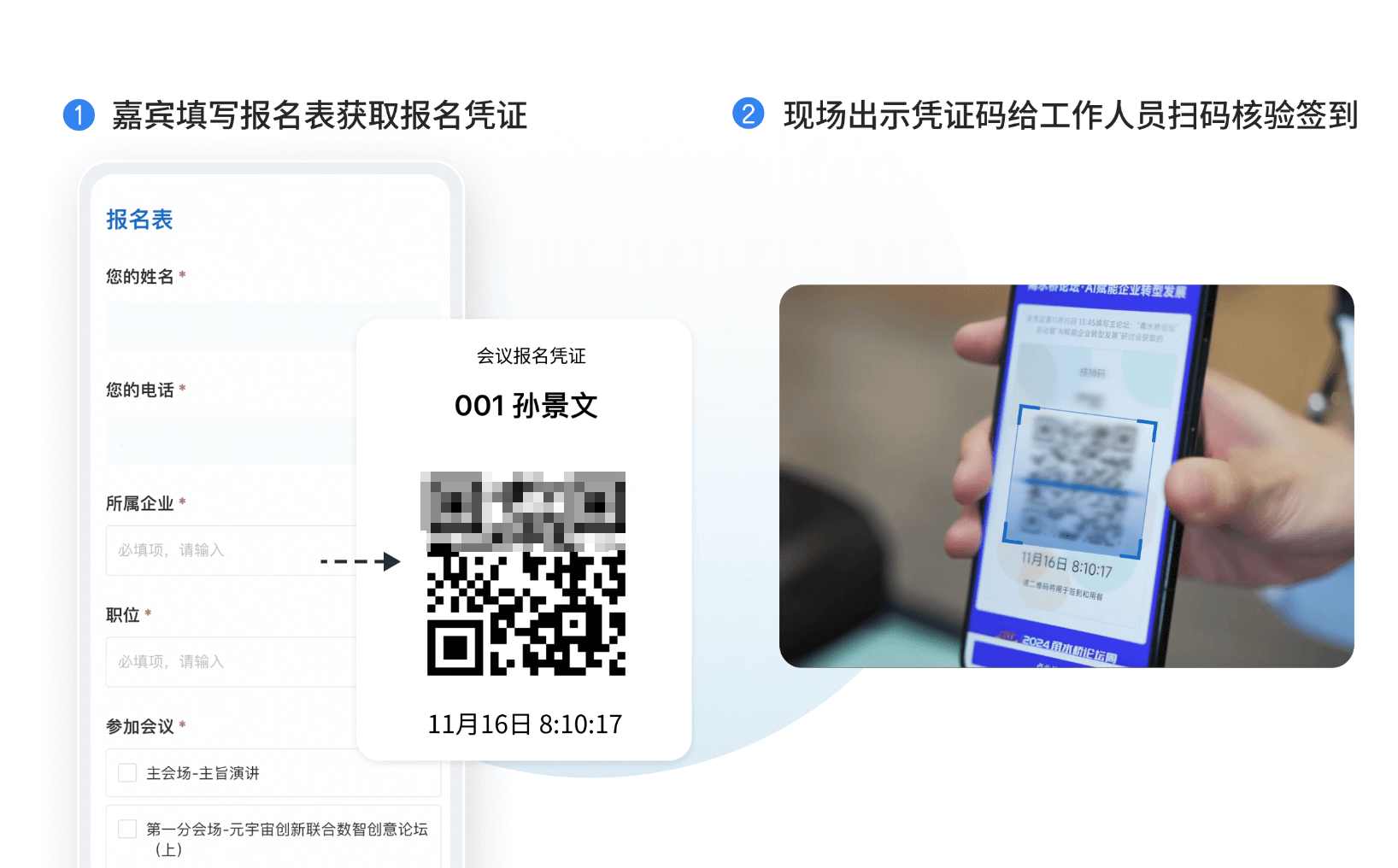
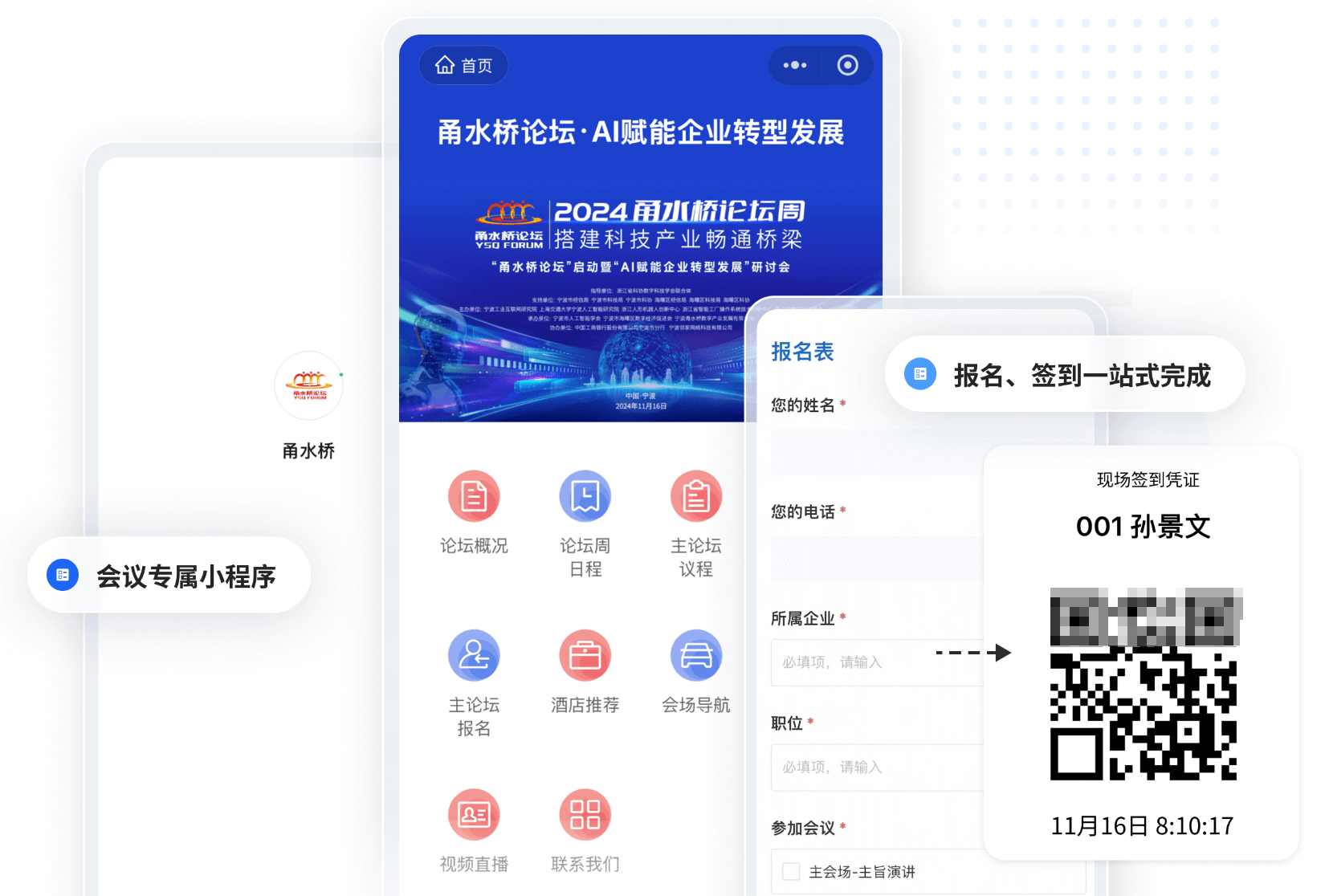
Guests scan the QR code with WeChat to fill in their information. Upon successful registration, the system generates a registration credential containing their name, registration time, a QR code, etc. (The displayed content on the credential is customizable). The QR code on this credential serves as the entry pass, facilitating identity verification at the venue.
Using the "Form Verification" feature, staff can scan this QR code on-site to validate registration information and quickly complete the check-in process.
3. On-site Check-in Management on Conference Day
CaoLiao QR Code offers two modes for check-in:
- On-site Scan to Check-in: Suitable for general attendees; they scan a code to check-in and enter.
- Present Credential for Verification: Ideal for conferences requiring pre-registration and restricted entry.
To prevent proxy check-ins, you can enable anti-fraud features, such as restricting check-in to specific locations or limiting each phone number to a single check-in, thus avoiding proxy or fraudulent sign-ins.
Upon arrival, guests simply present their credential QR code. Staff can verify it by scanning with WeChat, a computer camera, or a barcode scanner. Each person's check-in takes just seconds, significantly reducing queue times.
4. Check-in Data Aggregation and Export
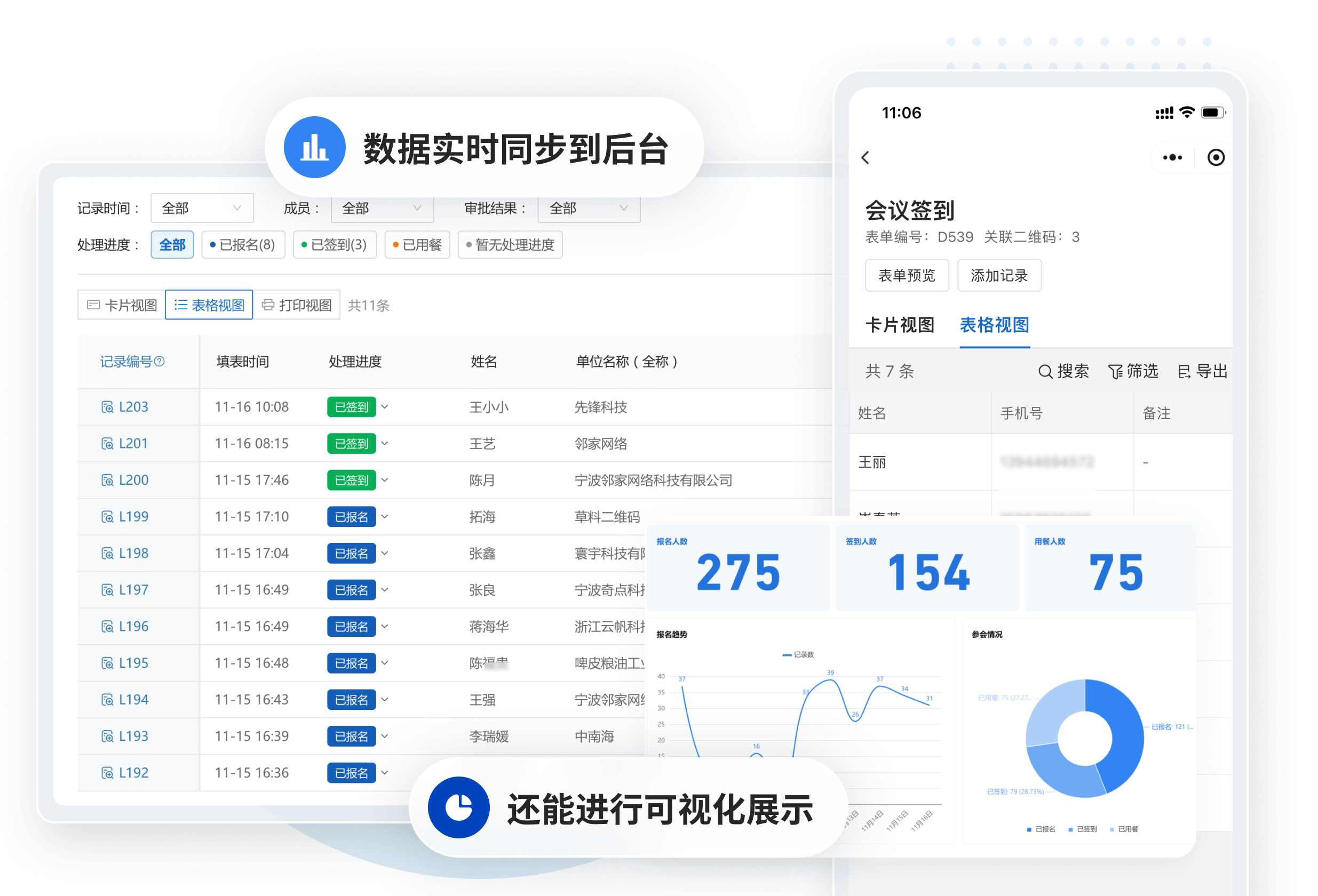
Check-in data syncs to the backend in real-time. Organizers can view attendance status at any time and export data to Excel or PDF based on criteria like venue name or check-in time. This facilitates post-event archiving, reporting, or calculating attendance rates.
Data can also be integrated with other platforms via API to meet additional display, analysis, and application needs.
3. How to Achieve a More Professional Presentation?
If you want your conference to not only run smoothly but also reflect a professional image, consider using CaoLiao QR Code's exclusive WeChat Mini Program service. No technical knowledge is required; simply purchase this add-on feature for 1600 RMB. This allows you to build the entire conference content within a WeChat Mini Program named after your company or the event. When guests scan the code, the page will automatically display your company's logo and name, creating a unified brand entry point.
Furthermore, the exclusive Mini Program can integrate with your enterprise WeChat Public Platform. Subsequent notifications, such as registration confirmations and check-in reminders, can be pushed through the official account, enhancing communication efficiency and professionalism. This is particularly suitable for corporate hosts or organizers with presentation needs, significantly boosting the professional feel.
4. Frequently Asked Questions
1. Can the free version be used?
Yes, CaoLiao QR Code's free version can be used to build a conference management system. It includes unlimited users, permanently valid QR codes, long-term data storage, etc., which is generally sufficient for standard conference management. However, for features like team collaboration or removing the page watermark, the Basic or Flagship edition is recommended.
2. How to prevent proxy check-ins?
You can enable location-based check-in and prevent duplicate scans. For higher security requirements, external ID card recognition devices can be connected.
3. How to handle material distribution after registration?
Create a dynamic QR code containing the materials. In the [Form Settings - Submission Success Page Settings], configure the page to redirect to this dynamic QR code after form submission. This allows guests to access the materials immediately after scanning the code and completing the registration information.