A Frontline Teacher's Self-Created "Scan to Check Homework" Tool: Complete Class Homework Statistics in 5 Minutes
Original: https://cli.im/article/detail/2358
After teaching for over a decade, the collected slips of paper could circle the playground three times! Until one day, a flash of inspiration: QR codes + Excel catapulted homework tracking from the "Stone Age" into the "Smart Age"? Every teacher's darkest hour.
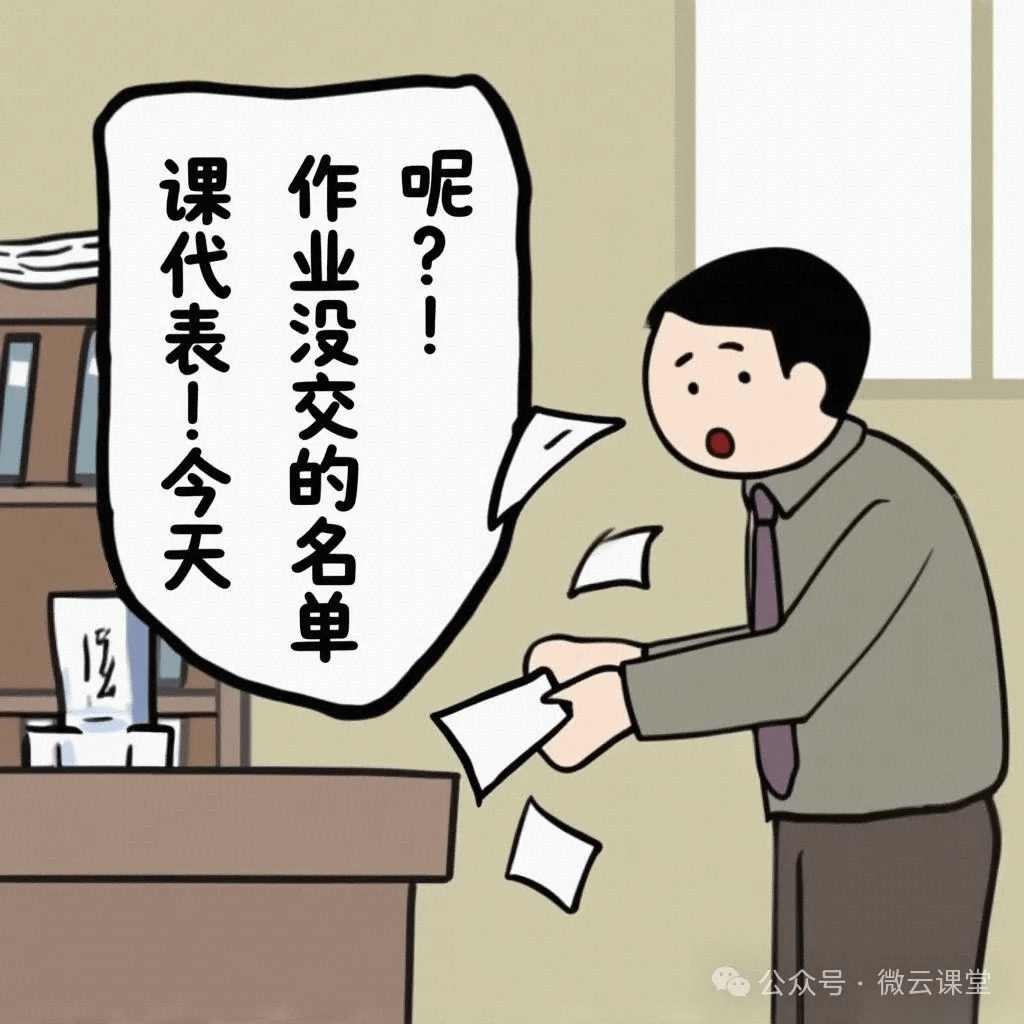
"Class monitor! Where's the list of students who didn't hand in their homework today?" "Teacher... the slip blew away in the wind..." This conversation plays out daily in staff rooms. We're living in 2025, yet homework tracking still relies on the "caveman package": paper registration → manual verification → manual entry. Even worse:
- Group leaders frequently miss or underreport.
- Paper records cannot be stored long-term.
- Want to analyze homework trends at semester's end? First, spend three days digging through files!
When Excel Meets QR Codes: The Desk Worker's Ultimate Counterattack
Equipment List
- Class roster Excel spreadsheet (with student IDs)
- CaoLiao QR Code Generator (free version is sufficient)
- Barcode scanner (any brand; I chose M&G)
Four Steps to Build a Smart Homework System
STEP 1: Import the class roster on the CaoLiao QR Code website and batch generate personalized QR codes with student IDs.
CaoLiao QR Code website: https://cli.im
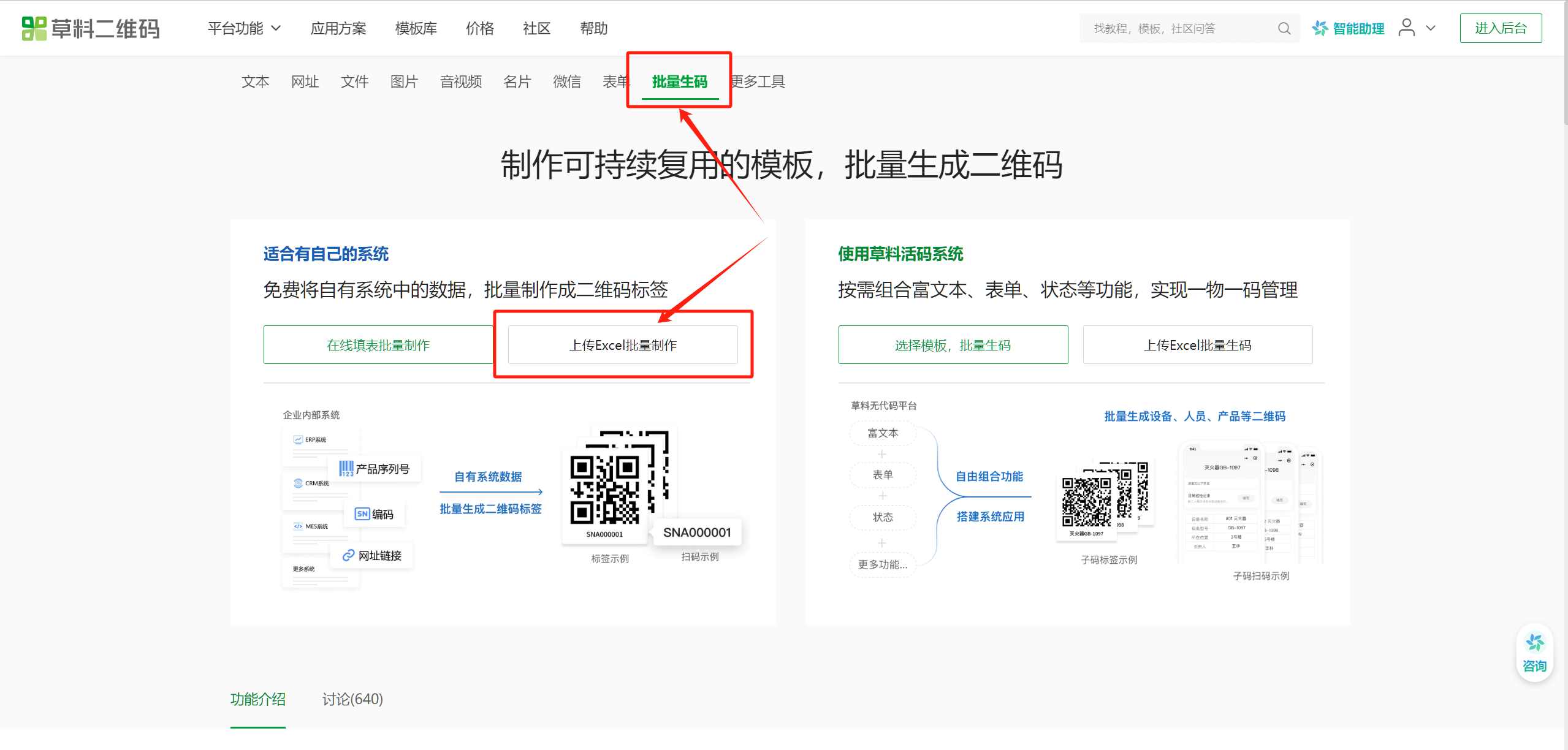
Download the bulk upload Excel template, fill in the student names for the scanner to recognize, and generate the QR code labels.
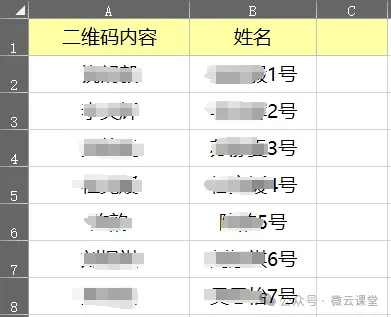
(Friendly reminder: For scanner recognition later, please choose to generate "static QR codes.")
STEP 2: Stick the QR codes on the covers of the exercise books (recommend laminating them—kids love picking at labels).

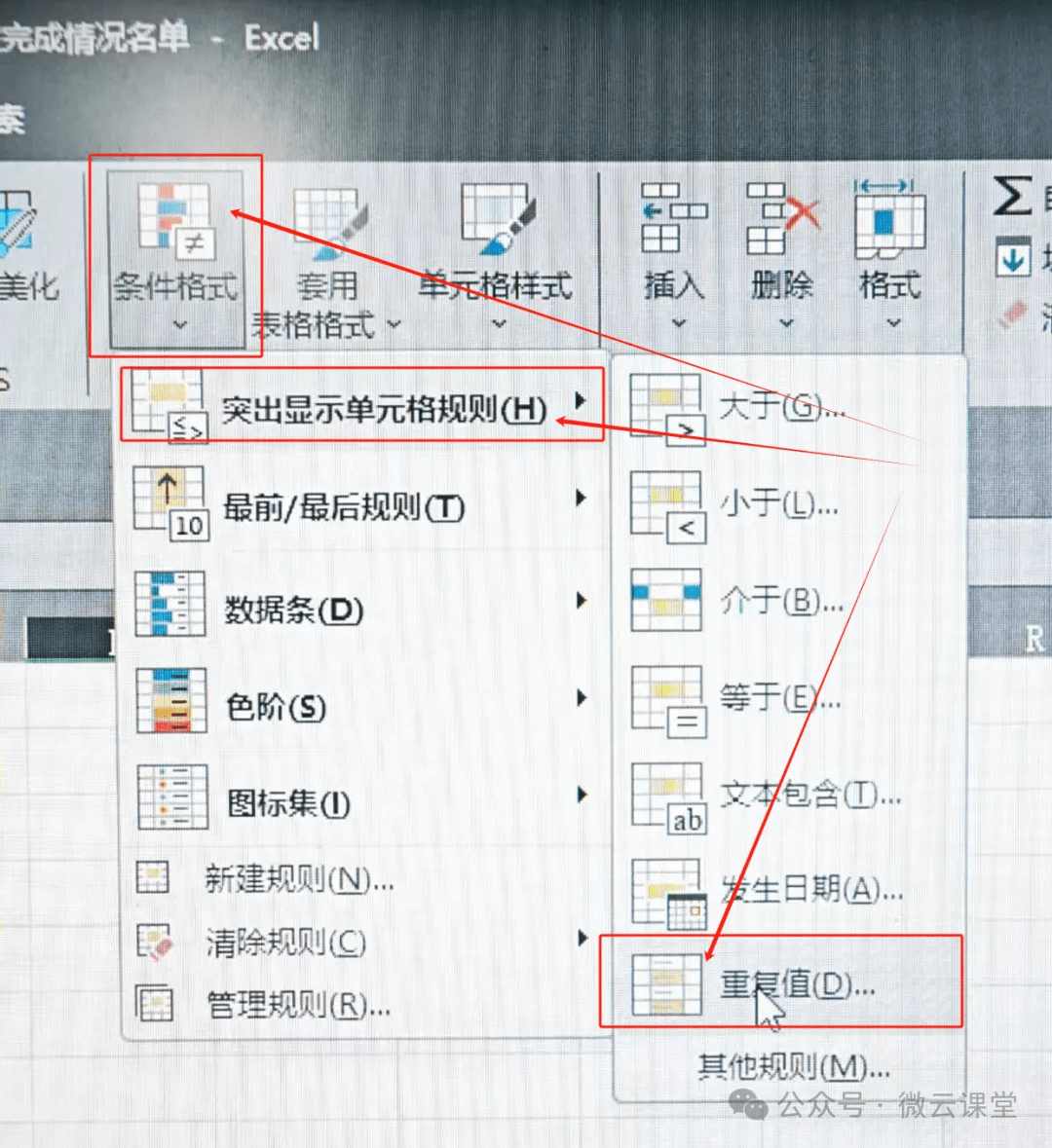
STEP 3: Set up a smart registration table in Excel.
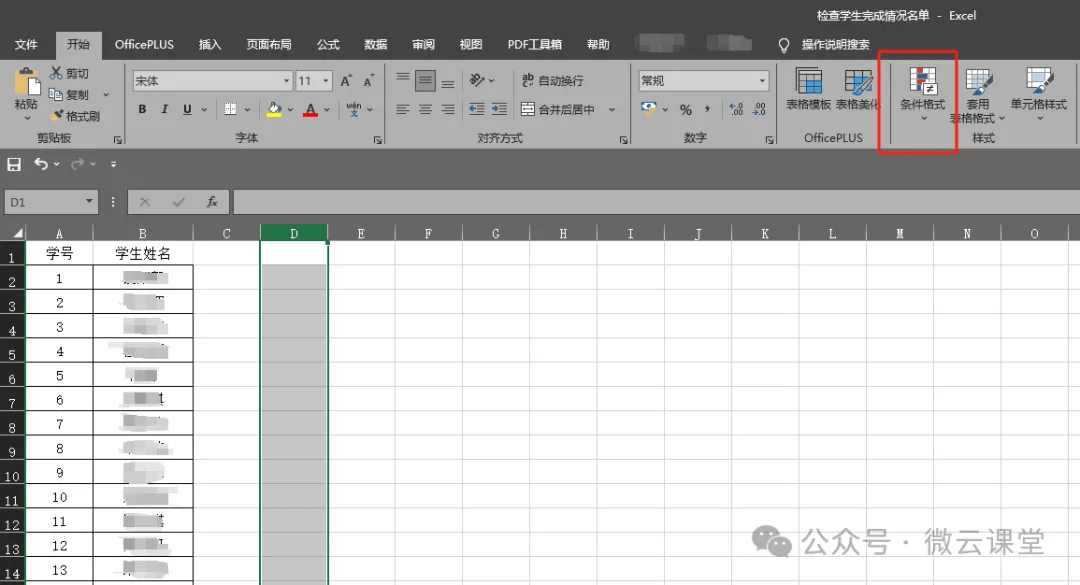
In the class roster Excel sheet, select a column, then find "Conditional Formatting" → "Highlight Cells Rules" → "Duplicate Values" in the menu bar (same operation in WPS).
STEP 4: The class monitor uses the barcode scanner to "beep beep" scan the homework, getting results in 3 seconds.
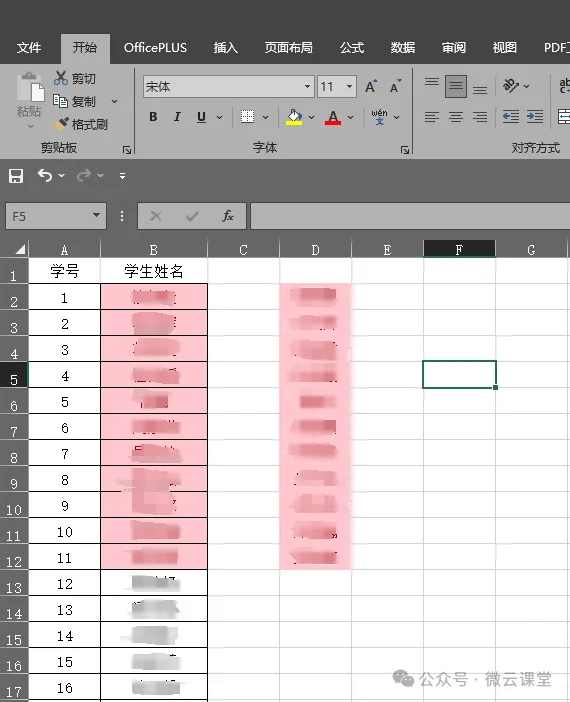
As shown above, the list scanned by the monitor into Column D represents the students who submitted their homework. The names not highlighted in red in Column B are the ones who "slipped through the net."
Think It's Just for Checking Homework? These Hidden Tricks Are the Real Game-Changers
Some teachers say, "Isn't this just an electronic way to check homework? Overcomplicating things!" But when data starts flowing, the magic happens:
- Instant Feedback: Parents can check their child's daily learning status.
- Precise Tiering: Mark three levels: "Excellent / Average / Needs Improvement."
- Parent-Teacher Communication: Export data to instantly create PPTs for parent meetings.
- Learning Alerts: Trigger reminders if homework is not submitted three times in a row.
How to achieve these magical functions? We'll cover that in the next issue...
Digital Empowerment Doesn't Replace; It Liberates
Some teachers argue, "Education needs warmth; it can't be replaced by machines." But when we:
- Save 30 minutes per day on mechanical tasks.
- Return that time to lesson planning, teaching research, and student counseling.
- Use data to understand each child's learning journey.
Isn't this the best interpretation of technology empowering education?
Original article reprinted from the WeChat Public Account: Weiyun Classroom 《【Digital Empowerment】Vol.01 A Frontline Teacher's Self-Created "Scan to Check Homework" Tool! Complete Class Statistics in 5 Minutes? Homework Tracking Can Be This Fun!》