Fire Safety Exam
Suitable for conducting simple and easy-to-operate fire safety exams. Supports single-choice questions and true/false questions. Automatically scores upon completion, allowing immediate viewing of scores and correct answers.
Basic Information
- Monthly Installations: 183
- Monthly Visits: 32
- Original Text: https://cli.im/template/detail/121463633
Case Label Image

Usage Instructions
Suitable for conducting simple and easy-to-operate fire safety exams. Automatically scores upon completion, allowing immediate viewing of scores and correct answers.
1. Applicable Scenarios
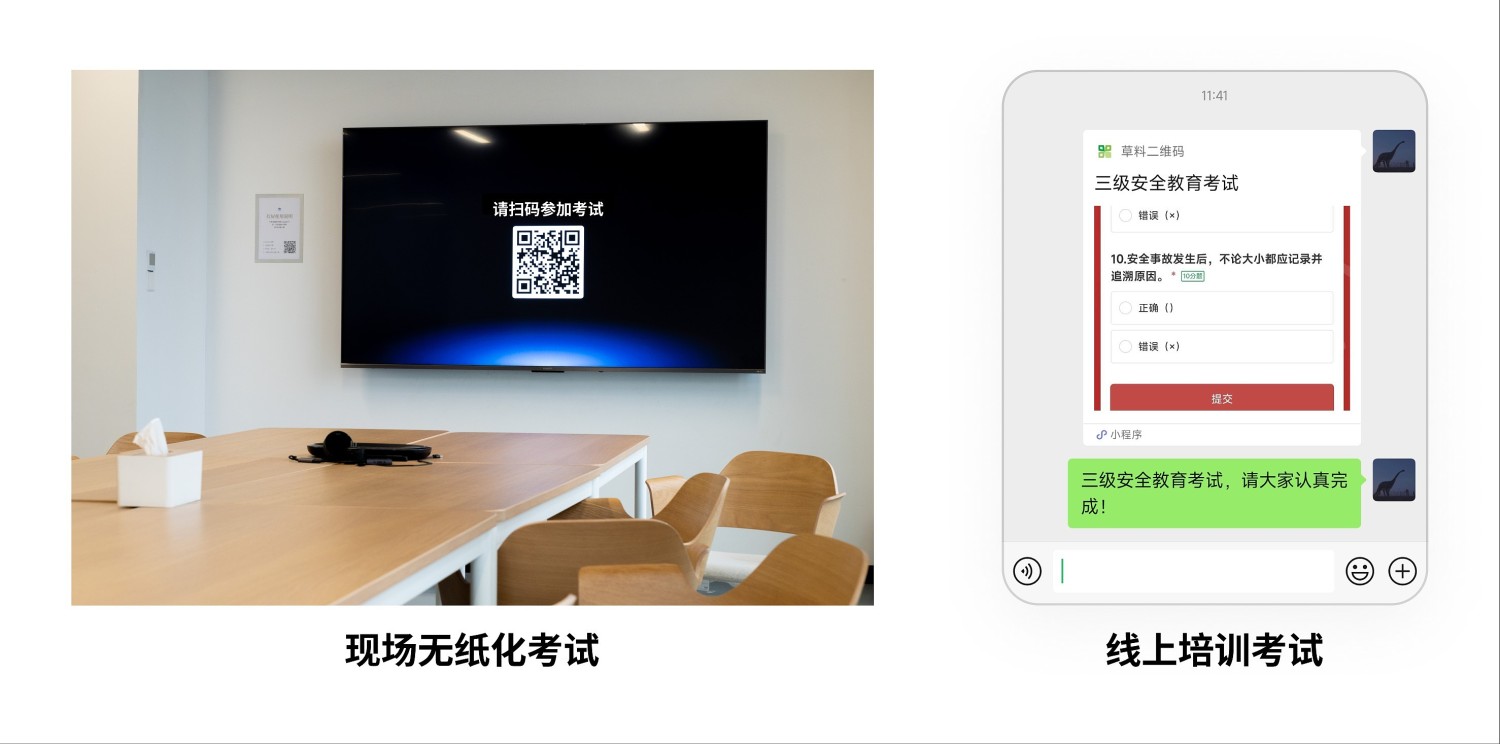
- Participants can take the exam simply by scanning a WeChat QR code, convenient for both online and offline use. Supports single-choice questions and true/false questions.
Scenarios Not Suitable
- Exams requiring complex question types such as multiple-choice questions, multiple-answer questions, or subjective questions.
- Formal certification exams with high requirements for confidentiality and authenticity.
2. Usage Process
1. Create Exam QR Code
Use the template to create an exam QR code and modify the exam questions and form settings according to the actual exam content.
- Supports setting single-choice questions and true/false questions with automatic scoring.
- Allows setting exam duration, target participants, and restrictions on retaking the exam. Learn about form filling restrictions.
- Supports immediate viewing of exam results after submission.
2. Deploy QR Code
The QR code can be printed and posted at the training site or sent to trainees via WeChat groups, meeting systems, etc.
- Supports direct exam access by scanning the QR code with WeChat on a mobile phone.
- No app installation required; the exam experience is lightweight and fast.
3. View and Summarize Exam Results
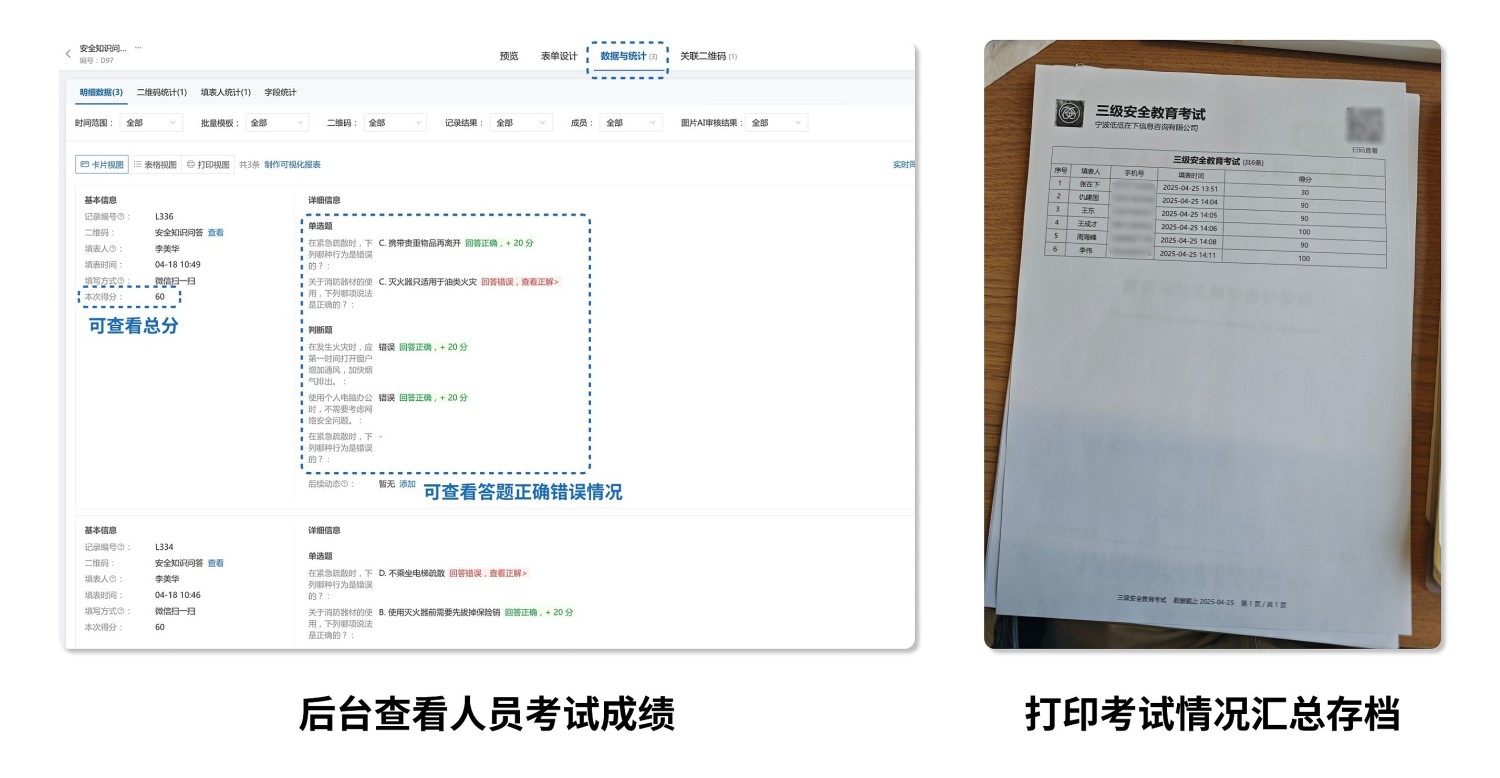
- View Personal Score: After completing the exam, submitters can immediately view their exam score.
- View All Scores: Administrators can view all answer records and performance in the data and statistics interface.
- Export and Archive Scores: For those requiring paper records, all participants' exam scores can be summarized, exported, and printed for archiving and reference.
3. Frequently Asked Questions
1. Is it free to use?
Answer: You can choose the appropriate version based on your actual needs.
- Free Version: Supports creating exam forms, unlimited number of exam takers, permanent storage of answer data, meeting general fire safety exam requirements.
- Flagship Version (¥2680/year): Supports advanced features such as multi-user collaboration for managing score data, suitable for large-scale corporate training projects.
View details: Version Selection Suggestions
2. Is the data secure and reliable?
Answer: We employ industry-leading security protection technologies to ensure the data security of every user.
- Certified by the Ministry of Public Security with Level 3 Protection, and passed Alibaba Cloud security penetration tests.
- Served over 10 million enterprises and organizations, including the Winter Olympics Organizing Committee, various provincial and municipal governments, and large central enterprises.
- Data storage is stable and reliable, with configurable access permissions and encryption protection.
View details: Data Security Description
3. How to set up viewing explanations or receiving training materials after exam completion?
Answer: In 【Form Settings】-【Submission Success Page Settings】, you can set a redirect to a materials page or an explanation page. You can also redirect to a QR code page containing materials, making it convenient to distribute supplementary materials after the exam. View the operation tutorial: Submission Success Page