Document Display
Suitable for all scenarios requiring file uploads, audio/video content display, etc. You can customize the template content and combine it with text, images, etc., to build more complex pages.
Basic Information
- Monthly Installations: 8,958
- Monthly Visits: 26,794
- Original: https://cli.im/template/detail/121463326
Case Label Image
Usage Instructions
Problems Solved
1. Quick QR Code Generation for Files:
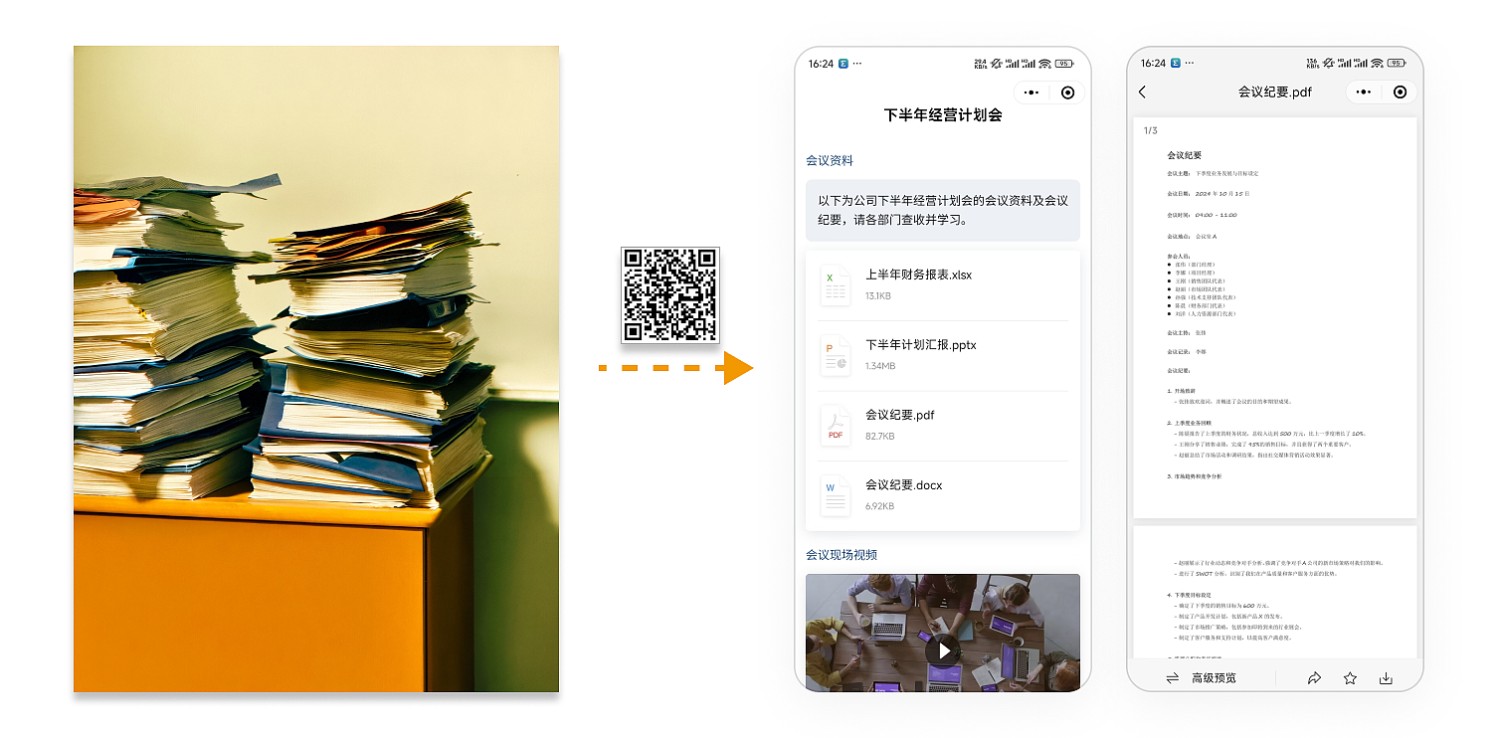
Helps you quickly create pages containing multiple files, videos, and other content, and generate corresponding QR codes. Suitable for all scenarios requiring file uploads, audio/video content display, etc. You can customize the template content and add text, images, etc., to build more complex display pages.
2. Simple Creation:
No professional technical skills required. Modify the template like using a PPT template to complete file uploads and page creation.
Application Scenarios
1. File Upload and Download:
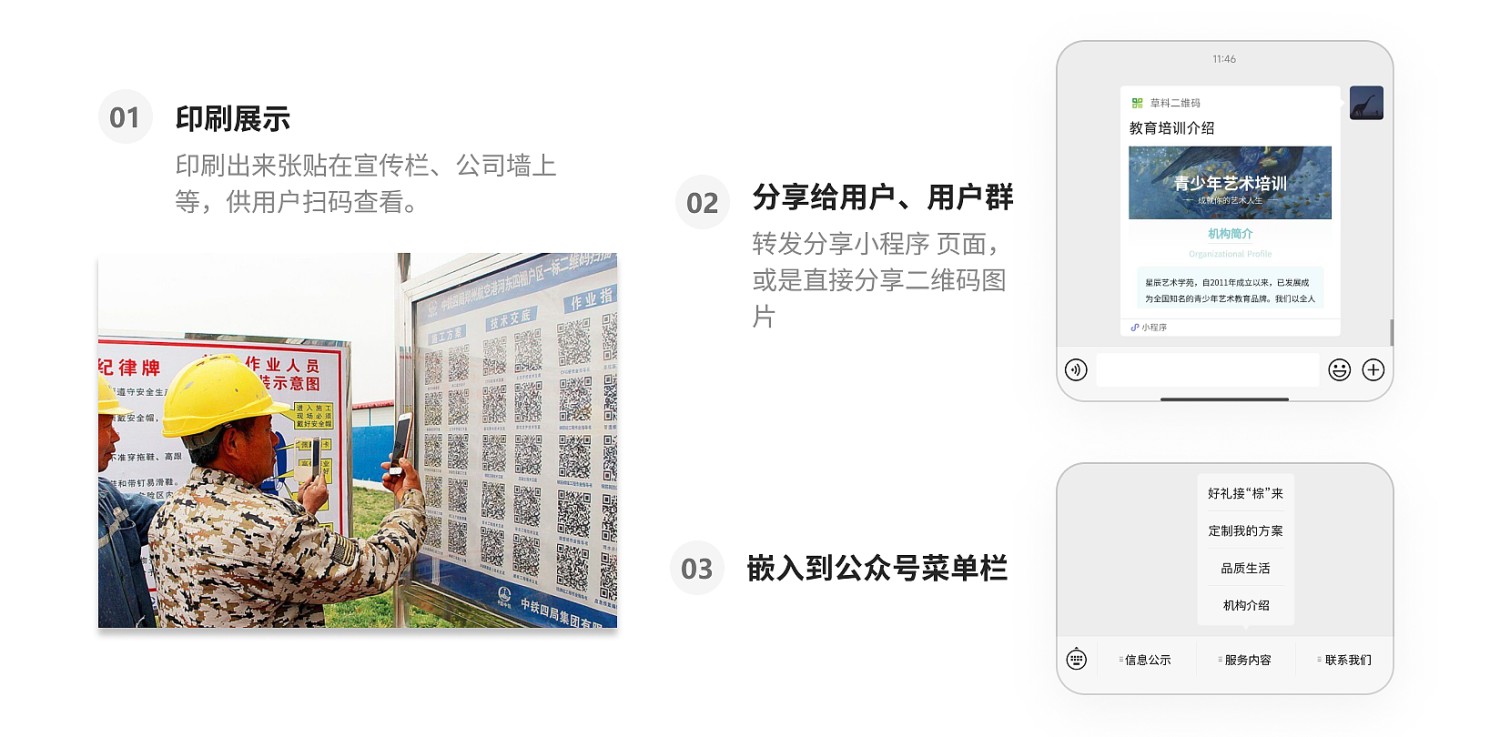
Applicable to most scenarios requiring offline QR code scanning for file or audio/video content transmission, such as electronic file archiving, users scanning QR codes to obtain files, watch videos, etc.
2. Forwarding and Browsing:
Send the QR code page to the target audience, who can open and browse it directly in WeChat.
3. Public Account Column:
You can also embed the page into a public account to enrich the content of your organization's public account.
Core Features
Content Can Be Updated Anytime:
All content on the page, including files, audio, and video, can be updated at any time based on business needs. The QR code pattern remains unchanged, ensuring that users can access the latest content by scanning the same QR code.
Setup Process
Step 1: Click "Use Template to Generate QR Code"
Step 2: Modify the template content, input titles, descriptions, etc., and replace the template content with your own files.
Advanced Applications
1. Post-Reading Registration for Files
Files can be set to enable post-reading registration. This allows:
- Automatic submission of a sign-off record after the scanner browses the file, serving as proof of having read the file.
- Applicable scenarios: Internal or external document notifications, document acknowledgments within organizations, tracking who has viewed the file, such as company management documents, technical disclosure acknowledgments, travel notice circulation, etc., to ensure clear accountability and traceability of document circulation.
2. Custom Logos and Watermarks for File Previews
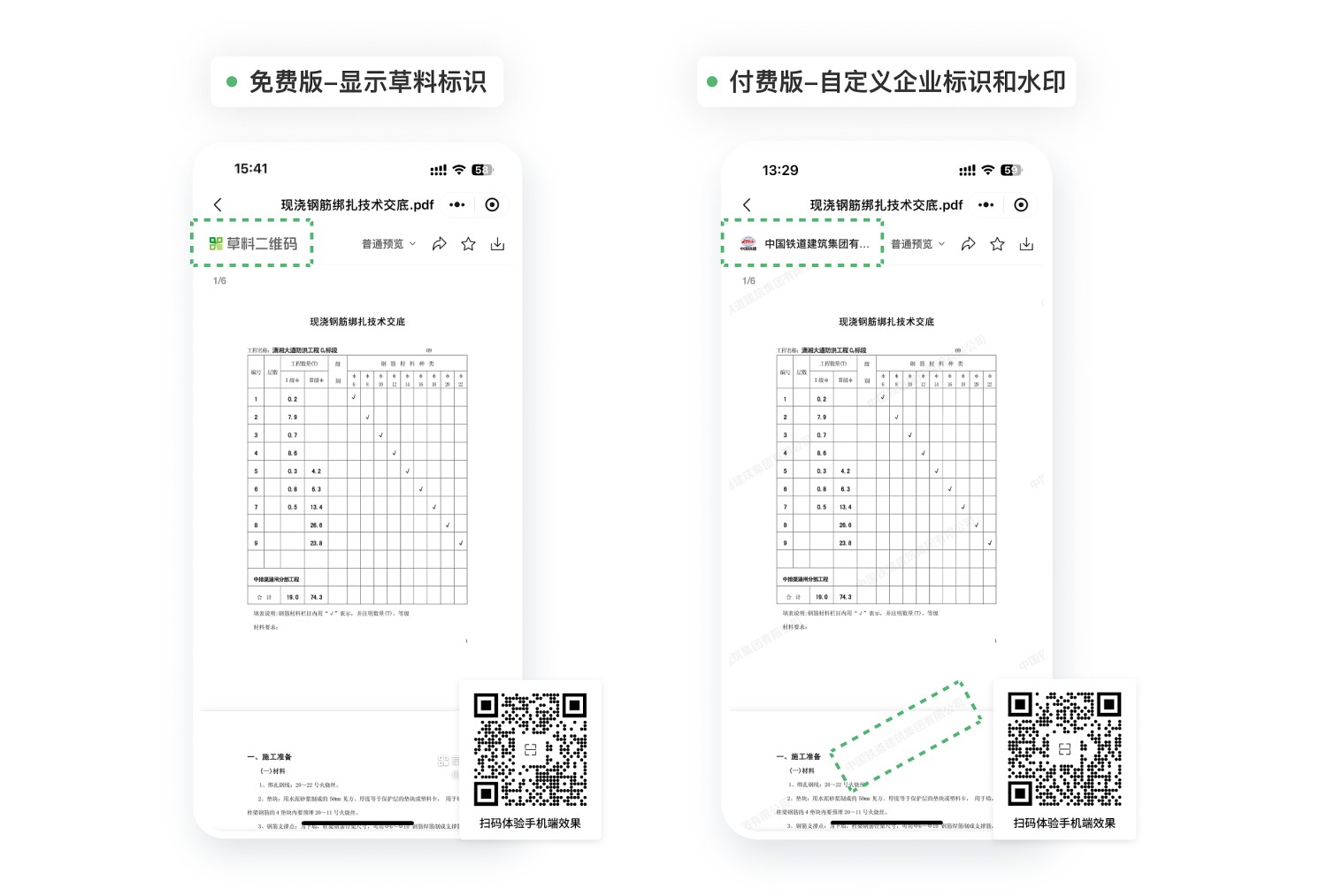
- External Scenarios: The preview page automatically displays the company logo, with optional diagonal watermark. Customers or partners can immediately confirm the source upon scanning. Screenshots still carry the source mark, enhancing credibility and reducing unauthorized use of materials.
- Internal Scenarios: Company logo + "Internal Document" watermark reminds employees that they are viewing internal company materials, preventing unauthorized distribution.
This feature can be enabled after payment. Learn more
Related Templates
Engineering Document Files: Upload electronic engineering document files into QR codes to meet archiving and sharing needs. No additional software or hardware installation required; view via mobile phone scanning, convenient for external personnel access.
Technical Disclosure: Create QR codes for disclosure materials, operating procedures, and other construction documents, and post them on site bulletin boards. Workers can scan at any time to access information, solving issues like inconvenient carrying of paper documents and incomplete disclosure.