Equipment Repair and Maintenance
Scan QR codes to report issues, and submit maintenance records after repairs. One code per device, creating a closed-loop record system for fault reporting, maintenance tracking, and repair outcomes. Maintenance records are clear, transparent, and easily accessible.
Basic Information
- Monthly Installations: 8,556
- Monthly Visits: 32,675
- Original Source: https://cli.im/template/detail/91822156
Case Label Images

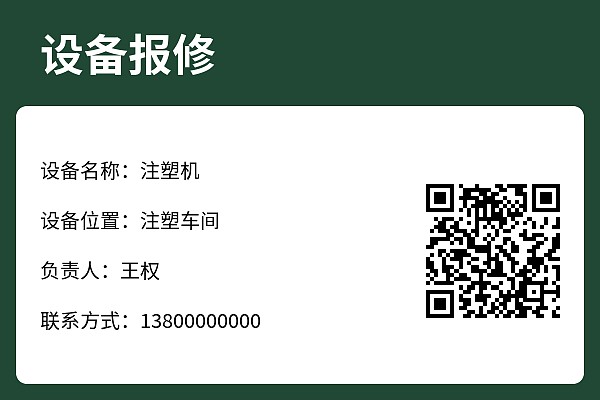
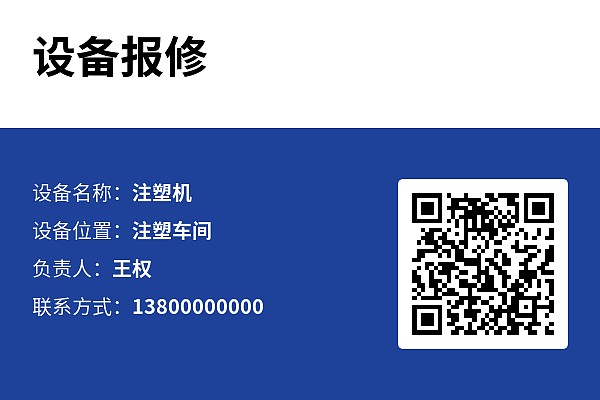
Usage Instructions
1. Applicable Scope
- Target Users: Reporting and maintenance for single high-value equipment (e.g., cranes, elevators, CNC machines), replacing paper forms to create one file per device.
- Usage: One QR code per device. Scan to view basic device information and report issues (time/fault description/photos). Administrators can track progress, follow up, and export details in real-time via the workbench.
- Note: For area-based repairs without fixed equipment (e.g., general property/factory maintenance) → Use a single repair QR code. Related template: Repair and Maintenance Registration
2. Fault Reporting — Maintenance Rectification — Acceptance Closed Loop
1. Inspectors Report Faults
- Scan the WeChat QR code to fill out the fault reporting form: Inspectors discover faults, scan the QR code, provide detailed fault descriptions, upload photos, and report the issue.
- Initial processing status set to "Pending Rectification": After reporting, the record's status defaults to "Pending Rectification."
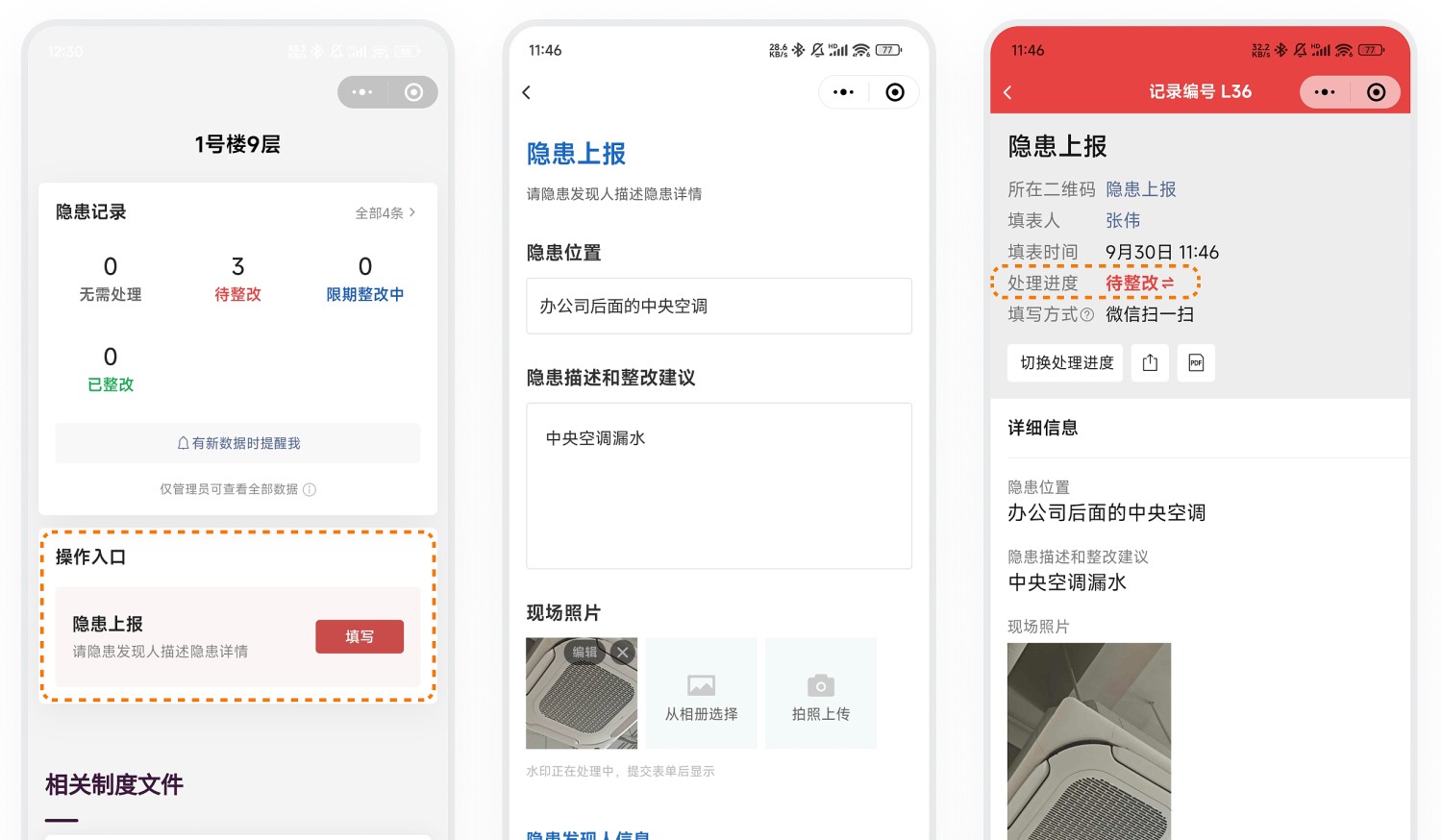
2. Maintenance Personnel Perform Rectification
- Automatic notifications for maintenance staff: The system automatically alerts maintenance personnel via WeChat to review fault details.
- Record the rectification process: Maintenance staff promptly check and follow up, documenting the entire maintenance and rectification process.
- @ mention acceptance personnel for verification: After rectification is complete, @ mention acceptance personnel within the record to notify them for verification.
Note: To standardize rectification records, you can link a rectification feedback form in the follow-up actions of the fault report.
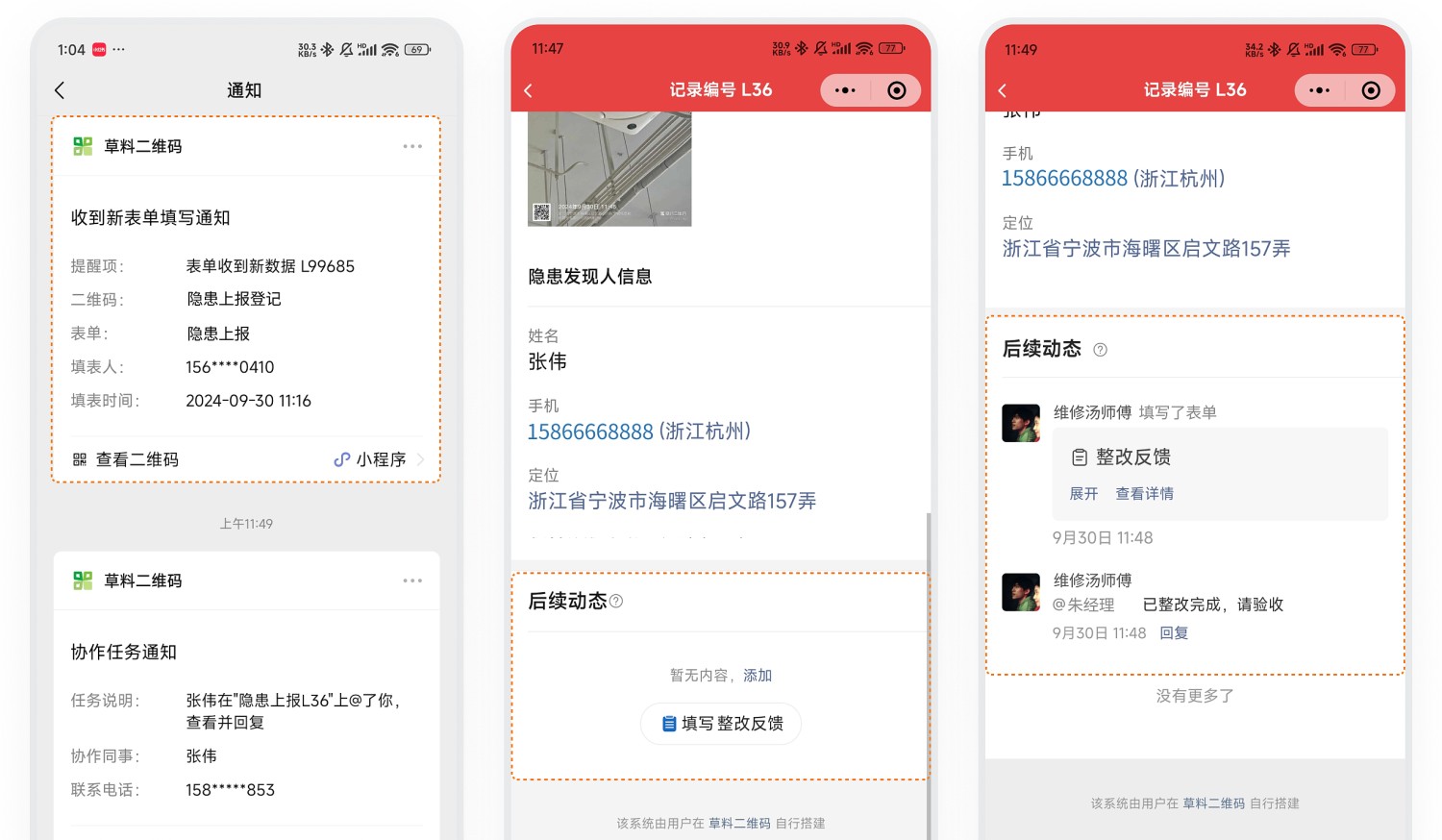
3. Acceptance Personnel Verify and Close the Issue
- Acceptance notification: Acceptance personnel receive collaboration messages via WeChat where they are @ mentioned. They review the maintenance and rectification process and proceed to the site for verification.
- Update processing status to "Rectified": After successful verification, manually change the processing status to "Rectified," completing the fault closure and forming a management closed loop.
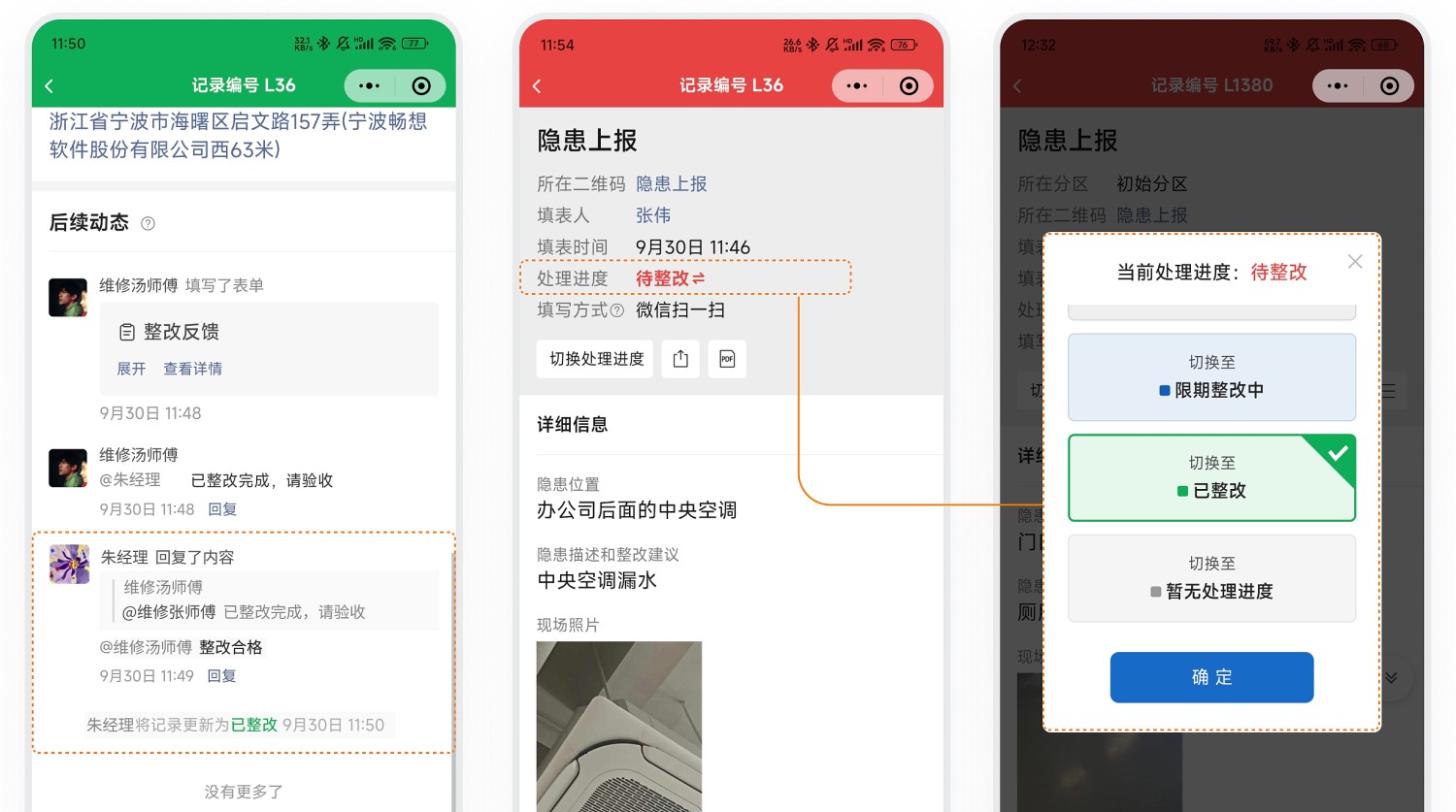
3. Data Management
1. Data Viewing and Exporting
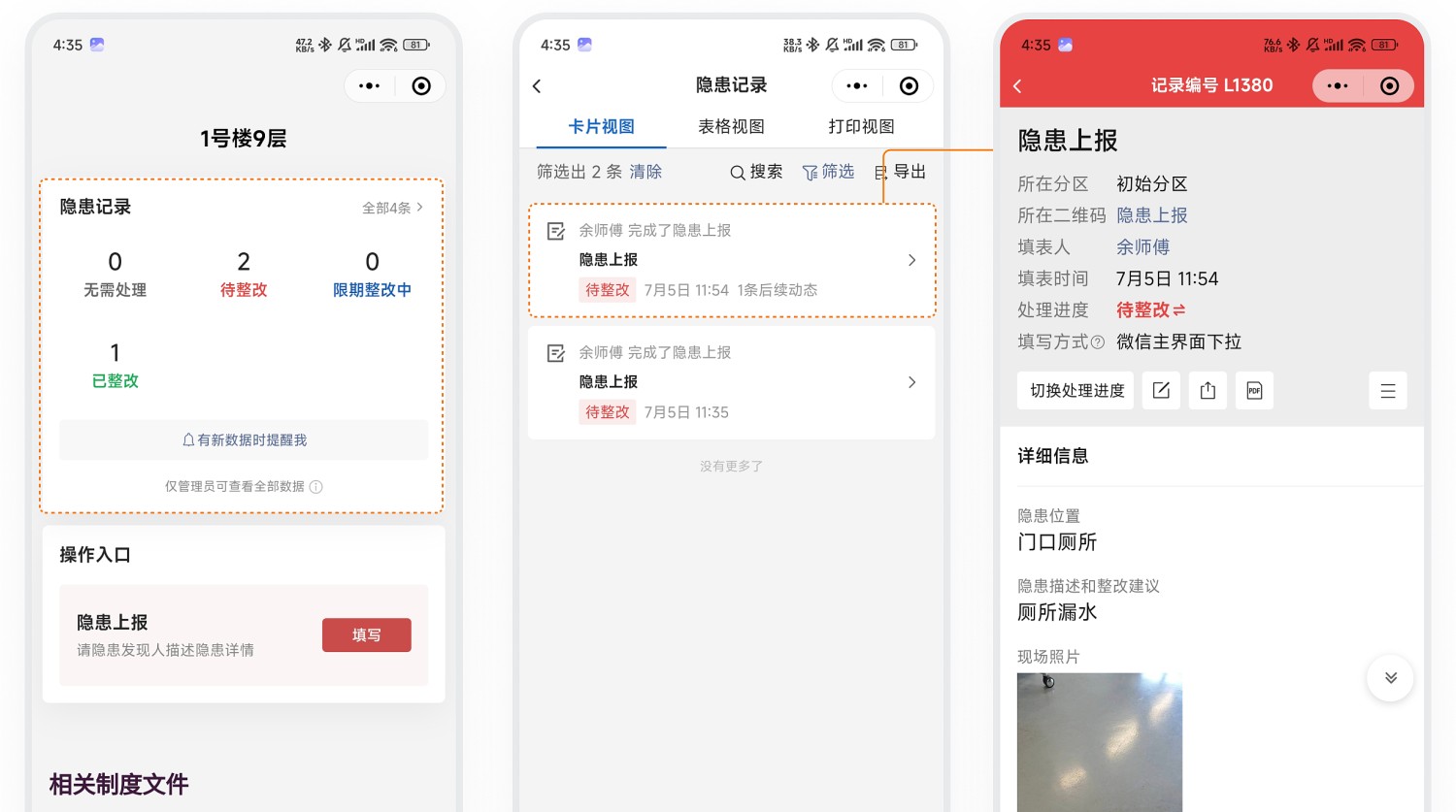
- Centralized management via workbench: All fault reporting and maintenance rectification data is stored under your account. Administrators can log in to the workbench at any time to view detailed data.
- Filter by processing status: Filter data based on processing status to quickly identify unresolved faults and arrange timely handling.
- Dynamic data panel: Scan the QR code to view the dynamic data panel. Use processing status statistics to quickly view faults pending rectification.
Desktop Form Data
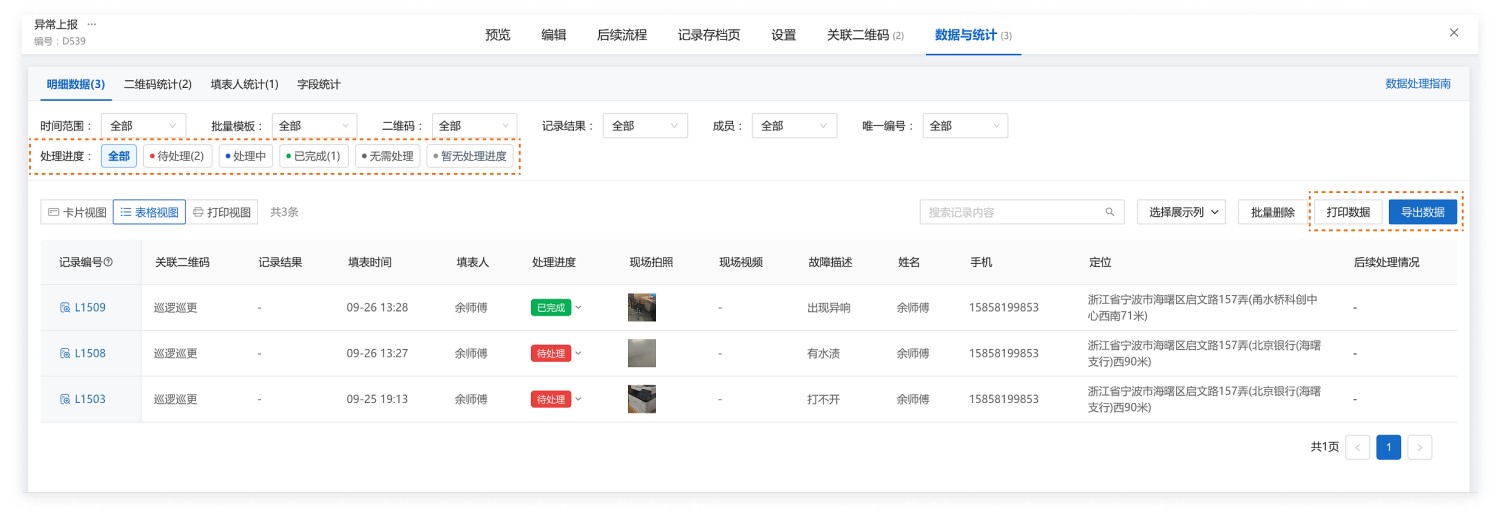
On-Code Dynamic Data Panel
2. Data Export and Archiving
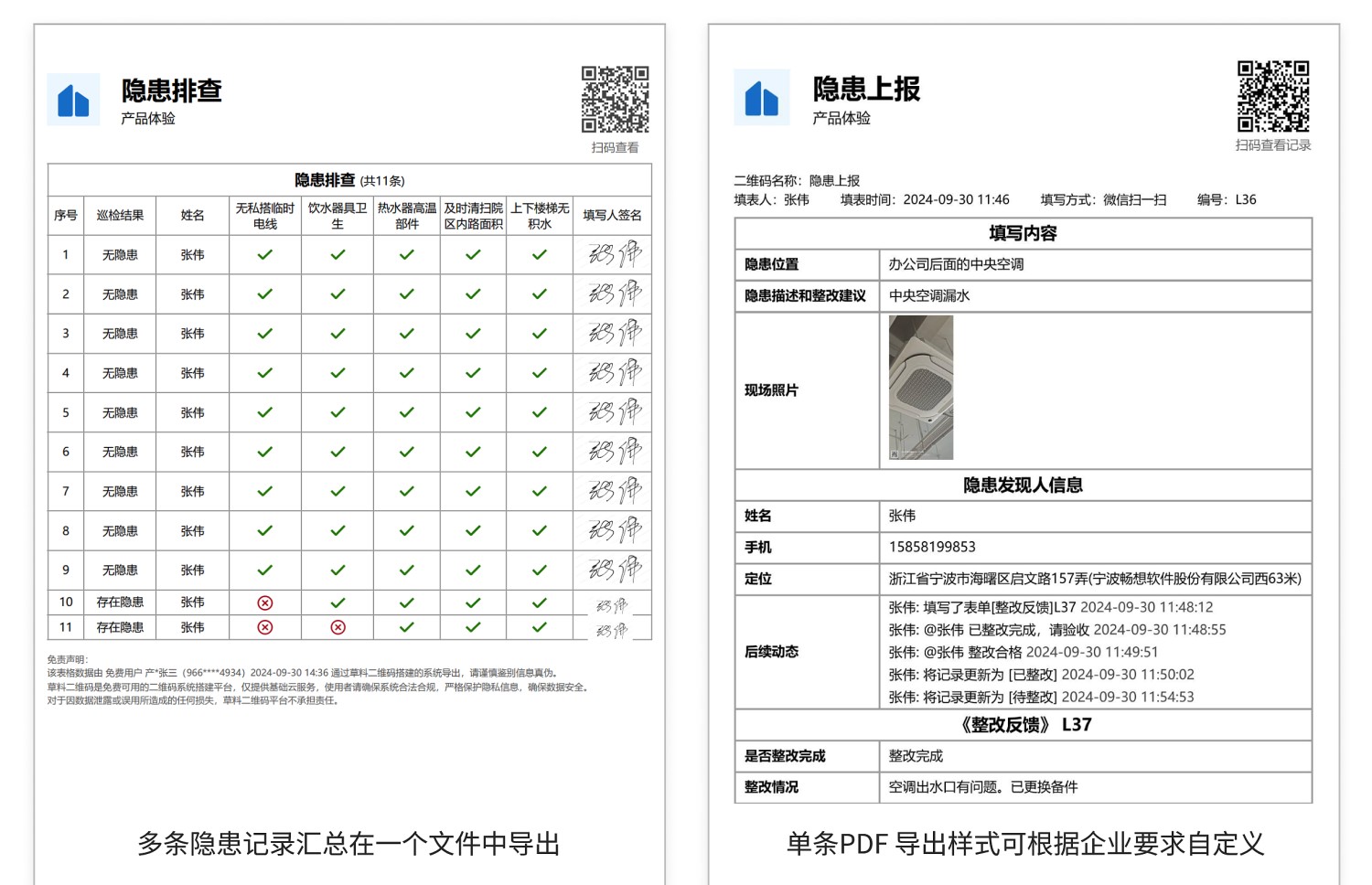
- Support for data export: Export fault reports and rectification records as PDF files for archiving.
- Customizable export format: When exporting individual records, customize the PDF export format according to enterprise requirements.
3. Data API
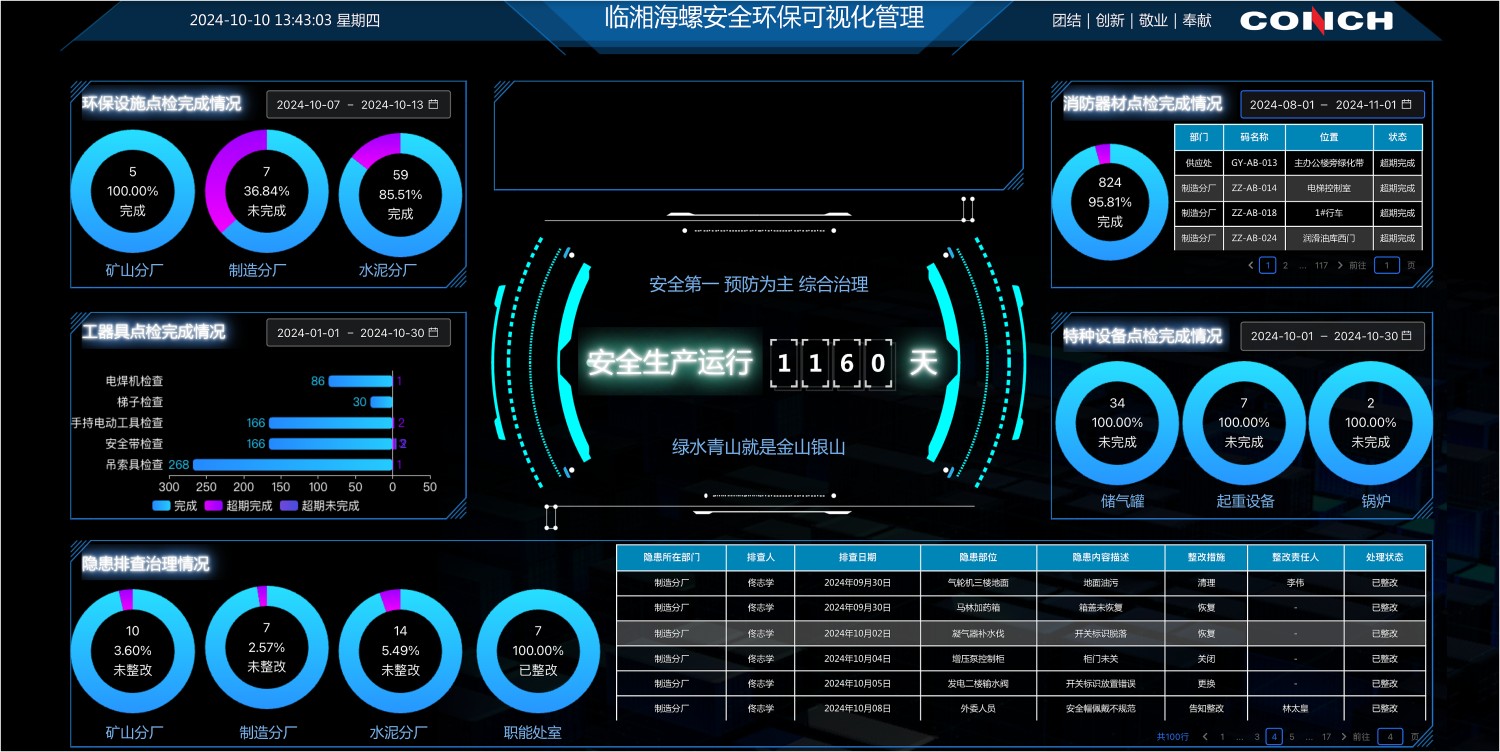
- Real-time data push: Utilize the data API feature to automatically push fault data to WeCom, DingTalk, or Feishu group chats for real-time data sharing.
- Data visualization: Integrate with visualization tools to create data dashboards, providing an intuitive overview of fault rectification status.
4. Frequently Asked Questions
1. How to Scan the QR Code to View Processing Status?
Answer: Add a dynamic data panel to the QR code and set it to display processing status statistics. Submitted fault reports are categorized by status and displayed on the QR code. Click to view detailed data. View Setup Tutorial