International Travel Itinerary and Information
Suitable for international travel itineraries, displaying route features, visa application instructions, etc. Customers can scan the code to view itinerary details and download required documents.
Basic Information
- Monthly Installs: 1816
- Monthly Views: 8916
- Source: https://cli.im/template/detail/121463218
Template Label Image

Usage Guide
Problems Solved
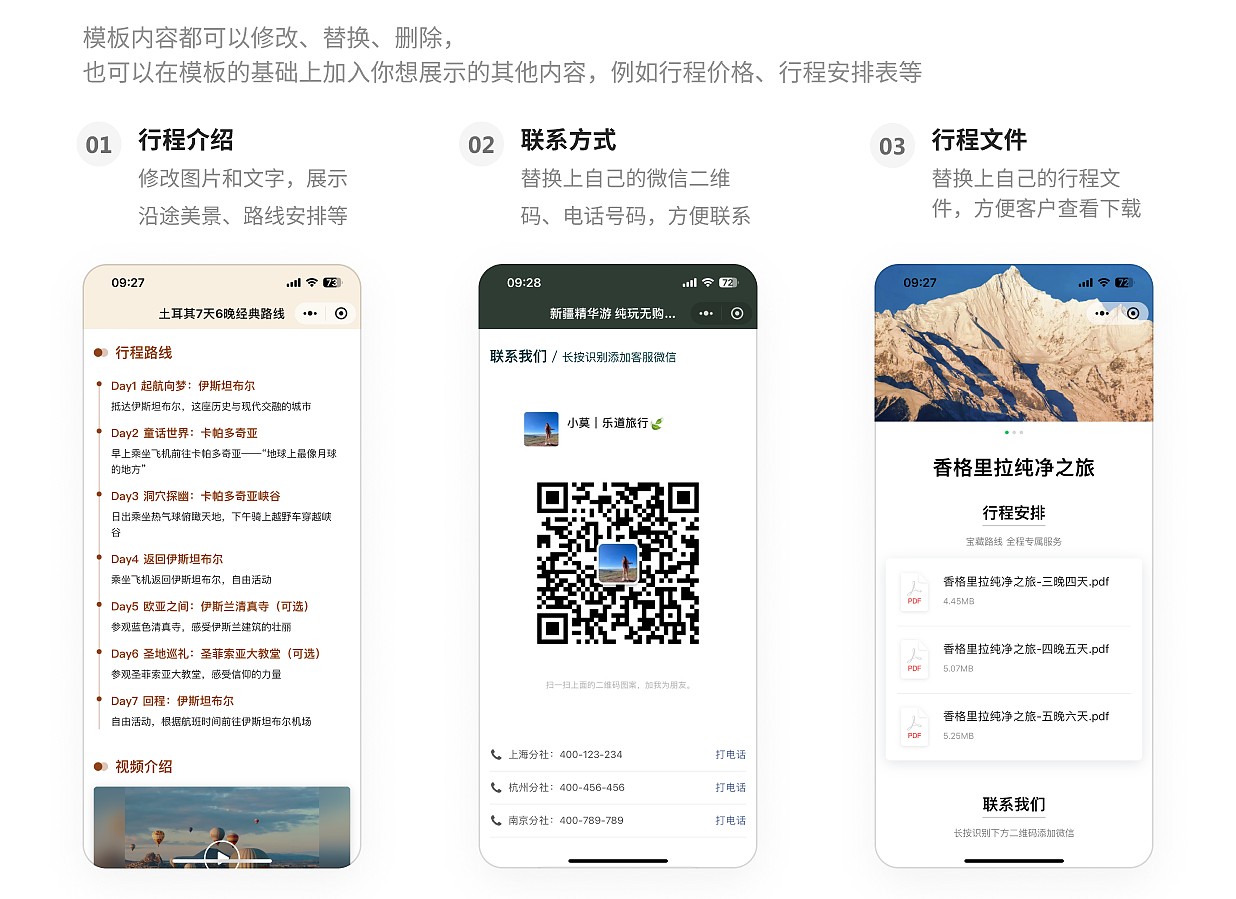
1. Expanding Promotion Formats: Printed promotional materials have limited space and cannot contain too much information. Customers are also reluctant to read page after page when distributed offline. This template helps you build rich online promotional pages for travel services, providing comprehensive content display for international travel products, including uploading visa application guidelines and other document information specific to international travel. Customers only need to scan the code to view. Files can also be downloaded to phones in advance for offline viewing abroad, solving potential issues of being unable to access the QR code page due to international network restrictions.
2. Easy Setup: No need for professional technical personnel. Modify a few elements like using a PPT template to create aesthetically pleasing online promotional pages.
Application Scenarios
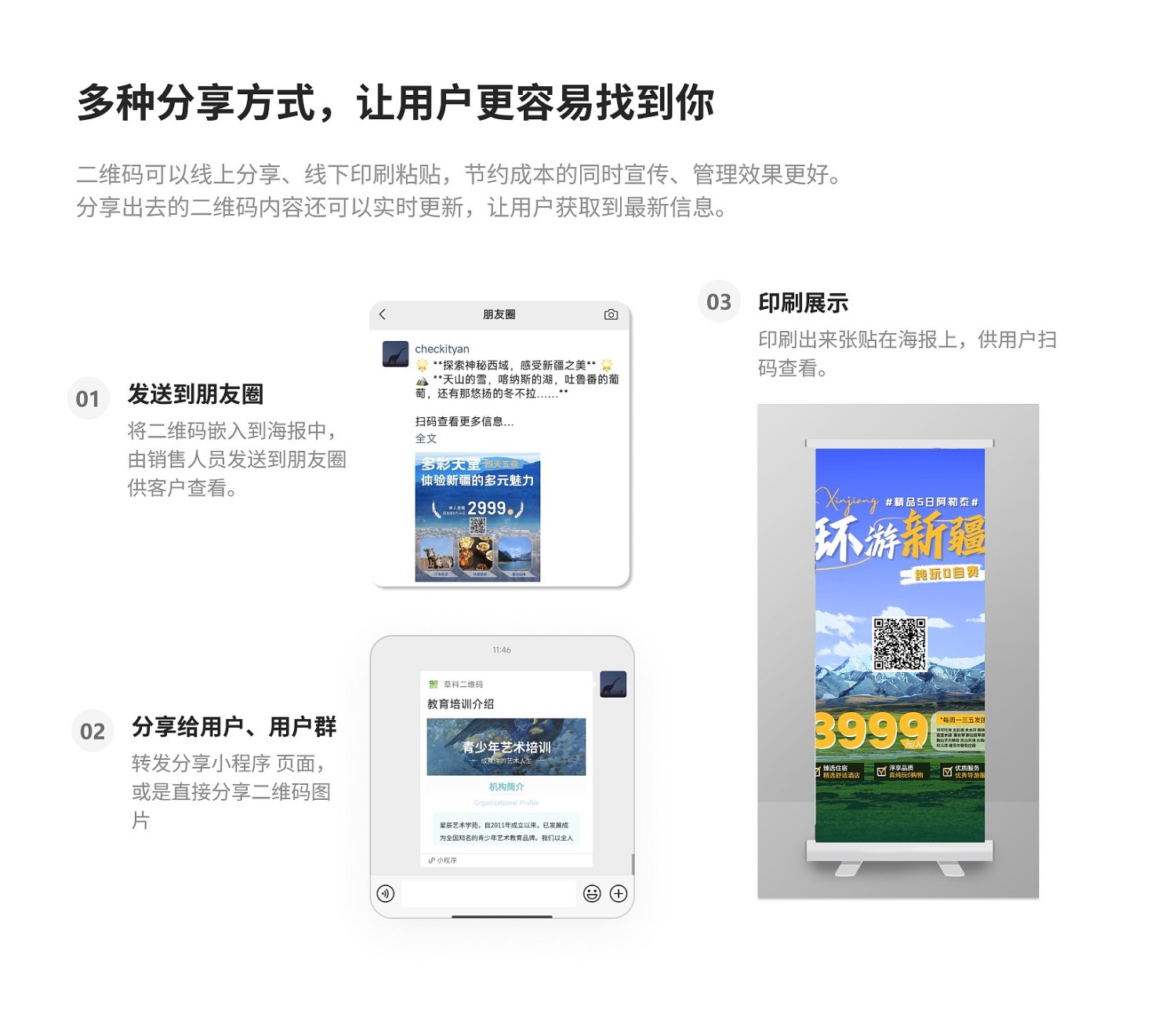
Promotional Materials: The QR code can be attached to travel promotional posters, shared by sales staff with captions in their social media feeds, or scanned directly by customers offline for browsing.
Forwarding and Browsing: Directly forward the QR code page to target customers or customer groups. Customers can open and browse directly within WeChat.
Public Account Section: If your company has a WeChat Public Account, you can also embed the page into the public account to enrich its promotional content.
Core Features
1. Content is Always Updatable: Unlike printed posters which cannot be changed after printing, the business information on the QR code page can be updated anytime based on business adjustments, pricing changes, etc., while the QR code pattern remains the same. This ensures customers always get the latest itinerary content by scanning the same code.
2. Aesthetically Pleasing Design: Combine images with different styles to create poster effects approaching professional design standards.
3. Rich Promotional Formats: Display audio and video content that cannot be shown on printed materials, such as travel videos, promotional videos, etc., making it more appealing to customers.
Setup Process
Step 1: Modify Business Information: After opening the template, replace the sample content (such as images, itinerary details, document guidelines, etc.) with information specific to your own routes.
Step 2: Update Contact Information: Replace the contact details in the template with those of your own travel agency or organization.
After completing these two simple steps, click 【Generate QR Code】.
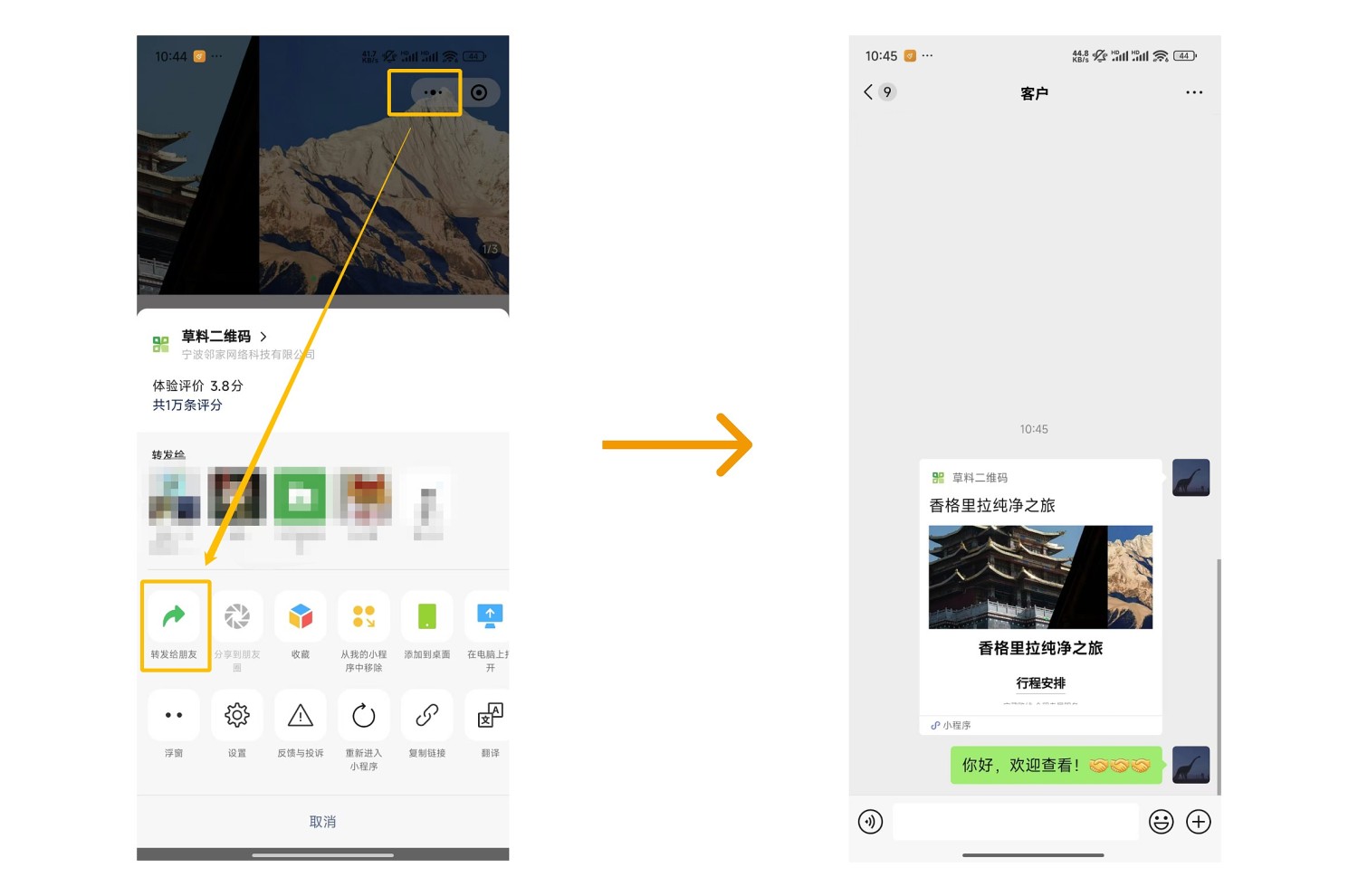
Sharing: Forward the poster image, or scan the finished QR code, click the "···" in the top right corner, and choose to forward it to customers or WeChat groups.
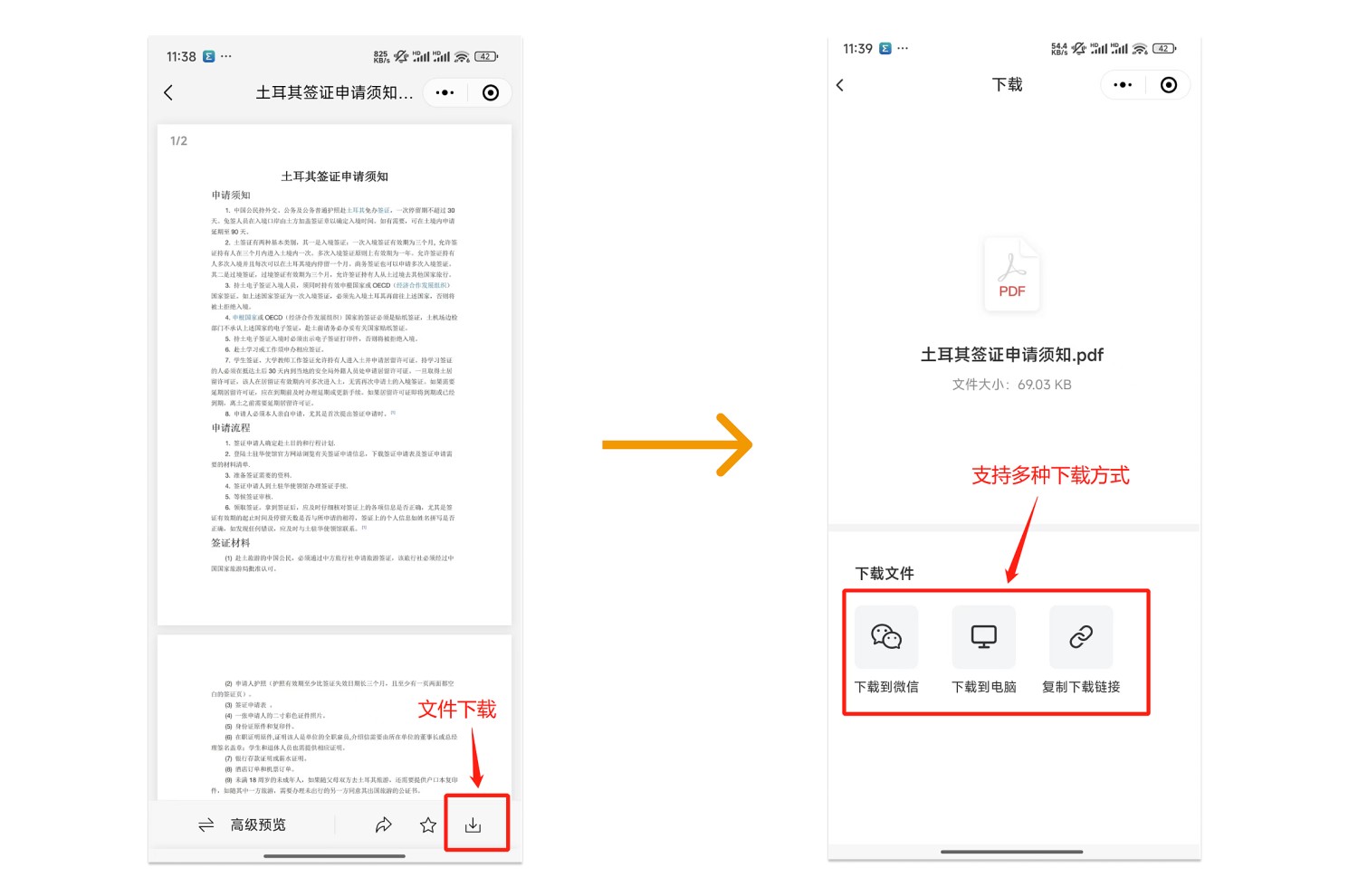
File Download: Click the download icon in the bottom right corner of the file to download it. Supports uploading multiple files at once for customers to download.
Related Templates
Travel Itinerary Introduction Template: Comprehensively showcase your company's travel route information using various images, text, audio, video, and other content.
Visa Application Guide: Introduce and guide users through the steps of visa application from aspects like document lists and procedures, improving visa processing efficiency and success rates, thereby enhancing customer service.
Simplified Itinerary Introduction Template: Quick and easy, with a simple style. Just upload files and images to quickly create an itinerary introduction code.
Travel Route Summary Template: After creating itinerary introduction codes for each route using other templates, use this summary template to aggregate all your itinerary codes. Build a page resembling a storefront homepage where customers can scan one code to browse all route information one by one, selecting and saving their favorites.