Safety Training Check-in
Participants use WeChat to scan the QR code for check-in, supporting the export of check-in records for archiving.
Basic Information
- Monthly Installations: 1179
- Monthly Visits: 5905
- Original: https://cli.im/template/detail/121463287
Case Label Image

Instructions
Simply scan the QR code with WeChat to complete check-in, eliminating the need for handwritten paper sign-in sheets or expensive check-in machines. It's more efficient and accurate.
1. Simple Operation with WeChat Scan
Just scan the QR code with WeChat—no need to download additional apps—to complete the check-in process easily.
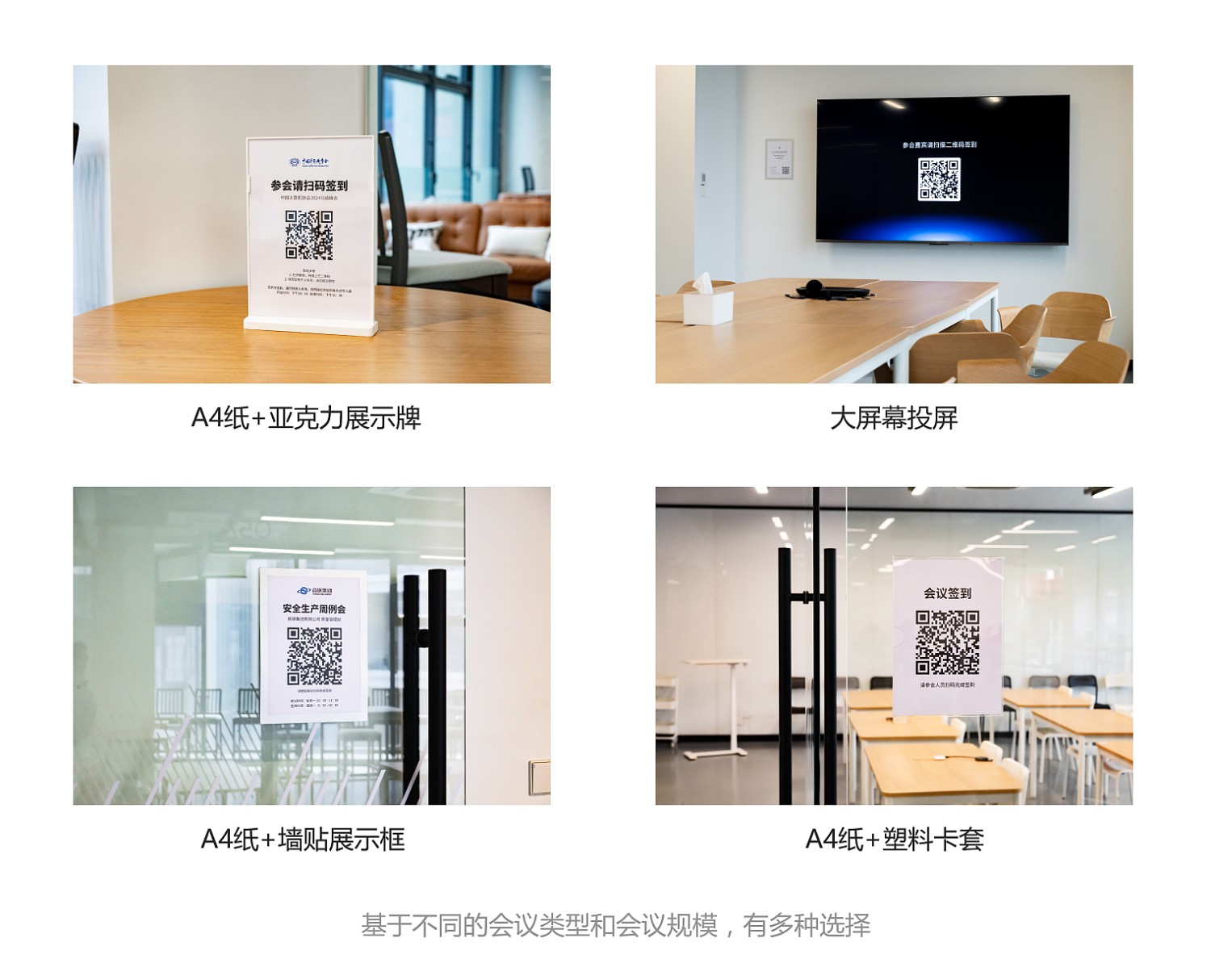
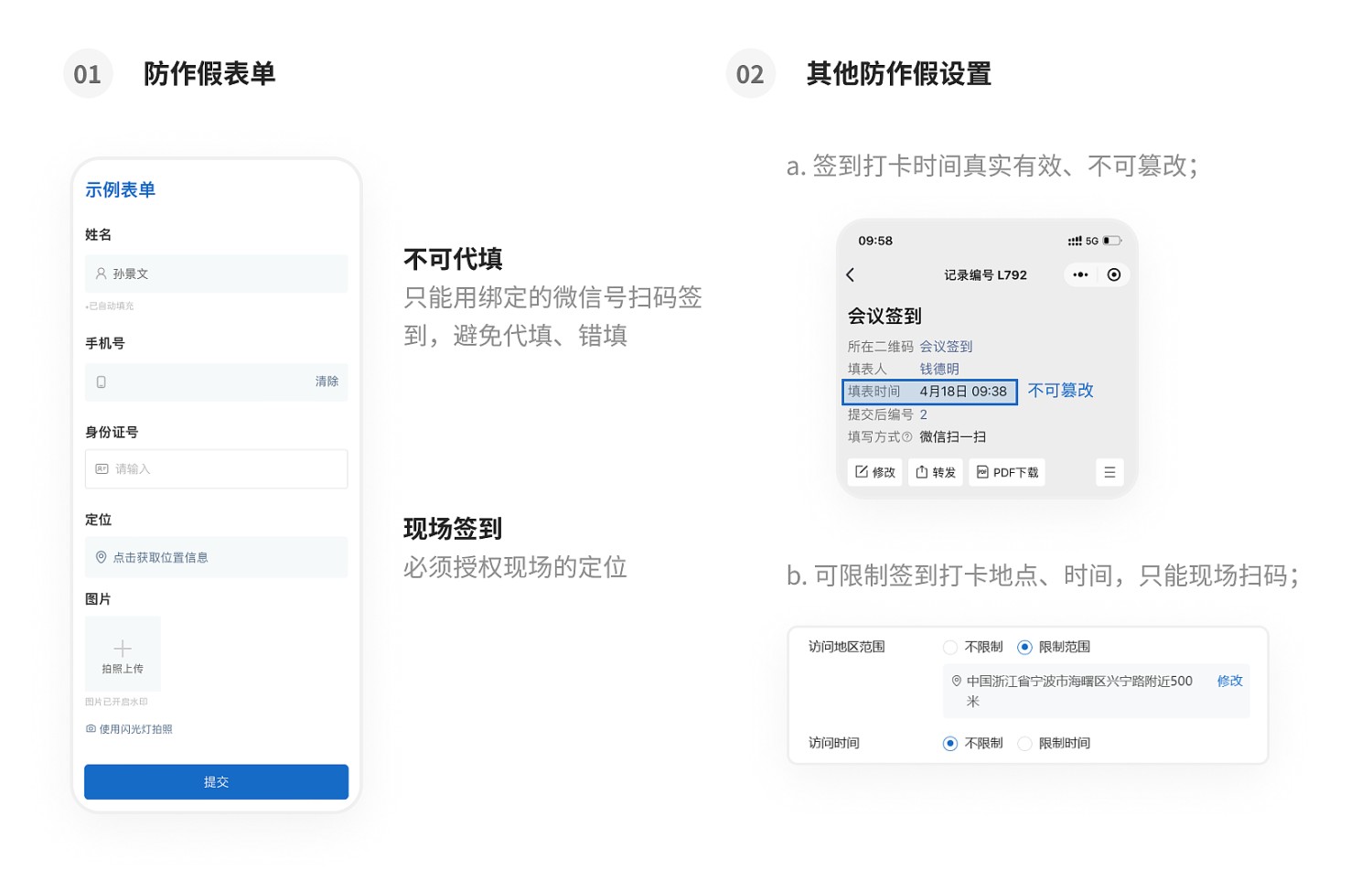
2. On-site Check-in with Anti-Fraud Measures
Check-in is only possible via camera scan. You can also set it so that check-in is only allowed at specific locations, ensuring employees are physically present.
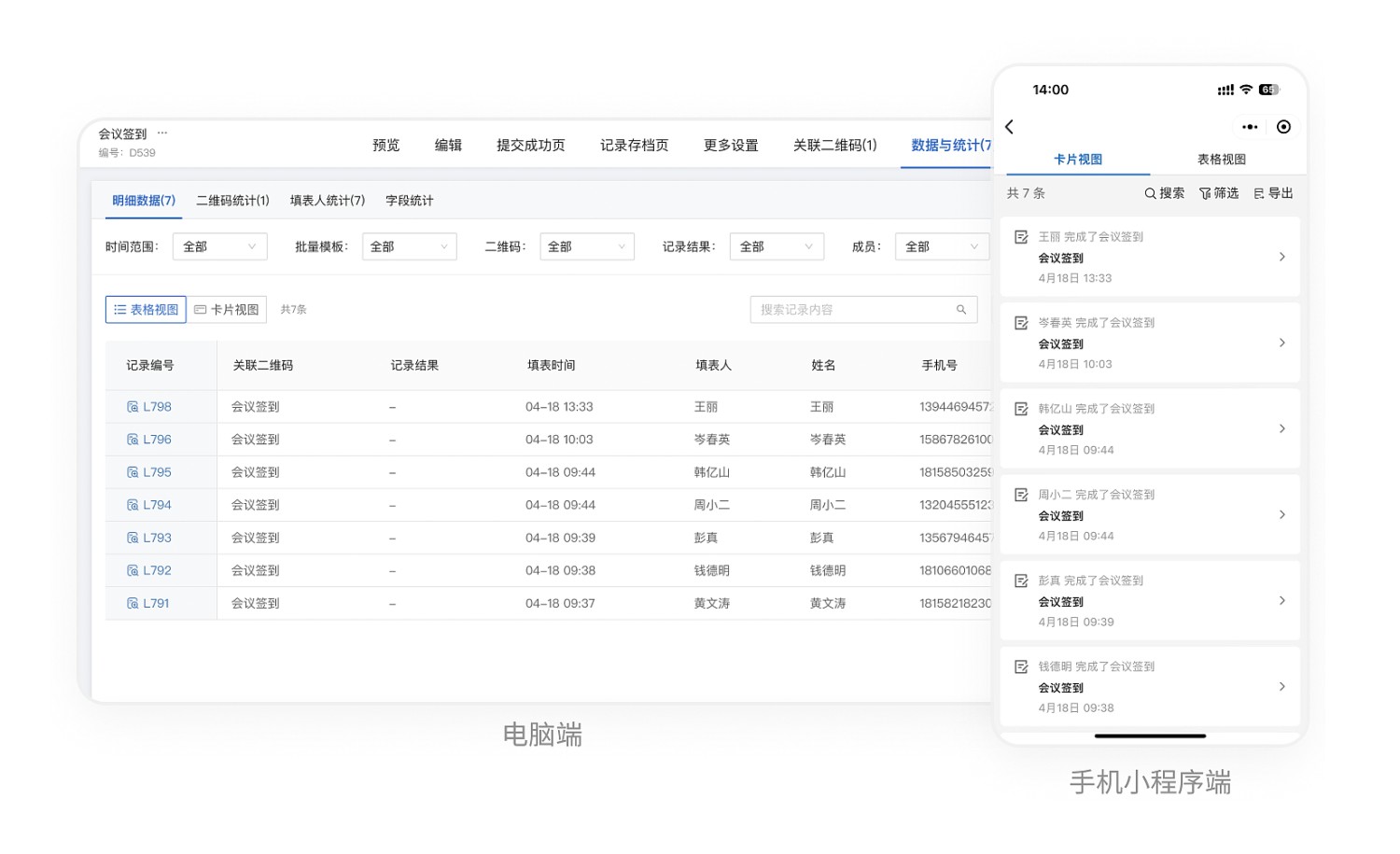
3. View Check-in Statistics Anytime, Export Records for Archiving
Administrators can scan the check-in QR code to view all check-in records or export them via the desktop workbench.
4. Steps to Use
- Click 【Use Now】 to generate the QR code.
- Edit the QR code style, download and print it, then post it at the designated location.
- Employees arrive on-site and scan the code to check in.
- Administrators view and export data. View Details