Collect Materials After Registration
Allow users to scan the code to register their personal information and then collect materials. Suitable for various marketing scenarios such as conferences and events, education and training, exhibitions and promotions.
Basic Information
- Monthly installations: 750
- Monthly visits: 45
- Original text: https://cli.im/template/detail/121463559
Case Tag Image
Usage Instructions
I. Applicable Scenarios
Event registration, training material distribution, member benefit collection, exhibition information gathering, store promotions, and other online and offline scenarios.
Usage steps: Customer scans the code to register information → Redirects to the material collection page.

II. Usage Process
Step 1: Generate Registration QR Code
1. Create QR Code
Install the template to create a QR code, and modify the registration form fields as needed (e.g., name, phone number, company, etc.).
You can also set filling restrictions such as the number of participants and submission limits. Set Filling Restrictions
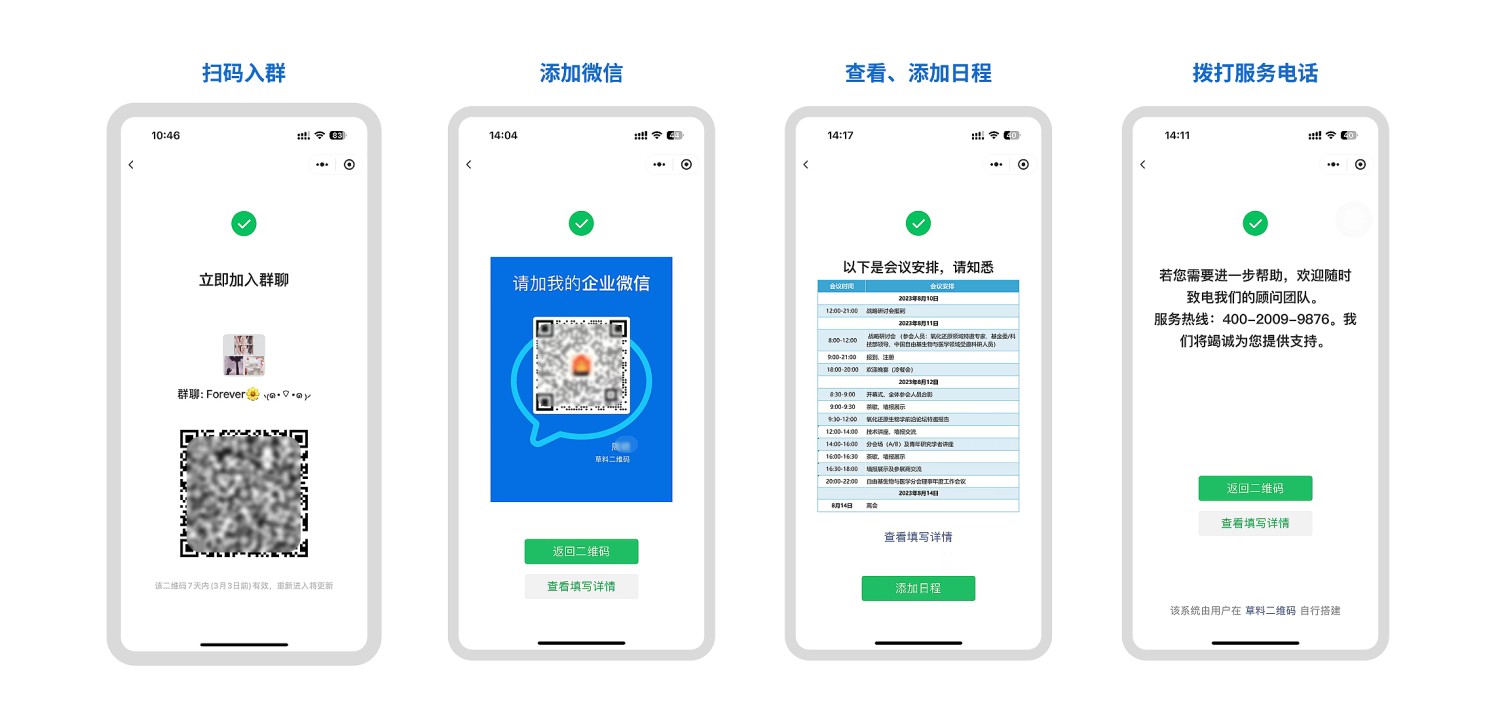
2. Customize Submission Success Page
Add group QR codes, materials, etc., in Forms Settings - Submission Success Page Settings. Submission Success Page Settings
Content Suggestions:
- Directly display materials
- Redirect to community/WeChat Official Account
- Display brand information to enhance brand image
Step 2: Distribute Registration QR Code
1. Online Distribution
- Community/WeChat Moments: Share QR code images or Mini Programs in communities and WeChat Moments
- Embed in WeChat Official Account: Insert the QR code into the menu bar or articles to guide followers Tutorial on Embedding QR Code in WeChat Official Account
2. Offline Distribution
- Posters/Standees: Display at conference or event venues for potential customers to scan and leave their information
Step 3: Manage Registration Information
1. Online Viewing
View and query data anytime on mobile or desktop, with support for simple field statistics. Data Summary and Statistics Features
2. Export Data
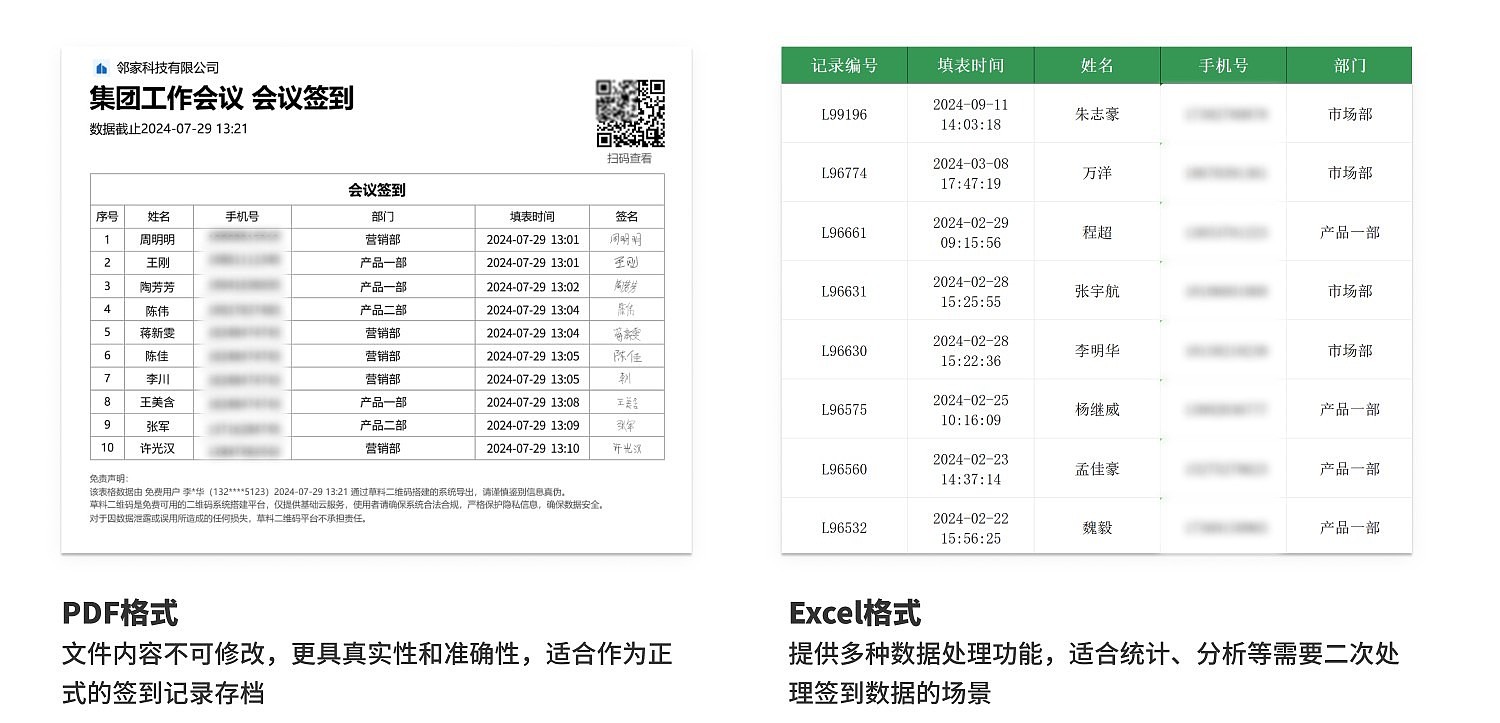
Supports exporting data in various formats such as PDF and Excel. Can be used for retaining sales leads, developing potential customers, etc.