Engineering Documentation
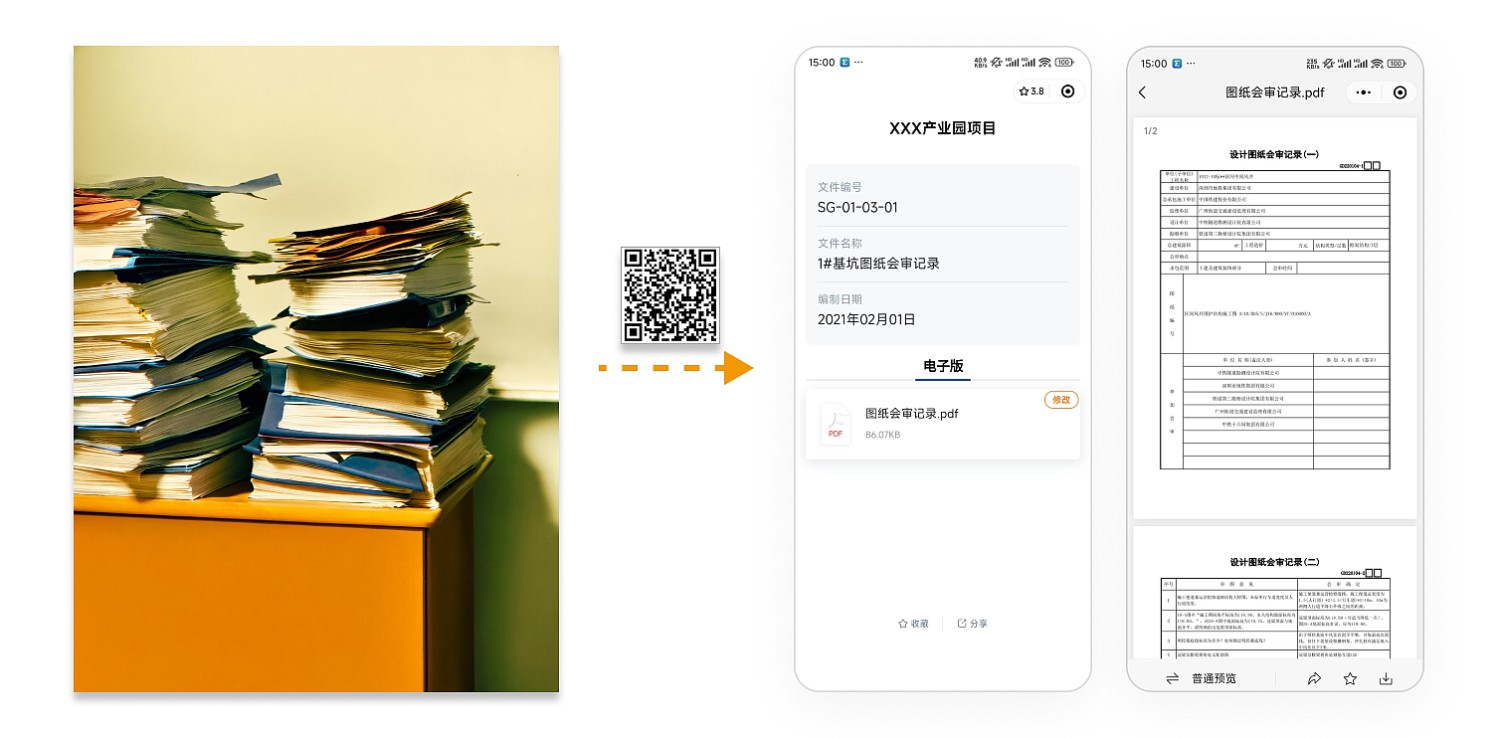
Upload electronic files to QR codes to meet the needs of archiving and sharing engineering documentation. No additional software or hardware installation is required; simply scan the code with a mobile phone to view, making it convenient for external personnel to access.
Basic Information
- Monthly Installations: 16,602
- Monthly Visits: 50,485
- Original Text: https://cli.im/template/detail/99284036
Case Label Image

Usage Instructions
Problems Solved
1. Electronic Management of Engineering Documentation: Paper-based engineering documents are limited in quantity, and issues often arise during storage and distribution, affecting usability and management. By uploading categorized engineering files to different QR codes, electronic backups of documents can be created, facilitating easy access and transfer.
2. Simple Creation Process: No professional technical staff required. Modify the template like using a PowerPoint template, complete file uploads and page creation with just a few steps.
Core Features
Content is Always Updatable: All content on the page, including files and images, can be updated and supplemented as the project progresses. The QR code pattern remains unchanged, ensuring the file content stays up-to-date.
Setup Process
Step 1: Choose the QR code generation method: If you only need to generate a single QR code, it is recommended to use [Single QR Code Generation]. If you need to generate a large number of QR codes with the same structure but different content at once (e.g., electronic archiving of numerous engineering document scans), it is recommended to use [Bulk QR Codes Generation] or modify a [Bulk Template] before generating the codes.
Step 2: Modify the template content: For [Single QR Code Generation], edit the title, replace example files, and add or remove text content as needed on the QR code editing page, then click [Generate QR Code] to complete the process. For [Bulk QR Codes Generation] or modifying a [Bulk Template] before generation, follow the tutorial in the article Bulk Generate Image or File QR Codes.
Advanced Applications
Post-Viewing Registration for Files: Files can be configured with the Enable Post-Viewing Registration feature. This allows a sign-in record to be automatically submitted after a user scans the code and views the file, serving as proof of having read the document. This feature is useful for scenarios requiring tracking of who has accessed the file, such as document management or technical disclosure acknowledgments, ensuring clear accountability and traceability for document circulation. The recorded data also supports filtering, viewing, and exporting from the workbench.
Related Templates
Document Summary: Summarize and manage information related to archival boxes according to the document archiving requirements of engineering projects.
Technical Disclosure: Create QR codes for disclosure materials, operating procedures, and other construction documents, and post them on bulletin boards at the construction site. Workers can scan the codes anytime to access the information, solving issues related to the inconvenience of carrying paper documents and insufficient disclosure.
Project Information Publicity: Scan the code to learn about project introductions, updates, highlights, team members, as well as dynamic information on construction progress, quality, and safety, providing visitors with a comprehensive understanding of the project.