Complaint Reporting
Users can quickly submit complaint and reporting information by scanning a QR code. The backend automatically organizes and collects complaint information and notifies the responsible personnel, facilitating rapid response and handling.
Basic Information
- Monthly installations: 2024
- Monthly visits: 72
- Original text: https://cli.im/template/detail/121463554
Case Label Image

Usage Instructions
I. Core Features
1. Faster Complaint Reporting
Simply scan the QR code via WeChat to quickly submit complaints or reports, making the process simpler and more efficient.
2. Timelier Problem Handling and Response
Management personnel can receive user-submitted complaint and reporting information in real time, enabling quick responses and problem resolution. By assigning responsible personnel to follow up, each piece of feedback is addressed and resolved, enhancing public satisfaction and trust.
3. Long-term Data Archiving for Easy Access
Management personnel can view or export feedback data in real time, facilitating the identification of issues in policies or services for analysis and improvement.
II. Usage Process
1. Generate QR Code
Install the template to create a QR code and modify the form content as needed.
Configure jump rules between questions to adjust subsequent questions based on respondents' answers. Visibility Rule Setup Tutorial
2. Distribute QR Code
Download the QR code and choose an appropriate distribution method based on different formats.
Online distribution: Share the QR code via Moments, group chats, or embed it in official accounts or articles.
Offline distribution: Print the QR code on A4 paper and post it, or display it on posters.
3. Handle and Follow Up on Feedback Issues
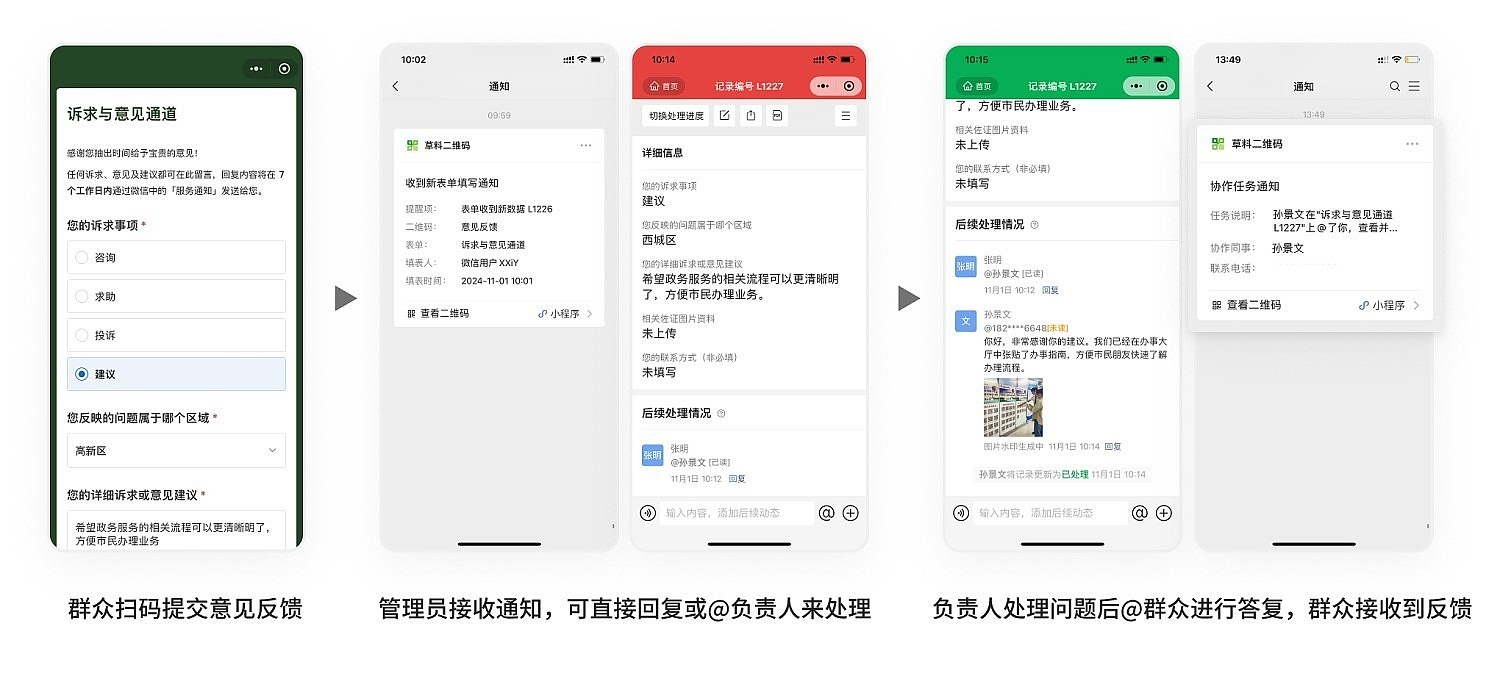
Administrators can centrally view and filter all complaint and reporting information in the backend and @ the corresponding responsible personnel for handling.
After handling, responsible personnel can reply with the handling or improvement status in the feedback records. Feedback Handling Scenario Application
4. Feedback Data Management and Analysis
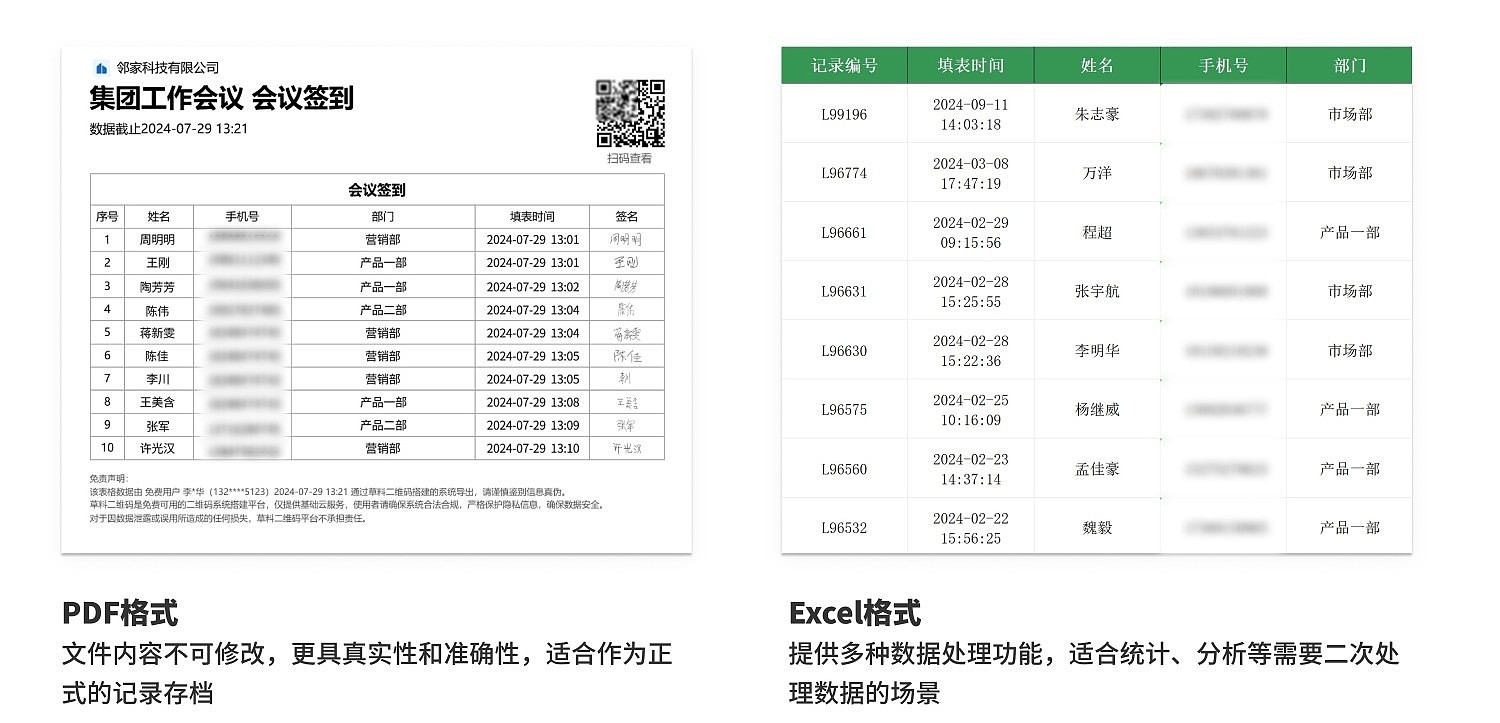
Administrators can export feedback and handling records for archiving and analysis, supporting various file formats such as Excel and PDF to meet different data processing needs. Data Summary and Statistics Function
III. Frequently Asked Questions
1. Is it free to use? What are the differences between the paid and free versions?
Answer: You can choose the appropriate version based on your usage needs.
The free version does not limit the number of people or times complaints and reports can be submitted, and data is stored long-term, meeting basic usage requirements.
If you require multi-person collaboration for problem handling, designated member groups to receive message feedback, or more advanced data export functions, it is recommended to purchase the paid version.
For detailed purchasing advice, see: Version Selection Advice
2. Can it be used anonymously?
Answer: Currently, the anonymous feature is not available, so anonymous complaints and reports are not possible.
3. How does CaoLiao ensure my information security?
Answer: User data security is our top priority. CaoLiao has passed the Level 3 certification of the Multi-Level Protection Scheme from the Public Security Bureau and Alibaba Cloud security penetration tests, with security protection capabilities recognized by the industry.
Since 2012, we have provided stable and reliable services to over 10 million users and multiple large-scale projects such as the Beijing Winter Olympics and the Zhejiang Provincial Government Office in Beijing. We will continue to strengthen security measures to ensure your data is always strictly protected. View Data Security Protection Measures