Health Education
Deliver health education through QR codes, providing richer content and more diverse formats of educational materials for easy viewing, saving, and sharing.
Basic Information
- Monthly Installs: 23,075
- Monthly Views: 32,515
- Original Article: https://cli.im/template/detail/121462974
Template Label Image

Instructions
This template is designed for medical institutions to provide various health education content to patients via QR codes, such as hospital admission instructions, discharge guidance, disease education, and medication instructions. It supports multiple display formats including text, images, and videos. QR codes can be posted, shared, or embedded into official WeChat accounts, enhancing the efficiency of education delivery and information reach.
1. Applicable Scenarios and Value
1.1 Improve Education Efficiency
Patients and their families can scan the code to view content, eliminating the need for repeated verbal explanations and paper handouts. Support for rich text with images and videos makes content more intuitive and easier to understand. Content can be reviewed repeatedly and shared, helping to expand the coverage of educational efforts.
1.2 Reduce Education Costs
Traditional educational materials require repeated printing, resulting in high costs and difficulty in updating. QR code-based education materials can be used long-term after a single posting, reducing material and labor costs.
1.3 Real-time Content Updates
If policies change or content needs optimization, you can directly modify the template content. The QR code pattern remains unchanged, ensuring scanners always access the latest information.
2. Setup Process
2.1 Use the Template
Click "Use Template to Generate Code" in the upper right corner to enter the editor and begin editing.
2.2 Modify Education Content
Replace the default content in the template with your hospital's specific information and materials. Supports free formatting and adding/removing modules. View Tutorial
2.3 Publish the QR Code
After generation, download the QR code image for printing, posting, or digital distribution. QR Code Label Download and Printing Suggestions
2.4 Subsequent Management
After the QR code is generated, content can be modified at any time. The workbench allows you to view scan counts, source distribution, and other data for each QR code.
3. Usage Recommendations
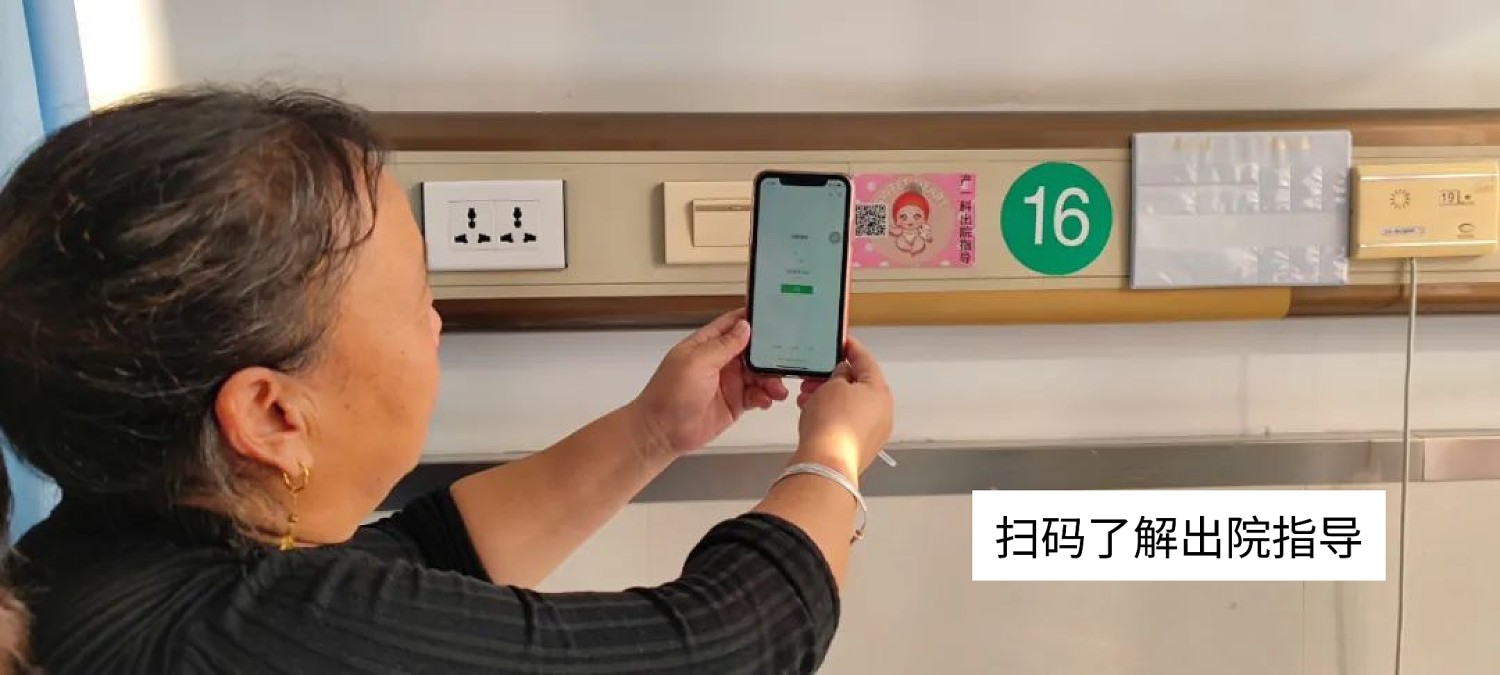
3.1 Posting On-site at the Hospital
Place codes at bedsides, nursing stations, corridor walls, windows, etc. Content can cover admission instructions, visitation rules, dietary arrangements, hospitalization procedures, etc.

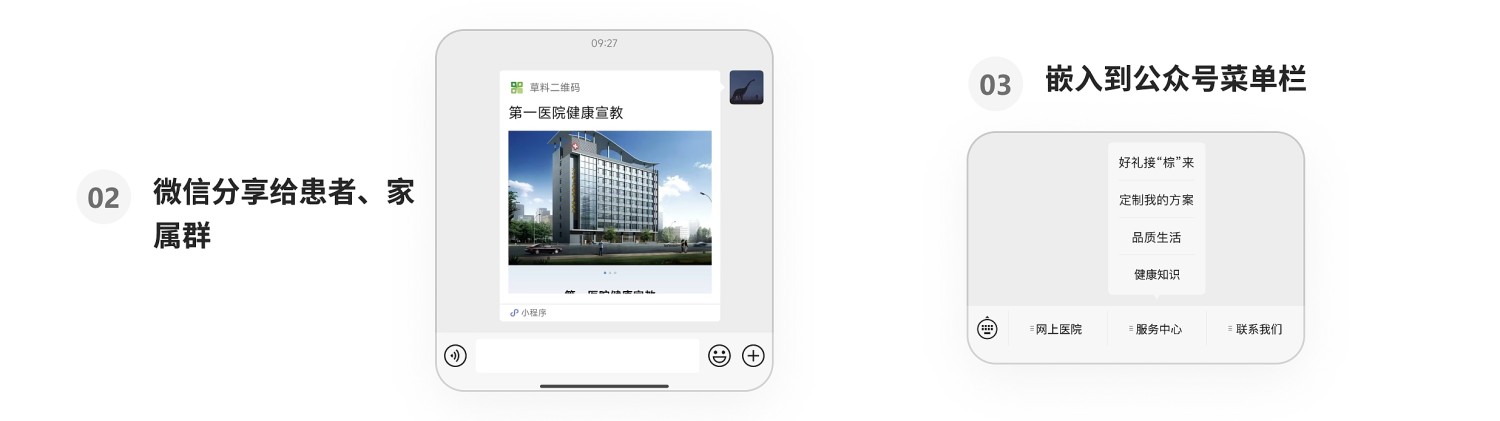
3.2 Sharing via WeChat by Doctors and Nurses
Share codes with patients via WeChat at key points like admission or discharge to help them better understand medical knowledge.
3.3 Embedding in Official Account Sections
Use as an "Admission Guide" module in the hospital's official WeChat account to enhance online service levels. View Tutorial
4. Customer Cases
Xunyang City People's Hospital: Self-made Education QR Codes for Health Knowledge Popularization
5. Related Templates
Hospital Admission Education: Suitable for hospitals providing admission instructions, pre-operative preparations, post-operative care, etc., to admitted patients. Scanning the code provides convenient access, allows for real-time information updates, and improves communication efficiency and education quality.
Discharge Education: Suitable for hospitals providing discharge procedures, daily life precautions, post-operative wound care, etc., to discharged patients. Scanning the code provides convenient access, allows for real-time information updates, and improves communication efficiency and education quality.
Health Education Summary: Integrate all health education materials into a summary page, forming a health education system. Scanners only need one code to access all health knowledge. After viewing individual pieces of content, they can return to the summary page to select other content.
Outpatient Medical Guide: Includes travel information, outpatient hours, visit procedures, and other essential information for the outpatient visit process. Patients can scan the code for guidance to find departments and can also save the QR code for later viewing.