Overtime Registration
Used for employees to register overtime hours, simplifying the registration process. Employees can fill out overtime information and submit it through an online form, and the HR department can view the submissions in the backend. It allows restricting submission times, setting up approval workflows, etc., suitable for various enterprises and organizations.
Basic Information
- Monthly Installations: 169
- Monthly Visits: 54
- Original Text: https://cli.im/template/detail/121463639
Case Label Image

Usage Instructions
1. Applicable Scenarios and Industries
- Target Users: Enterprise Administration / HR departments, Attendance management personnel
- Core Scenario: Employees scan a QR code to independently register overtime information. Can be used alongside Clock-in/Clock-out and Leave Application templates to form a basic digital attendance management system.
- Suitable Industries: Applicable to organizations with flexible work systems, such as manufacturing, internet companies, and the service industry.
2. Core Features
1. Quick Registration via WeChat Scan
- Employees scan a QR code with WeChat and directly access a standardized form filling interface.
- Value: Avoids issues like easy loss of paper records and complex cross-platform operations.
2. Mandatory Field Validation
- Key fields such as name, department, and time are set as required. Phone numbers can be automatically obtained via WeChat authorization.
- Value: Ensures information completeness and reduces manual verification workload.
3. Real-time Location Recording
- Automatically records the geographic location at the time of submission using the "Location" feature.
- Value: Verifies the authenticity of the overtime location and mitigates the risk of false reporting.
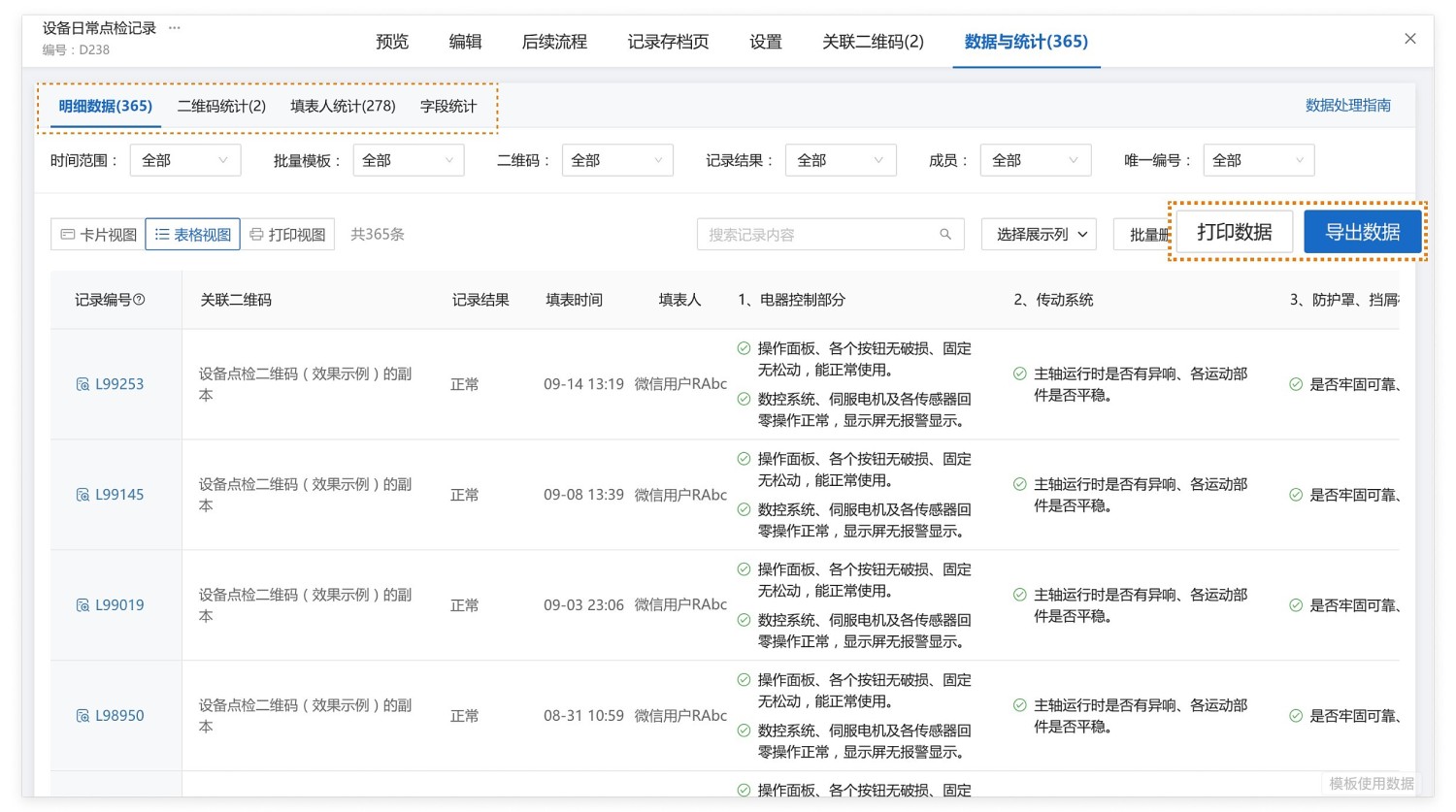
4. Automatic Data Aggregation
- Data is automatically aggregated and permanently saved after submission, supporting filtering by department.
- Value: Management personnel can export data to Excel at any time for payroll calculation and compliance review.
3. Usage Process
1. Generate QR Code
Modify the template form content according to your actual needs, then generate the QR code.
2. Employee Operation
Scan the QR code with WeChat to open the form → Confirm automatic phone number retrieval → Select department → Click to get real-time location → Fill in start and end times → Submit.
3. Administrator Operation
Scan the QR code with a mobile phone or access the Dynamic Data Summary via the backend to view "All Overtime Records," supporting filtering by department/time period.
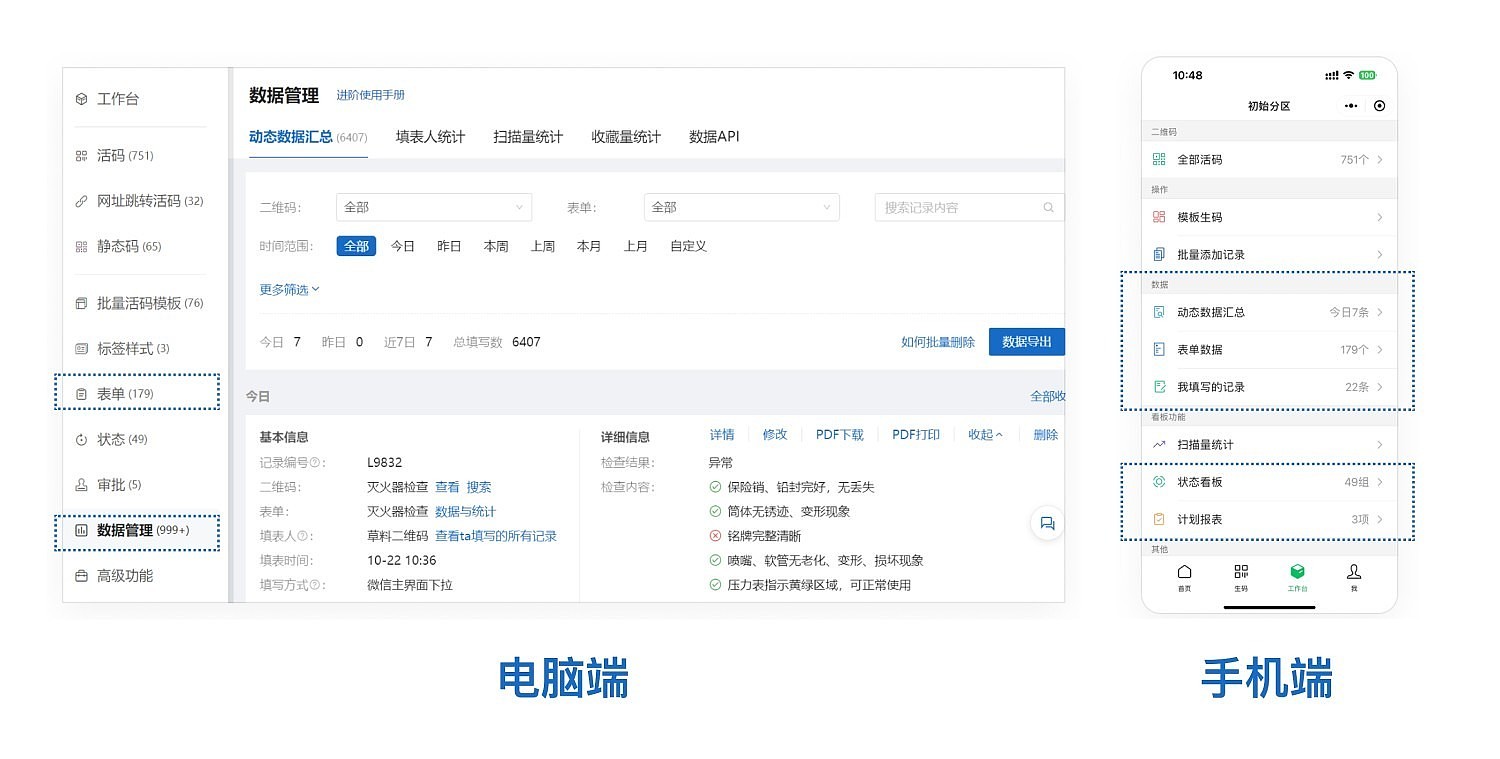
Data export for payroll calculation and other business processes.
- Data Export for Archiving: Overtime records can be exported as Excel or PDF files for archiving.
- Export in Paper Form Format: When exporting a single record, it can be exported according to the original paper form format based on enterprise requirements.
- Real-time Data Push: Using the Data API feature, overtime registration information can be pushed in real-time to group chats in WeCom, DingTalk, or Feishu.
Frequently Asked Questions
Q1: Can the number of overtime applications an employee can submit per day be limited?
A: Yes, Form Filling Restrictions can be set, configuring daily/weekly submission limits in the form filling settings.

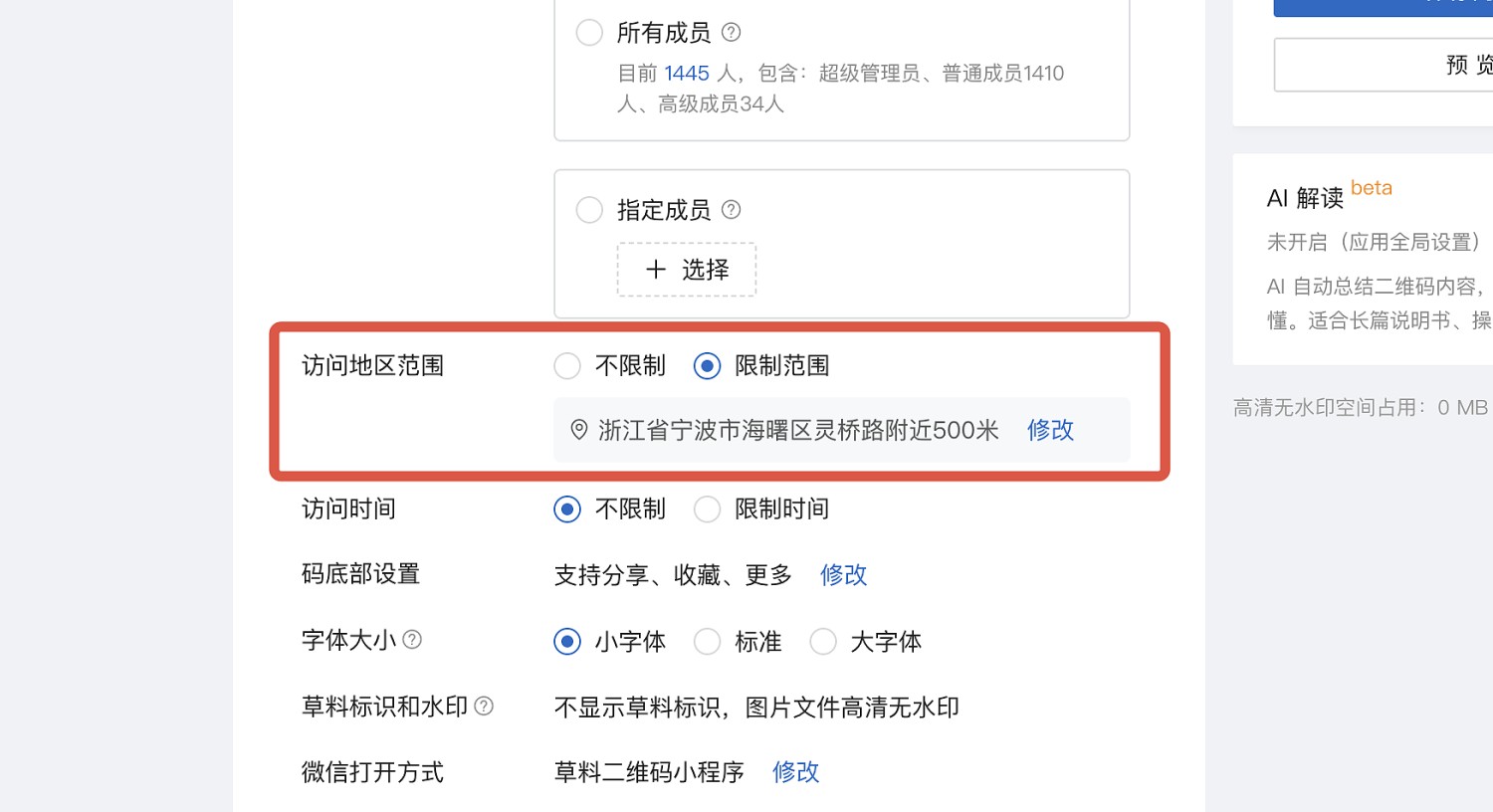
Q2: How to prevent false overtime reporting from cross-regional submissions?
A: You can restrict QR Code Viewing Permissions by setting an allowed geographic access range. Submissions from outside this range will be blocked.
Q3: Can an overtime application approval workflow be implemented?
A: Yes, forms support setting up Data Approval. The overtime application only takes effect after approval.