How to Build a Simple and Practical Access Registration Management System
Original: https://cli.im/article/detail/2474
Currently, many organizations still use paper forms to register visitor information. Paper-based registration is indeed simple and low-cost, but it has many management issues: illegible handwriting makes searching slow, data cannot be utilized, and it's difficult to assign responsibility if problems arise. In contrast, access control systems are powerful, capable of card swiping, networking, and real-time statistics. However, the costs associated with purchasing equipment, installation, and maintenance create a high barrier for small and medium-sized organizations, making them impractical.
In reality, many companies' requirements for access management are not complex: register who enters and exits, save the information, and be able to look it up later. Meeting these three basic points is generally sufficient.
A QR code registration method, like the one offered by CaoLiao QR Code, requires no hardware modifications—just printing a QR code. It meets the core needs of most businesses for managing personnel and vehicle access with minimal investment:
- Record Keeping and Traceability: Fill out information via WeChat scan, and it's automatically saved to the cloud. Managers can view and export data from the backend at any time.
- High Throughput Efficiency: Multiple people can scan and fill out simultaneously, avoiding queues. Historical information can be auto-filled with one click, taking only seconds.
- Flexibility and Control: No development scheduling needed. Managers can adjust settings based on business needs and deploy changes in real-time. It supports everything from simple scan-based registration to strictly managed verification and release processes.
- Extremely Low Cost: No need to purchase hardware. Just print a QR code and post it at the entrance; it can be used the same day.
- No Training Required: Security guards and receptionists who can use WeChat can operate it. A few minutes of on-site demonstration is all that's needed to learn.
This solution may seem simple, but it effectively handles the crucial steps of registration, record-keeping, and tracking. For organizations with limited budgets, it can achieve 80% of the core management requirements at one-tenth the cost of an access control system.
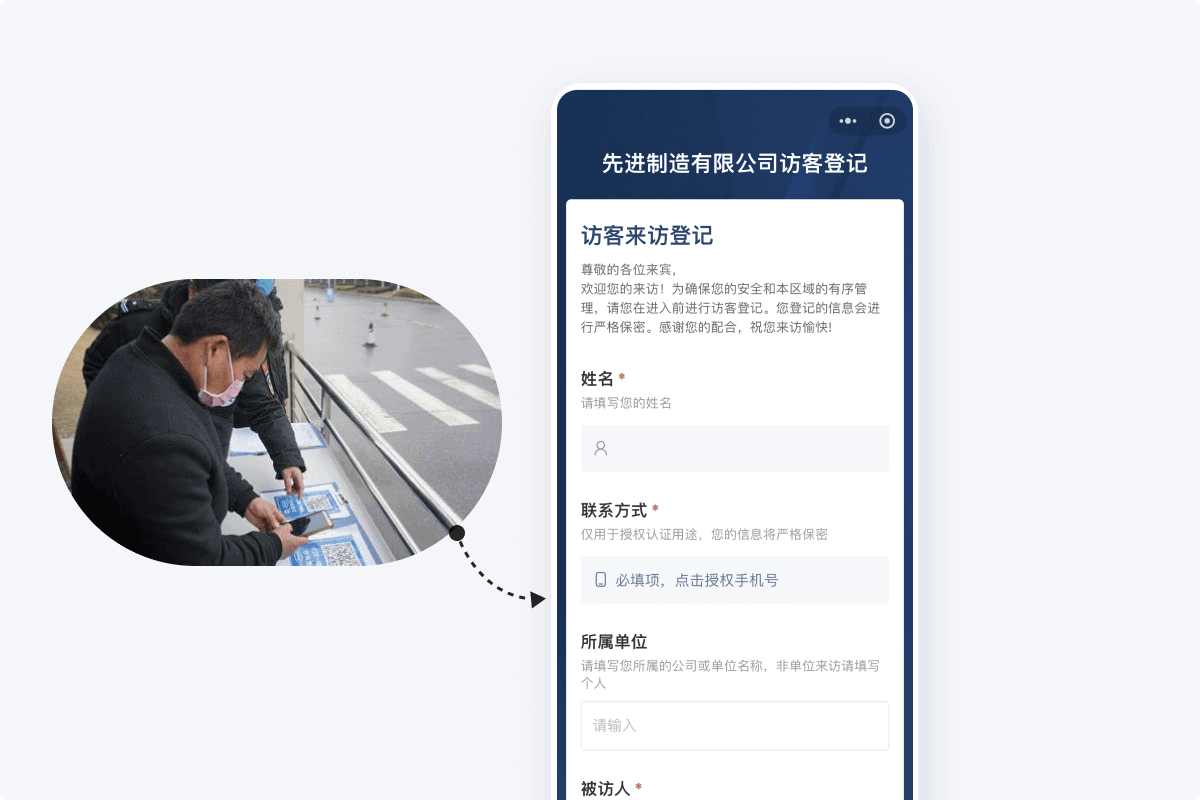
Which Scenarios Are Suitable for QR Code Registration?
If your organization has fewer than 200 daily entries/exits, desires a streamlined process with readily accessible data, but currently lacks the conditions or budget for an access control system, then CaoLiao QR Code's access registration QR code is worth considering.
Suitable scenarios include:
- Property and Park Management: Frequent visits by guests, contractors, and vehicles make paper registration chaotic, but budget constraints prevent implementing a visitor management system.
- Factories and Warehouses: Need to track entries/exits of external maintenance personnel or temporary workers for future traceability.
- Government Agencies, Schools, and Other Semi-Open Venues: Many visitors but not open all day; records are needed for inspections.
- Laboratories, Offices, etc.: Few visitors but require formal, traceable processes without dedicating personnel or purchasing equipment.
⚠️ Note: QR code access registration is not a universal solution. It is not suitable for high-security areas. Organizations requiring strict identity verification or automated access control should still use professional access control systems. If daily registrations exceed five thousand entries, a dedicated visitor management system is also recommended.
How to Quickly Set Up an Access Registration System
The advantages of using QR codes for access registration are "speed" and "low cost": the entire process requires no IT or specialized personnel, and a typical manager can set it up within a day. Using the CaoLiao QR Code platform as an example, here is the common setup process. The system supports free creation, has no limit on the number of registrations, and data can be exported.
1. Edit the Visitor Registration QR Code
Access the CaoLiao QR Code website on a computer. The platform provides several templates for 【Access Registration】 and 【Visitor Registration】 that can be used directly. Adjust content like visitor instructions and form fields according to actual needs. Add necessary visitor fields such as: Visitor Name, Contact Phone Number, Visiting Company, Purpose of Visit, License Plate Number, etc.
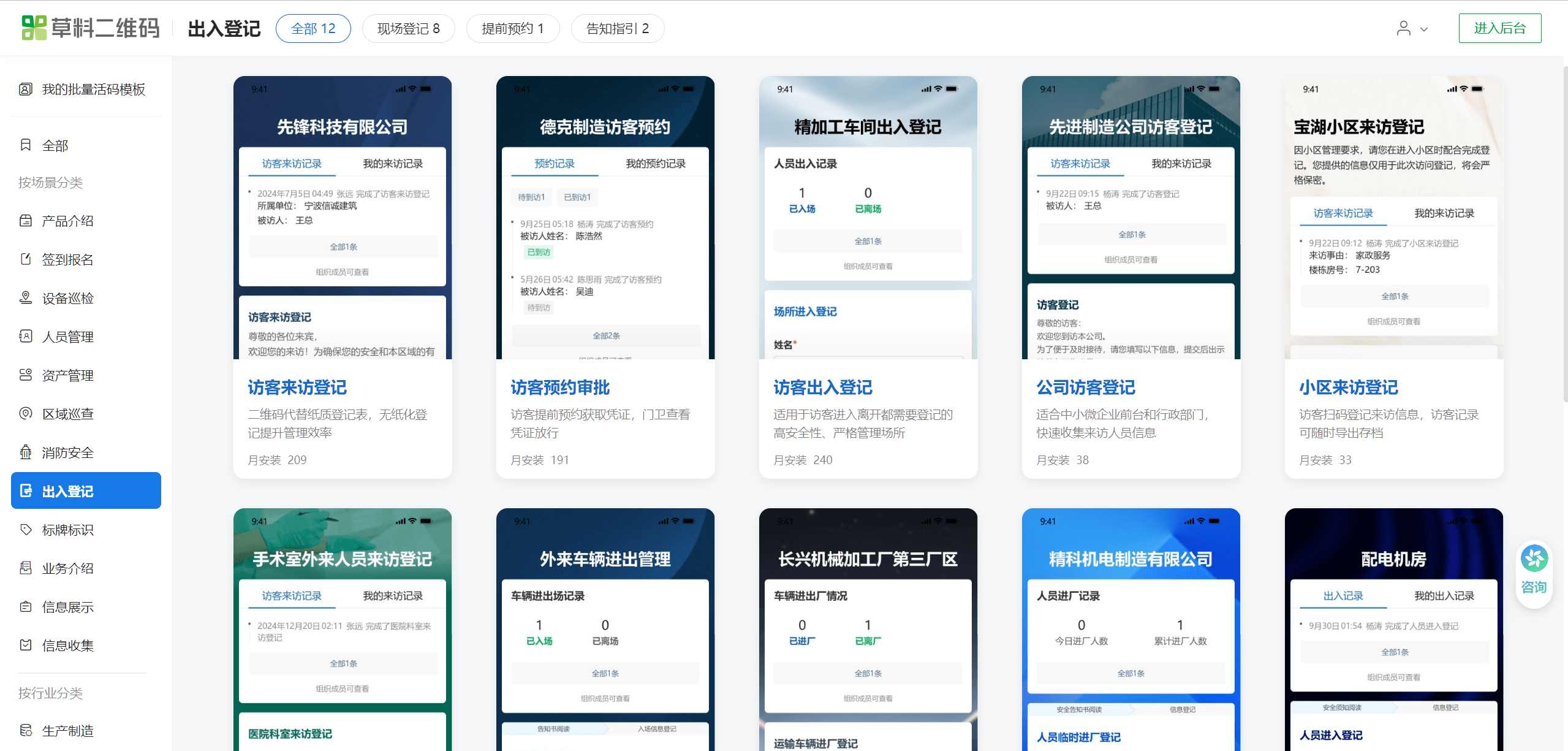
If your company has an existing registration form, you can simply take a photo and upload it, using AI to automatically create the form and quickly generate the registration form.
2. Set Filling and Appointment Restrictions
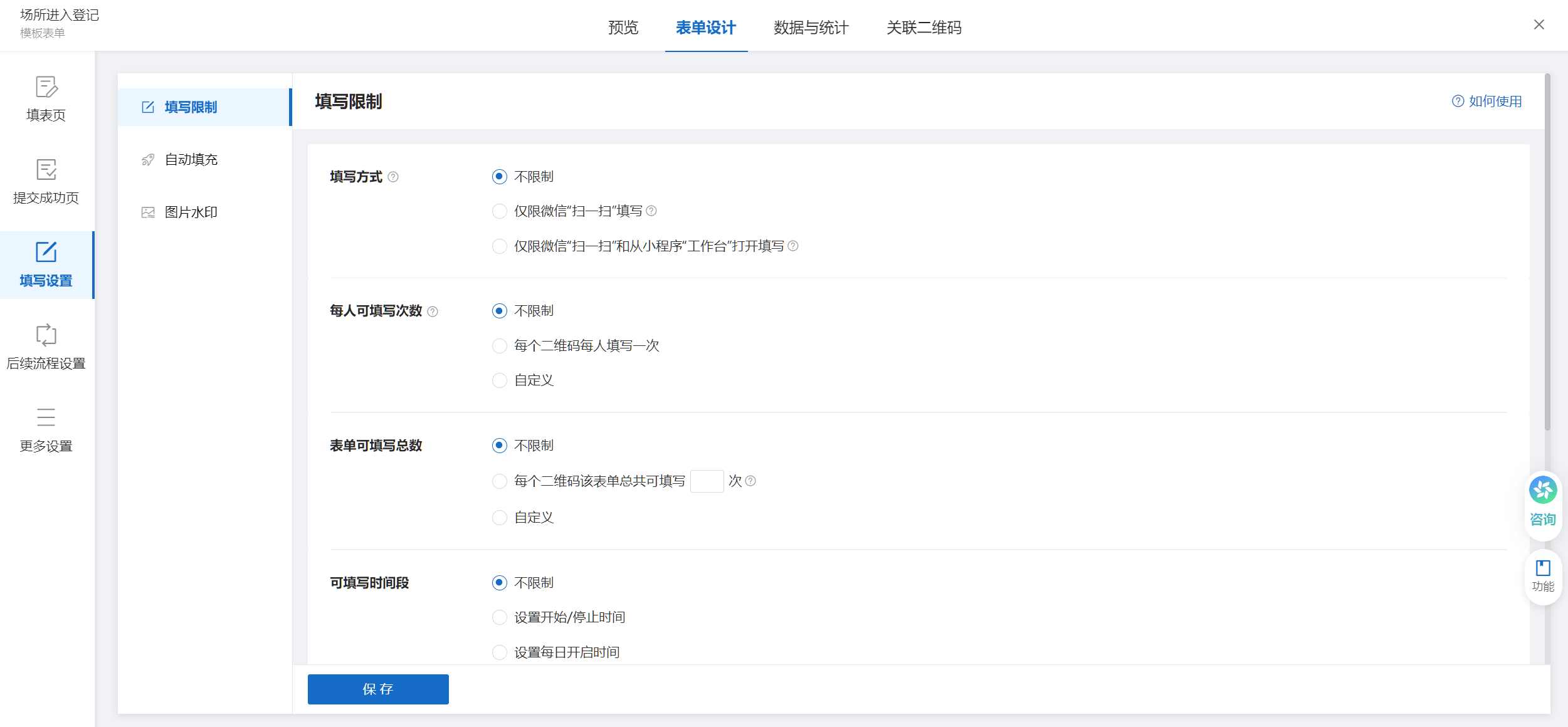
You can configure form filling restrictions, such as: only allowing on-site filling, setting allowable time slots for filling, enabling approval workflows where notifications are sent to administrators for approval after a visitor submits. These configurations make the registration process better align with actual management needs.
3. Generate and Post the QR Code
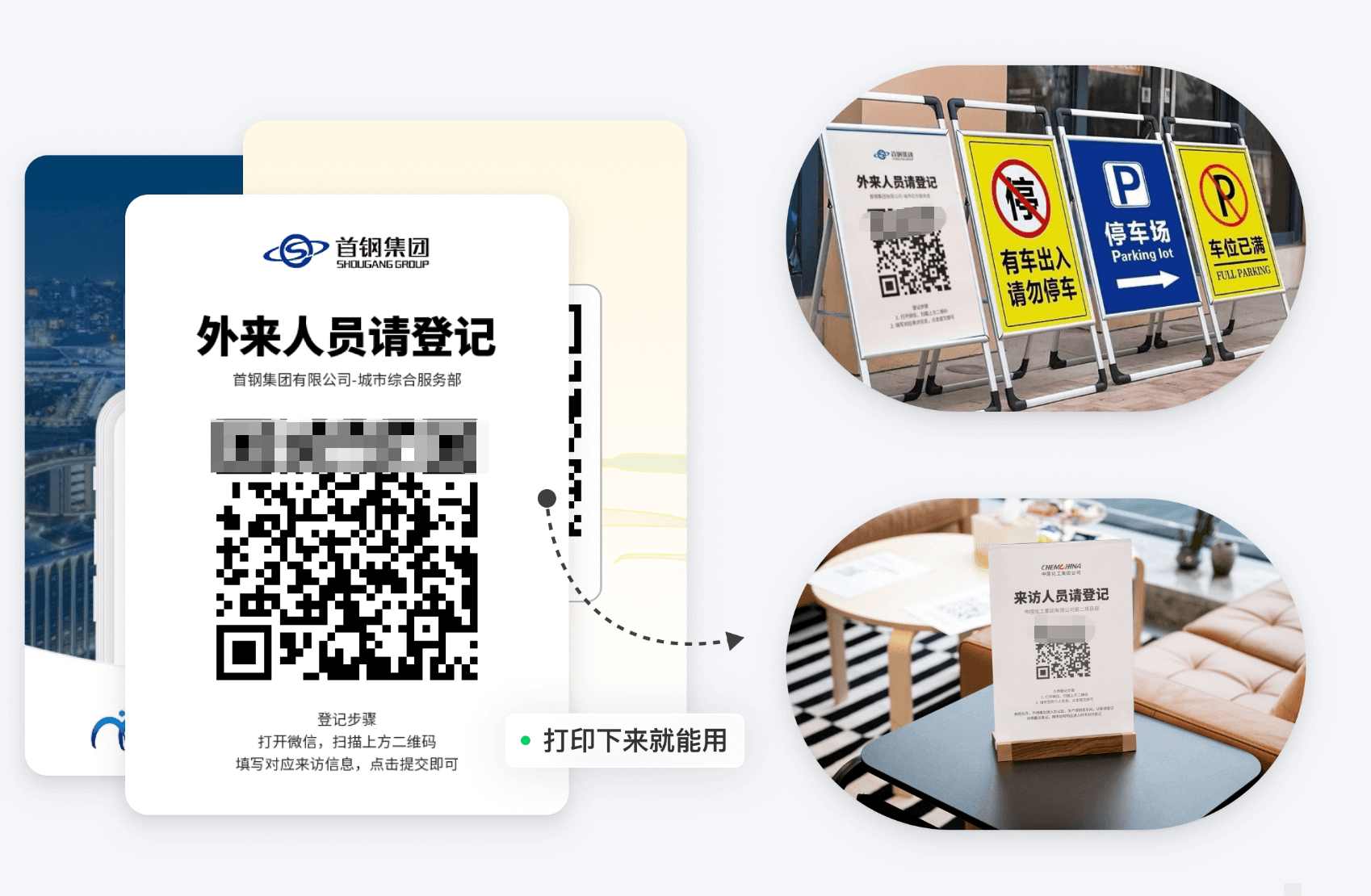
After generating the QR code, print and post it. Choose different printing materials based on the posting location:
- Indoor Use (e.g., Reception Desk, Lobby): Standard A4 or A5 printer paper is sufficient; can be placed in an acrylic frame or card holder.
- Outdoor Use (e.g., Gatehouse, Guard Booth): Recommend A3 or larger size, using weather-resistant materials like PVC foam board or aluminum composite panel.
- For Online Appointments: The QR code can be embedded in WeChat Official Account menus, articles, or sent directly to visitors.
Regardless of the method, the QR code should be posted in a conspicuous location with brief instructions, such as: "Please scan the code to register and show it to the guard."
4. On-Site Usage
When a visitor arrives, they scan the QR code with WeChat, fill in their information, and submit. The system automatically generates a QR code pass. The visitor can show this QR code to the receptionist or guard for verification before being granted access.
Visitors can also scan the code in advance to fill out and submit an application. After the administrator reviews it in the backend, an access pass is generated. Upon arrival, scanning the code completes the verification.

5. Statistics and Analysis of Visitor Data
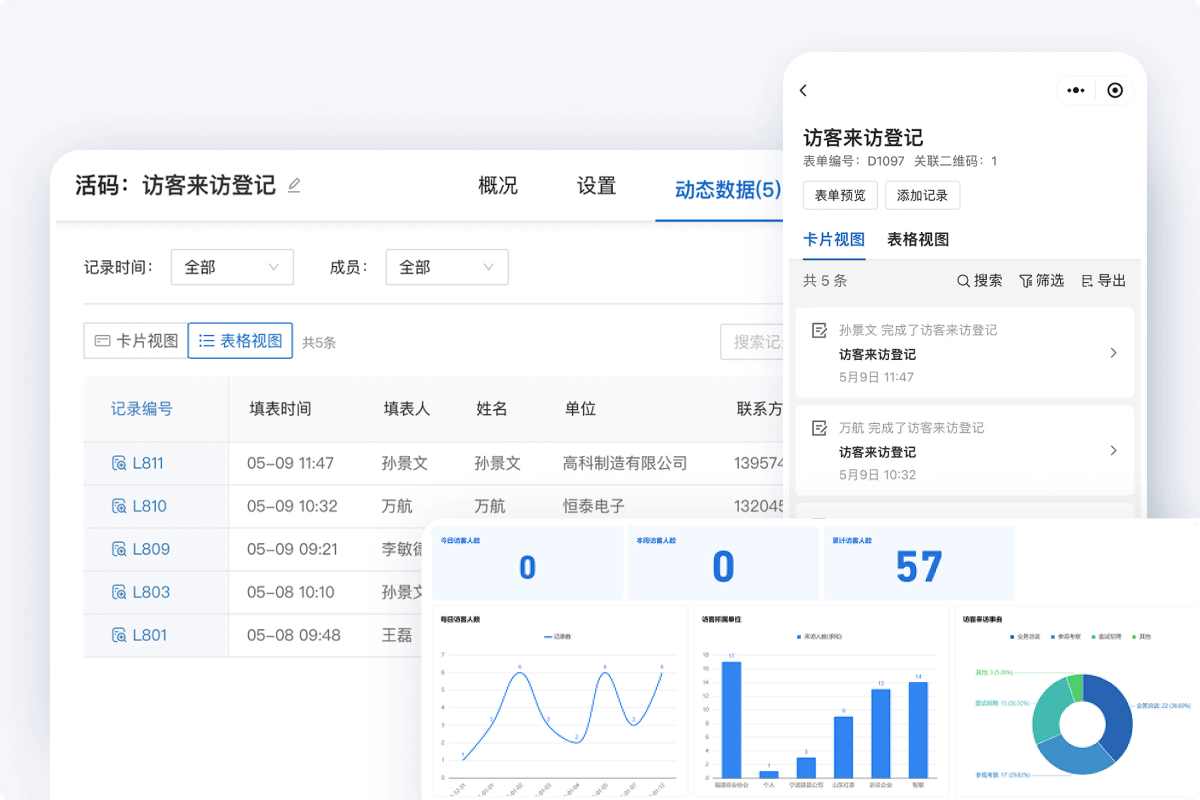
All registration records are automatically aggregated in the backend, supporting: real-time viewing, filtering, and export to Excel or PDF formats. If synchronized with Tencent Docs, multi-person sharing becomes possible, automatically generating daily reports or monthly ledgers, reducing manual consolidation work.
Suggestions for Ensuring Successful System Implementation
Although the QR code system is simple, paying attention to the following points is crucial for successful implementation:
- Conspicuous Placement: Place it at mandatory passage points like gatehouses, reception desks, and vehicle entrances to ensure every visitor sees it.
- Clear Responsibility Assignment: Clearly define who is responsible for supervising the scanning process and who is responsible for exporting data.
- Regular Data Export: Export data regularly, e.g., monthly, for archiving and to handle unexpected inspections.
- Appropriate Training: Provide brief training for security guards or receptionists, demonstrating the usage process in a few minutes.
- Optimize Based on Actual Use: After running for a period, summarize usage issues and continuously adjust functions and processes for smoother operation.
Only through continuous adjustment can the system truly "run" effectively, rather than becoming "idle after launch."
For many organizations, digitalization doesn't necessarily mean implementing complex systems. Clearly recording "who came in, why they came, and when they left" already solves 80% of the management problem.
CaoLiao QR Code provides precisely such a simple, practical, and low-barrier access registration solution: create it today, use it today; it doesn't aim for excessive features but focuses on doing the key functions solidly and well.