Recruitment Registration
Print on promotional materials for corporate recruitment and job openings. Applicants can quickly scan the QR code to register their information. After offline promotion ends, HR can centrally screen applications from the backend for interview invitations, improving mass recruitment efficiency.
Basic Information
- Monthly Instances: 16,682
- Monthly Views: 20,931
- Original: https://cli.im/template/detail/26178572
Case Tag Image

Usage Instructions
I. Core Value
Improve Recruitment Efficiency
Job seekers only need to scan the QR code to quickly fill in personal information and upload their resumes. Recruitment managers can centrally manage and screen applications in the workbench, significantly enhancing overall recruitment efficiency.
Multi-Channel Distribution
The recruitment QR code can be printed on recruitment posters, embedded in the corporate website, official WeChat accounts, and major recruitment websites to expand information reach and attract more potential candidates.
Real-Time Updates, Long-Term Reusability
Content supports real-time updates while the QR code pattern remains unchanged, meeting the needs for long-term use.
II. Usage Process
1. Generate Recruitment Registration QR Code
Click [Use Template to Generate Code] to create a QR code. Modify the registration form content according to your recruitment needs.
You can also configure the number of people, frequency, and time periods allowed for submissions. Set Submission Limits
2. Using the Recruitment QR Code
Download the QR code label. Choose appropriate distribution methods based on different recruitment formats and scales.
- Online Distribution: Embed the QR code in official account posts or articles, or share it via Moments or group chats.
- Offline Distribution: Print the QR code on recruitment posters for distribution.
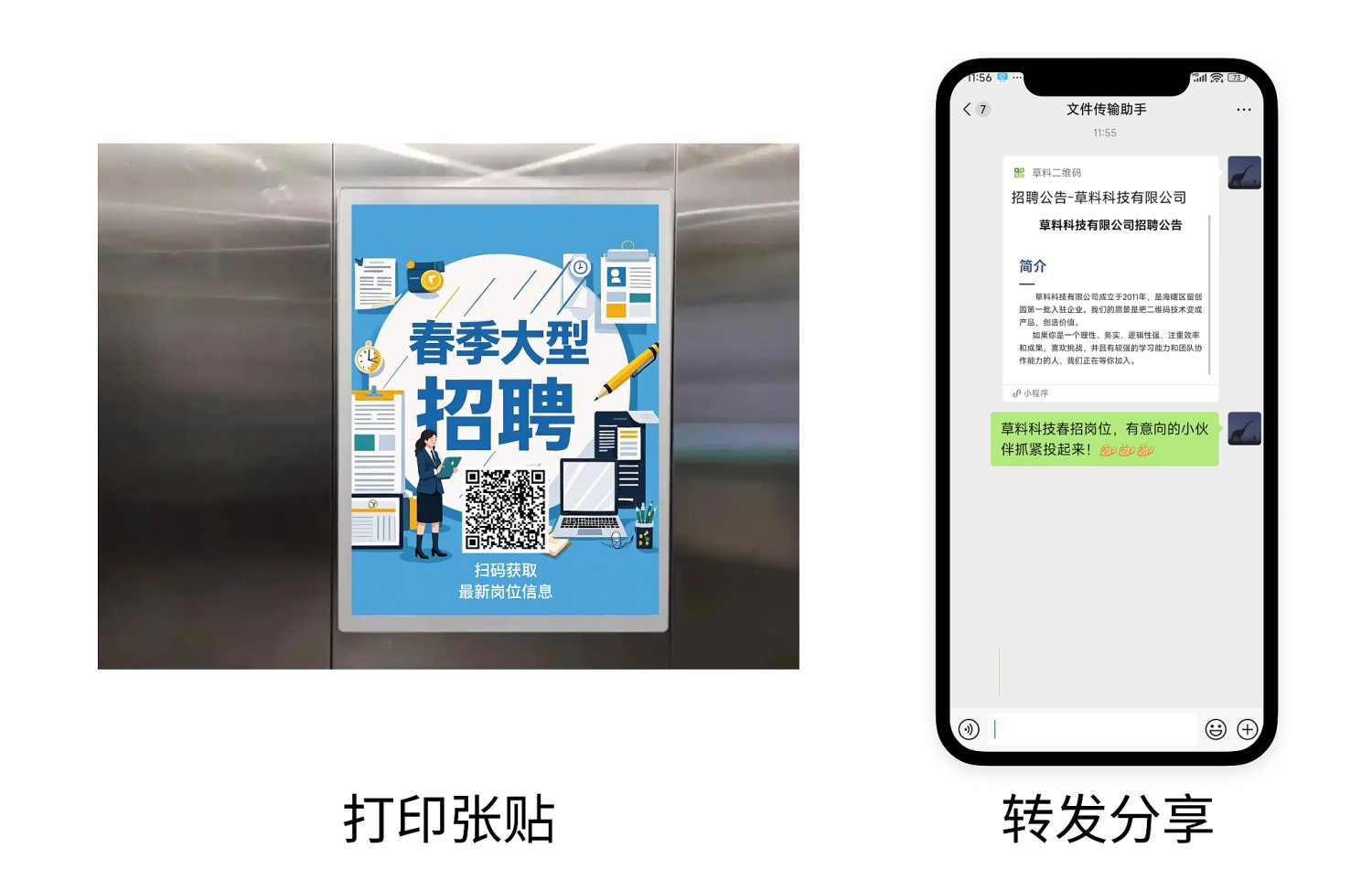
3. Recruitment Information Management and Resume Screening
Recruitment managers can centrally view and screen all applicants' registration information and resumes in the workbench. Data Summary and Statistics Features
After enabling the data review feature, companies can automatically notify applicants of screening results or recruitment outcomes via WeChat service notifications, improving communication efficiency. Review Feature Introduction and Operation Guide
III. Frequently Asked Questions
1. Is it free to use? What's the difference between the paid and free versions?
Answer: You can choose the appropriate version based on your usage needs.
- Free Version: Unlimited views and submissions, data stored long-term, suitable for basic application information collection needs.
- Advanced Version (¥1280/year): Supports more users managing or publishing recruitment information under your account, provides advanced data export and processing features, suitable for enterprises or organizations requiring multi-user management of recruitment information.
Detailed selection advice: Version Selection Advice